

I. Purpose
The manager can integrate with Valor Paytech.
II. Instruction steps
1. Connection via cloud
On the dashboard
Go to Integrations and click Connect at Valor Paytech.

Fill in information and click Connect.

On the POS
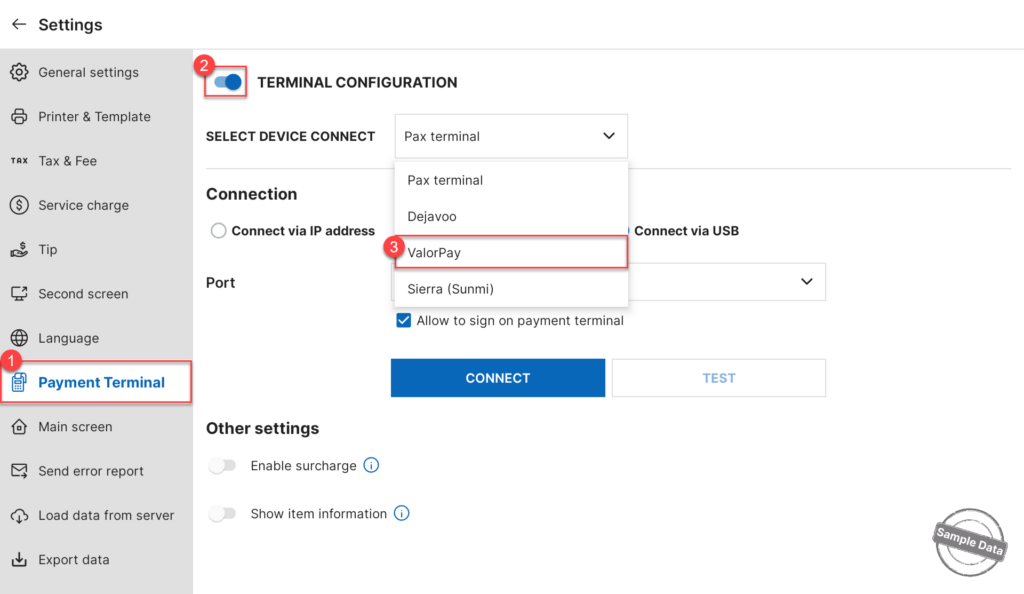
Go to Settings. On Payment Terminal tab, turn on Terminal configuration and select ValorPay.
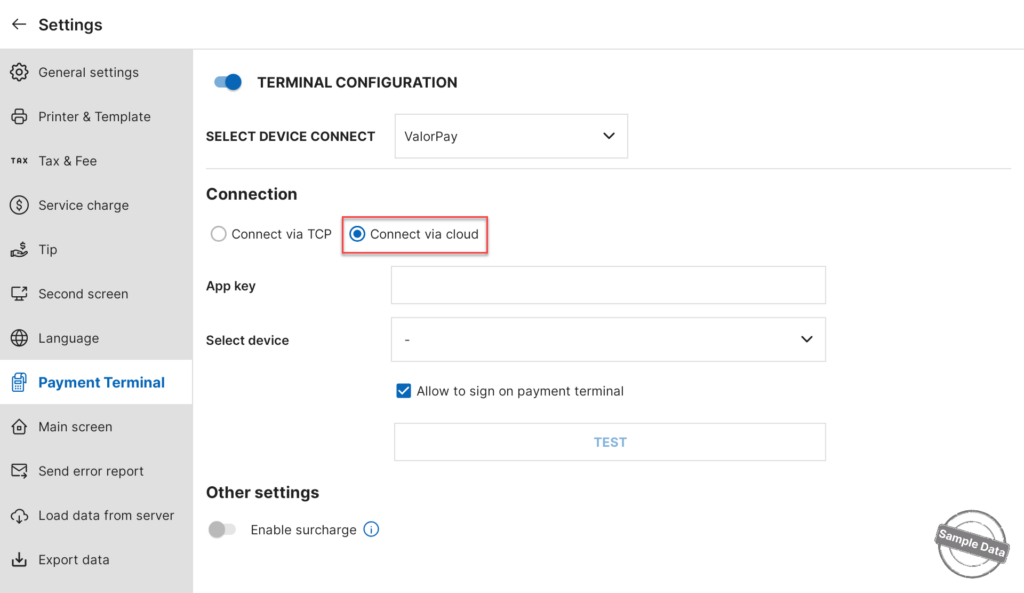
Check Connect via cloud. Fill in App key and Select device. Then, click Test to check the connection.
2. Connection via TCP
On the POS, go to Settings. On Payment Terminal tab, turn on Terminal configuration and select ValorPay.
How to Get the IP Address from a Valor Device
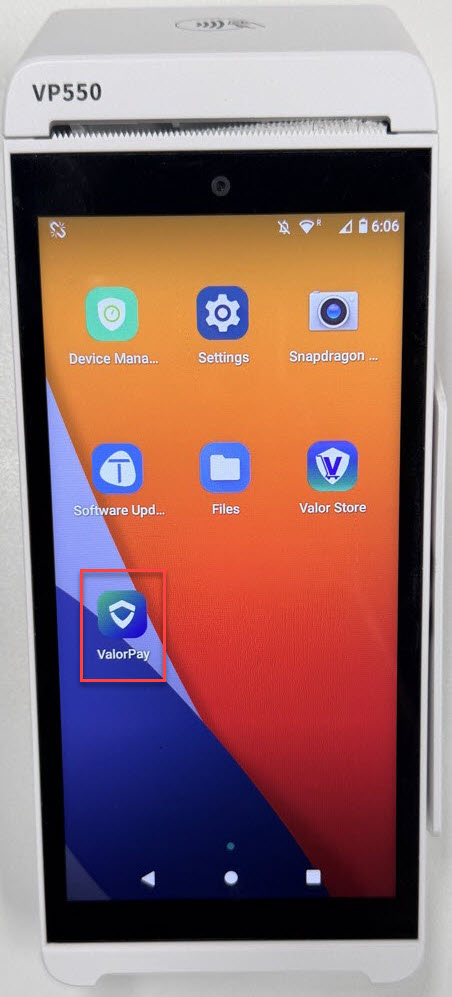
On the Valor device, tap ValorPay.
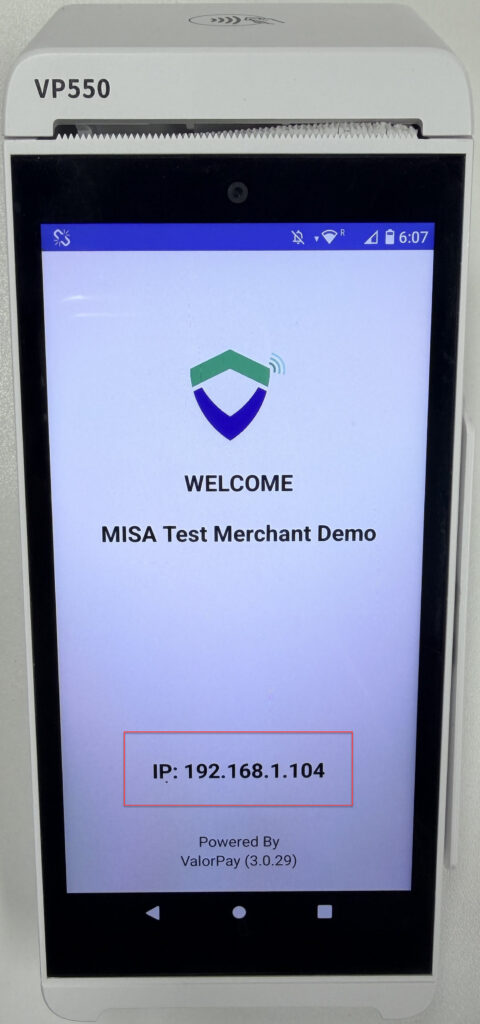
Locate the device’s IP Address.
Navigate back to the POS system, check Connect via TCP and enter the IP Address displayed on the Valor device. Click Connect.
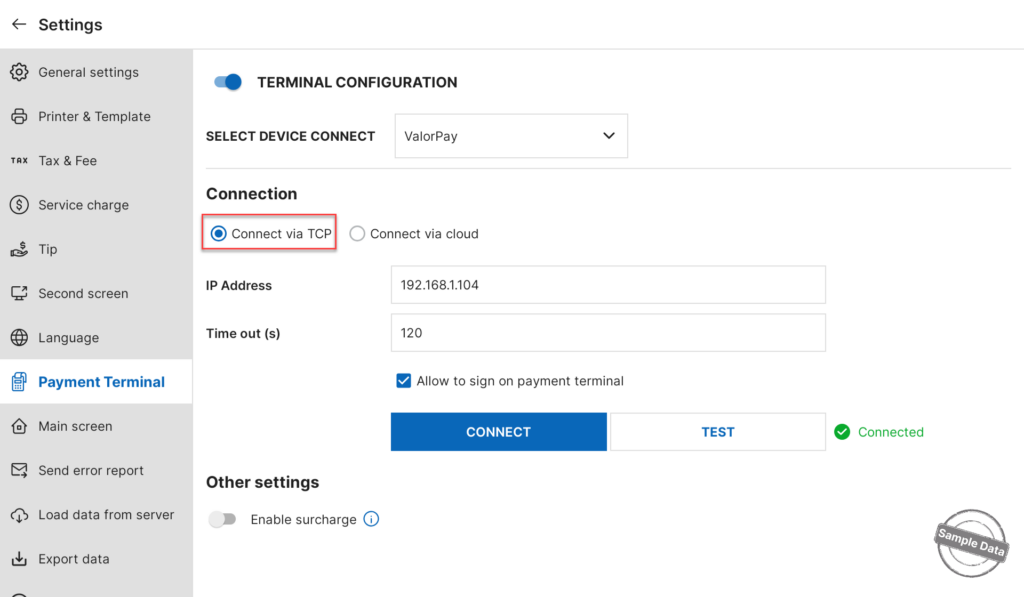
Note: Make sure the POS and Valor device are connected to the same network before proceeding.
Have a nice day!


