

Add a print template for canceled orders with crossed‑out items and a print template for void transactions in Print & Template, helping kitchen/bar staff easily track changes on printed tickets.
Note: To print a cancellation ticket with crossed‑out items, you must enable:
Send order changes to the kitchen / Cancel item.
I. Canceled order template with strikethrough items
Go to Settings / Print & Template.

UnderPrint & Kitchen Ticket, select Custom Template.

Go to the Custom details tab and check Display a strike-through for canceled items. Then, click Save.

When a customer cancels an item, the printed cancellation ticket will show the canceled items with a strikethrough format.

II. Void transaction print template
On the Transaction screen, select the transaction you want to Refund payment. Click the icon  and select Refund payment.

Choose Void.
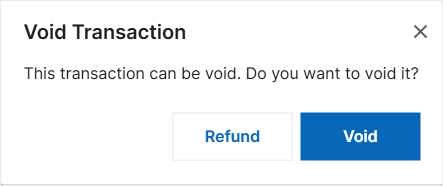

After the void is processed successfully, the system will display and print the corresponding void receipt template.

Have a nice day!


