1. Trang chủ
  2. KDS
  3. Troubleshooting when working with KDS

Troubleshooting when working with KDS

Below are some common issues when working with KDS, along with troubleshooting steps:


COMMON ISSUES


SOLUTIONS

1. Unable to open KDS Solution 1: Check the domain information and login credentials. Try logging into the management page to verify whether the domain and user account are correct.

Solution 2: Check your network connection.

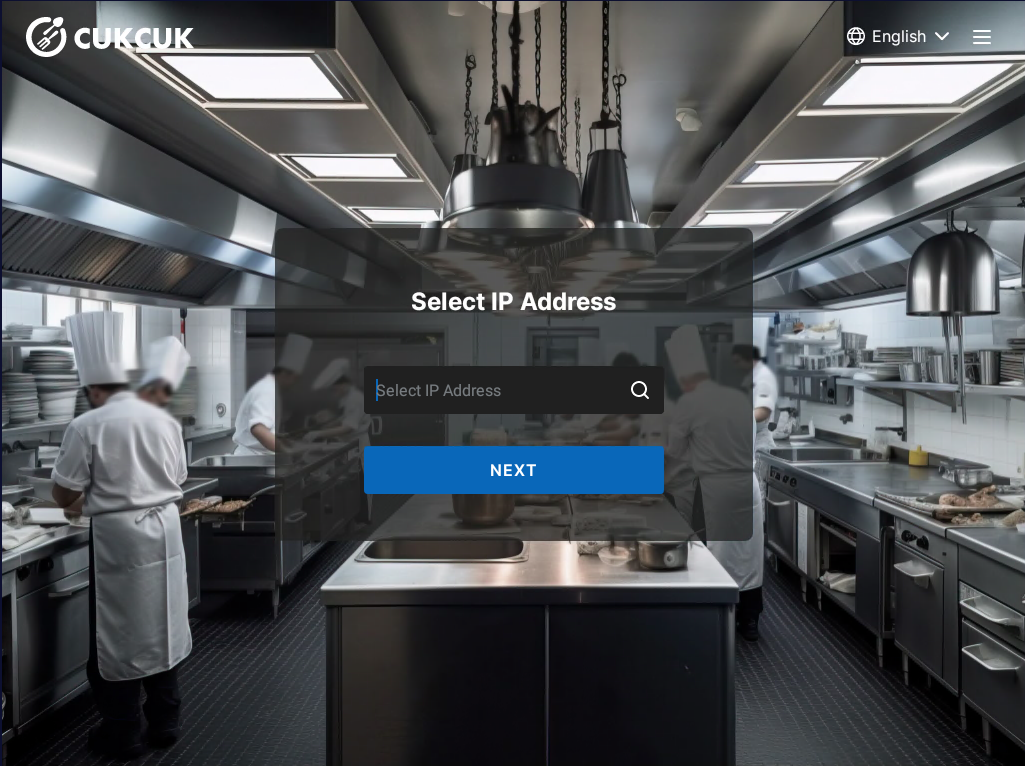
2. Cannot find the POS IP address when logging into the KDS app Solution 1: Make sure the KDS tablet is connected to the same network range as the POS device.

Solution 2: Check the POS IP address:

  • Open the POS Sales application.
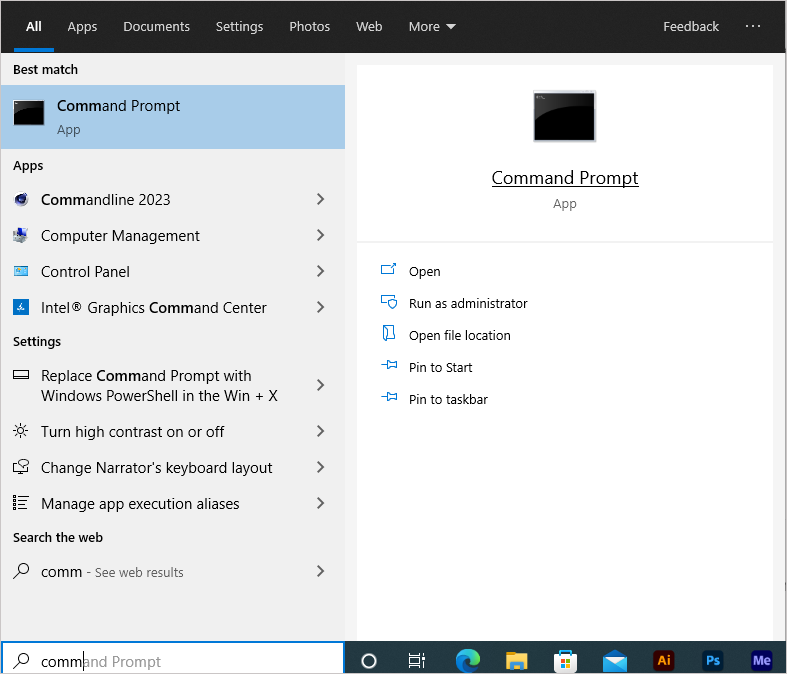
  • Open Command Prompt.

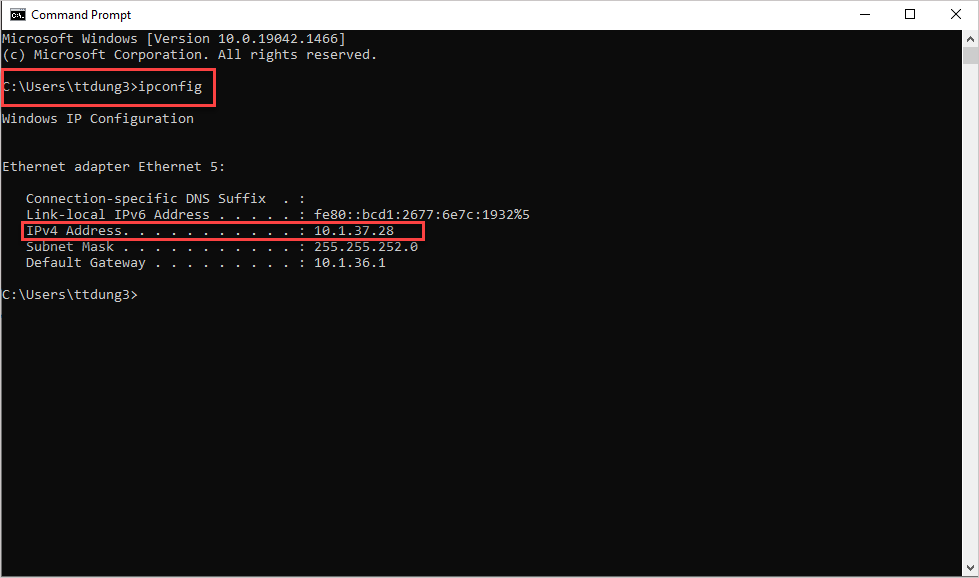
  • Type ipconfig.
  • Copy the IP address and enter it into the CUKCUK Sales app.

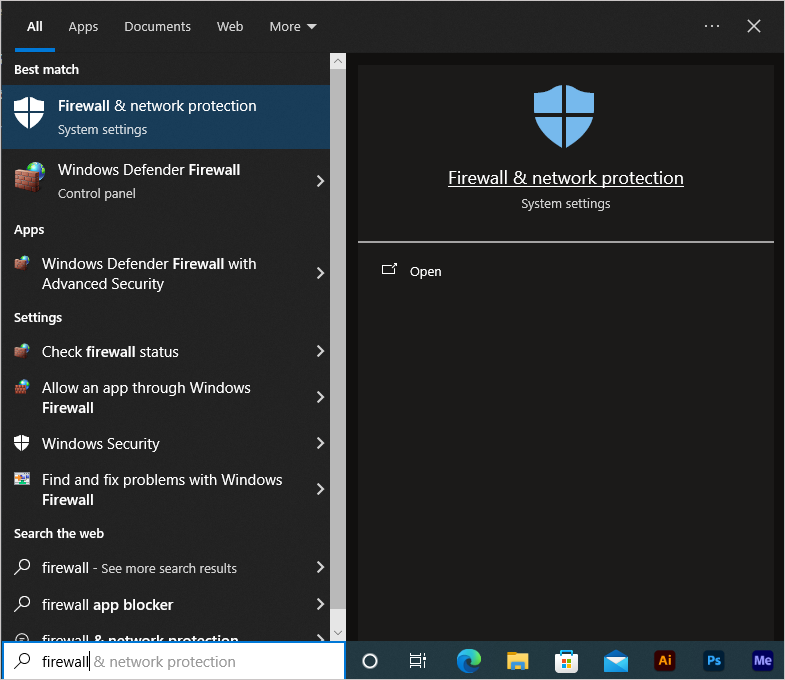
Solution 3: Turn off the Firewall on the POS device.

  • Go to Windows.
  • Search for Firewall & Network Protection.
  • Turn off the Firewall temporarily.

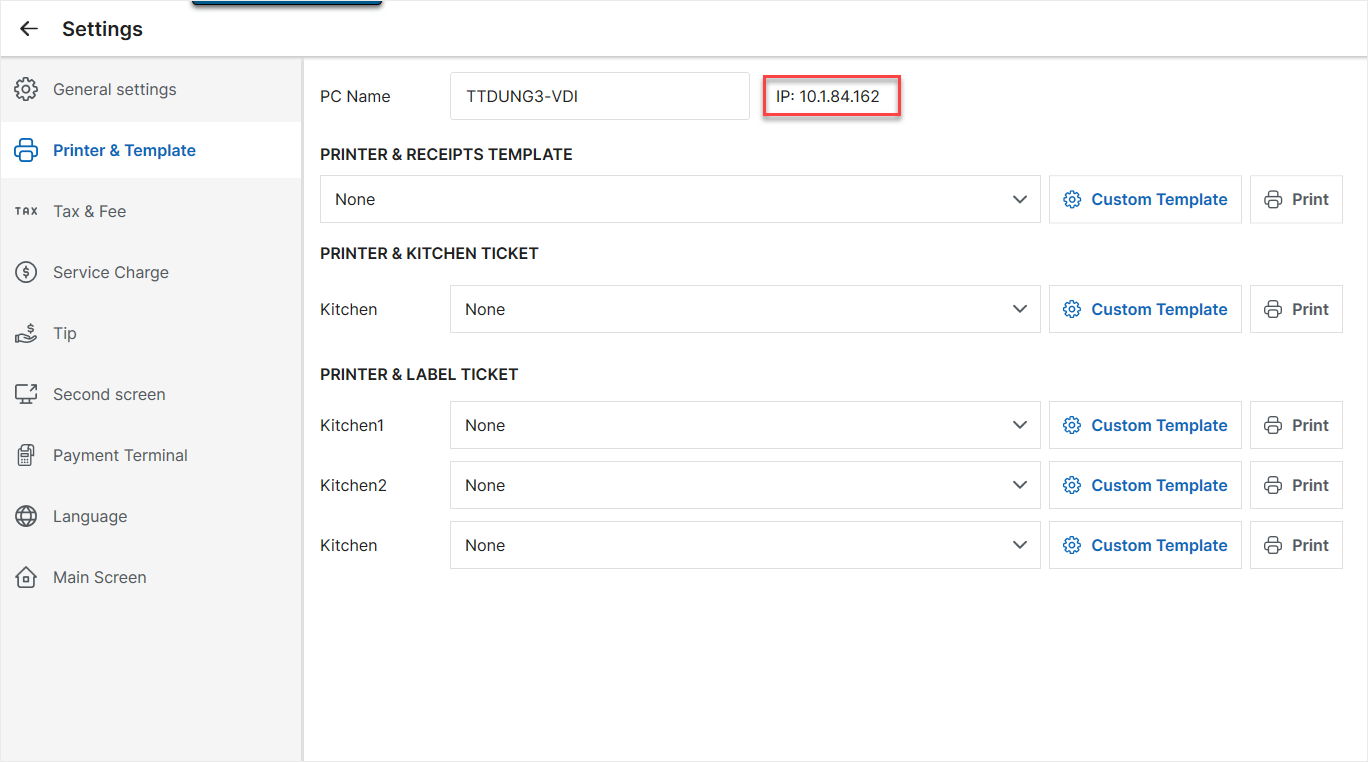
Solution 4: Check the POS IP address from the POS application:

  • Go to POS Sales app > Settings / Printer & Template.
  • Copy the IP address displayed on the screen.

  • Paste it directly into the IP address selection screen in the CUKCUK KDS app.

3. KDS shows old cached data or sync fails Solution 1: Clear data directly in the KDS app:
  • Go to Settings.
  • Select Delete old data.

Solution 2: Uninstall the KDS app and reinstall it.

Have a nice day!

Cập nhật 13/04/2026

Hãy giúp chúng tôi hoàn thiện trang trợ giúp phần mềm. Bài viết này có hữu ích với bạn không?

Bài viết liên quan

How to Use the Kitchen Display Screen (KDS)
Xem thêm more
Kitchen Display System Configuration Guide
Xem thêm more
Cập nhật phần mềm trên thiết bị Android
Xem thêm more