

I. Purpose
The managers can configure settings related to purchasing and sales operations such as pricing policies, fees, taxes, and gratuity. Depending on the configuration, the purchasing and sales screens and related functions in the system will change accordingly.
II. Instruction steps
1. Set up tax
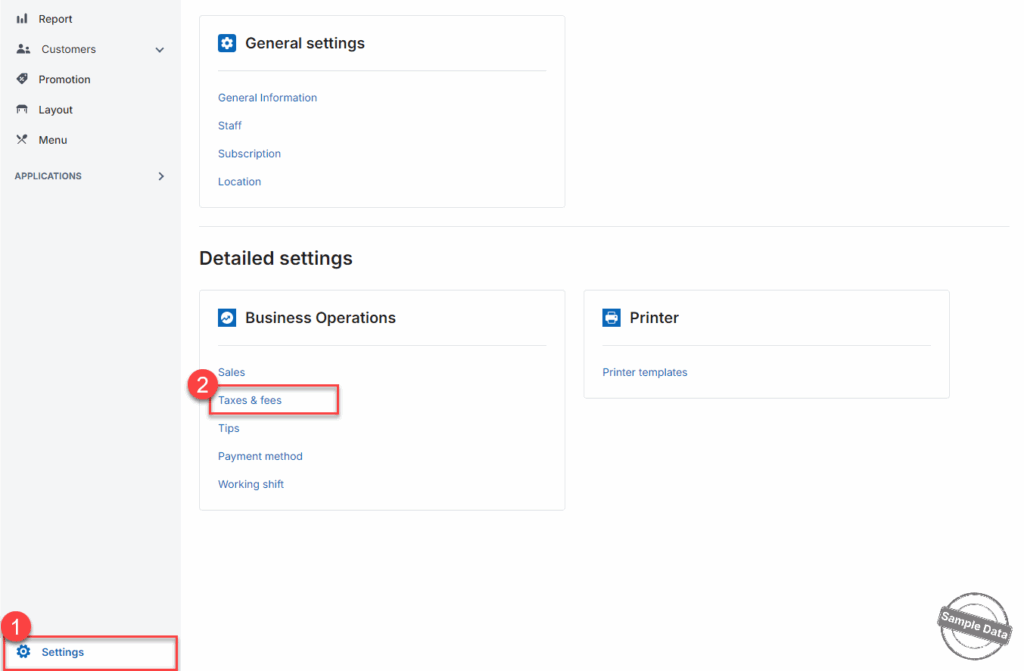
Go to Settings and select Taxes & fees.
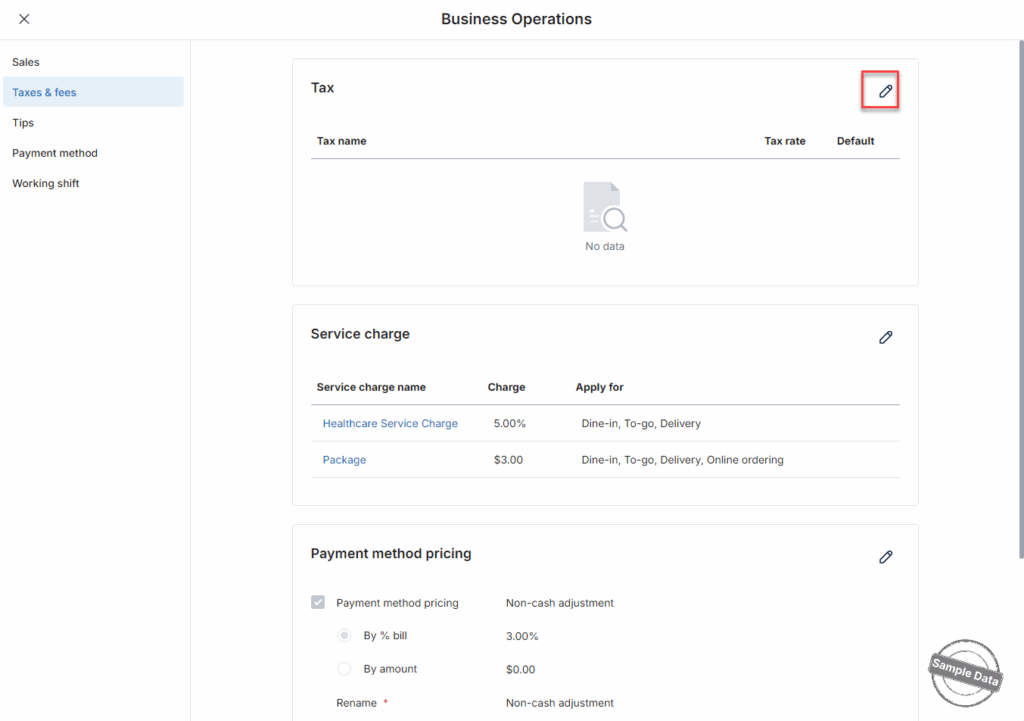
On the Tax section, click this icon 
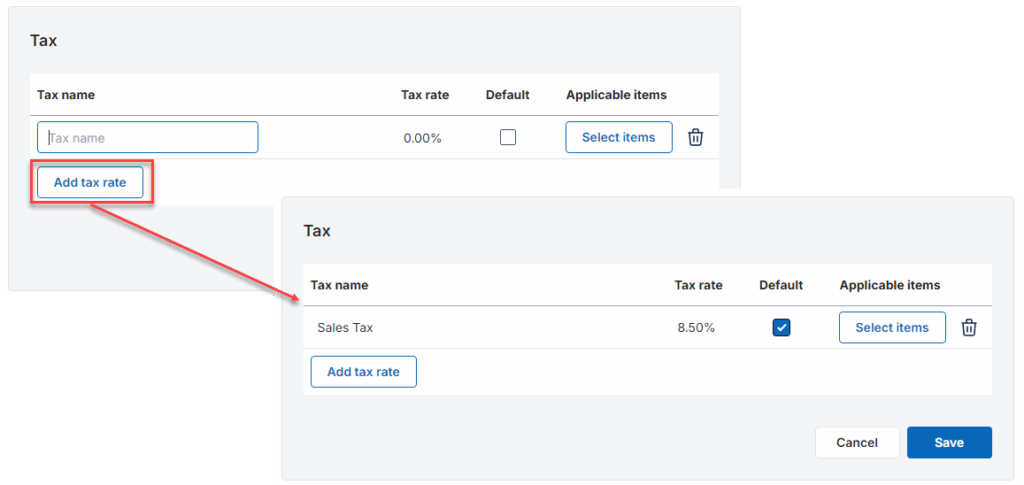
Click Add tax rate to create the tax rate you want to apply. Enter tax name, tax rate and put a check if this tax is default.
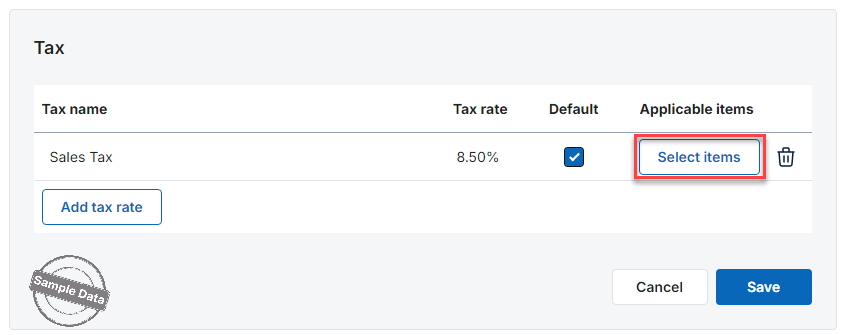
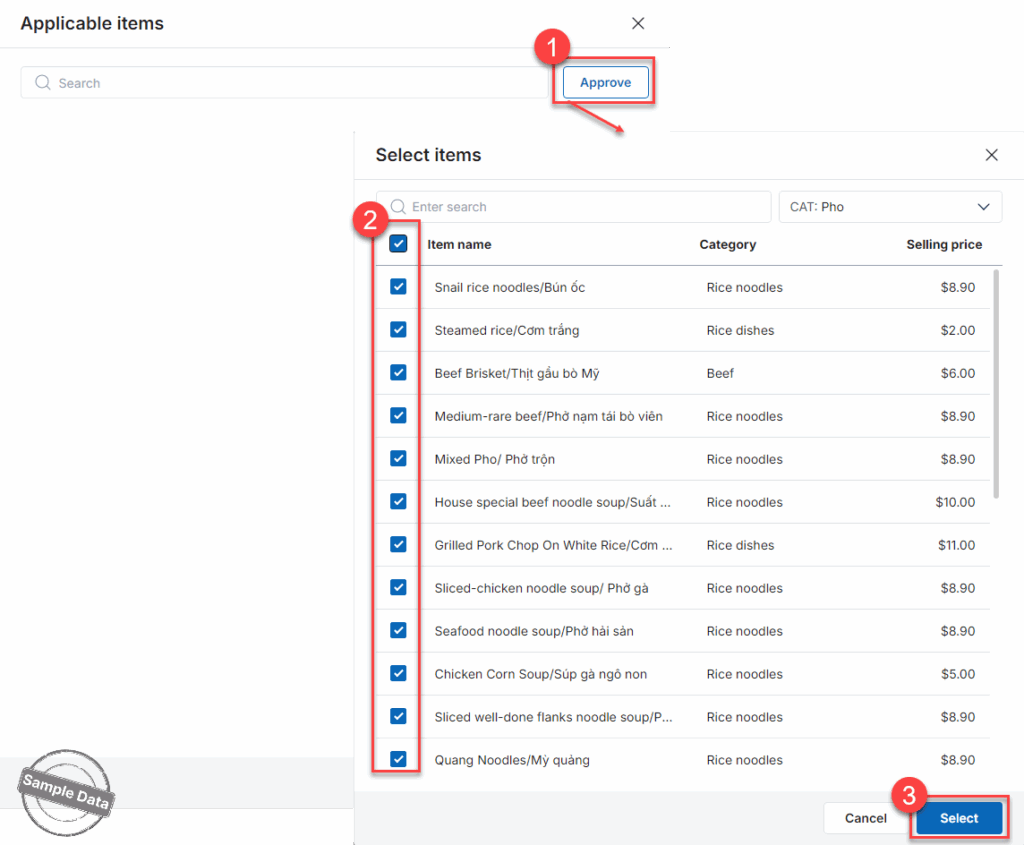
Click Select items to add items subject to this tax.
Click Approve. Check the applicable items and press Select.
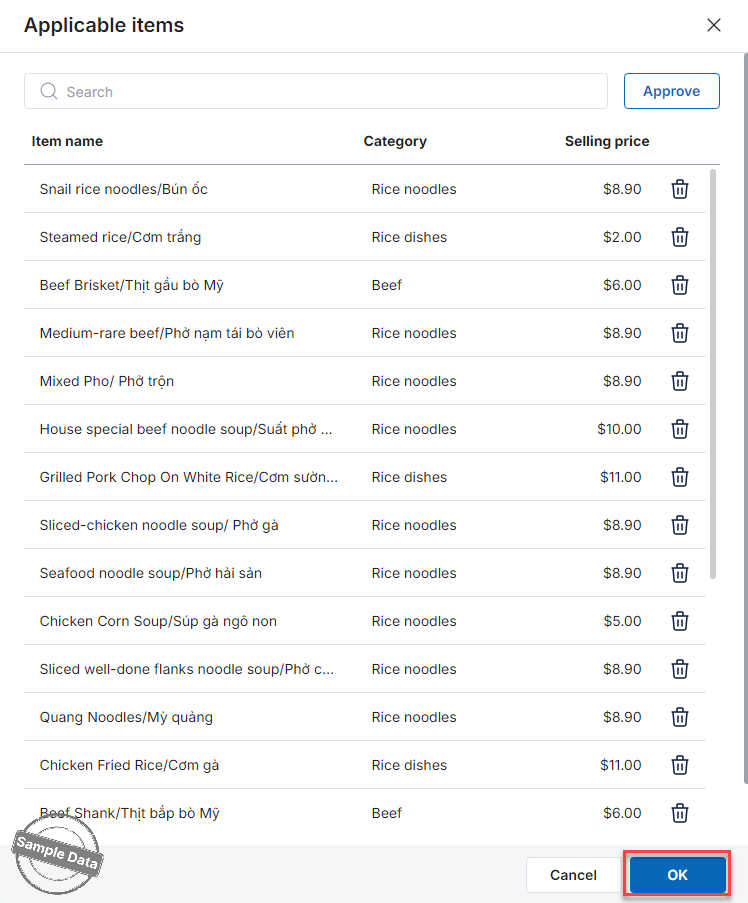
Then click OK.
2. Set up service charge
Scroll down to Service Charge tab and click this icon

Click Add service charge.

Enter the required information and click Save.

Then, click Save to apply changes.

3. Set up tip
Select Tip tab and click this icon 
Step 2: Configure Tip settings.
- Check Use tip suggestions.
- The system will suggest tip levels in percentage (%). Managers can choose which tip levels to display.
- Click Add tip suggest if you want to add more.

Tip Distribution Options
You can distribute tips in two ways:
- Option 1: Tips directly
When selected, employees receive the full tip amount directly from customers.

- Option 2: Percentage
When selected, employees receive tips based on a configured percentage.
Click Tip percentage settings.

Select employees, enter the desired tip percentage, and click Save. 
4. Set up gratuity
Scroll down to Gratuity and click this icon

Check Auto-apply the automation gratuity fee to larger parties of, and enter the number of guests.
- Enter the Gratuity percentage (%).
- The system defaults to Before apply discount: Gratuity = %Gratuity*Total items
- You can adjust this setting if needed.
- Proceed other settings
- Click Save to complete.

Have a nice day!


