

I. PURPOSE
Card payment is currently one of the most common payment methods. Most restaurants use card terminals to support customer payments.
When processing card payments, a transaction fee is charged by the service provider. Some restaurants pass this fee to customers. This is called a Non-cash adjustment.
The fee is added to the total amount the customer pays by card.
It can be calculated as a fixed amount or a percentage (commonly 3%).
Watch the tutorial video here.
II. INSTRUCTION STEPS
1. Set Up PAX Terminal Connection
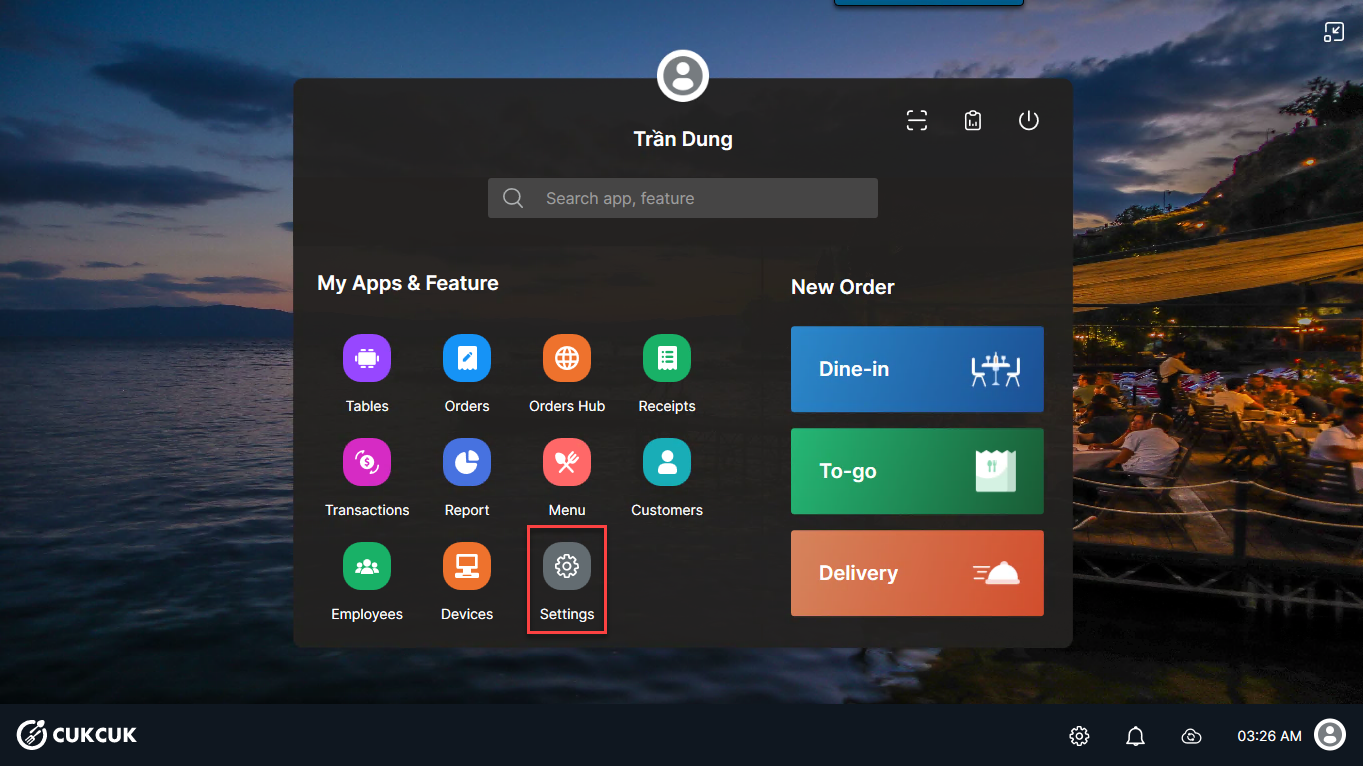
On the main screen, select Settings.
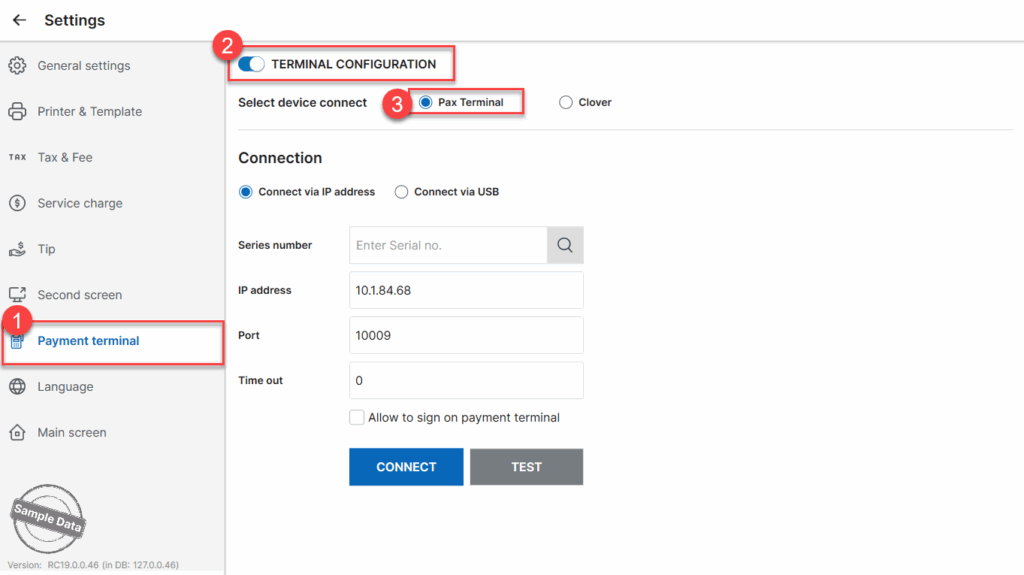
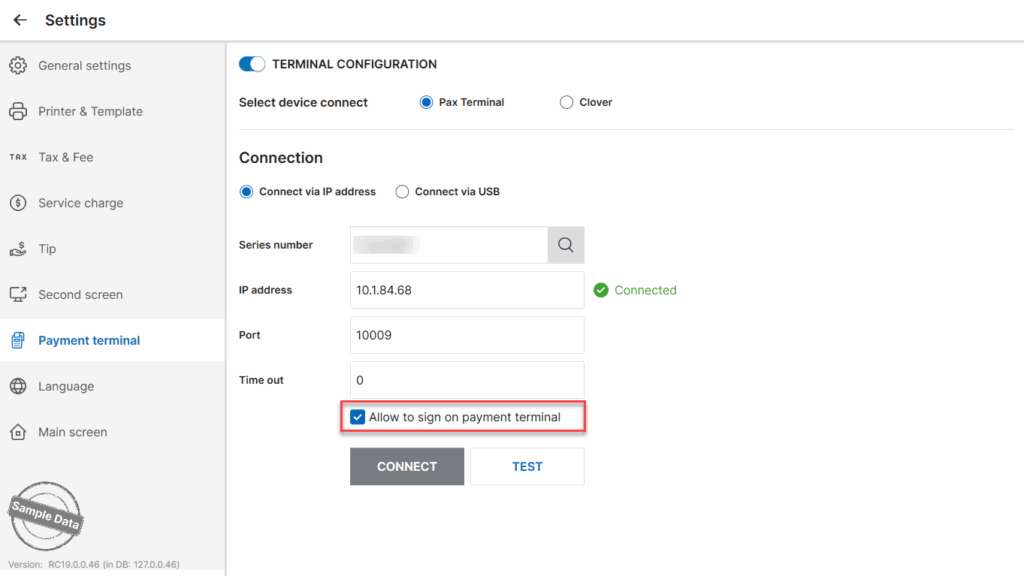
In the Payment Terminal tab:
- Turn on Terminal Configuration.
- Select PAX Terminal as the connected device.
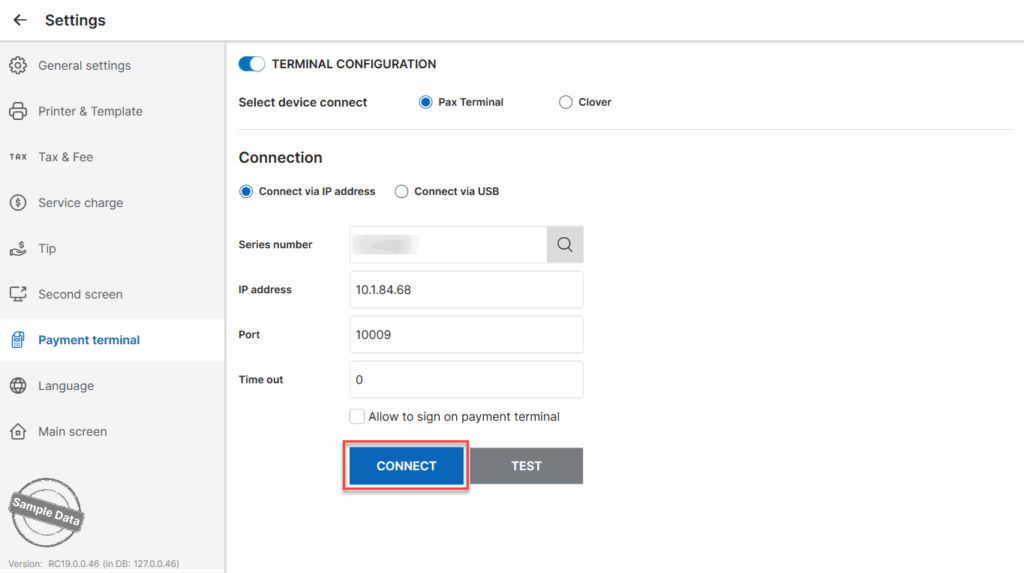
Option 1: Connect via IP Address
- Check Connect via IP address.
- On the PAX device, retrieve the Serial No.
- Enter the Serial No. into the Serial No. field.
- Click Connect.
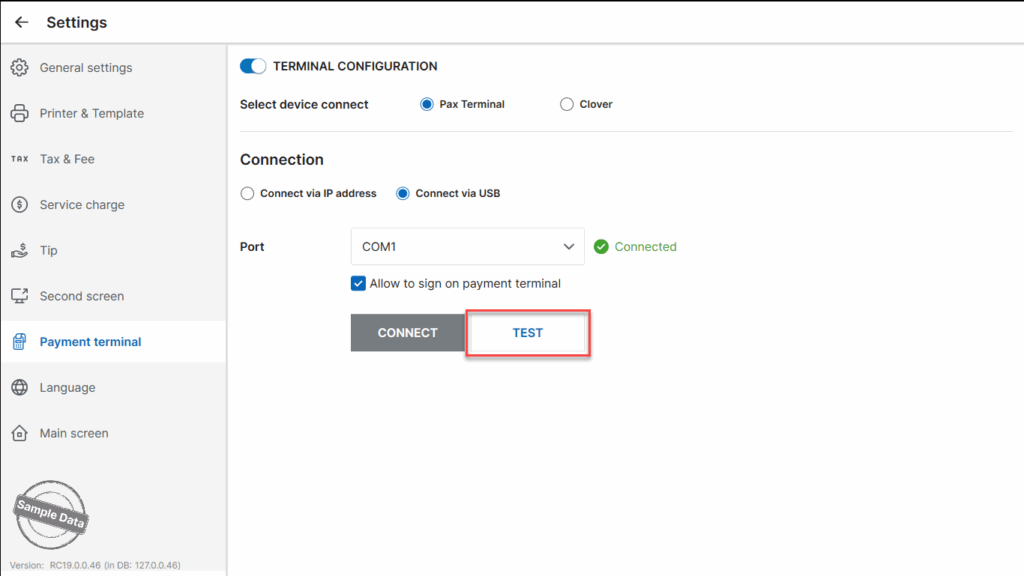
Option 2: Connect via USB
- Check Connect via USB.
- Click Connect.
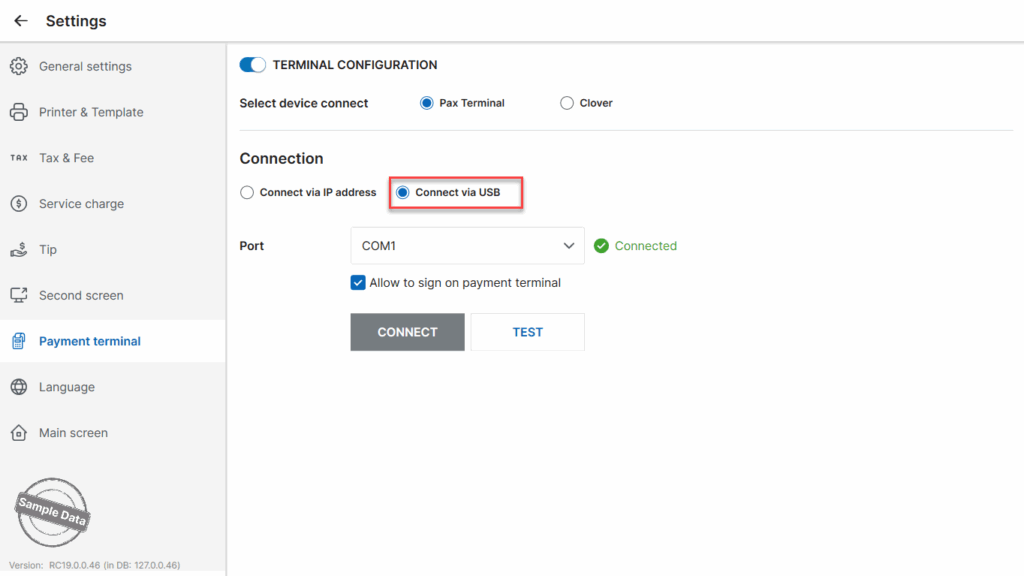
If you want to allow customers to sign directly on the PAX device, check: Allow to sign on payment terminal.
Test the Connection
- Click Test.
- Enter the test amount.
- Click Done.


2. Process Orders with Card Payment
Go to Orders and select the order to be paid.

Click Pay.

Select Card as the payment method. You can adjust the payment amount based on the customer’s request by selecting Receive amount. Then click Pay.

The POS system will connect to the card terminal, allowing the customer to swipe their card.

Once the payment is completed, the cashier will receive a notification on the POS.

Have a nice day!


