

Nội dung có trong bài
Ẩn
I. Purpose
The manager can set up to apply activation fee upon issuing gift cards.
II. Instruction steps
1. Set up on the dashboard
Go to Settings –> Taxes & Fees.

Click edit icon on Service charge part. 
In the Regular section, define the core details of the fee:
- Name: Enter a clear name for the charge (e.g., “Activation fee” or “Service fee”).
- Type: Select how the charge is calculated from the dropdown menu:
- Fixed Percent: A percentage of the order total.
- Fixed Amount: A set dollar amount.
- Open Amount: An amount entered manually at the time of transaction.

- Charge: Enter the numerical value for the charge (e.g.,
10.00). - Apply in: Choose when the charge is calculated:
- Pre-discount total: Calculated based on the amount before any discounts are applied.
- Post-discount total: Calculated based on the final amount after discounts have been applied.
5. In the Apply for section, check Issue physical gift card.
If you want to auto-apply this fee, check Auto apply. Then click Save.
2. Set up on POS
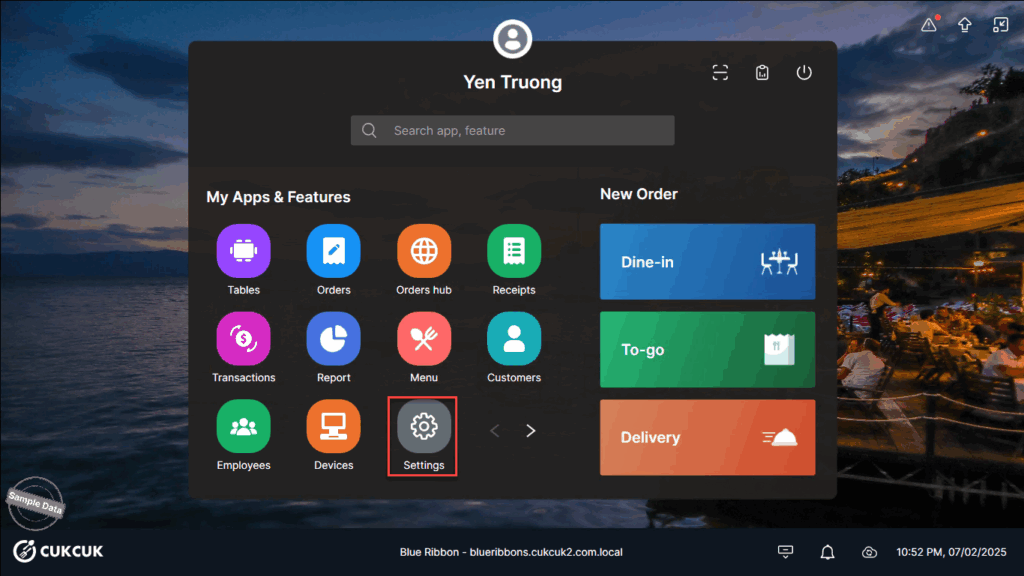
Go to Settings.
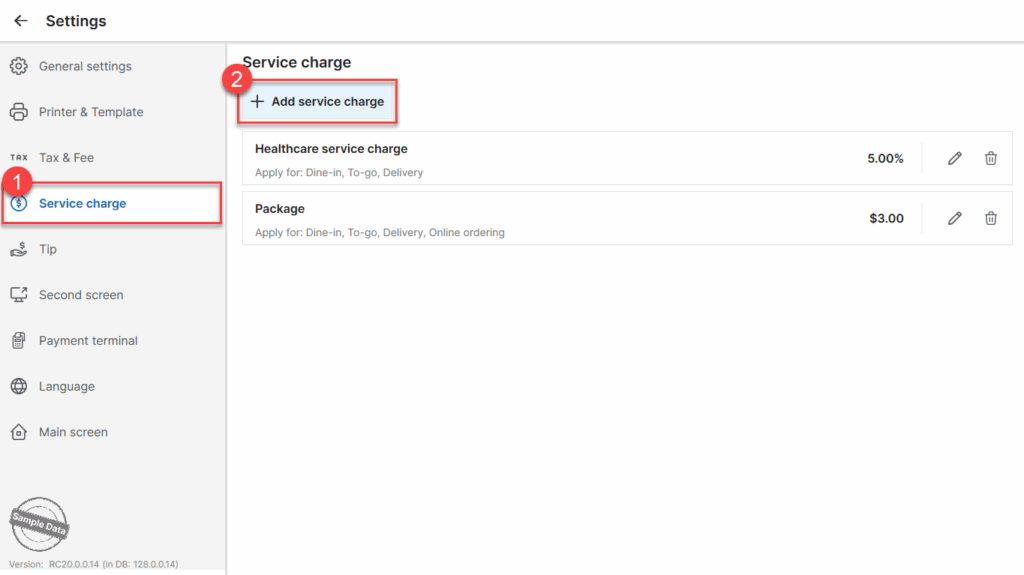
On Service charge tab, click Add service charge.
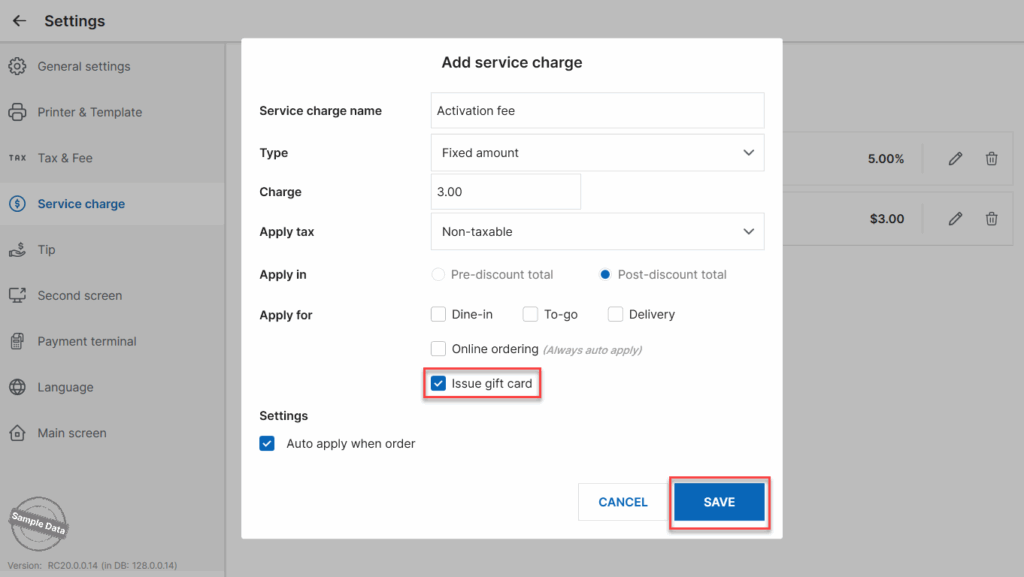
Fill in information on the service charge and check Apply to Issue gift card. If you want to auto-apply this fee, check Auto apply when order. Then click Save.
Have a nice day!


