

Nội dung có trong bài
Ẩn
I. PURPOSE
The restaurant managers can set up document numbering rules for daily, monthly, yearly closing, etc. At the same time, it helps quickly record and track invoice numbers and order numbers.
II. INSTRUCTION STEPS
Step 1: Go to System settings \ Location settings
- Select the Document numbering rules tab.
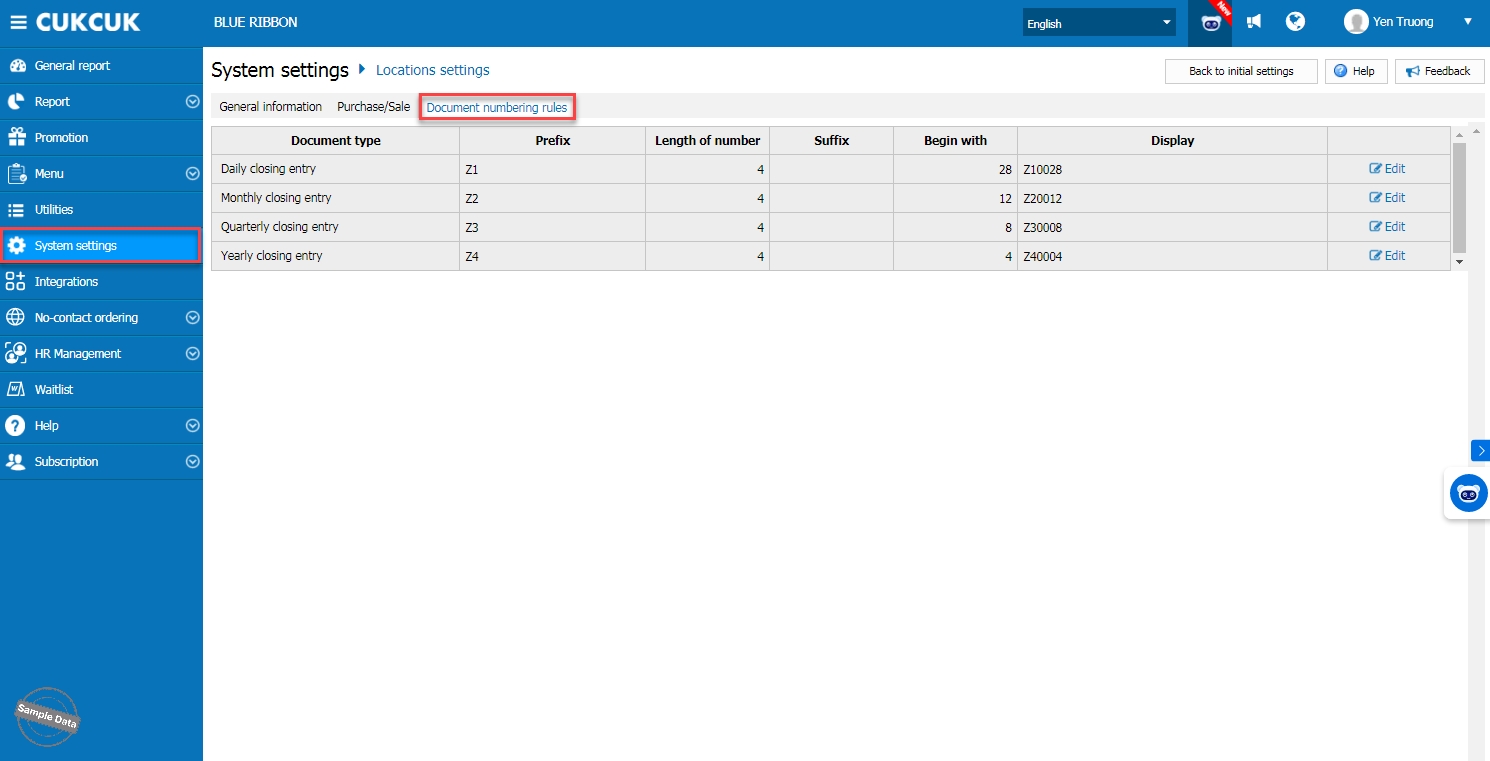
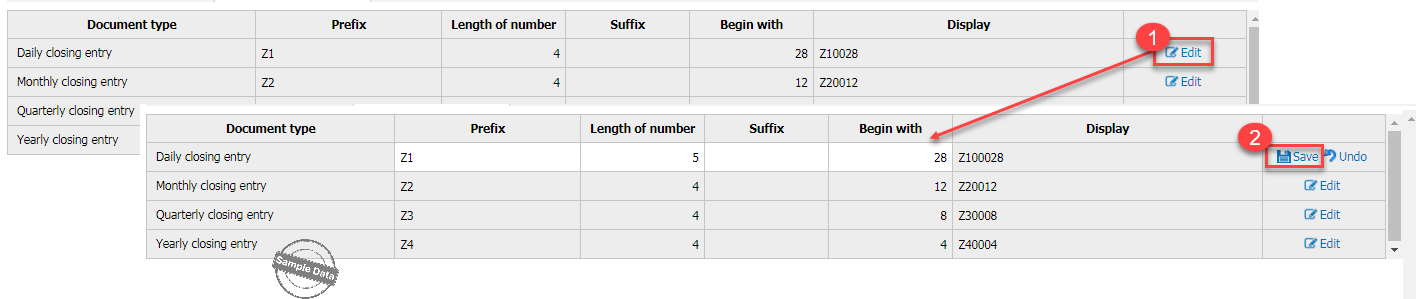
Step 2: Reconfigure the document numbering rules
- Click Edit for the document type you want to reconfigure.
- Click Save to keep the changes. Newly created documents going forward will follow the new rule.
Notes
- When the cashier creates an order, the order number starts from 1.
- The order number will be updated after the daily closing is performed.
Have a nice day!


