

Nội dung có trong bài
Ẩn
I. PURPOSE
The cashier can set up and adjust the kitchen/bar print template.
II. INSTRUCTION STEPS
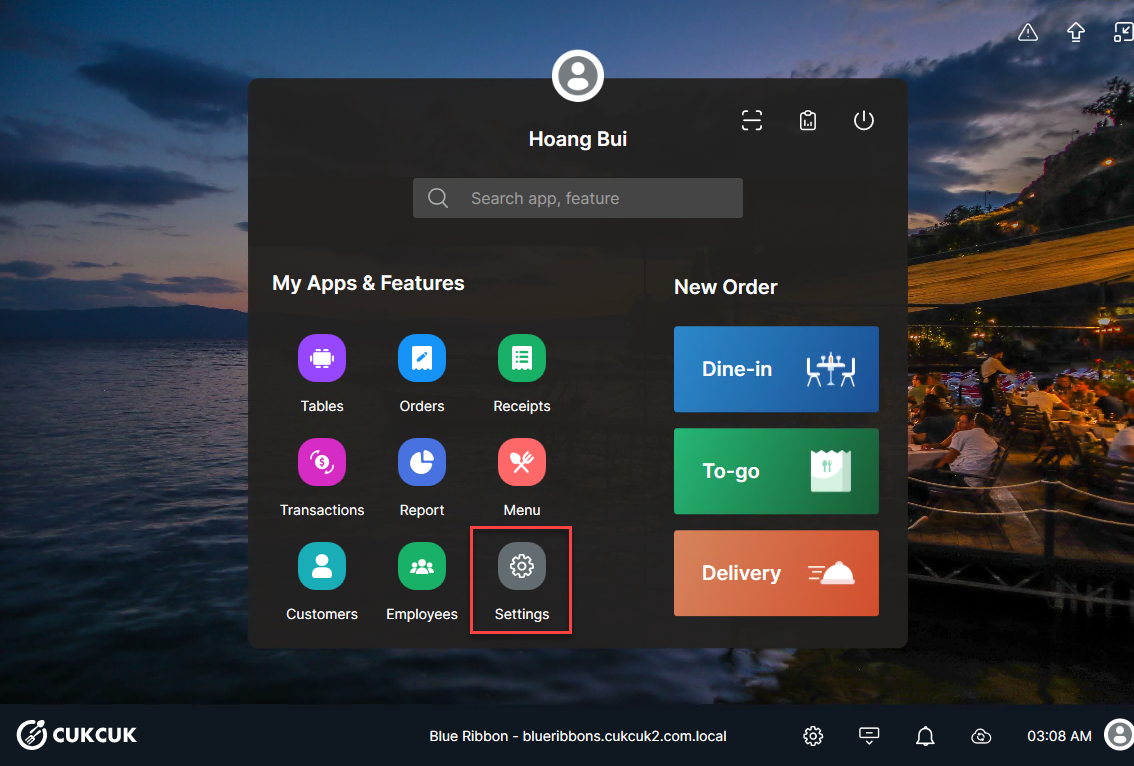
On the main screen, select Settings.
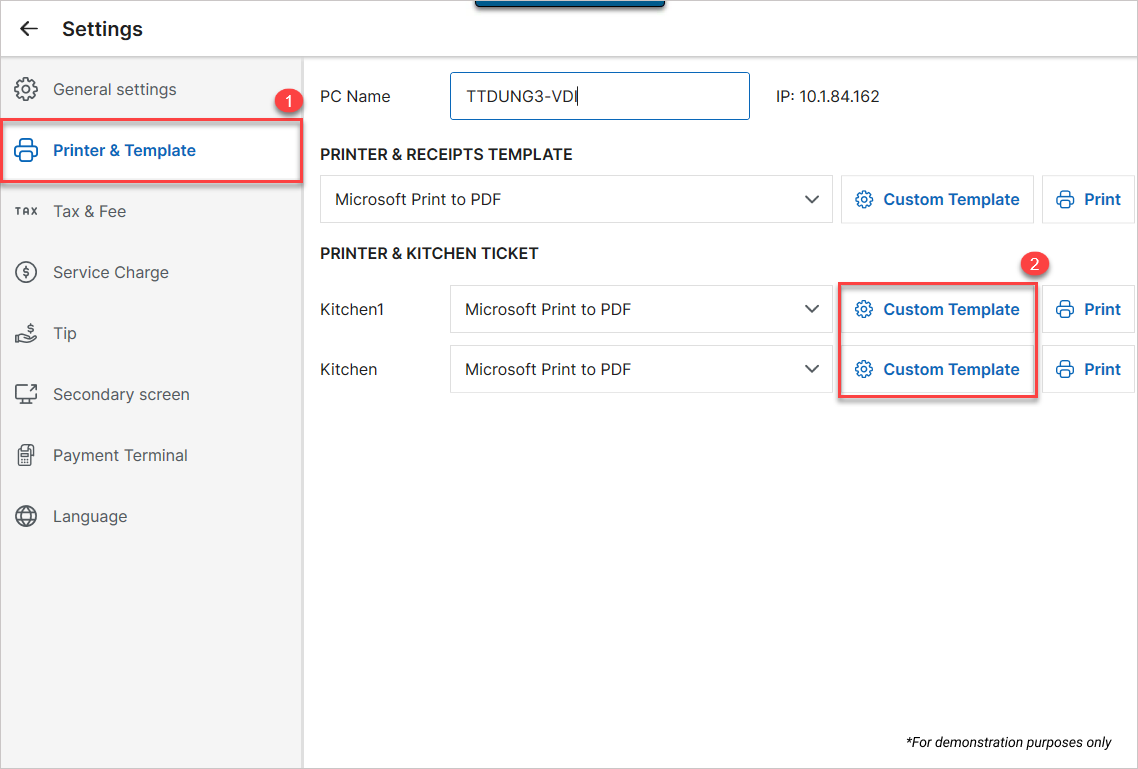
Select Printer & Template. In the Printer & Kitchen Ticket section, click Custom Template.
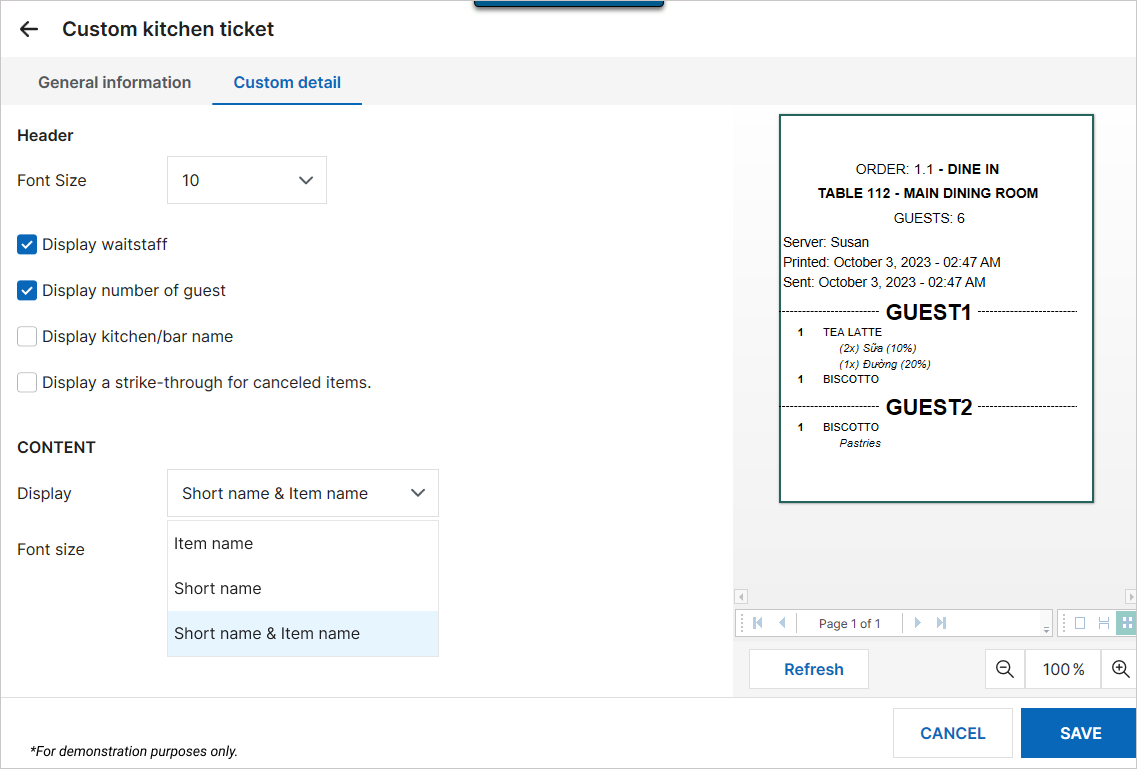
Select the Custom Detail tab to customize the order print template:
- Adjust the print template: Select a template and check the information you want to display on the printout.
- Click Refresh to preview the template after making changes.
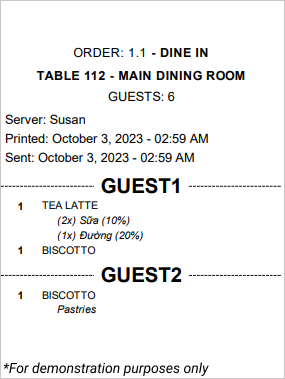
After completing the customization, click Save.
III. NOTES
If the restaurant has multiple kitchens/bars and multiple printers, customizing the print template for one kitchen will not affect the others.
Have a nice day!


