

Nội dung có trong bài
Ẩn
I. Purpose
The SMS Marketing app allows restaurants to connect an SMS service provider and send marketing messages to customers via text message.
II. Instruction steps
To integrate with SMS Marketing Partner, please follow these steps:
1. Set up integration
Step 1: Access the SMS Marketing App
- On the Dashboard, go to Applications.
- Open the Marketing tab.
- Locate the SMS Marketing app.
- Click Install.
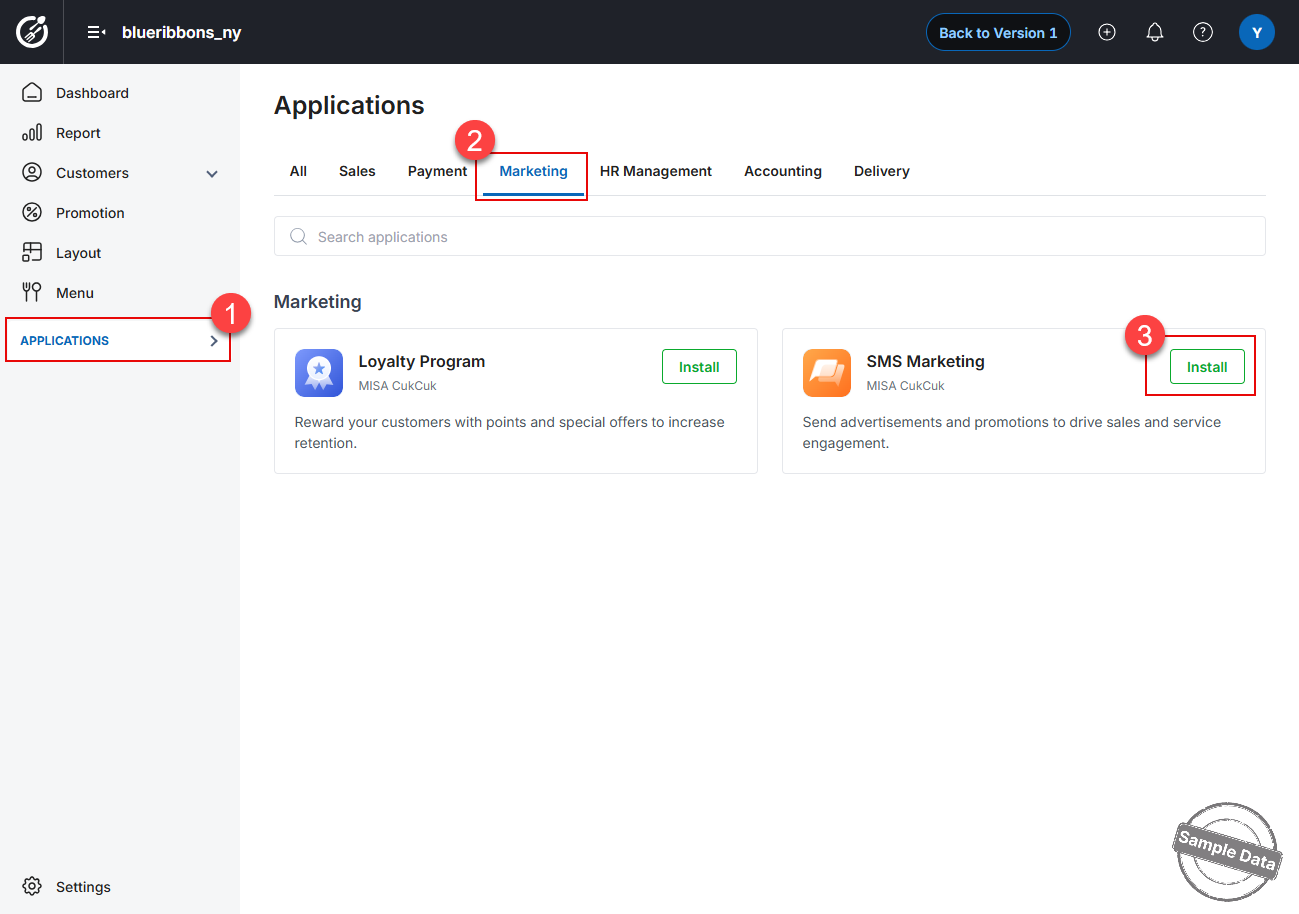
Step 2: Connect an SMS Provider
- Select an SMS provider, such as Twilio.
- Enter the required account information:
- Account SID
- API Key
- Click Connect to complete the setup.
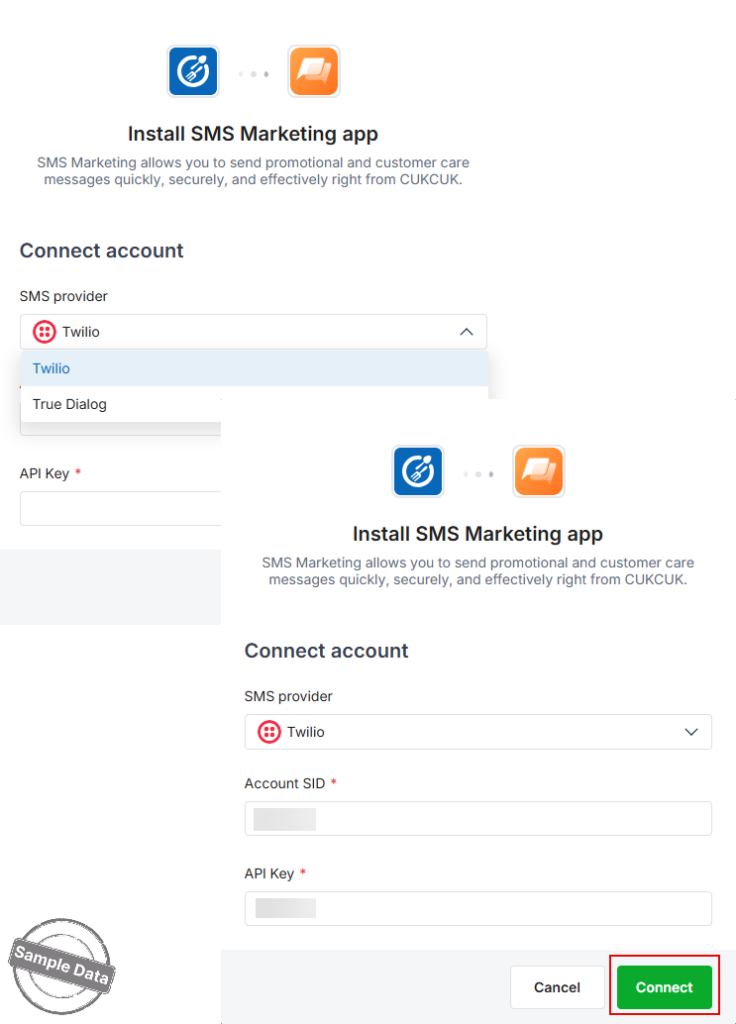
The SMS Marketing app is now connected to the selected SMS provider.
2. Create sample messages
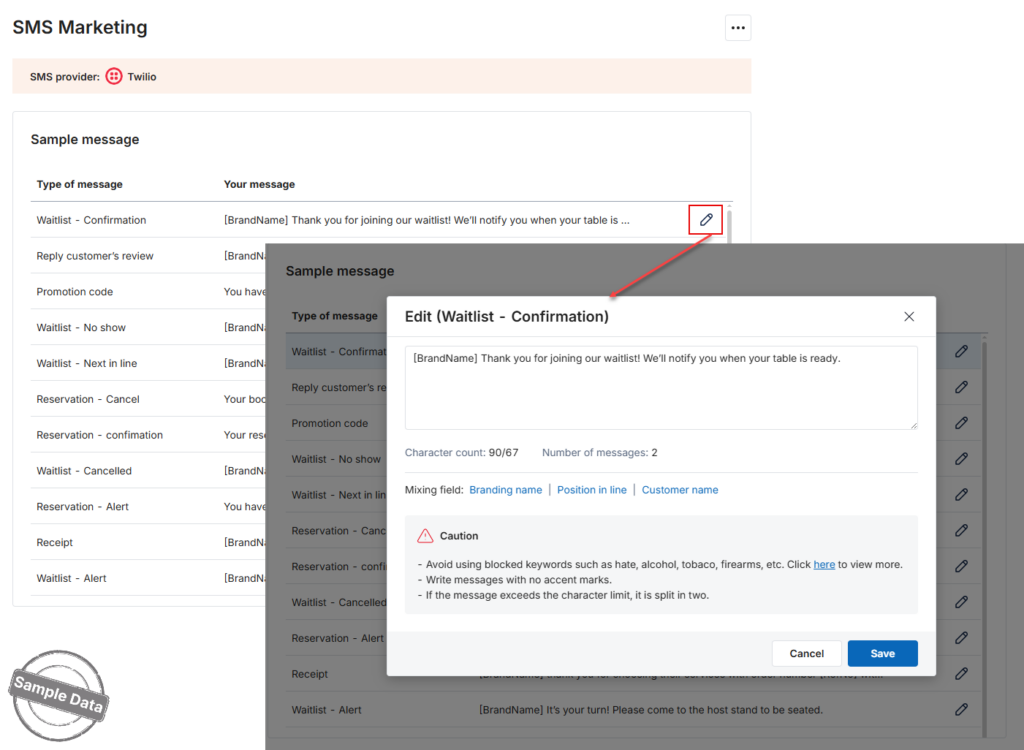
To customize a message for your restaurant:
- Click the Edit icon next to the message you want to modify.
- Update the message content as needed.
- Click Save to apply your changes.
Have a nice day!


