

I. TUTORIAL VIDEO
Watch video here: https://www.youtube.com/watch?v=rImXnCUb9Dw&list=PL8vytpnSLC8nOGecyPnYm38QqkLso11Zy&index=8
II. INSTRUCTION STEPS
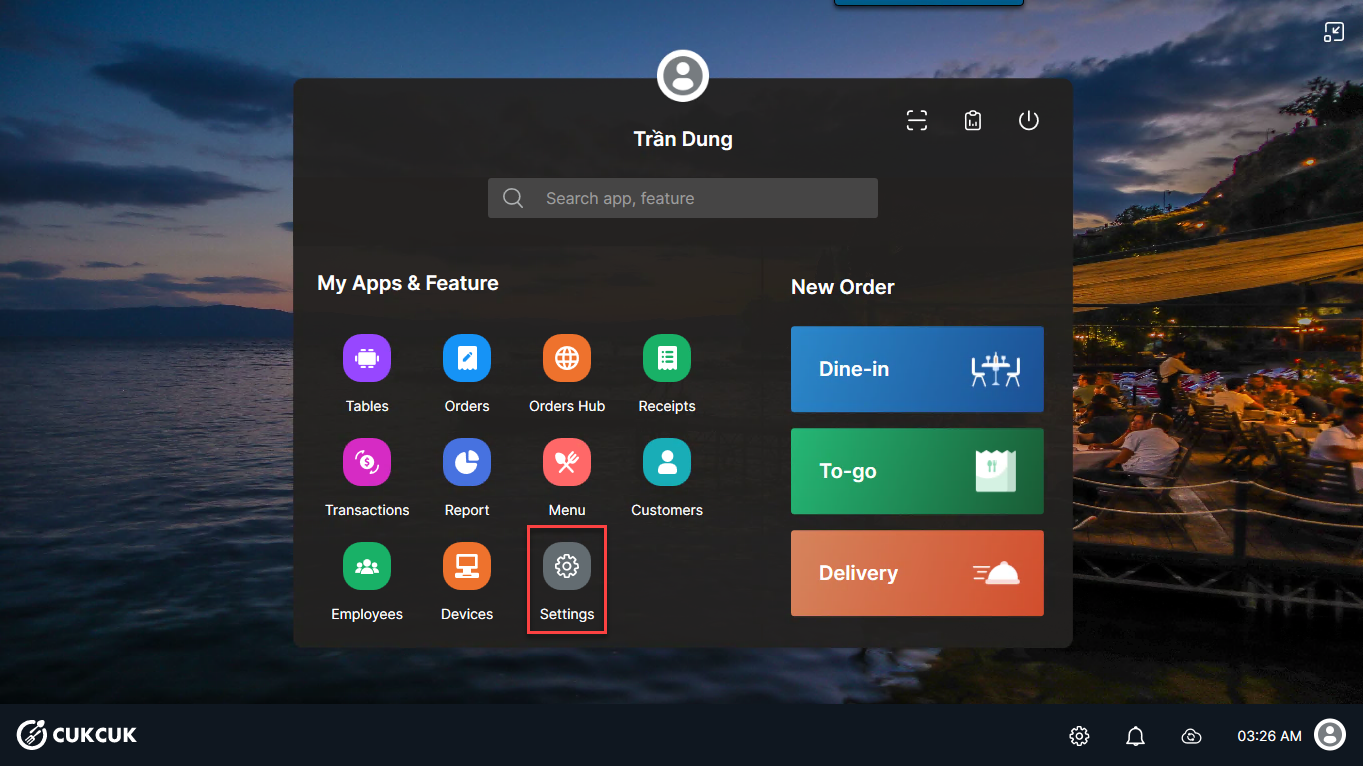
Step 1: On POS, select Settings
Step 2:
– Select Payment Terminal and check PAX TERMINAL CONFIGURATION
– On the PAX device, retrieve 2 pieces of information and enter the following fields: IP address, Port, and Timeout
Then, click CONNECT


Step 3: Click TEST to test the payment

Enter the testing amount. Then, click Done.


Step 4: Go to Orders and select an order to get payment.

Step 5: Select Pay.

Step 6: Select payment by Card.
Here, you can customize the payment amount as requested by the customer by selecting Receive amount.
Then, click Pay.

At this point, the POS system will connect to the pax terminal, allowing the customer to make a payment by swiping their card.

After getting payment, the cashier will receive this message on POS.

Have a nice day!


