

Nội dung có trong bài
Ẩn
I. Purpose
The manager can set up to apply activation fee upon issuing gift cards.
II. Instruction steps
1. On the management page
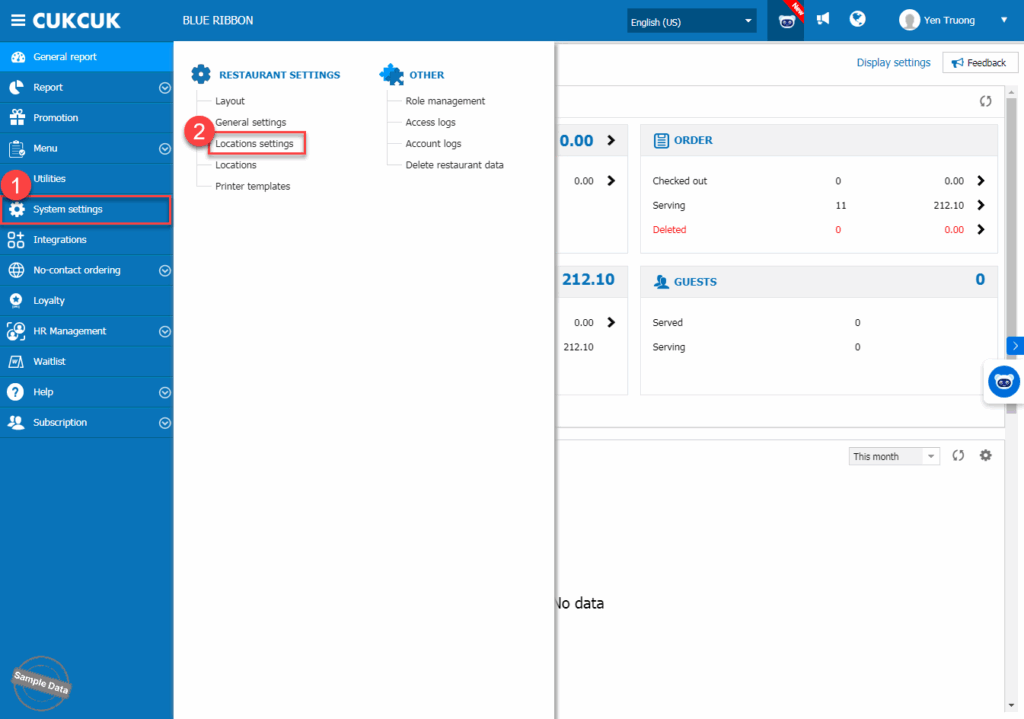
Go to System settings/Locations settings.
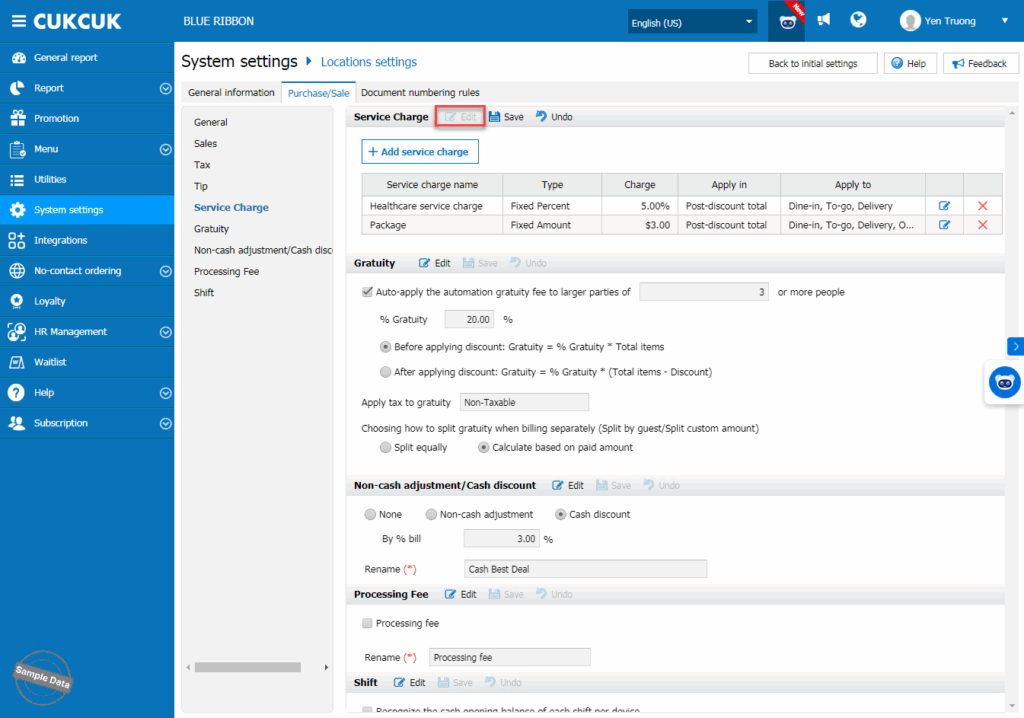
On Purchase/Sale tab, click Edit on Service charge.
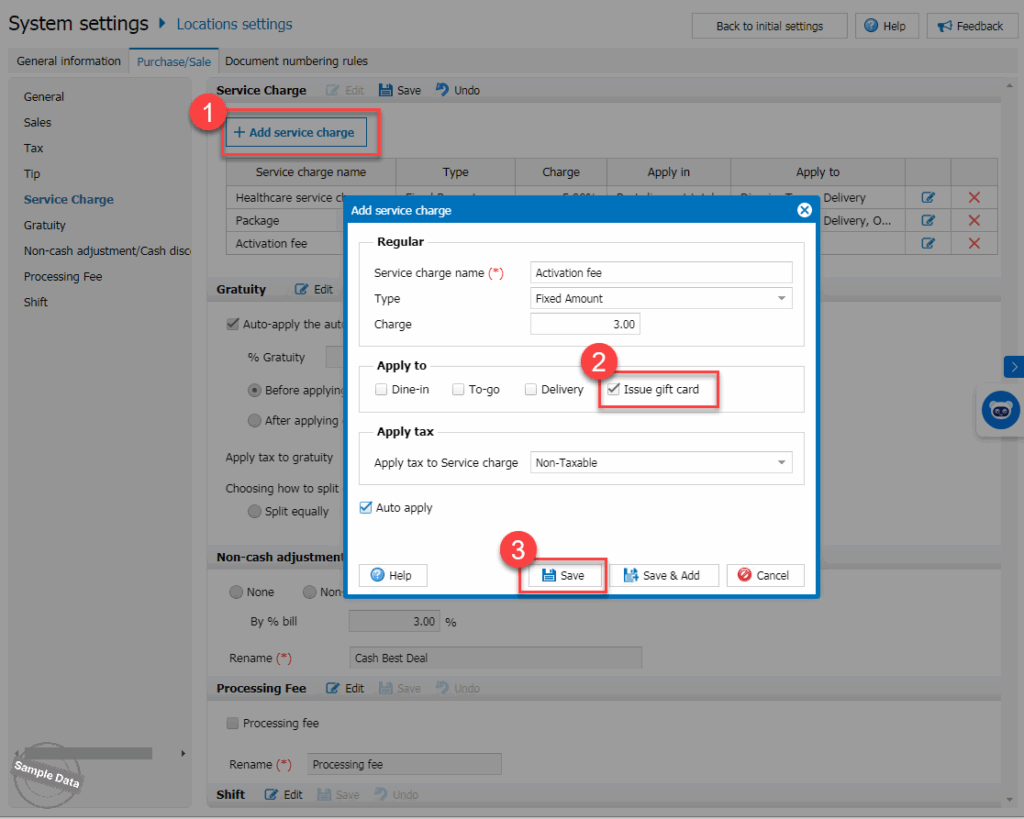
Press Add service charge. Fill in information on the service charge and check Apply to Issue gift card. If you want to auto-apply this fee, check Auto apply. Then click Save.
2. On POS
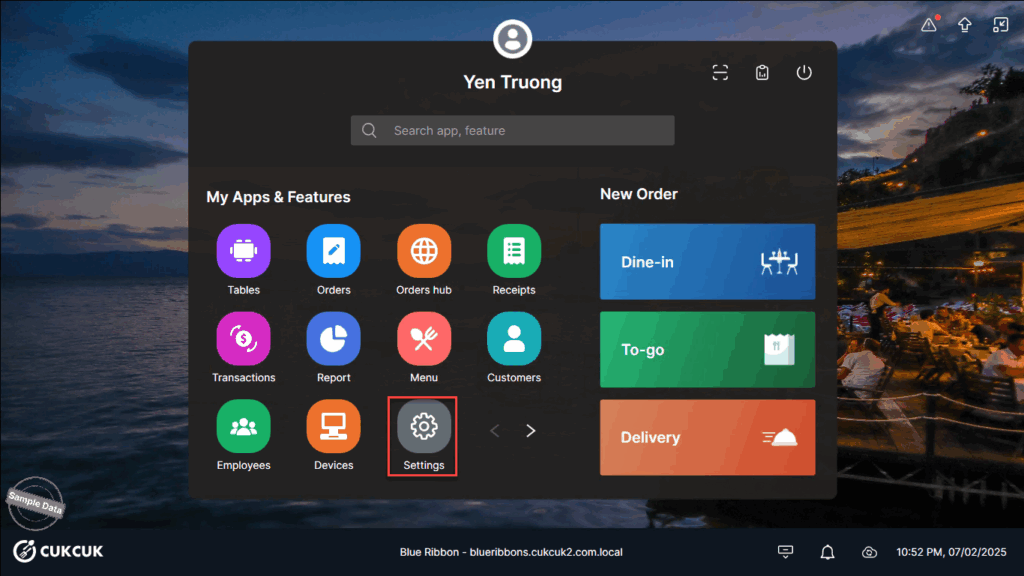
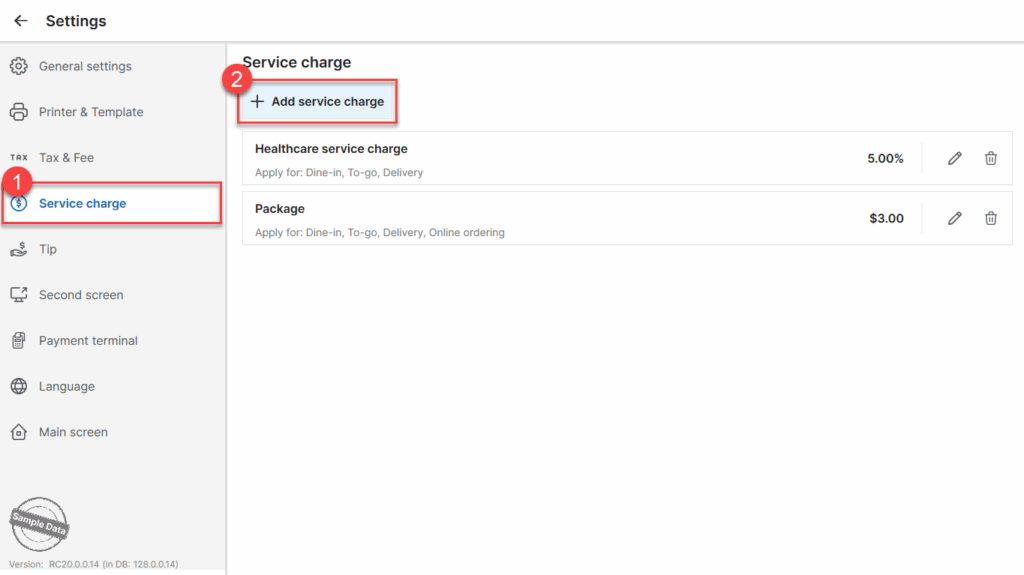
Go to Settings.
On Service charge tab, click Add service charge.
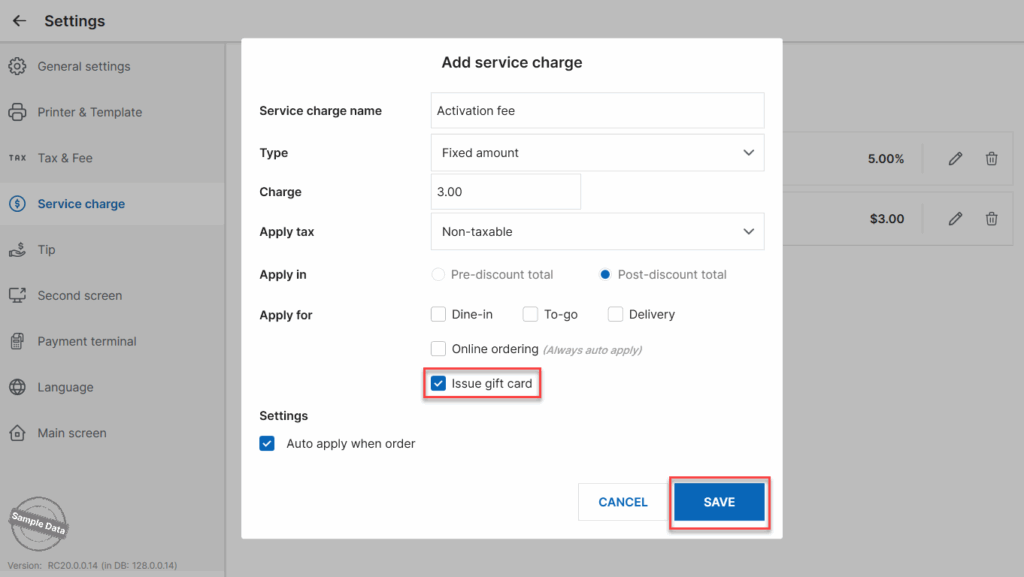
Fill in information on the service charge and check Apply to Issue gift card. If you want to auto-apply this fee, check Auto apply when order. Then click Save.
Have a nice day!


