

1. POS cannot connect to printer / cannot print
- Method 1: Double-check printer setup
- Method 2: Perform a test print directly from the printer
- Method 3: Test print from the printer driver
- Method 4: Go to POS Settings / Printer, select Print to run a test
2. Printed Tickets Are Faint, Missing Information, or Have Incorrect Alignment
- Method 1: Go to POS Settings / Printer and adjust the configuration
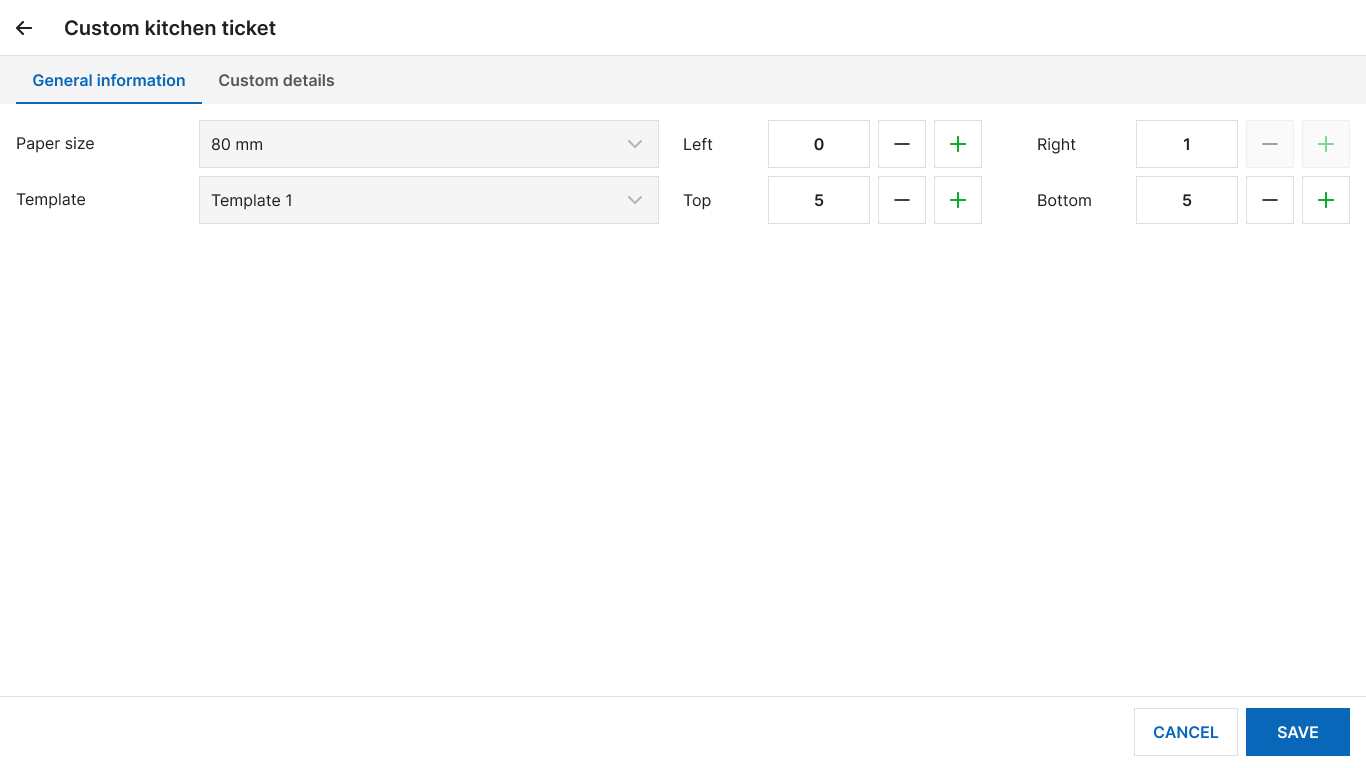
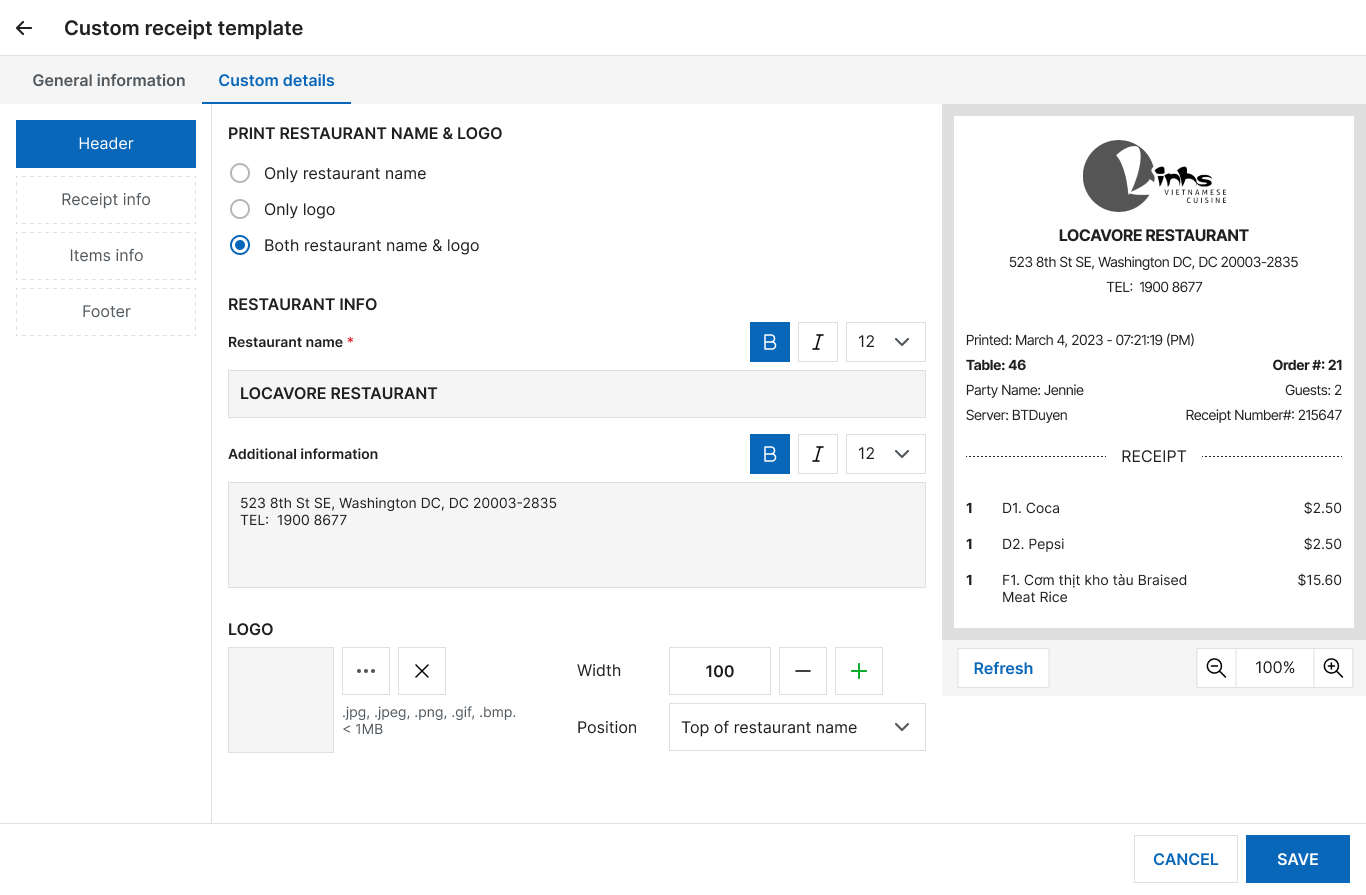
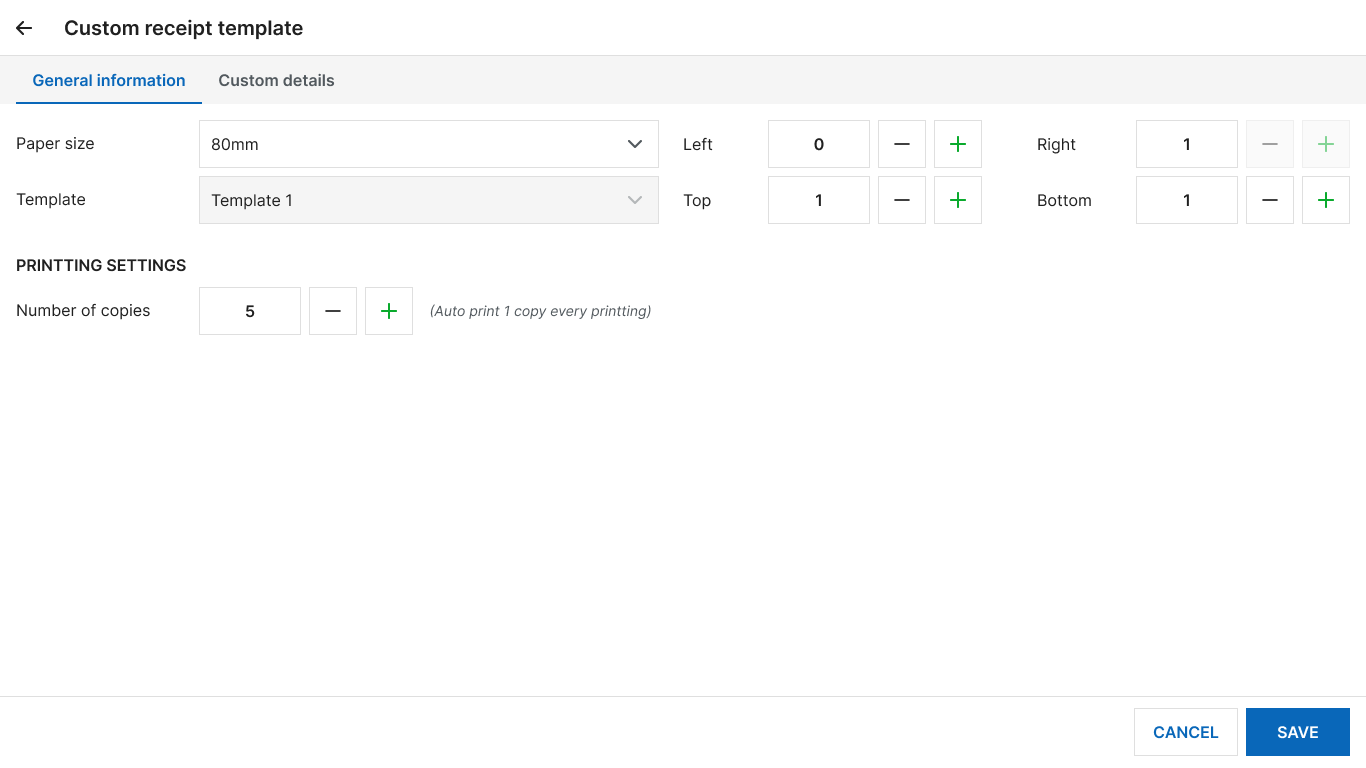
- Method 2: In POS / Settings, under Printer & Template, select the printer “Microsoft Print to PDF,” then check if the PDF printout is missing information or is faint
- Method 3: Test print from the printer driver/printer
3. Printed Tickets Are Blank or Misaligned
- Method 1: Check if the paper is loaded in the correct direction
- Method 2: Test print from the printer driver
- Method 3: Print from PDF
4. Incorrect Paper Cutting After Printing
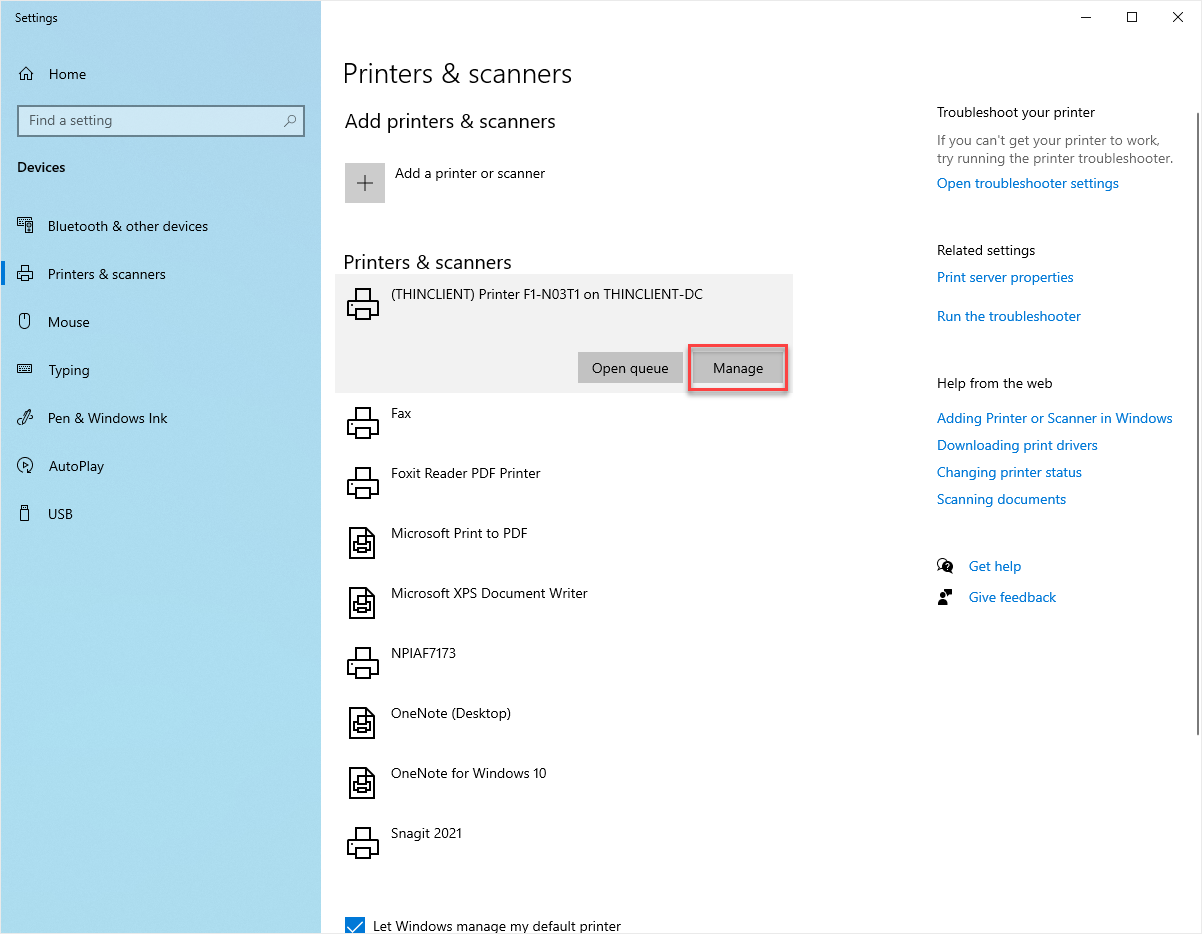
- Step 1: On Windows, go to Printers & Scanners
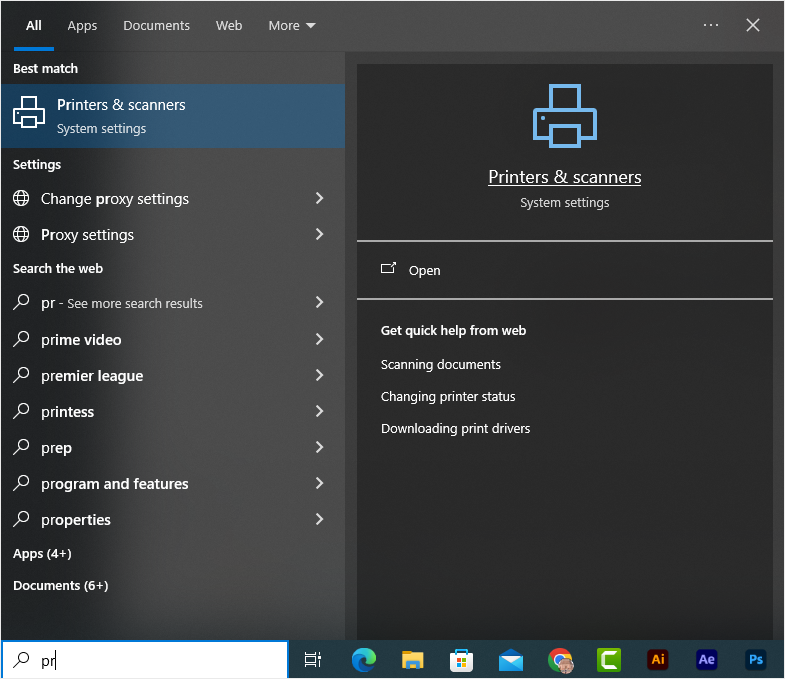
- Step 2: Select your printer and click Manage
- Step 3: Go to Printer Properties / Device Settings
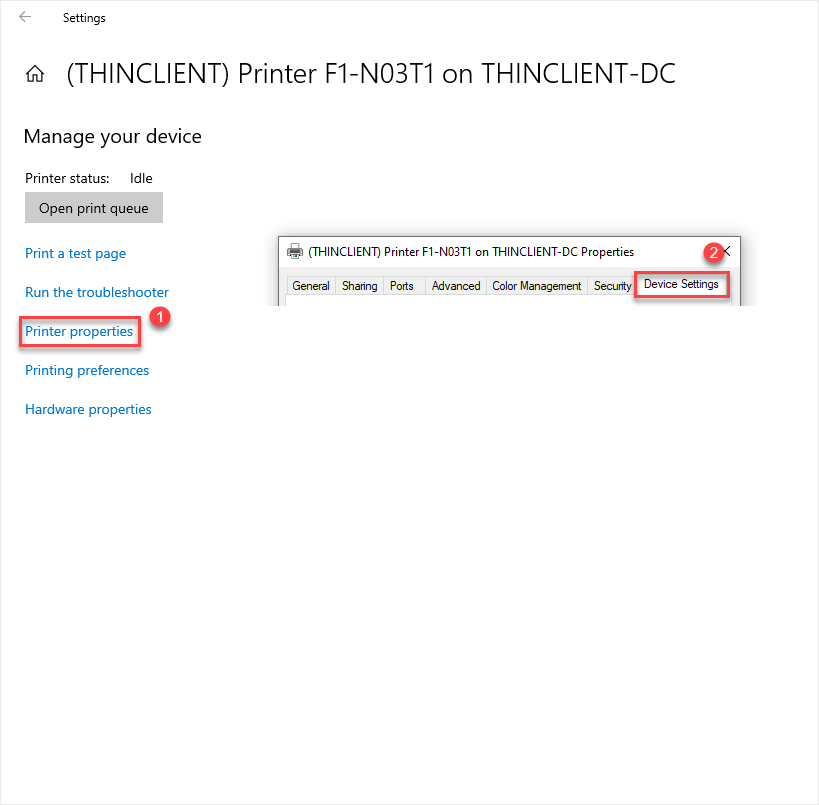
- Step 4: In the Cutter section, select the option “Full Cut After Page”
5. Unable to Print on Mobile, Test Print Does Not Work
Method 1: Check whether the printer’s IP address is set up correctly
- Step 1: Open the Cukcuk app on the tablet and go to Settings
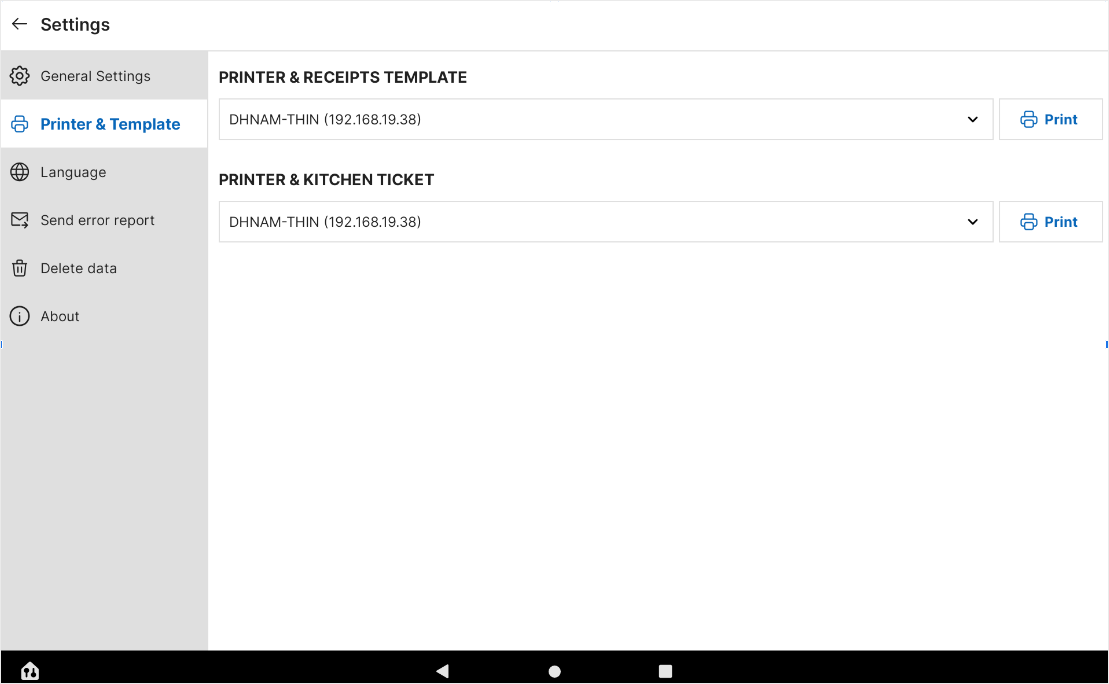
- Step 2: Ensure that the Printer IP matches the POS IP
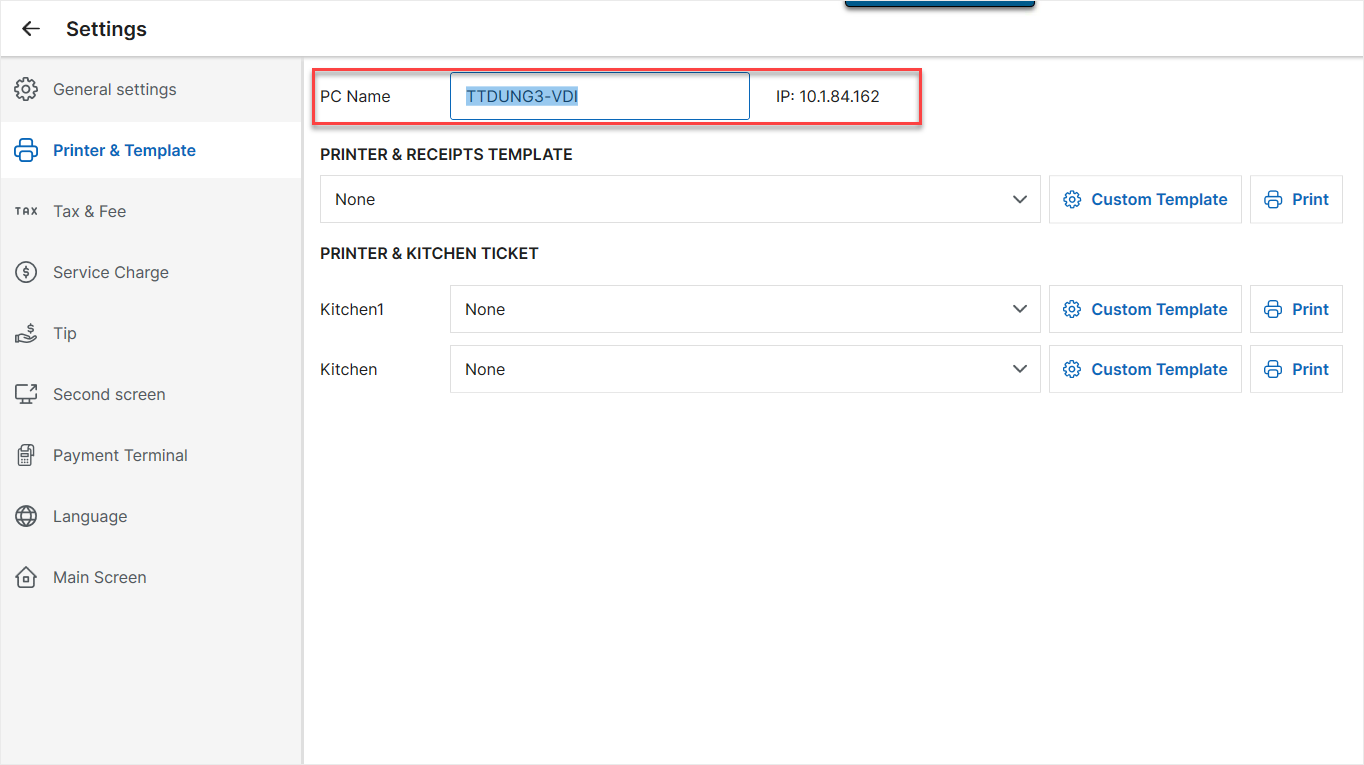
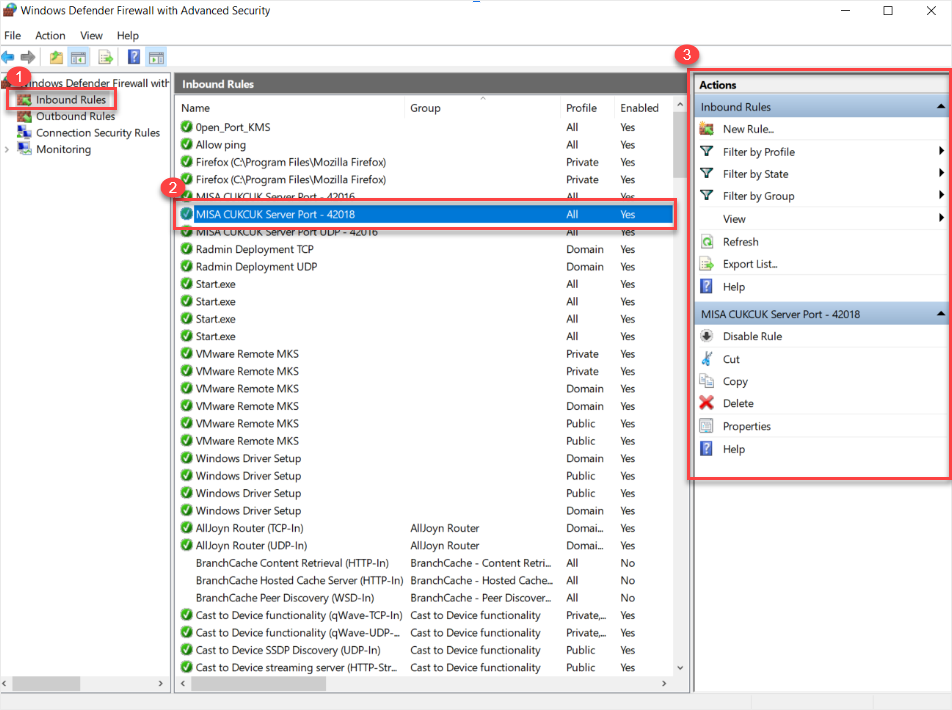
Method 2: Check if firewall port 42018 is open on the POS device
- Step 1: Windows Defender Firewall → Advanced settings → Inbound Rules
- Step 2: Search for “MISA CUKCUK Server Port (UCP) 42018”
- Step 3: If not found, restart the POS, log in, and check again
Have a nice day!


