

Nội dung có trong bài
Ẩn
I. PURPOSE
Declare the list of employees working at the restaurant. At the same time, assign permissions for employees to log in and work with the CUKCUK software.
II. INSTRUCTION STEPS
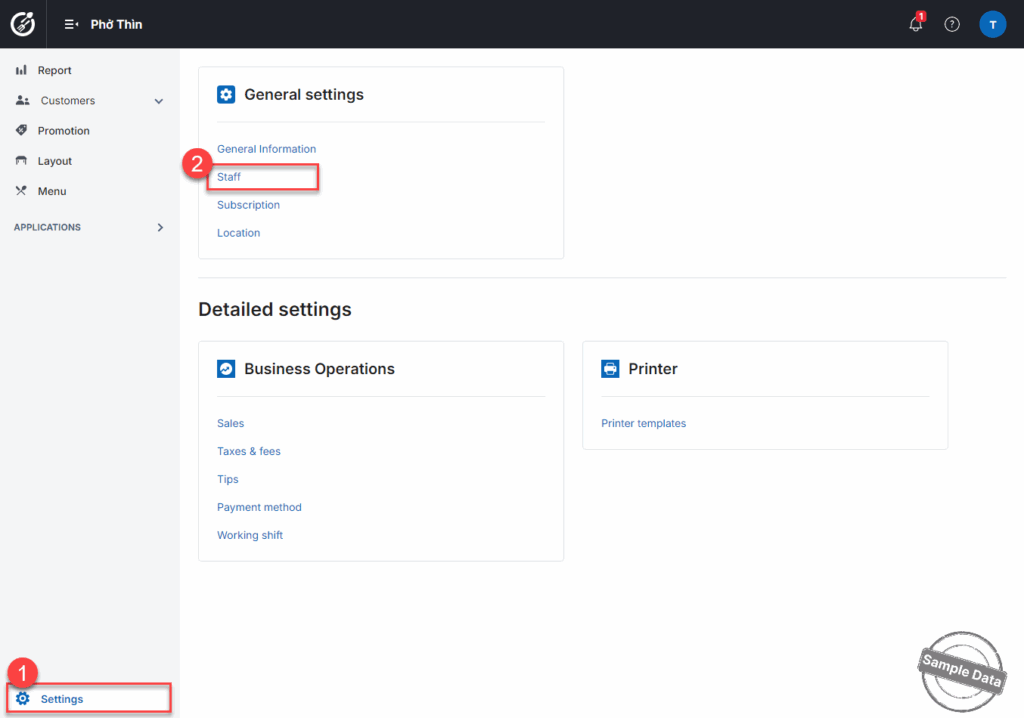
Go to Settings and select Staff.
Click add staff. Fill in the staff information.
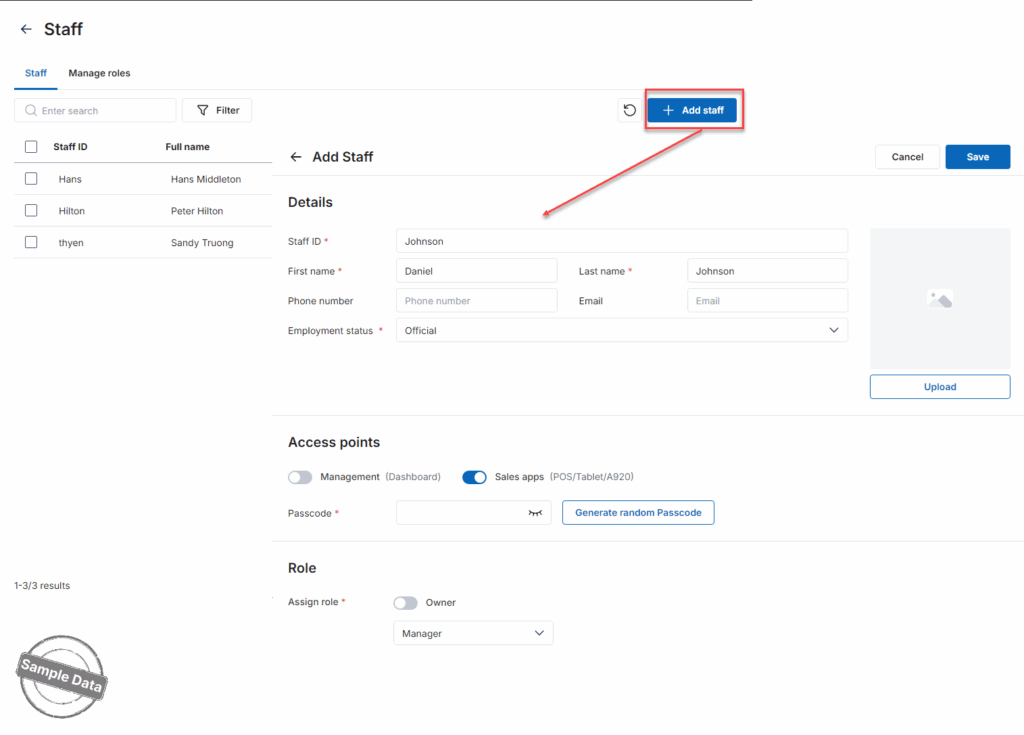
Assign the access points and passcode. You can select to auto generate random passcode.

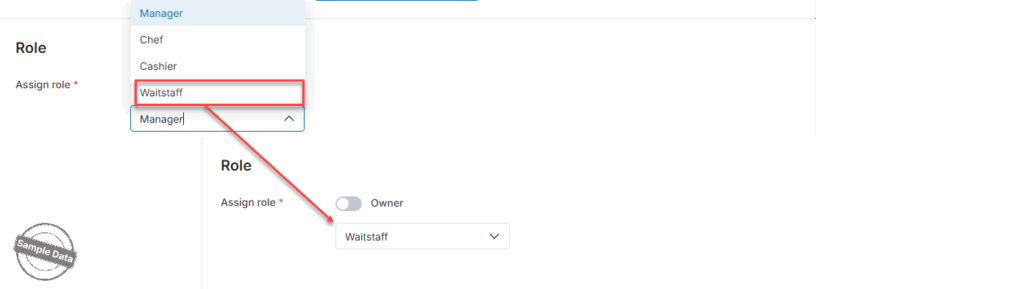
Assign the staff’s role.
Have a nice day!


