
1. Trang chủ
  2. Staff Management
  3. Manage access logs

Manage access logs

Nội dung có trong bài Ẩn

I. PURPOSE

The restaurant managers can monitor who has interacted with the restaurant’s data, what actions were performed, and at what time, etc.

II. INSTRUCTION STEPS

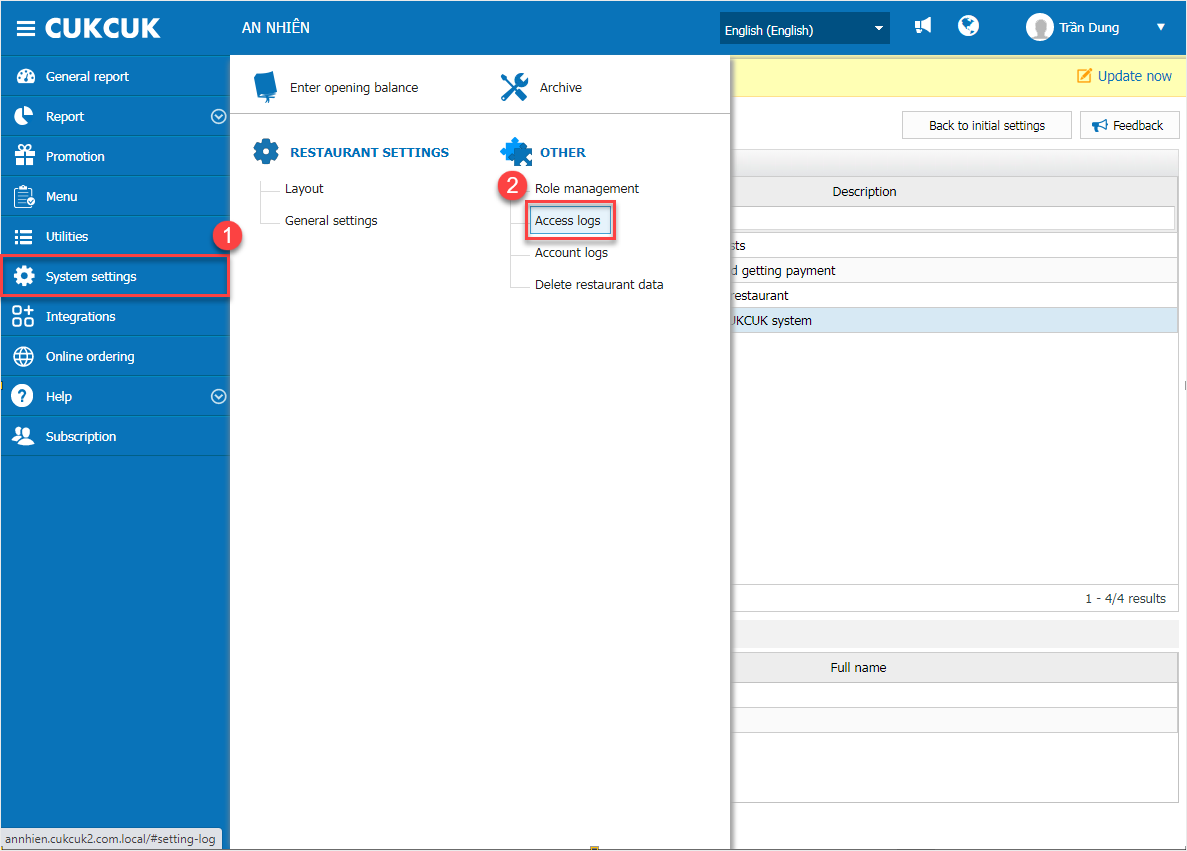
On the dashboard, select System Settings \ Access Logs
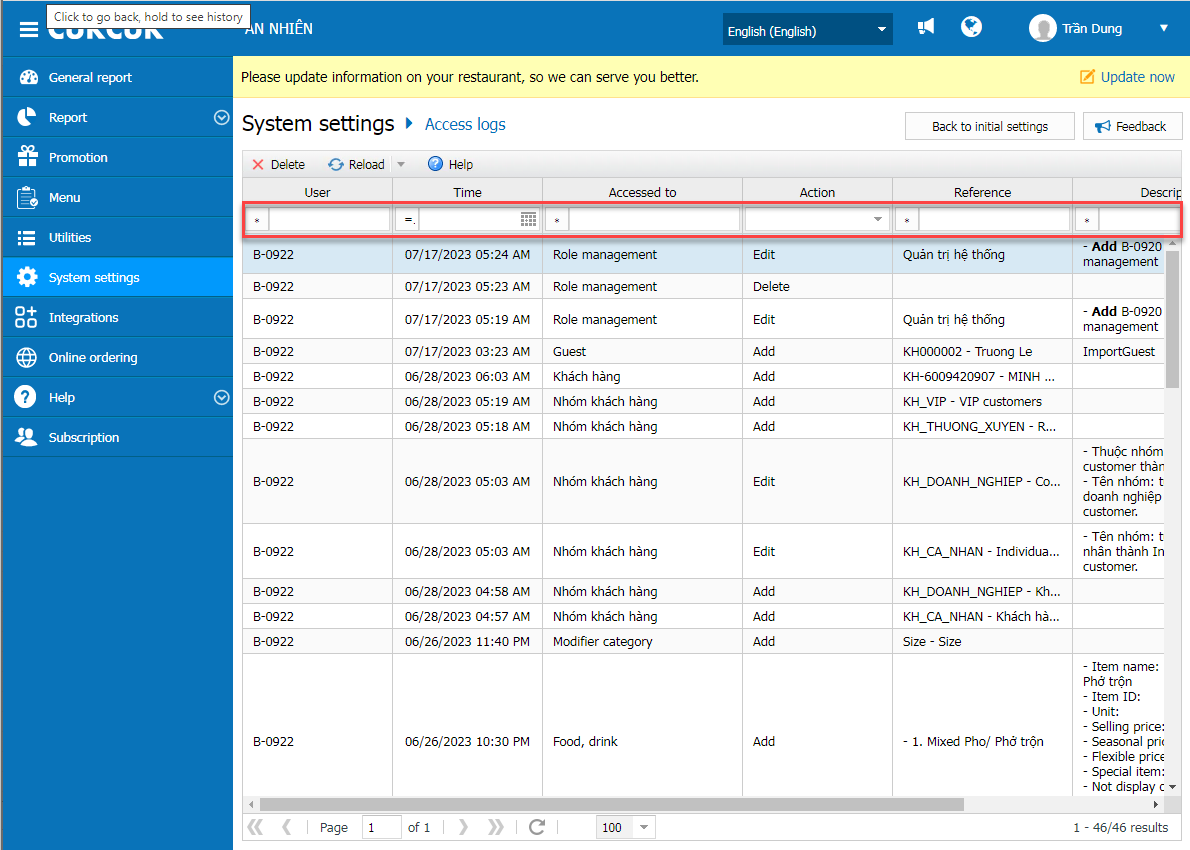
Click Load to retrieve the latest log data

To select a different date for viewing logs, click the arrow next to the Load button
Have a nice day!

Cập nhật 16/06/2026

Hãy giúp chúng tôi hoàn thiện trang trợ giúp phần mềm. Bài viết này có hữu ích với bạn không?

Bài viết liên quan

Set up to require the manager’s passcode when a staff tries to access a feature they are not authorized for
Xem thêm more
Set up auto logout
Xem thêm more
Set up login permissions for employees
Xem thêm more
Manage Account Logs
Xem thêm more
Manage roles
Xem thêm more