

I. PURPOSE
Allows restaurant staff to adjust item prices on devices, provided that permission has been granted by the manager.
II. WATCH THE INSTRUCTIONAL VIDEO
Watch the instructional video: https://www.youtube.com/watch?v=1p1KTT4WKgE
III. INSTRUCTION STEPS
Managers must first configure which items are allowed for price adjustment as follows:
1. Enable Price Adjustment on the dashboard
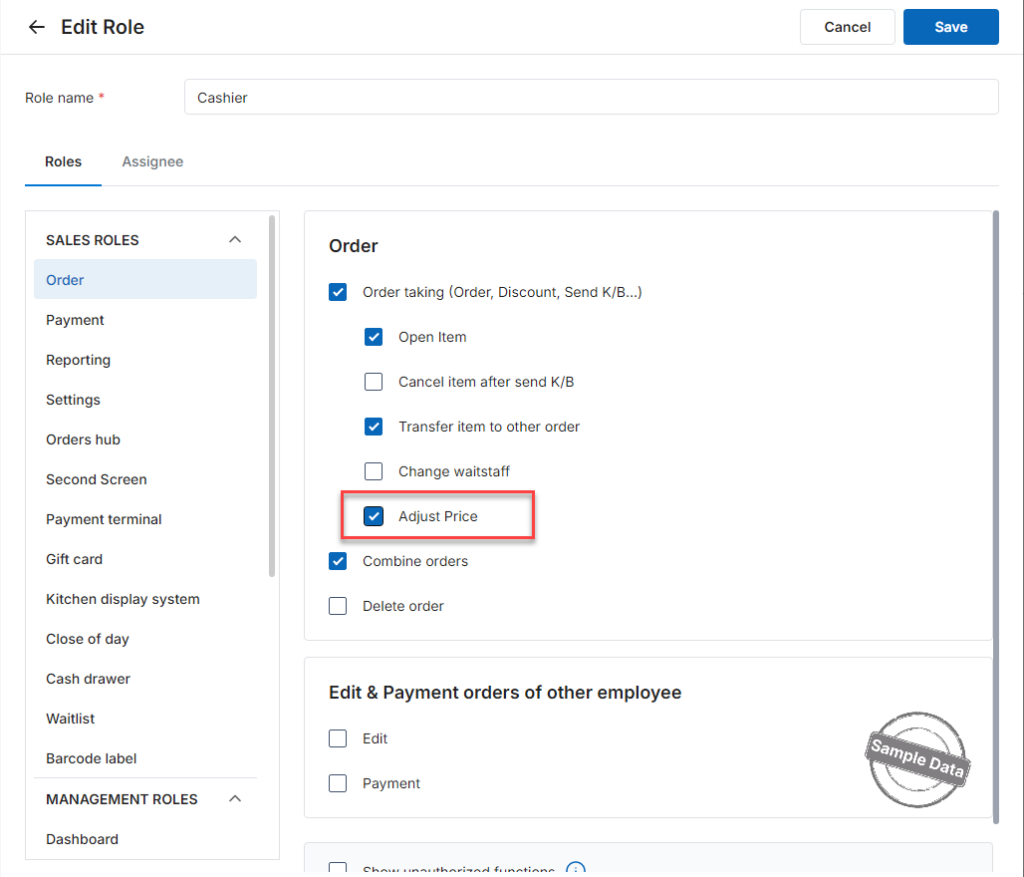
Step 1: Grant the Adjust selling price permission to the restaurant cashier under Settings / Staff / Manage role.
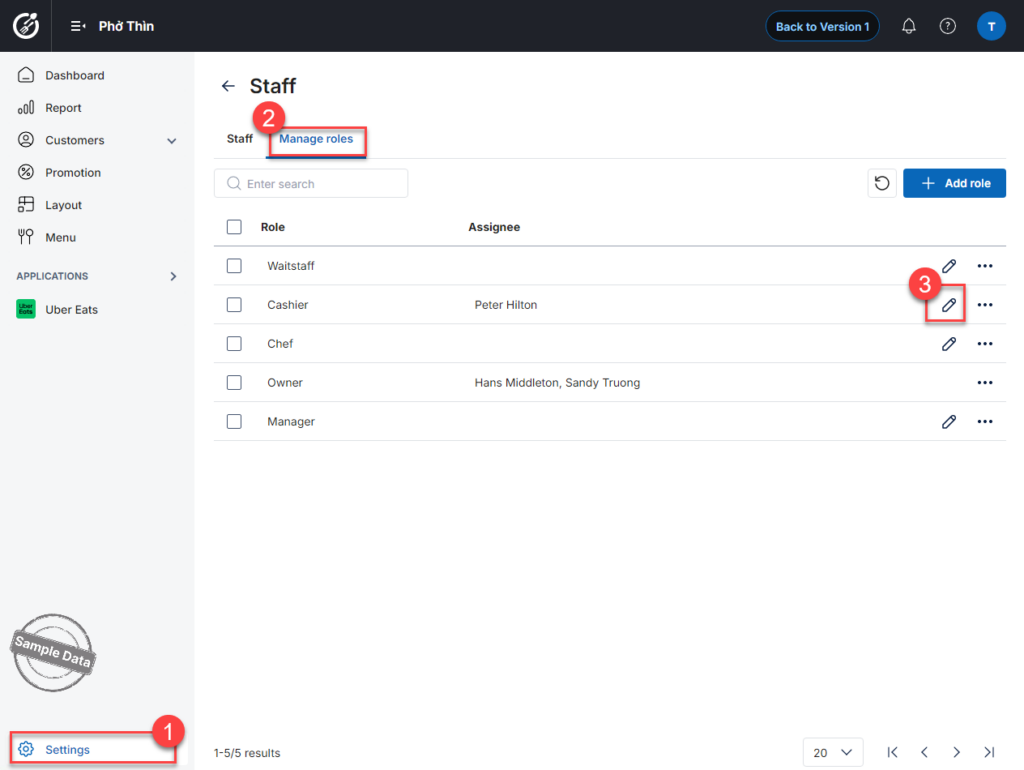
Check Adjust price and click Save.
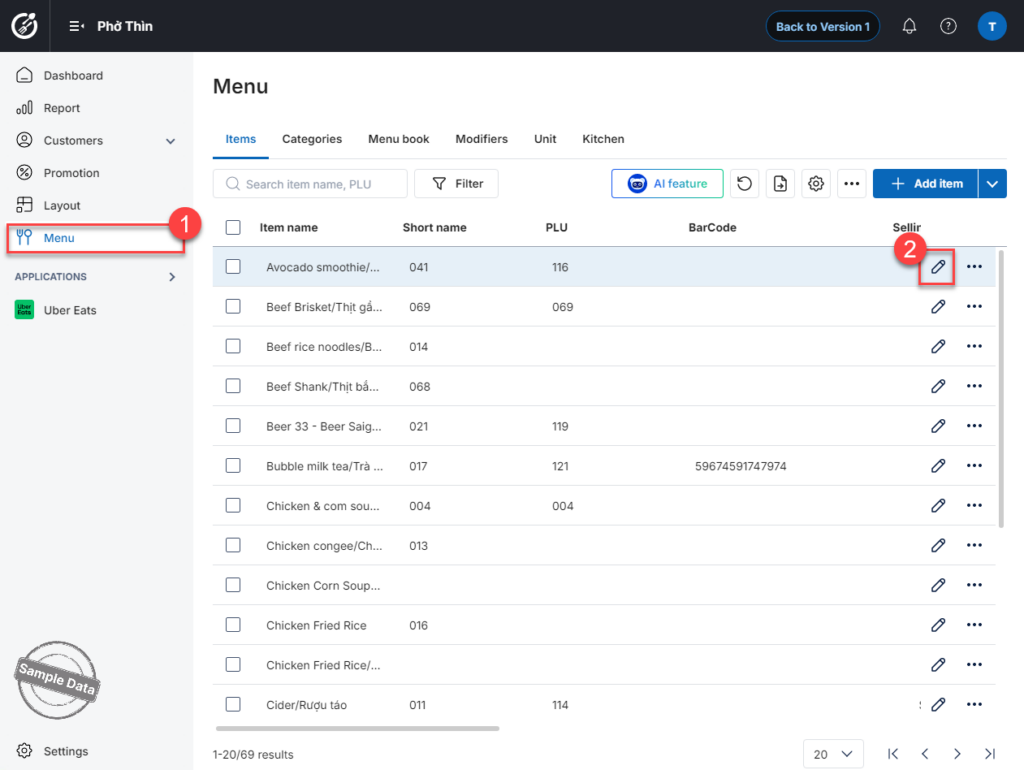
Step 2: Go to Menu. Select the item you want to allow price adjustment for and click this icon 
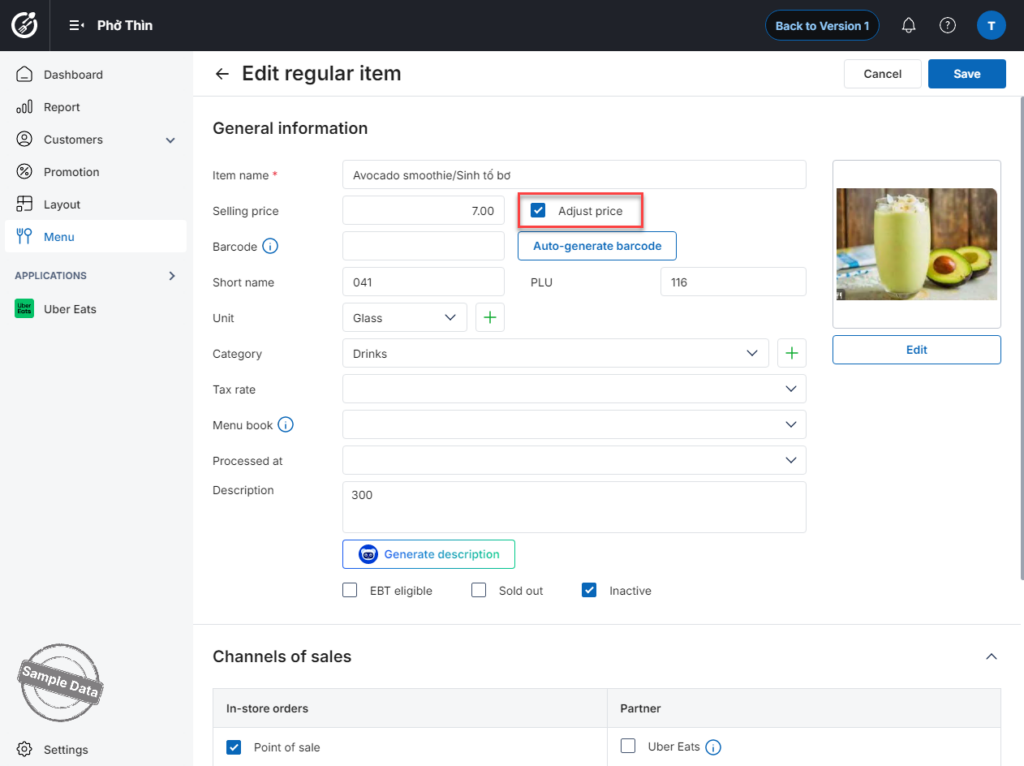
Check Adjust price. Click Save to apply the changes.
2. Adjust Item Price on the POS
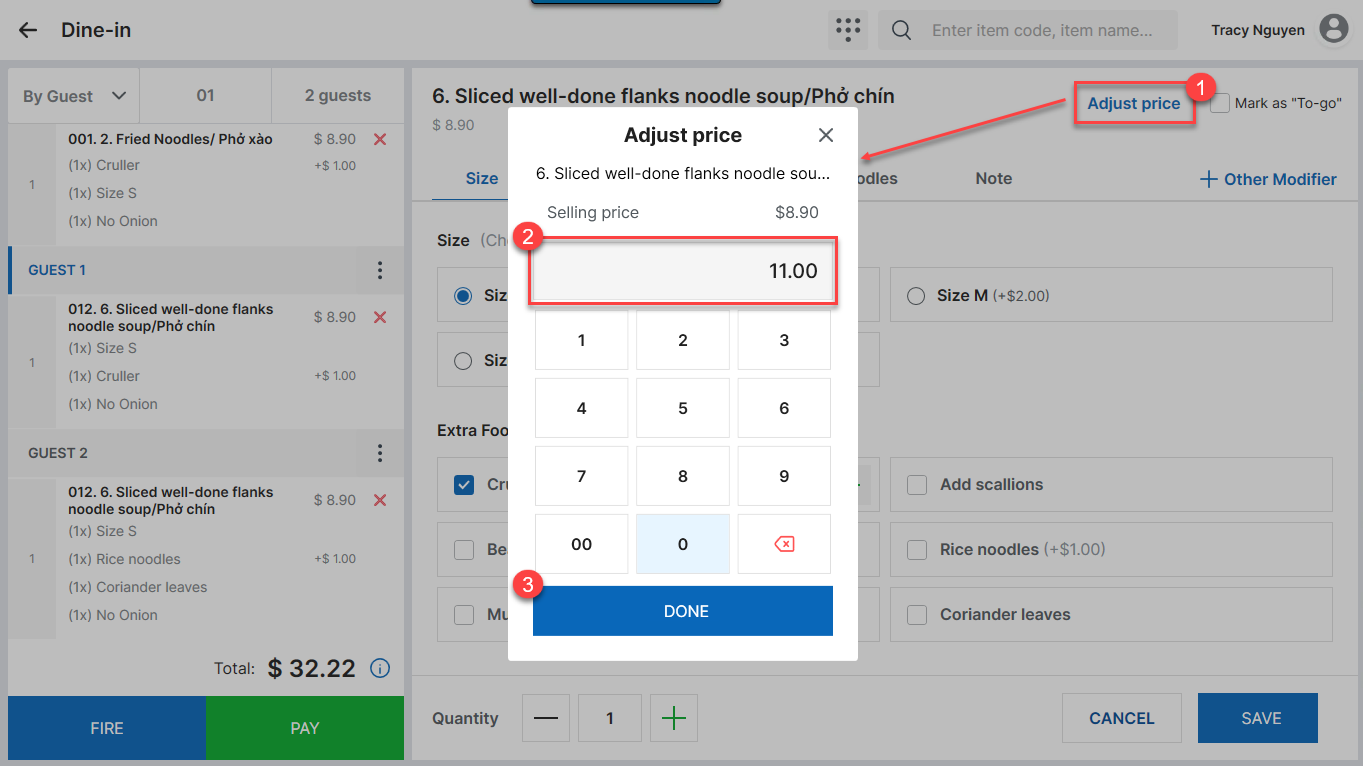
When taking an order, the cashier can adjust the price as follows:
- Select the item to be adjusted and click Adjust price.
- Enter the new price and click Done.
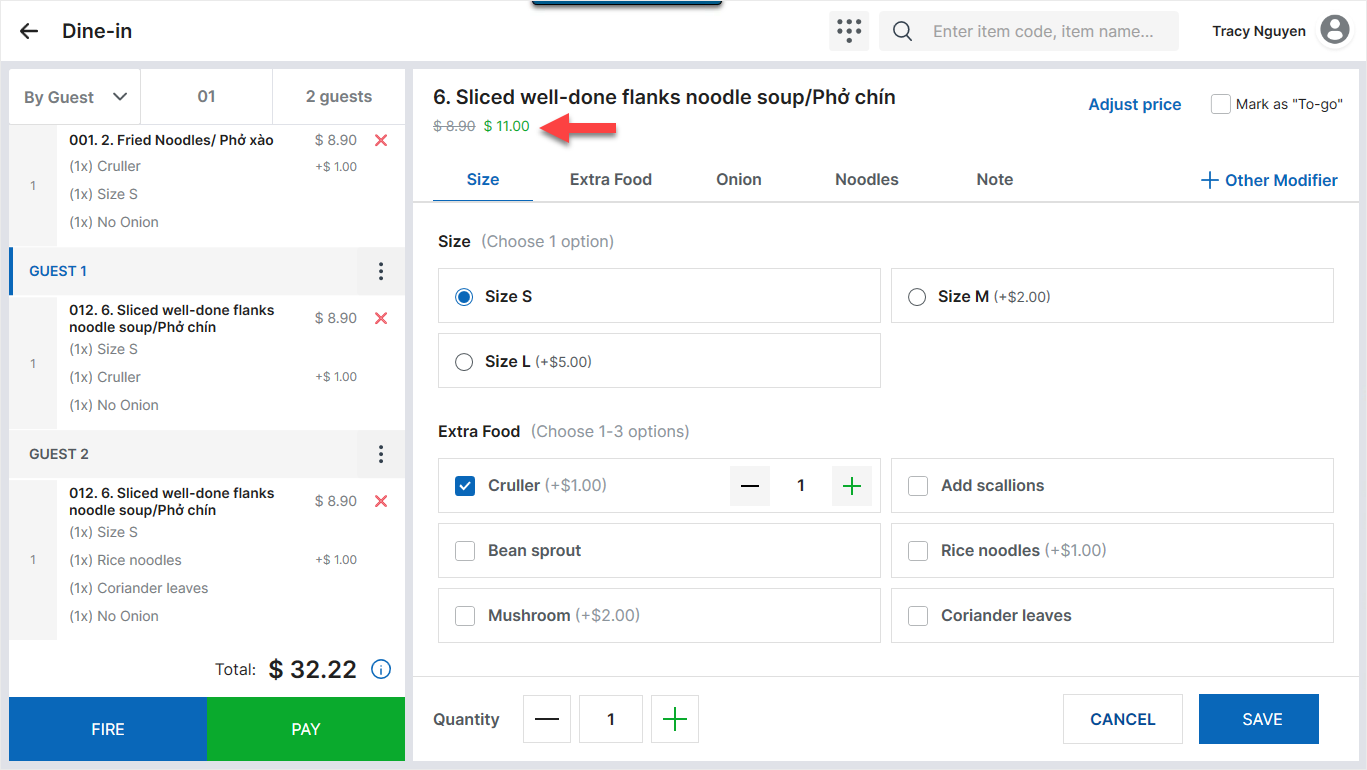
- Click Save to apply the updated price.
IV. NOTES
- The system currently allows price adjustment only for Regular items and Variant items on the management page. It does not support Combo items.
- When the price is adjusted for one customer, the new price will apply to subsequent customers.
If the cashier clicks Adjust price again, the new adjustment will apply only to that specific order.
Future orders will continue using the price entered during the first adjustment, and the item price will be updated after the cashier clicks Fire. - For orders that have already been sent to the kitchen, if the customer adds more items later, the system will not retain the adjusted price. Newly added items will display the original price.
- If the cashier moves an item to another order, the adjusted price will remain unchanged
Have a nice day!


