

I. Purpose
The restaurant can set up special customer notes (such as allergies or dislikes) so kitchen staff can easily identify them during food preparation.
II. Instructions
1. On the dashboard
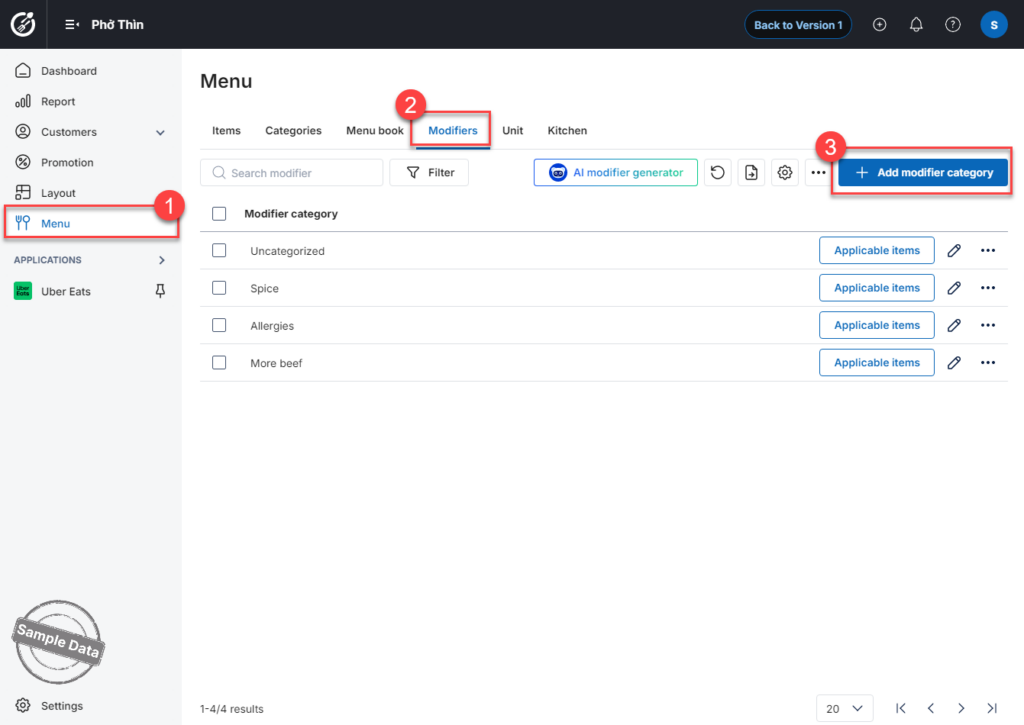
Go to Menu. Select the Modifiers tab. Click Add modifier category to create a new modifier group.
Enter the modifier category name. Add the modifier options. To add more, click Add row. Check Special request and select a color.
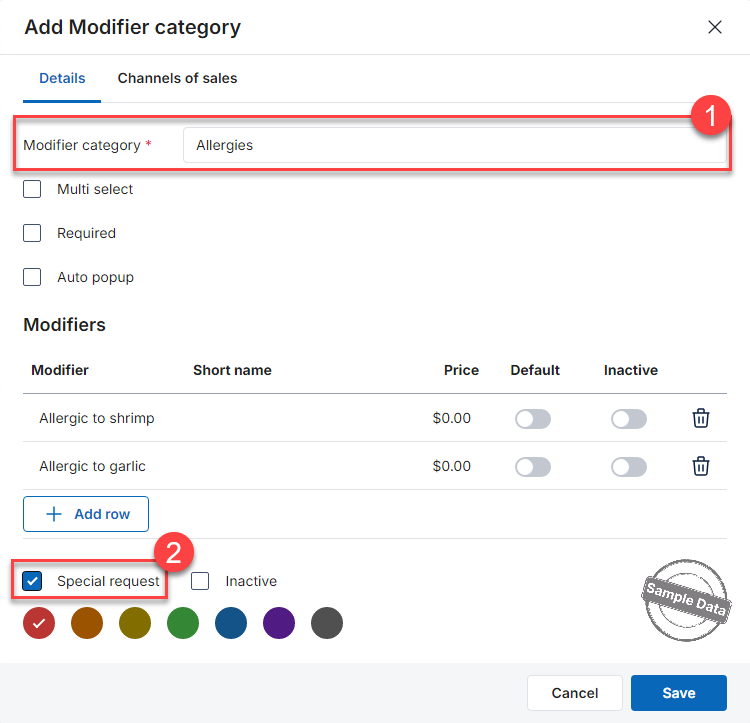
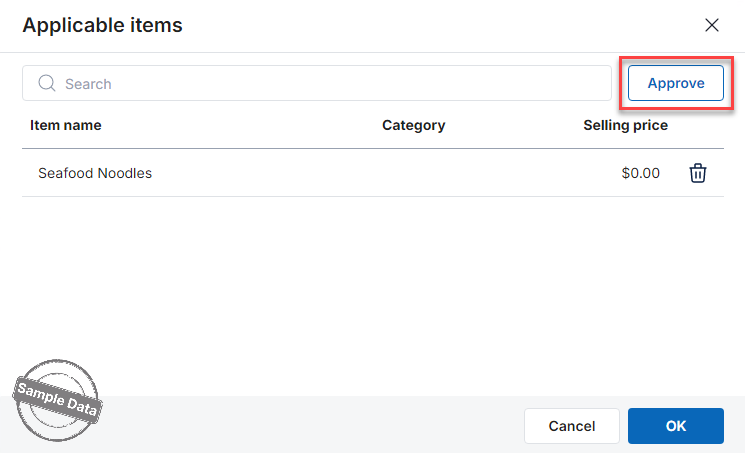
Click Save to apply the settings. For the newly created modifier group, click Applicable items.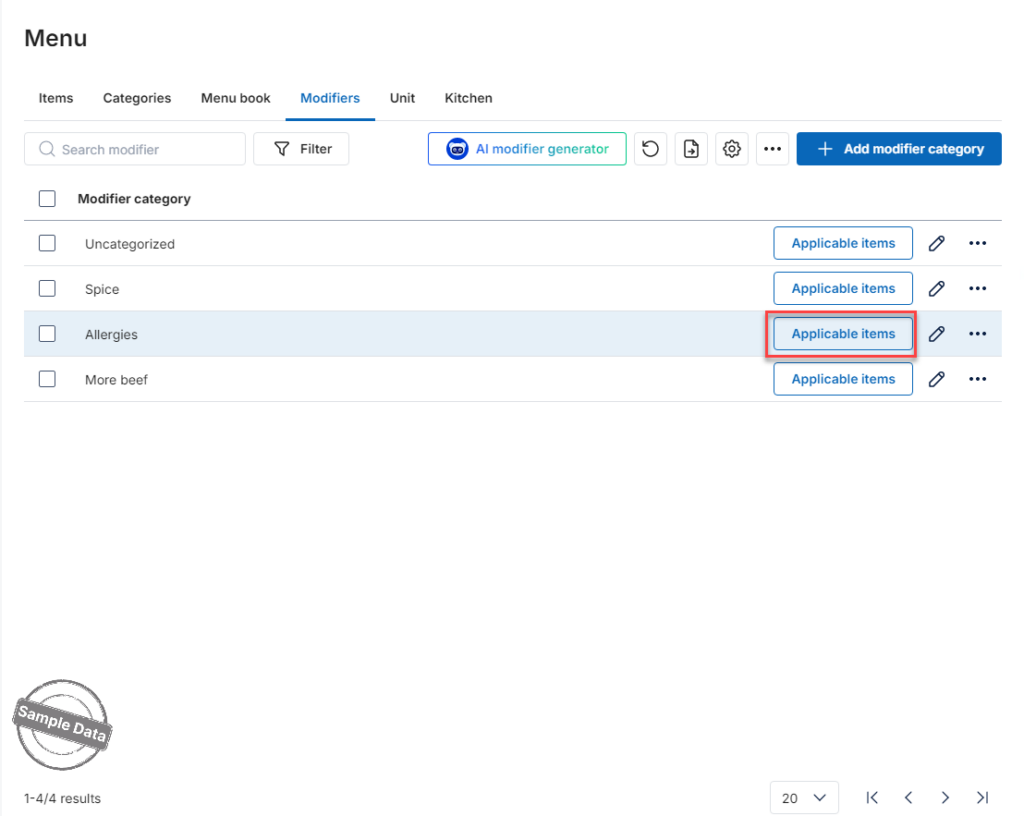
Click Select.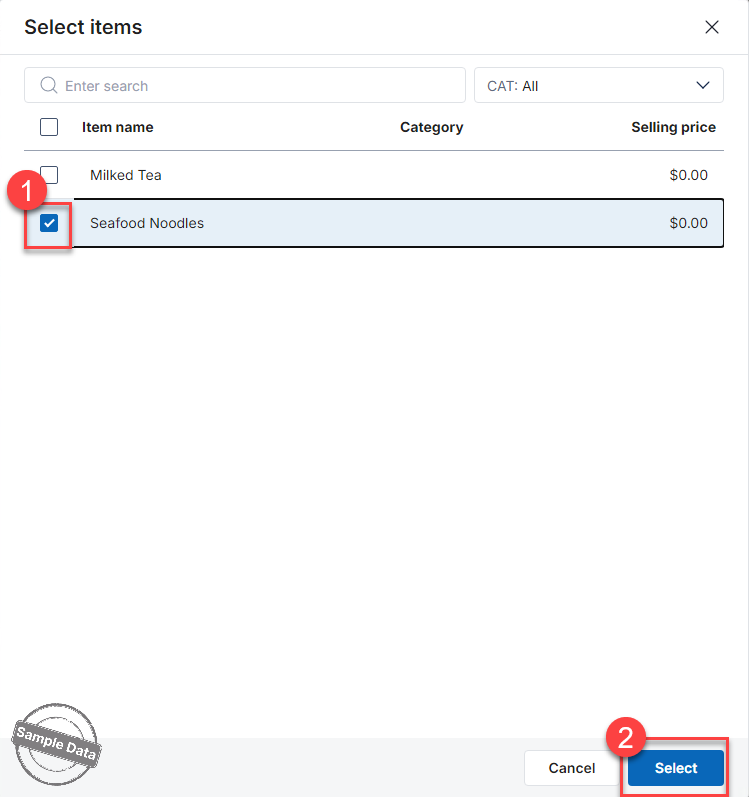
Click Approve if you want to add more items. Otherwise, click OK to save changes.
2. On the POS
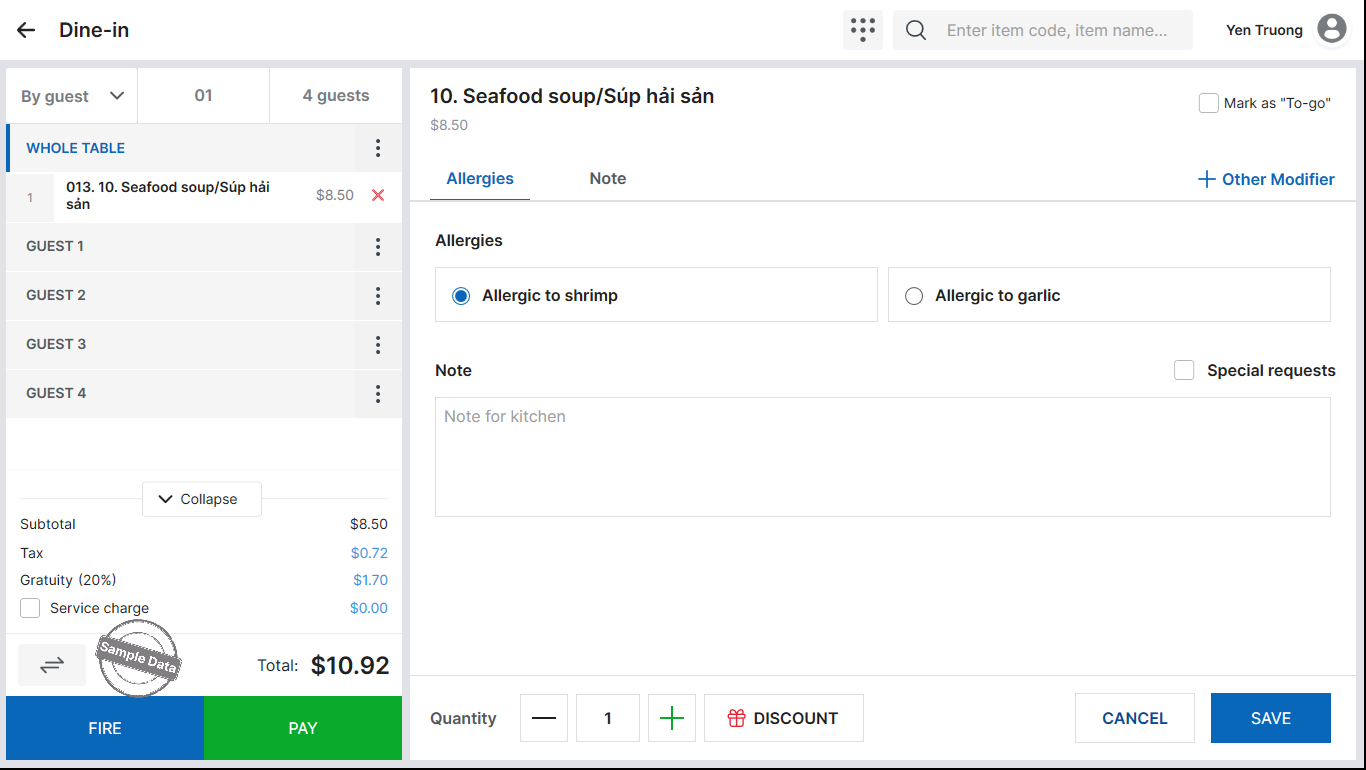
When taking an order, select the configured Special Request modifier at the customer’s request.
3. On the KDS
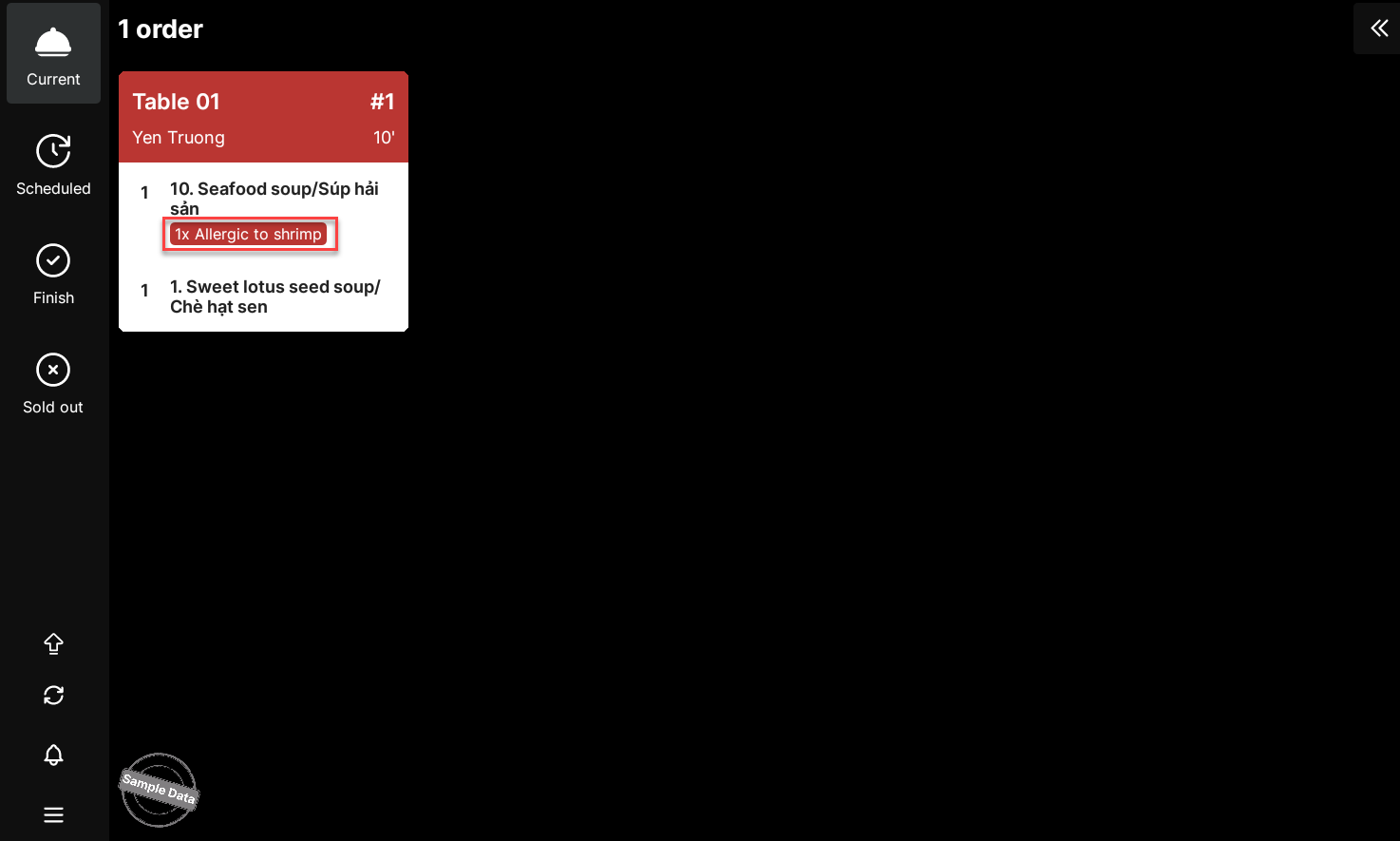
Kitchen staff will immediately see the special note highlighted on the KDS screen during preparation.
Have a nice day!


