

Nội dung có trong bài
Ẩn
1. Vào phân hệ Menu/Menu POS/Kiosk và chọn tab Items.
2. Chọn mục Add-on items.
3. Thêm món vào bảng
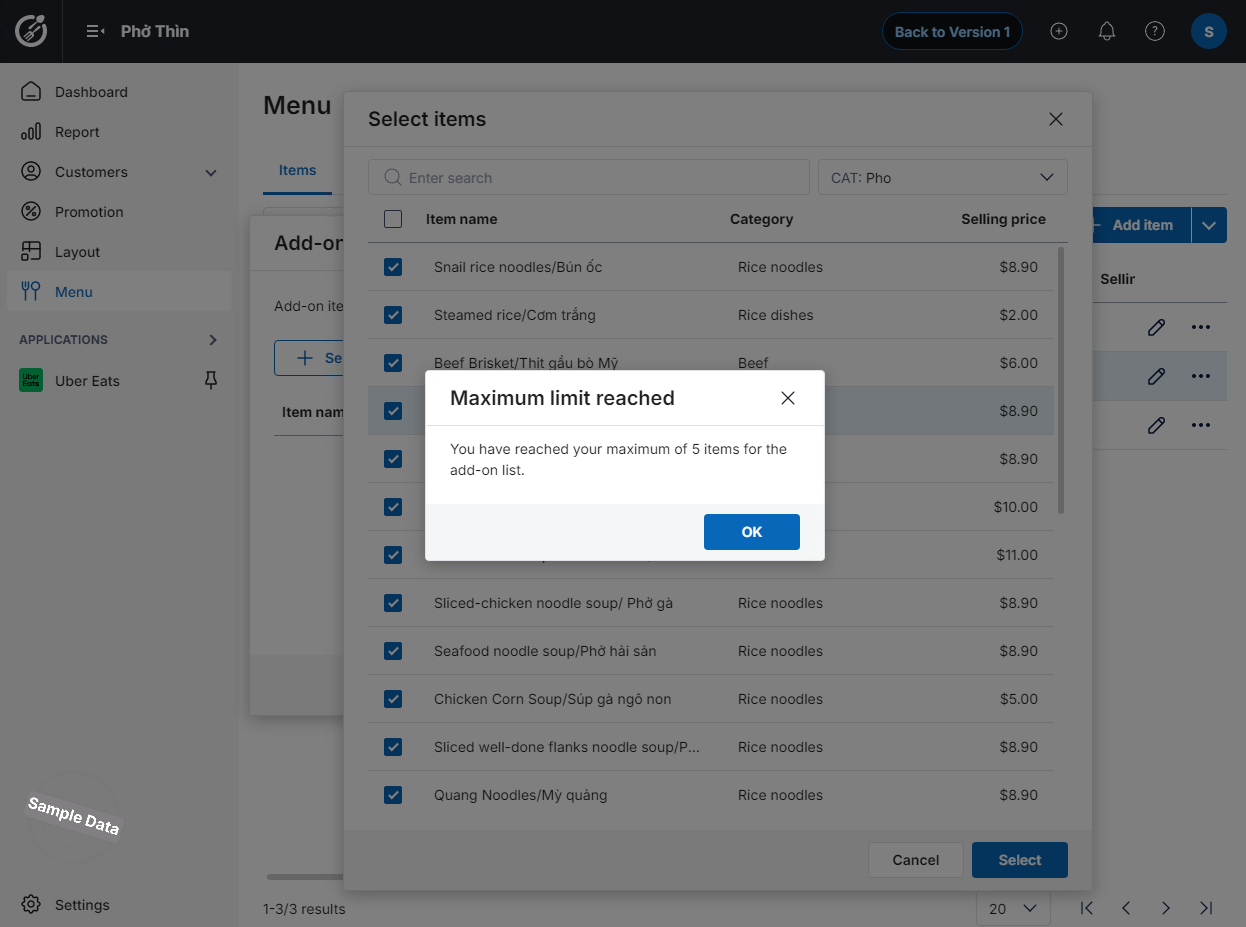
Lưu ý: Người dùng được phép chọn tối đa 5 món ăn gợi ý, nếu vượt quá 5 món ăn thì sẽ ẩn nút thêm dòng.
I. PURPOSE
This feature allows customers to easily select add-on items.
II. INSTRUCTION STEPS
Step 1: Access Menu Settings
- On the Dashboard, go to Menu.
- Click this icon
 and select Add‑on Items.
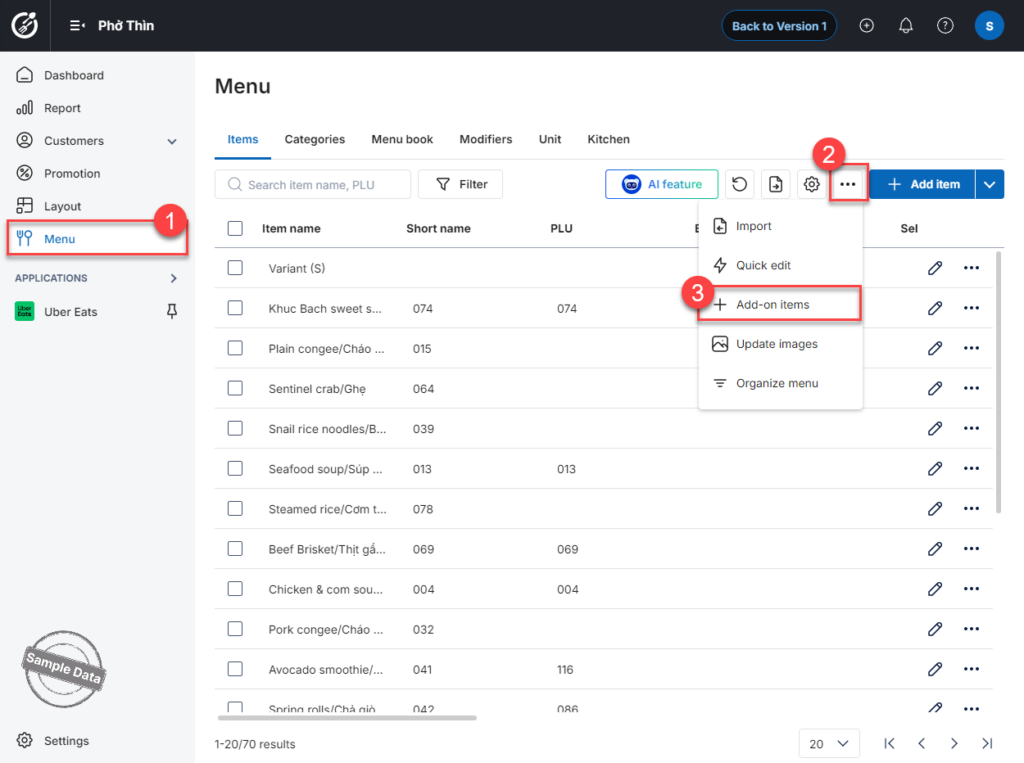
Step 2: Select Recommended Items
1. Click Select items.
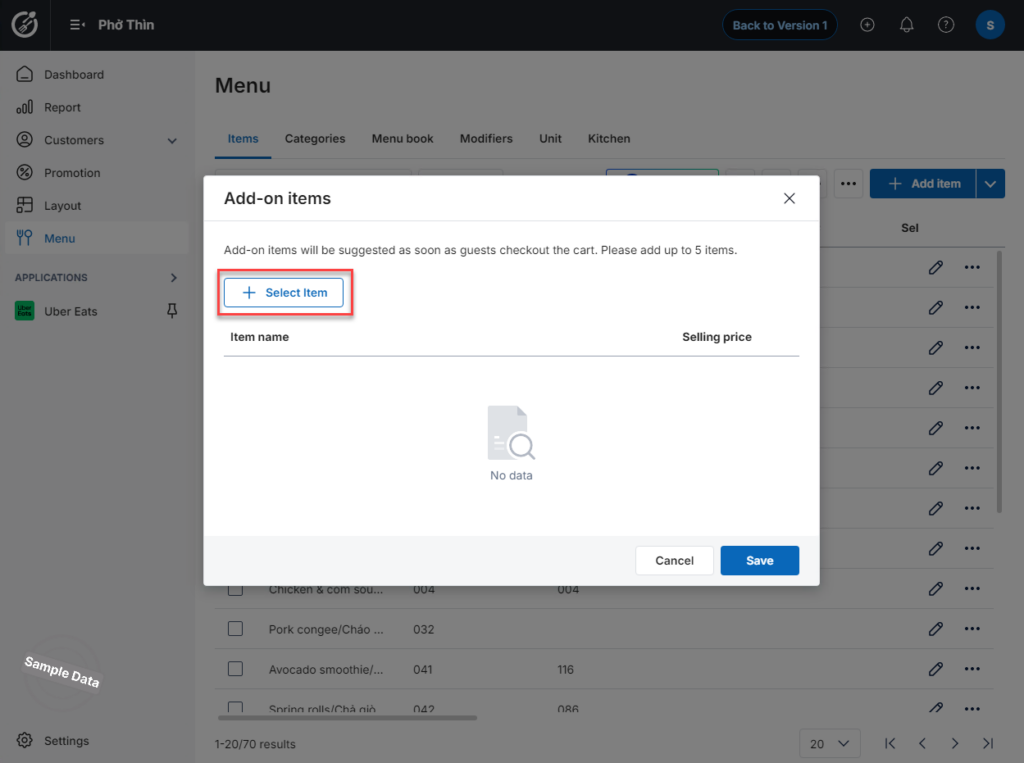
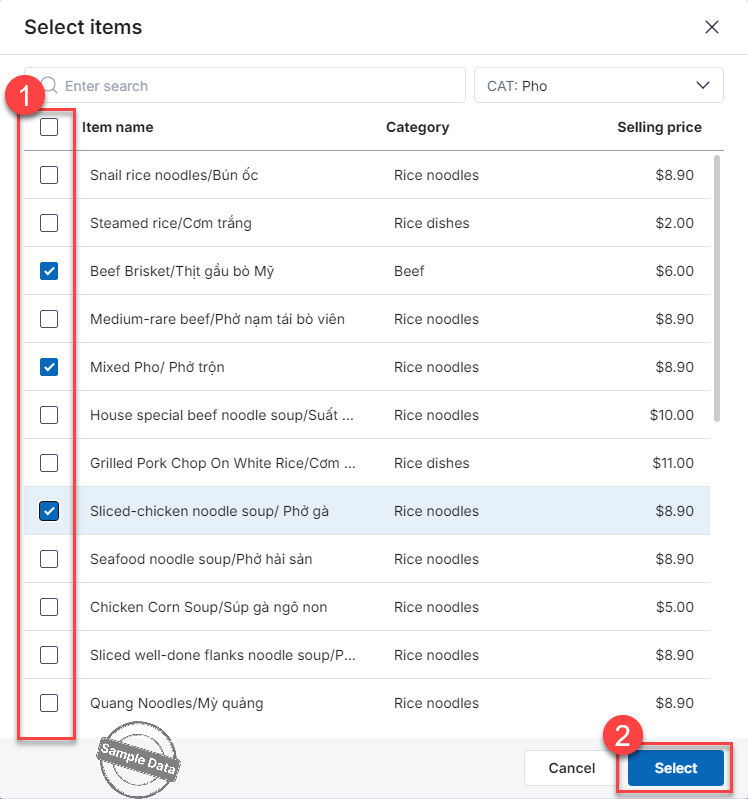
2. Check the items you want to add to the recommendation list. Then, click Select to confirm.
Step 3: Save Settings
Click Save to apply the changes.
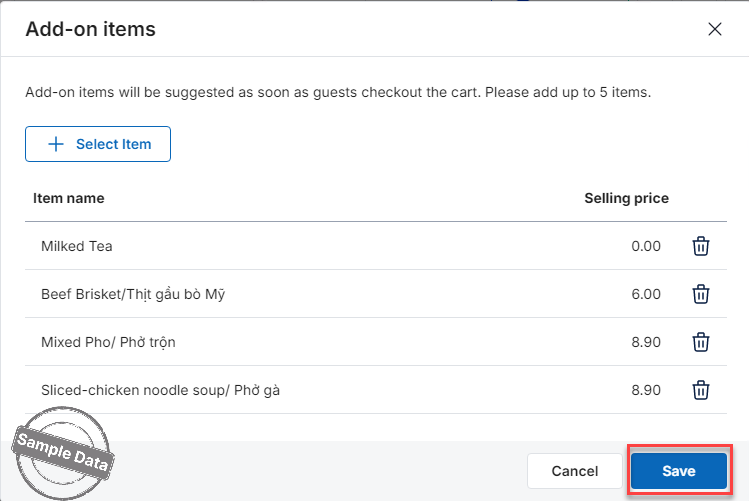
Note:
You can select a maximum of 5 recommended items.
Have a nice day!


