

I. Purpose
This feature allows restaurant managers to require entry of the manager passcode when an employee tries to access functions they are not authorized for—instead of logging out and logging back in with a manager account.
This feature applies to permissions related to:
- Orders (except for “Edit & Payment orders of other employee”)
- Payment
- Reporting (except for “EOD reports” and “Closeout reports”)
- Orders hub
II. Instruction steps
1. On the dashboard
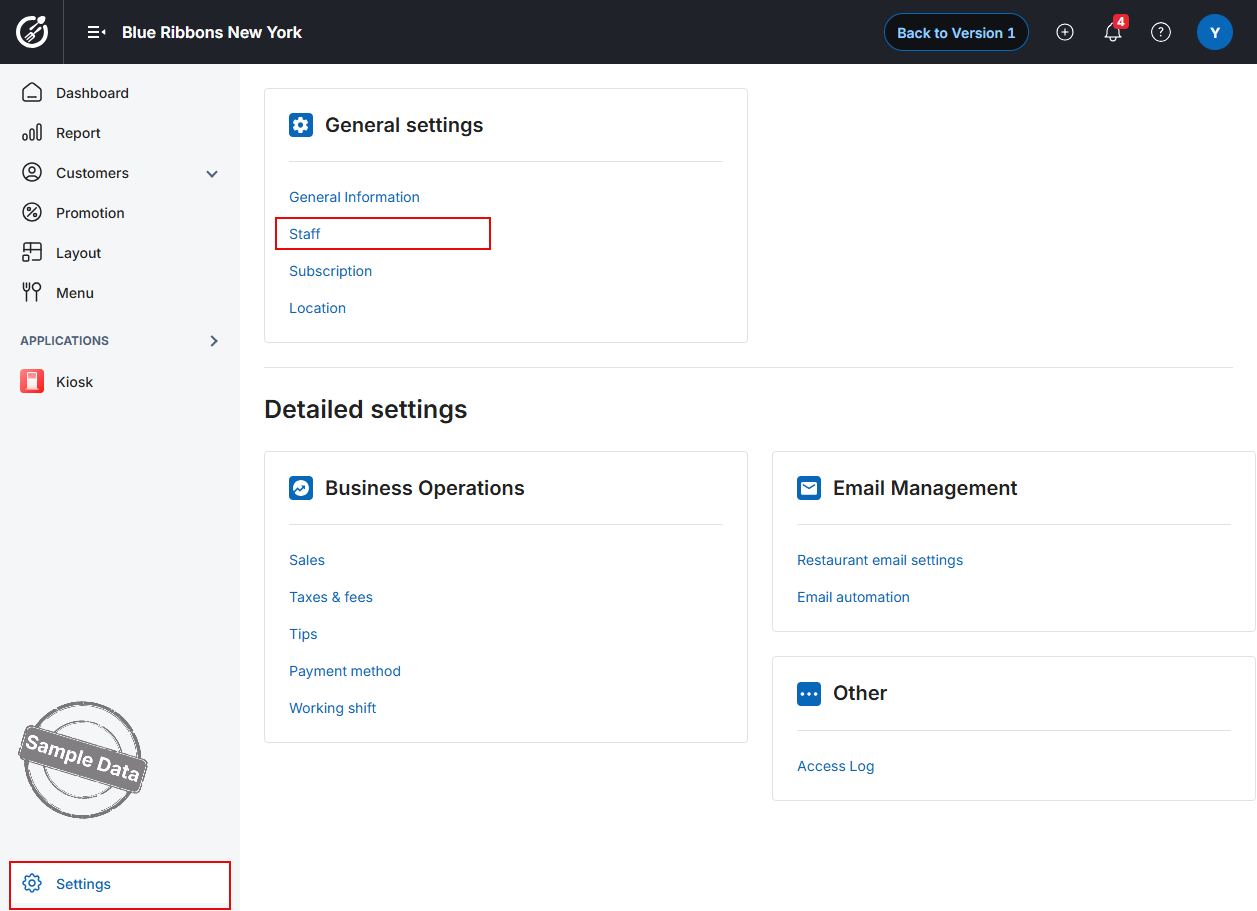
- From the Dashboard, navigate to Settings → Staff.
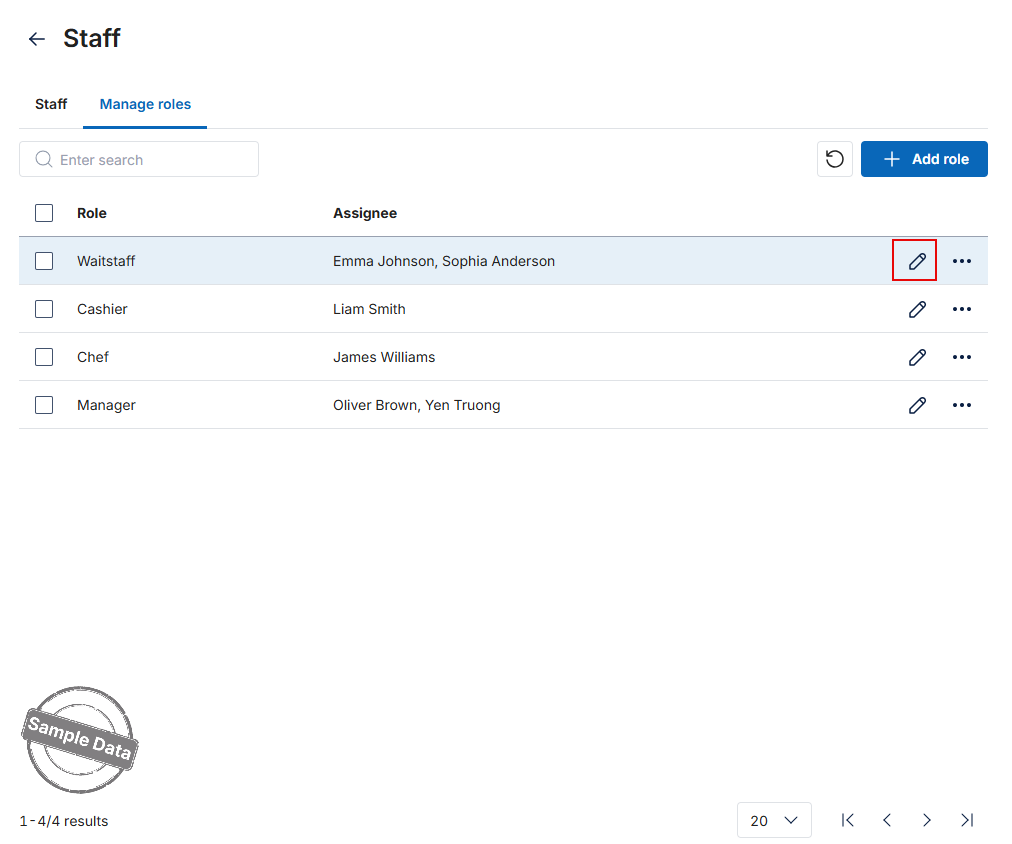
- In the Manage roles tab, find the role you want to modify and click the Edit icon.
- Grant the Permission
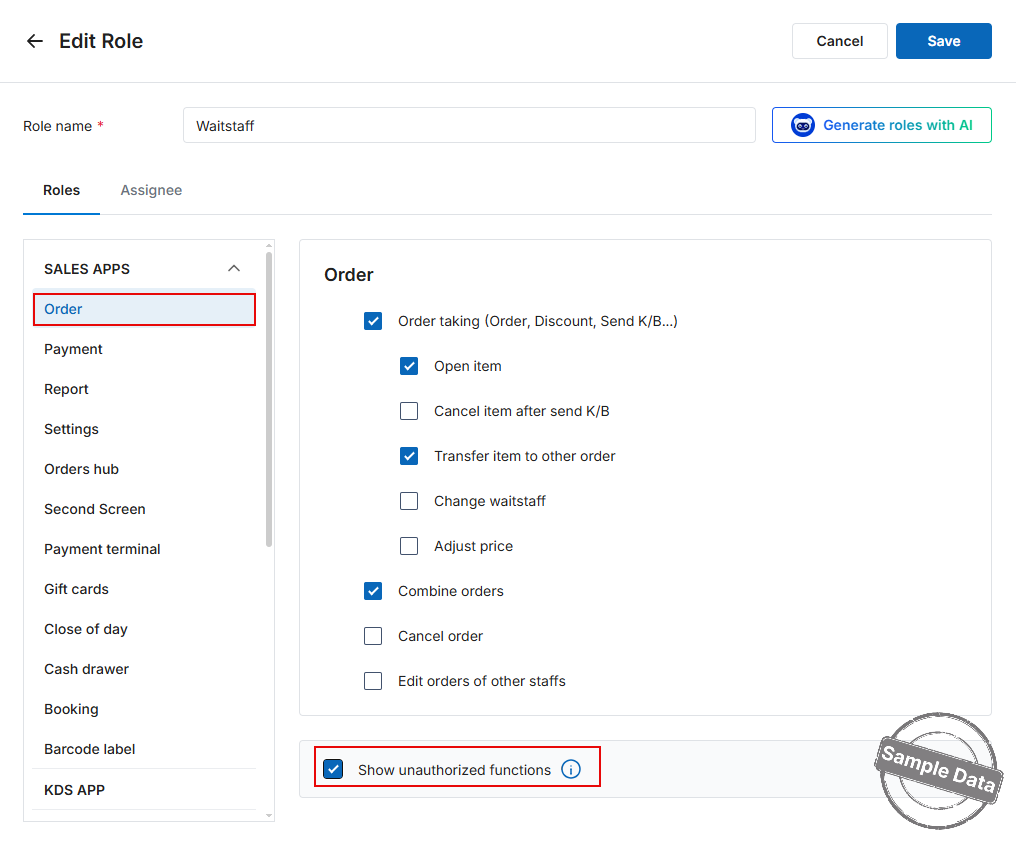
- Go to the Order tab.
- Tick Show unauthorized functions.
- Repeat for Other Modules (optional)
If you also want this role to see unavailable options in other areas, repeat the same action on the Payment, Reporting, and Orders Hub tabs.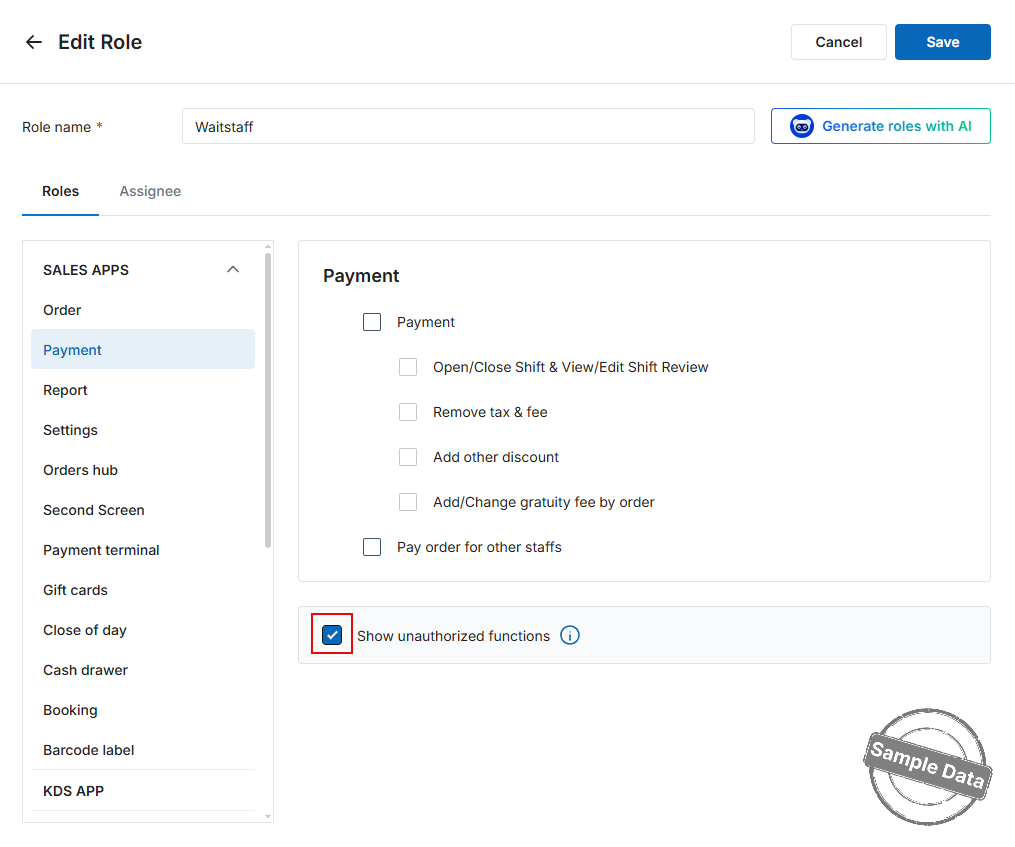
- Save Your Changes
Click Save to apply the new permission settings.
The selected role will now see unavailable features dimmed on the POS, helping employees understand which actions they need additional rights for.
2. On POS
If a cashier tries to cancel an item after the order has been sent to the kitchen, when they click Cancel item, the system will display a screen to enter the manager’s passcode.
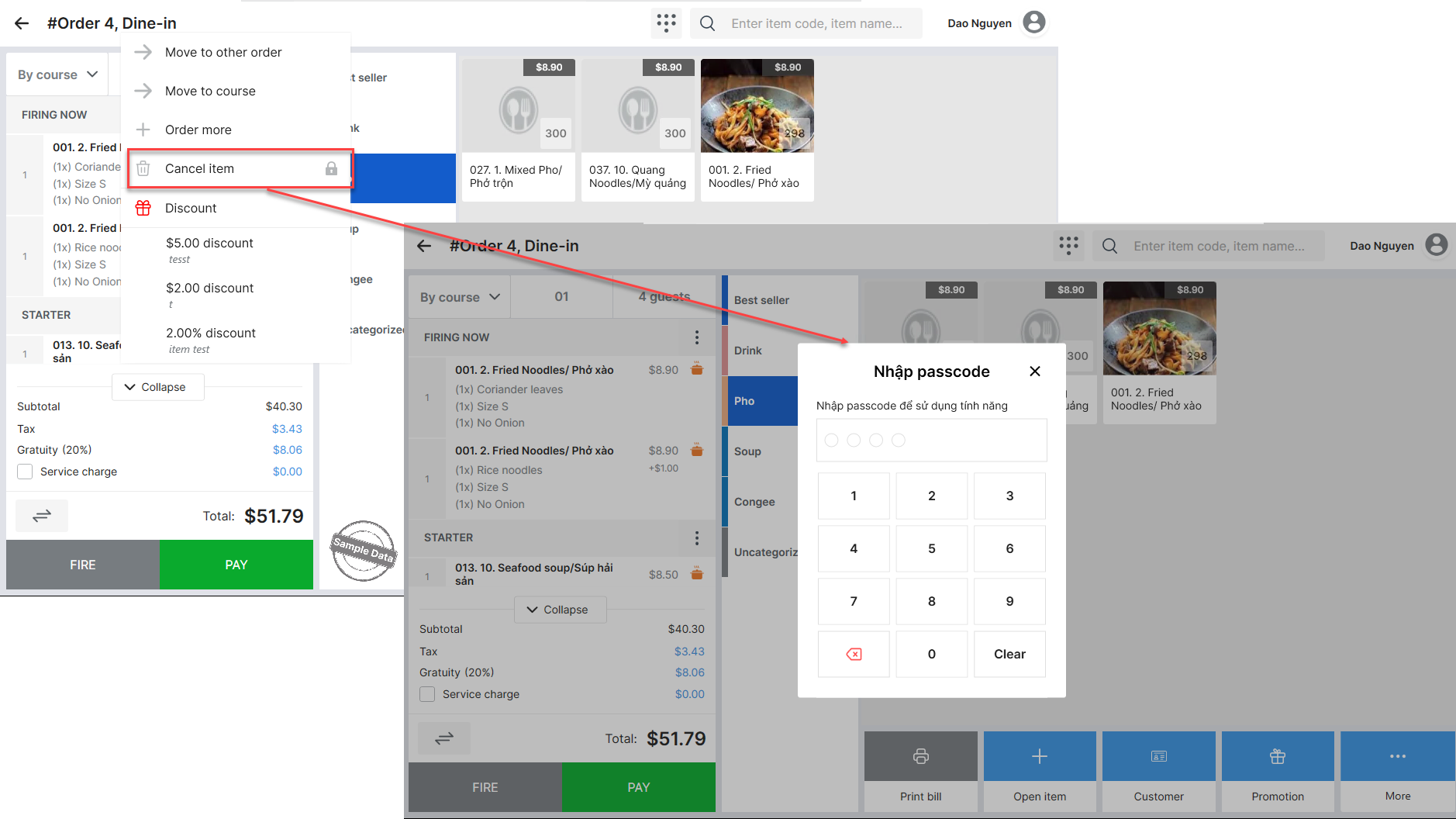
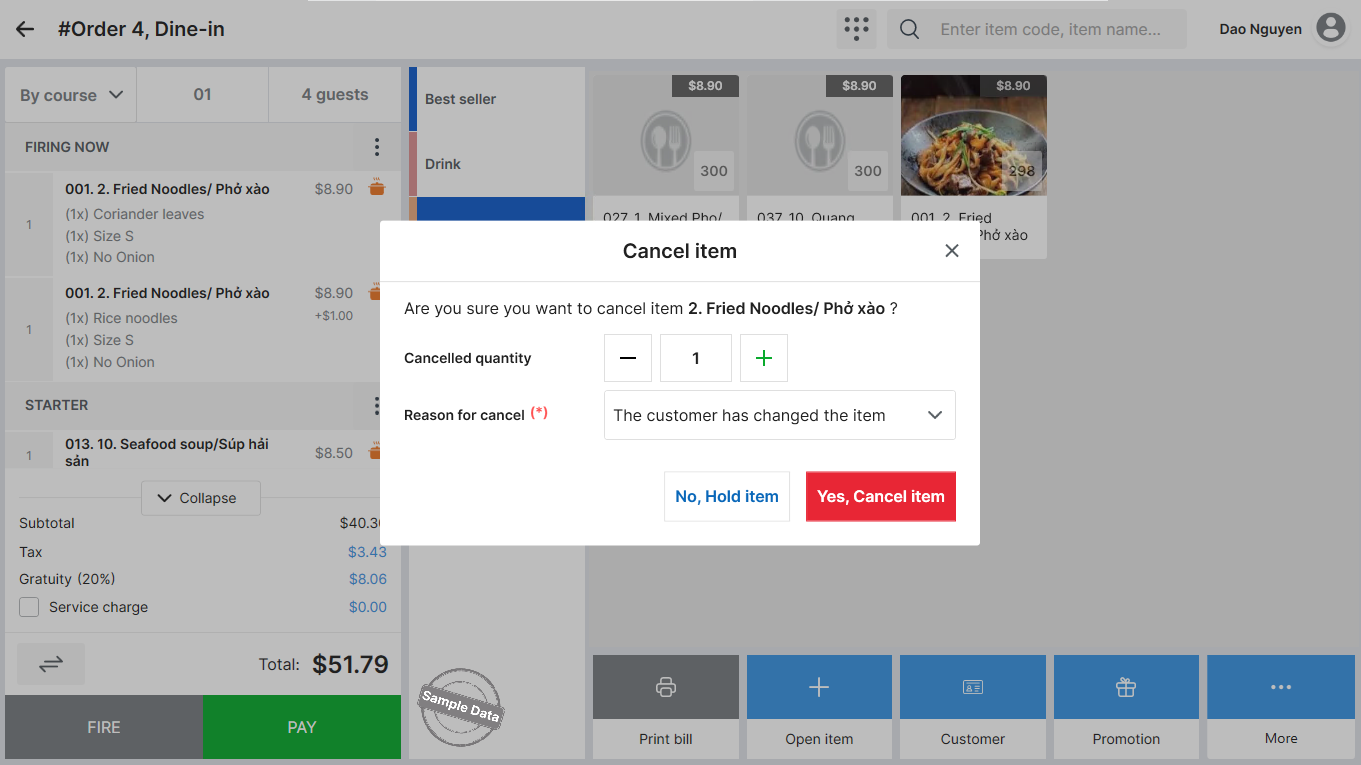
The manager will simply need to enter their passcode and either confirm the cancellation (Yes, Cancel item) or decline (No, Hold item) without needing to log out and log back in.
Have a nice day!


