

Nội dung có trong bài
Ẩn
I. PURPOSE
This feature allows restaurants to apply a modifier category to multiple menu items at once, helping streamline the order-taking process on the POS.
II. INSTRUCTION STEPS
Follow these steps to apply a modifier category to menu items:
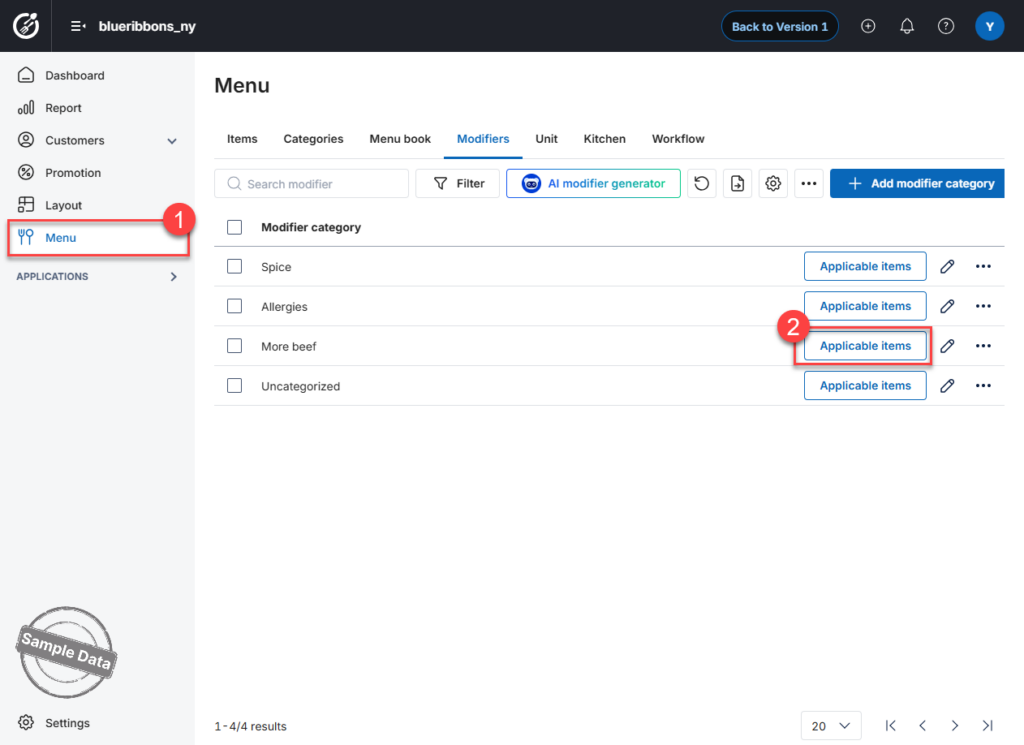
- On the Dashboard, go to Menu and select the Modifiers tab.
- Find the modifier category you want to apply and click Applicable Items.
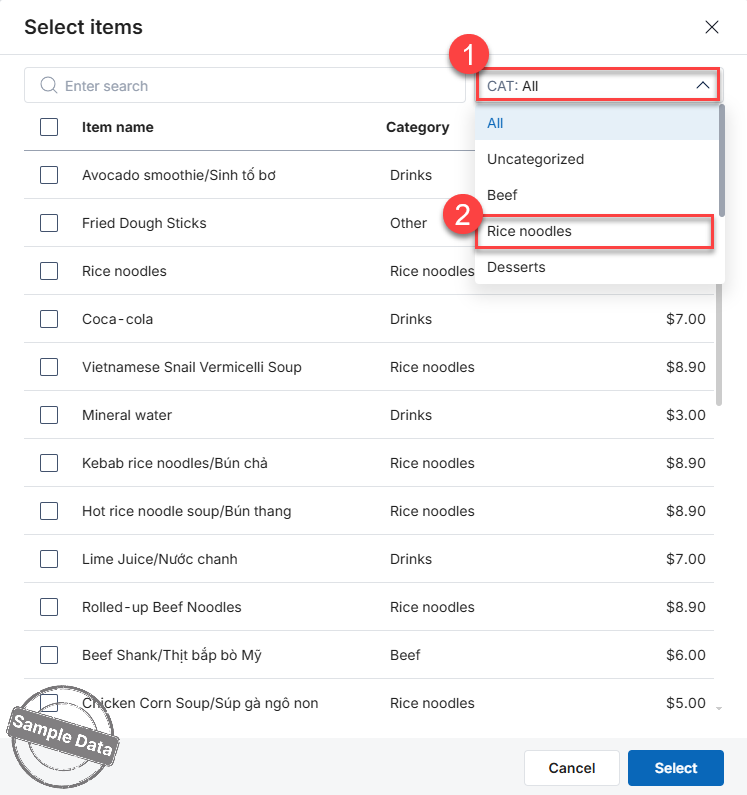
If you want to add items from a specific category:
- Click CAT: All
- Select the desired category
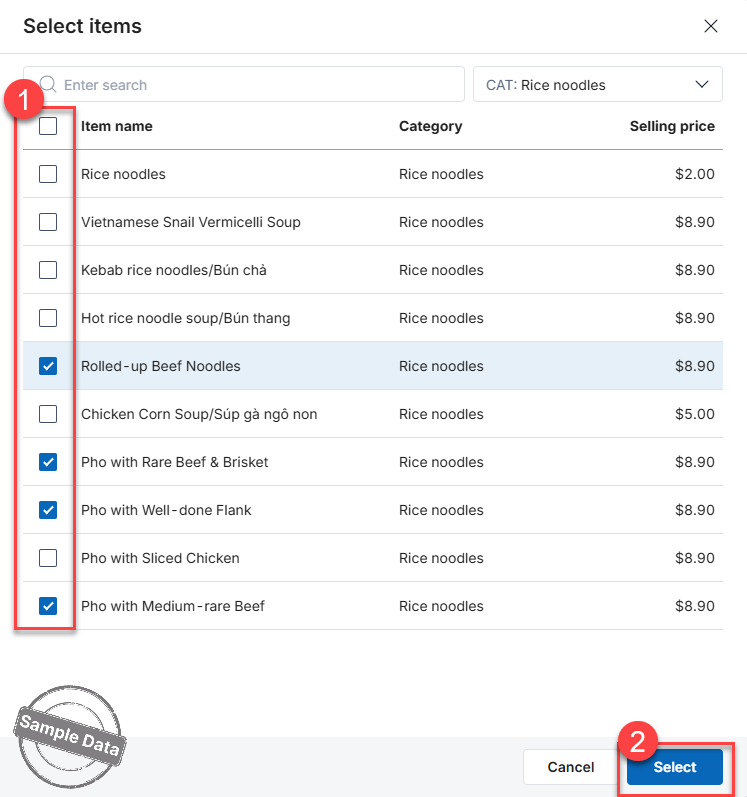
- Check the items you want to apply the modifier to
- Click Select
Click OK to apply the selected modifier category to the chosen items.
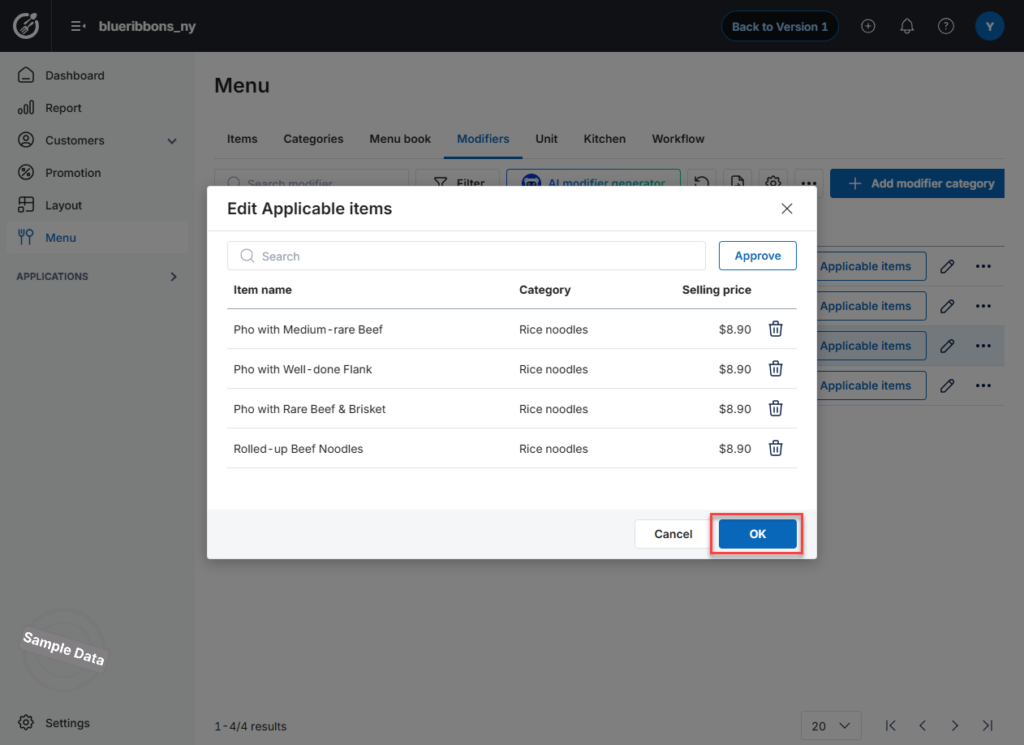
All selected menu items will now have the assigned modifier category applied.
Have a nice day!


