

I. PURPOSE
The Access Device List permission lets designated employees view or edit the list of POS devices connected to your restaurant. Granting this right helps you control who can manage device information.
II. INSTRUCTION STEPS
1. Grant Permission
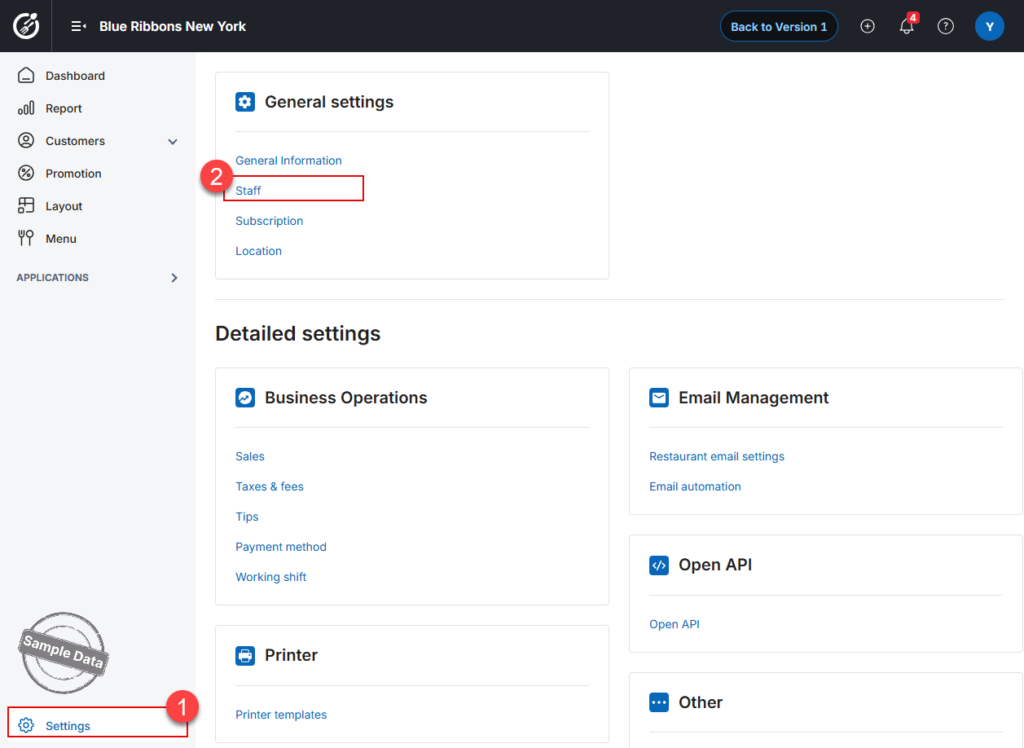
- On the Dashboard, navigate to Settings → Staff.
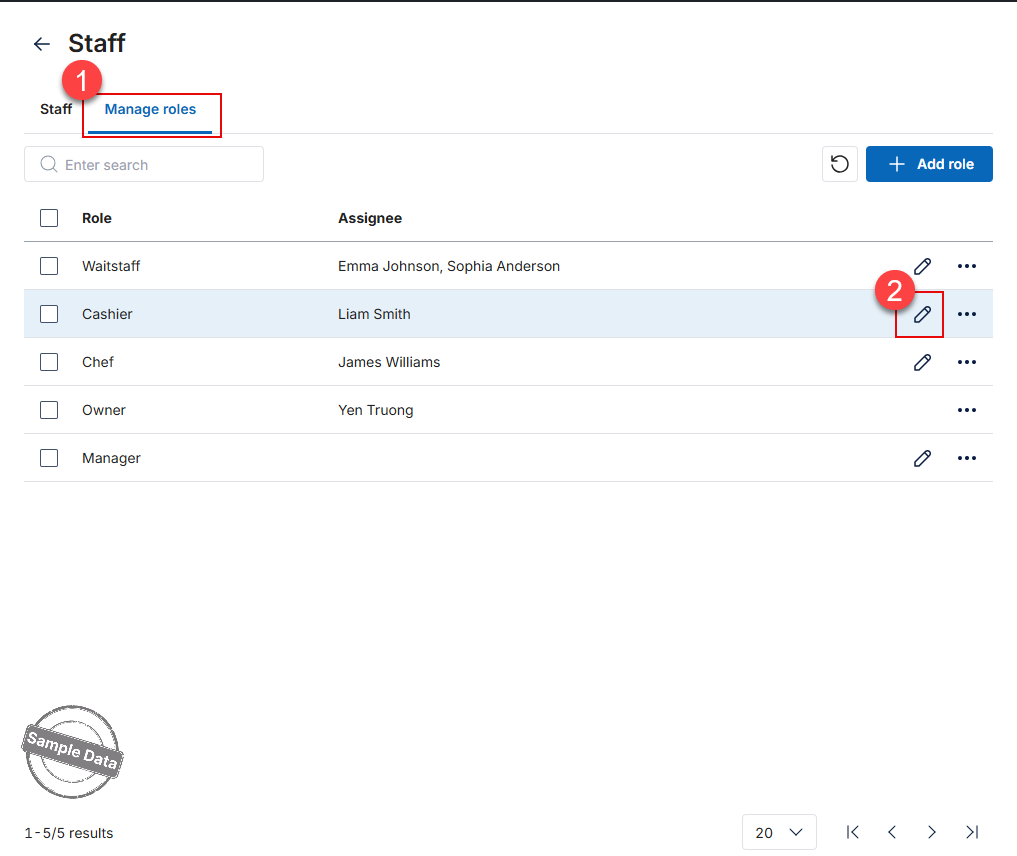
- In the Manage roles tab, find the role you wish to modify.
- Enable the Permission
- Scroll down to General settings → Subscription.
- Check View and Edit under Devices.
- Click Save to apply the new permission settings.
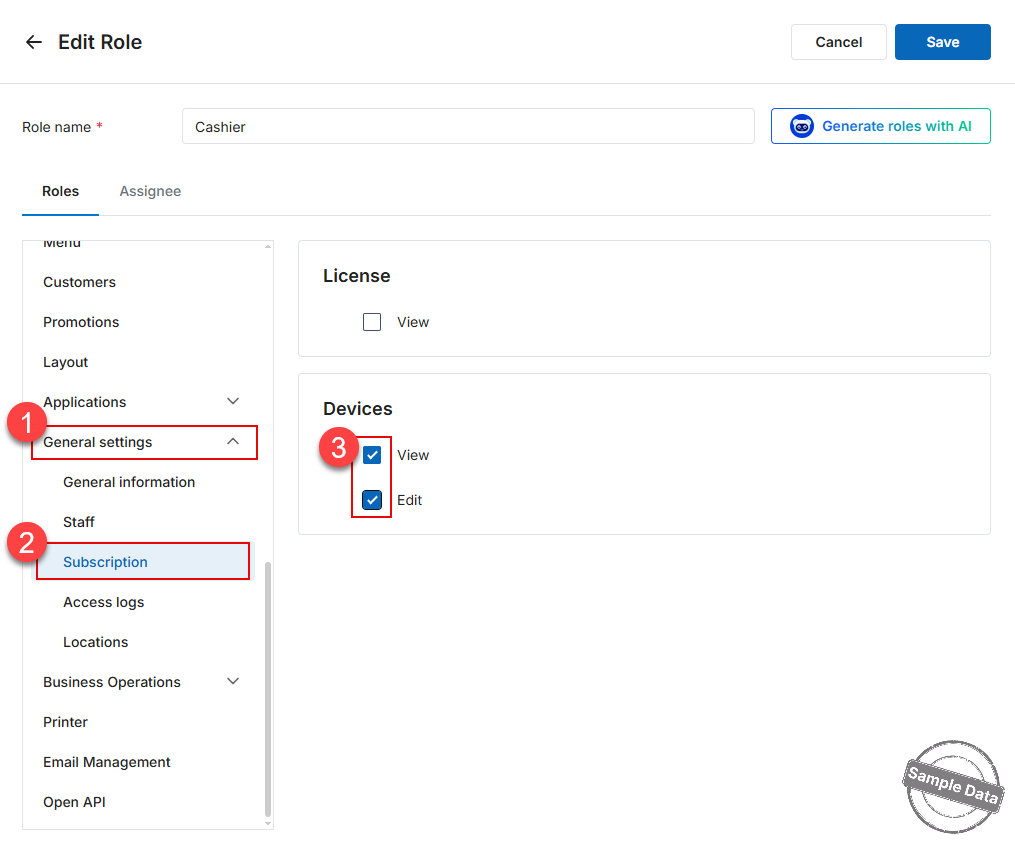
The selected role now has permission to view and edit the device list.
2. Access Device List
Go to Settings –> Subscription.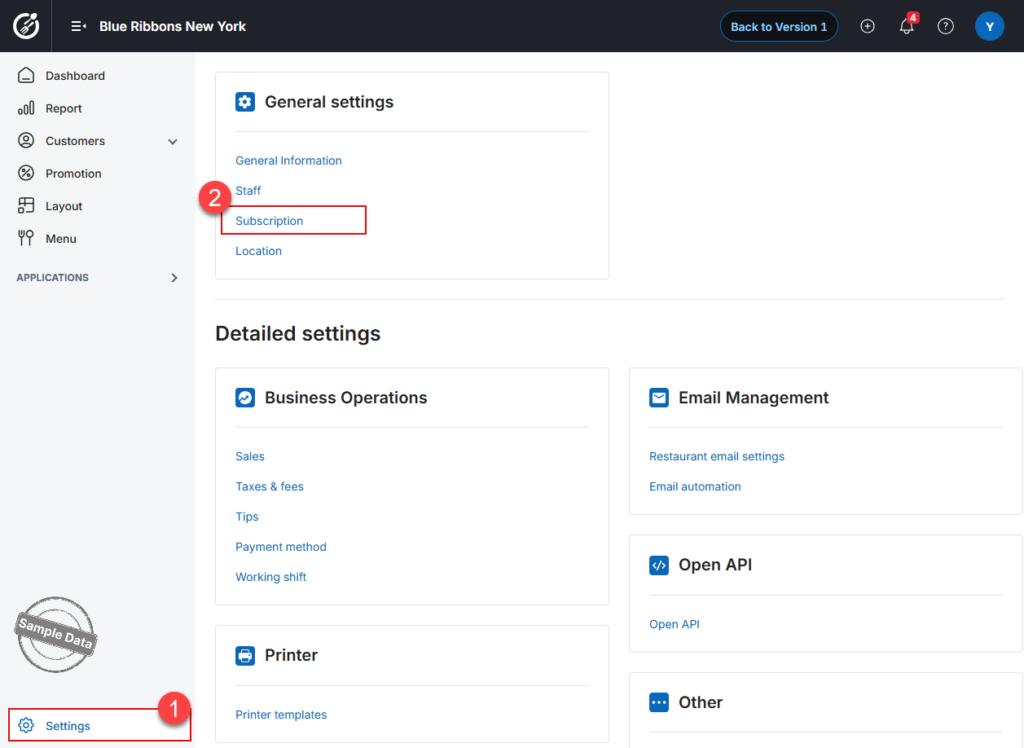
Managers can view the list of devices, sorted from the most recently logged-in device to the earliest.
From this page, managers can:
- Edit device information
- Review device details
- Deactivate POS devices
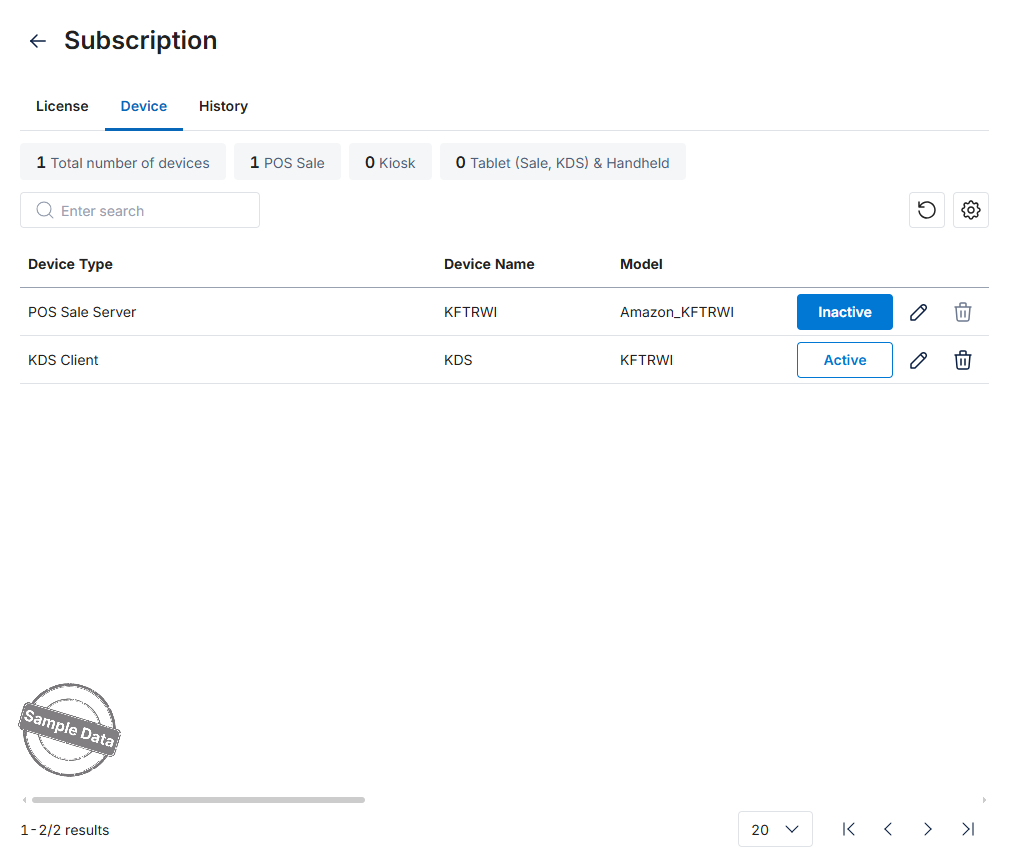
Device Information Overview
The table below summarizes the information fields of devices successfully connected to the server:
| Column | Description |
|---|---|
| 1. Device Type | Displays the type of device connected to the server. |
| 2. Device Name | Displays the device name assigned by the provider.
⚠ Duplicate device names are not allowed. If a duplicate name is entered, the system will display: “Device name already exists.” When renaming, the system suggests names using the following format: Example: If the restaurant has two devices named Tablet A2, the second device will be suggested as Tablet A2_2. |
| 3. Model | Displays the device model information. |
| 4. Device ID | Displays a numeric identification string for the device. |
| 5. IP Address | Displays network information (not editable). |
| 6. Version | Displays the CUKCUK Sales application version. |
| 7. MAC Address | Displays the physical address of the network device. |
| 8. Serial Number | Displays a unique serial number used to identify the device. |
| 9. IMEI | Displays a 15-digit mobile device identifier. Each IMEI number is unique to one device. |
| 10. Hardware Code | Displays the hardware ID of the device. |
| 11. Connection Date | Displays the date the device first logged into the restaurant domain. |
| 12. Activation Date | Displays the date the device was activated. |
| 13. Notes | Free-text field (maximum 256 characters). |
Have a nice day!


