1. Trang chủ
  2. Promotion
  3. Gift Cards
  4. Check Gift Card balance and Top Up a gift card
  1. Trang chủ
  2. Gift Cards
  3. Check Gift Card balance and Top Up a gift card
  1. Trang chủ
  2. Promotion Management
  3. Check Gift Card balance and Top Up a gift card

Check Gift Card balance and Top Up a gift card

Nội dung có trong bài Ẩn

I. Purpose

This feature allows cashiers and staff to check a gift card balance and add funds to the card when requested by a customer.

II. Instruction Steps

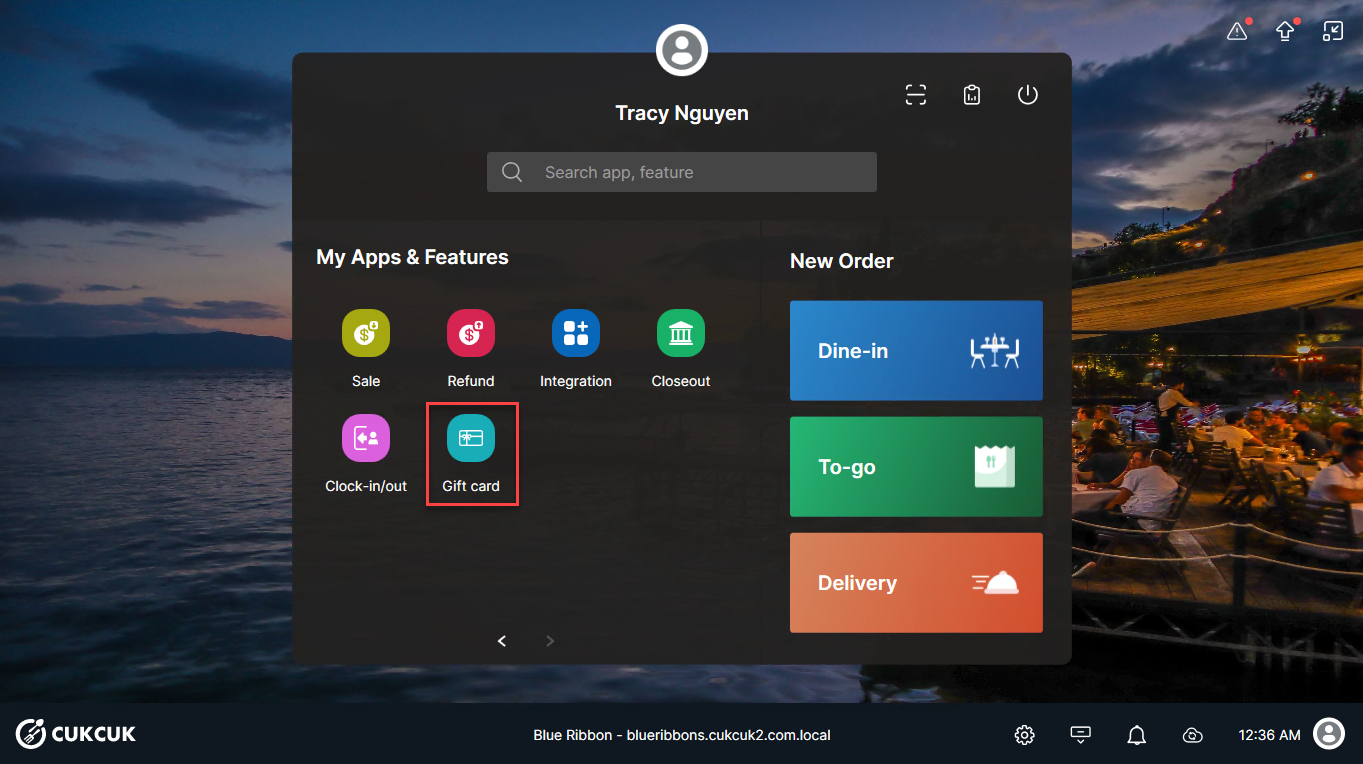
  1. Log in to the POS using your account. On the main screen, select Gift card.
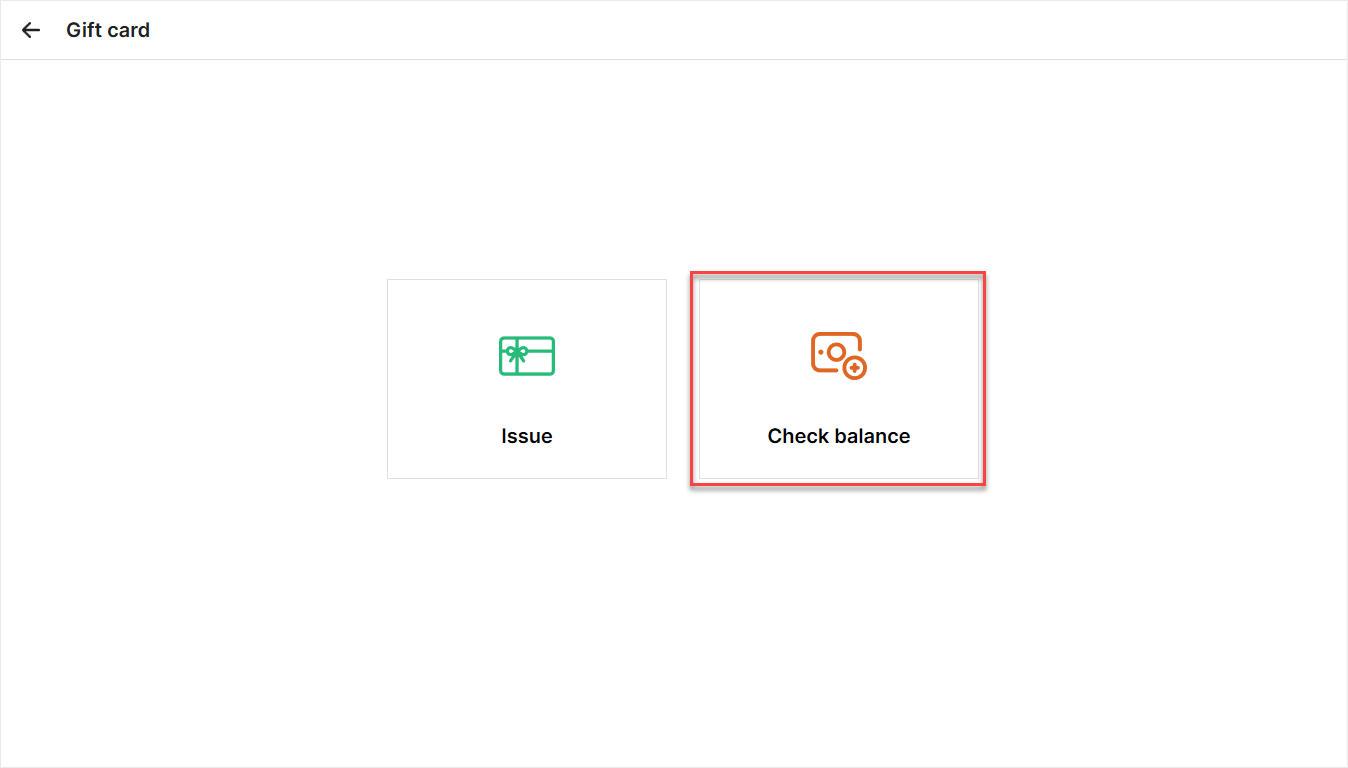
2. Select Check balance.
  1. On the Check Balance screen, enter the customer’s gift card number and click Search.

After the gift card balance information is displayed, click Print to print and retain a record.
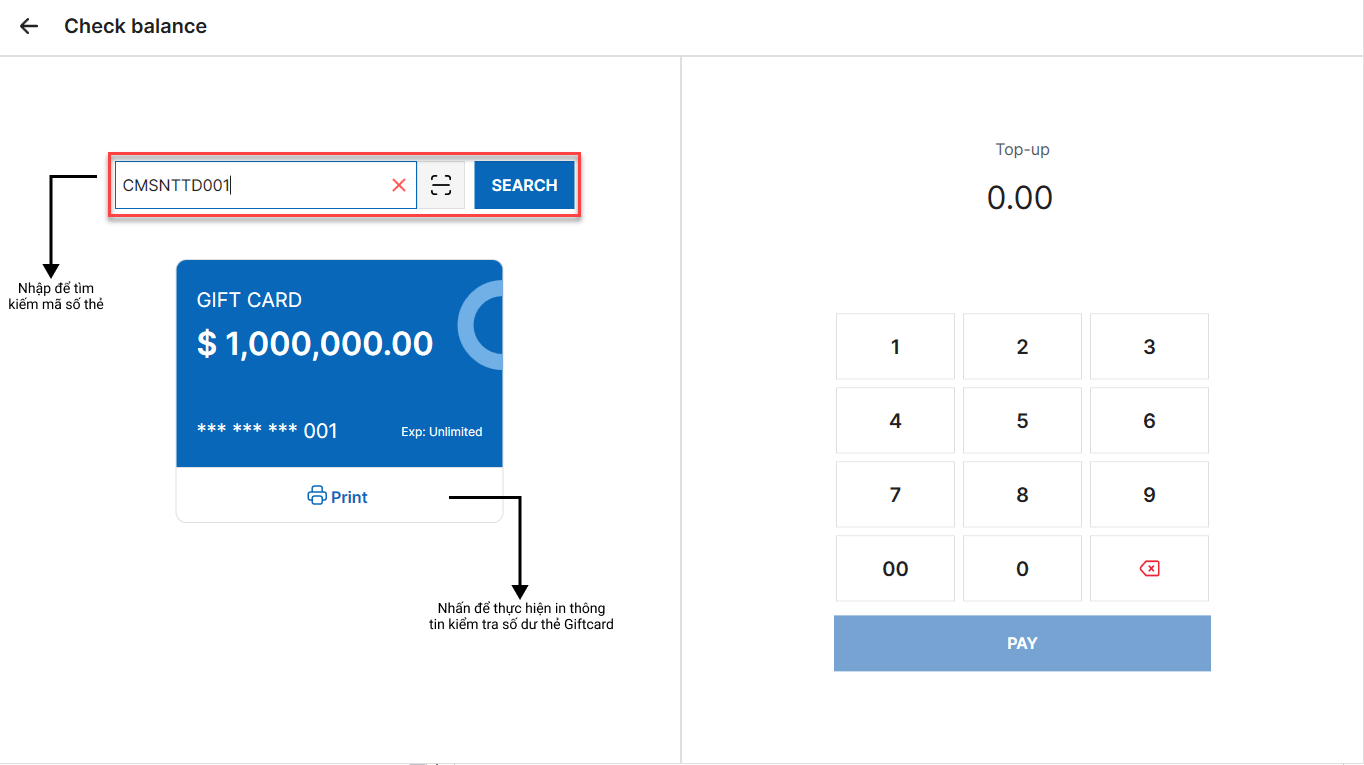
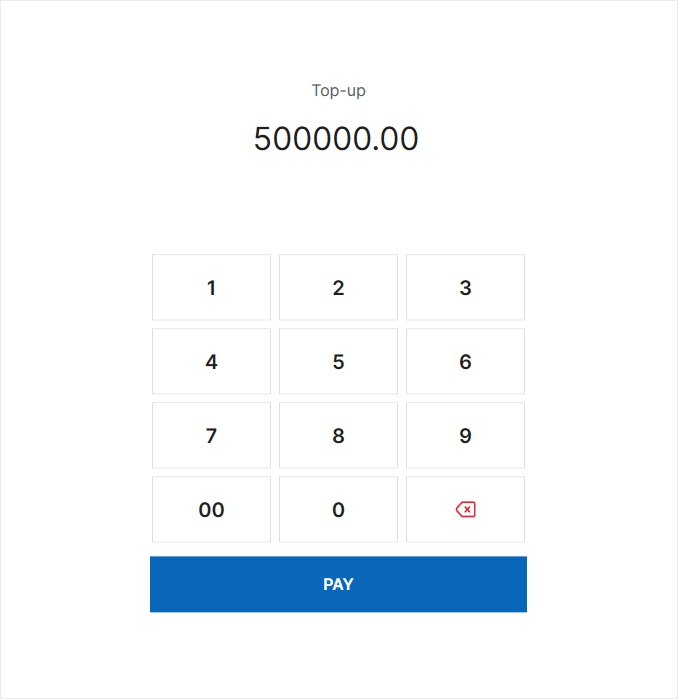
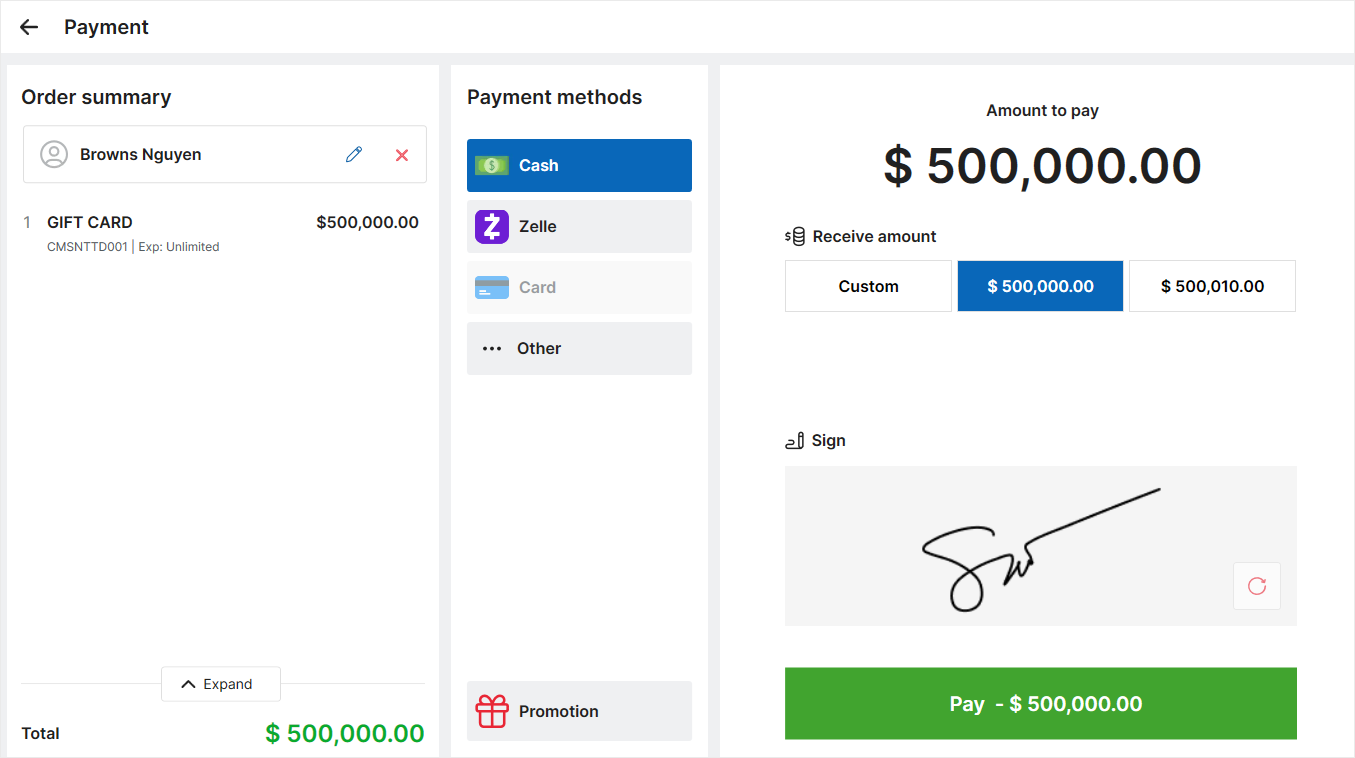
  1. If the customer wishes to add more funds, enter the top-up amount. Then, click Pay to proceed to the payment screen.

Have a nice day!

Cập nhật 26/08/2026

Hãy giúp chúng tôi hoàn thiện trang trợ giúp phần mềm. Bài viết này có hữu ích với bạn không?

Bài viết liên quan

Issue and use e-Gift card
Xem thêm more
Apply activation fee upon issuing gift cards
Xem thêm more
Set up automatic application of promotions based on the selected time frame
Xem thêm more
Set up and apply a same-day custom bill discount
Xem thêm more
Refund Gift card
Xem thêm more
Using gift cards for payment
Xem thêm more