

I. Purpose
This feature allows staff to process payments using gift cards and monitor gift card transaction history.
II. Watch the tutorial video
Watch the instructional video here: https://www.youtube.com/watch?v=YhXKJzzrWIk
III. Instruction Steps
1. Paying with a Gift Card
To use a gift card to pay for an order:
- Go to the Orders tab and select the order you wish to settle.
- In the Payment methods section, select Gift card.
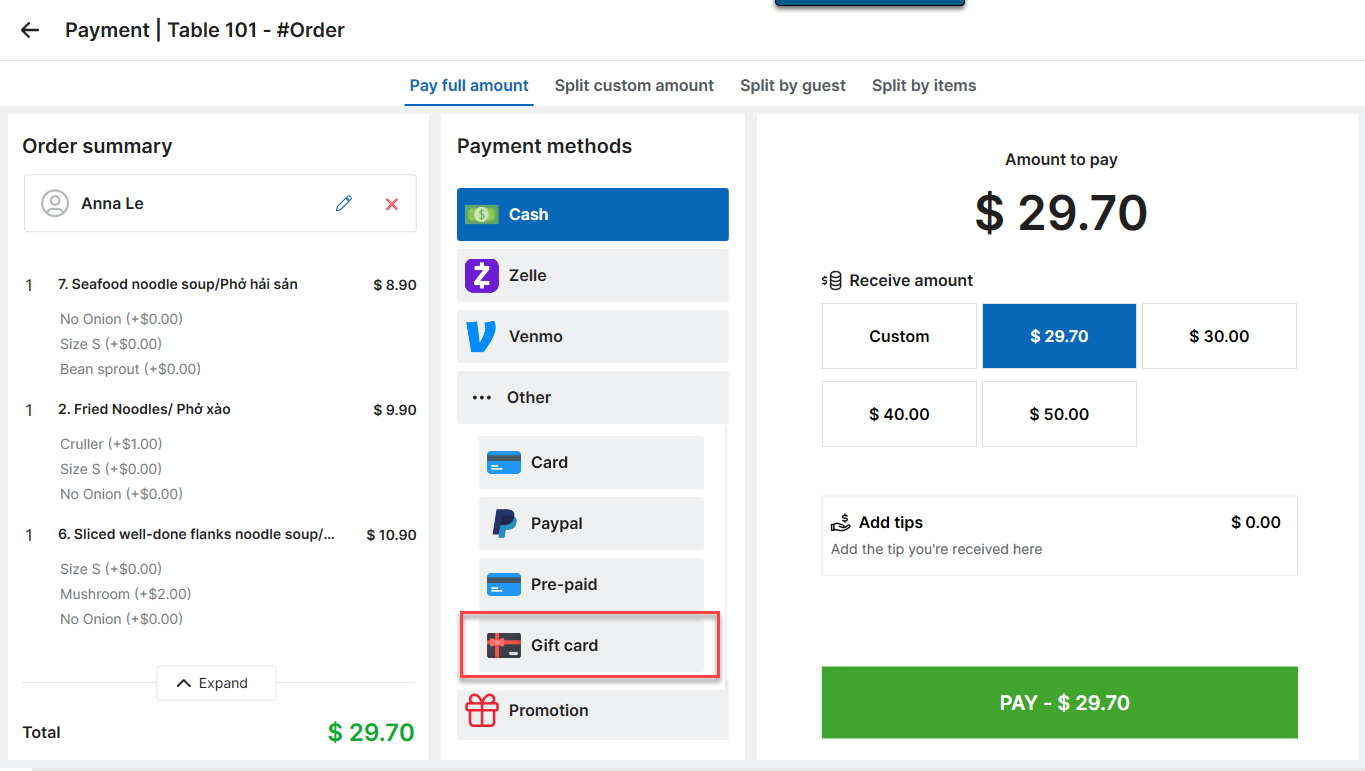
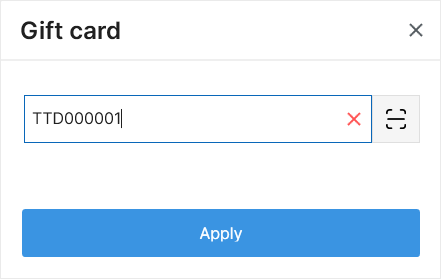
- Enter the gift card code and click Apply.
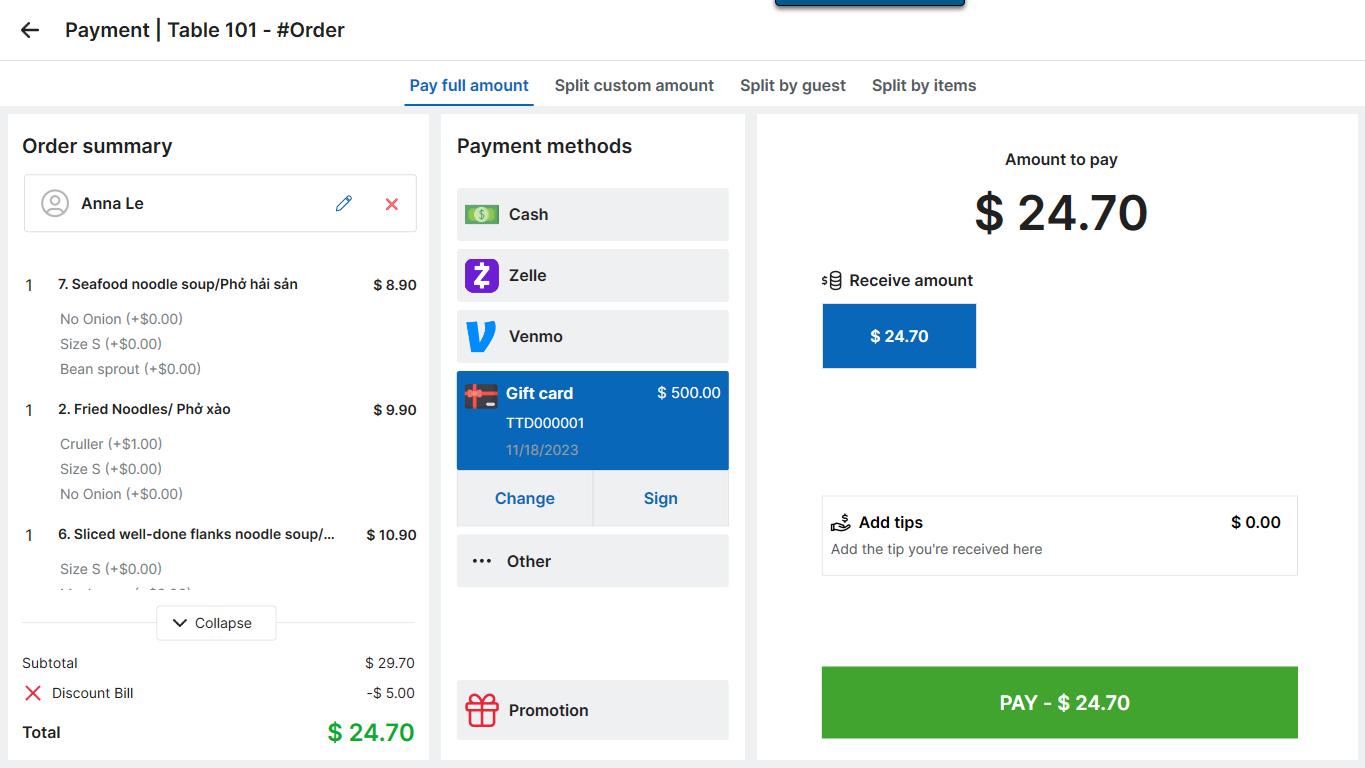
- Click Pay.
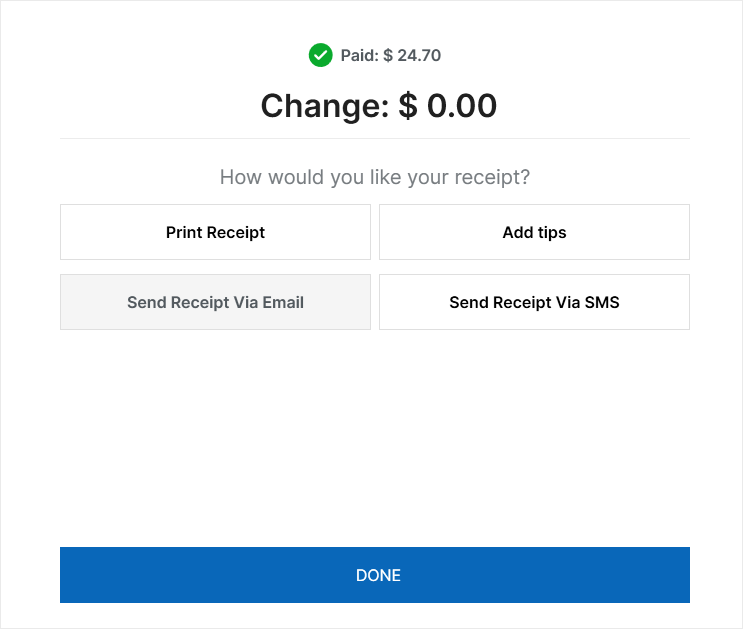
- Click Done.
2. Viewing gift card transaction history
To review how gift cards have been used:
- Navigate to Report → Gift card.
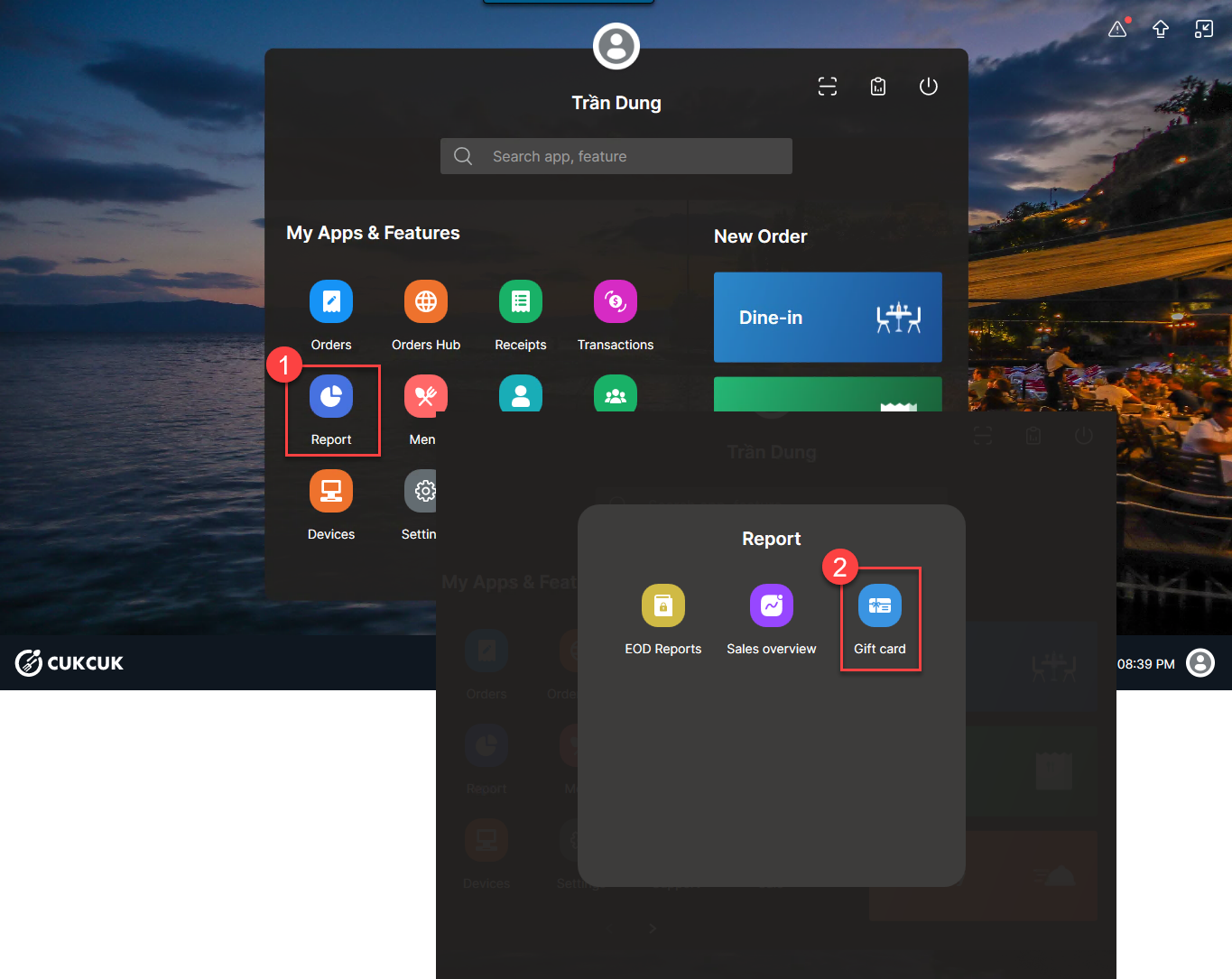
- The system will display all gift card transactions occurring on the current day.
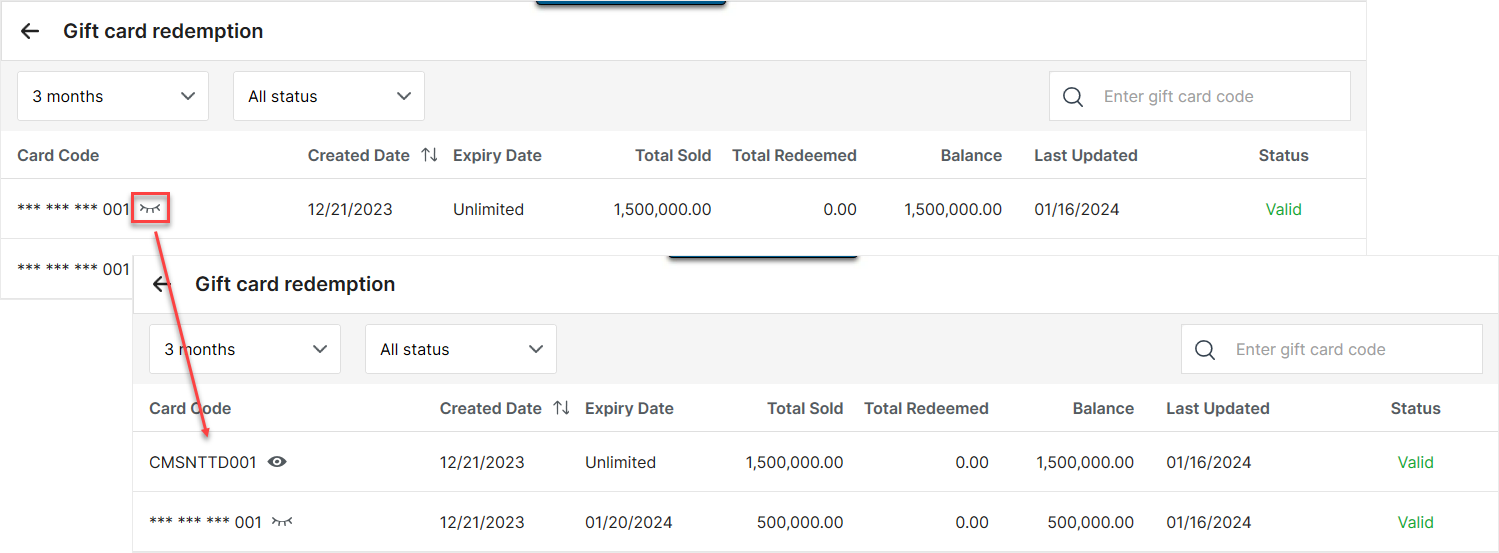
- To view specific customer details for a transaction, click the icon

Notes:
- History Limit: You can view transaction history for a maximum of 3 months.
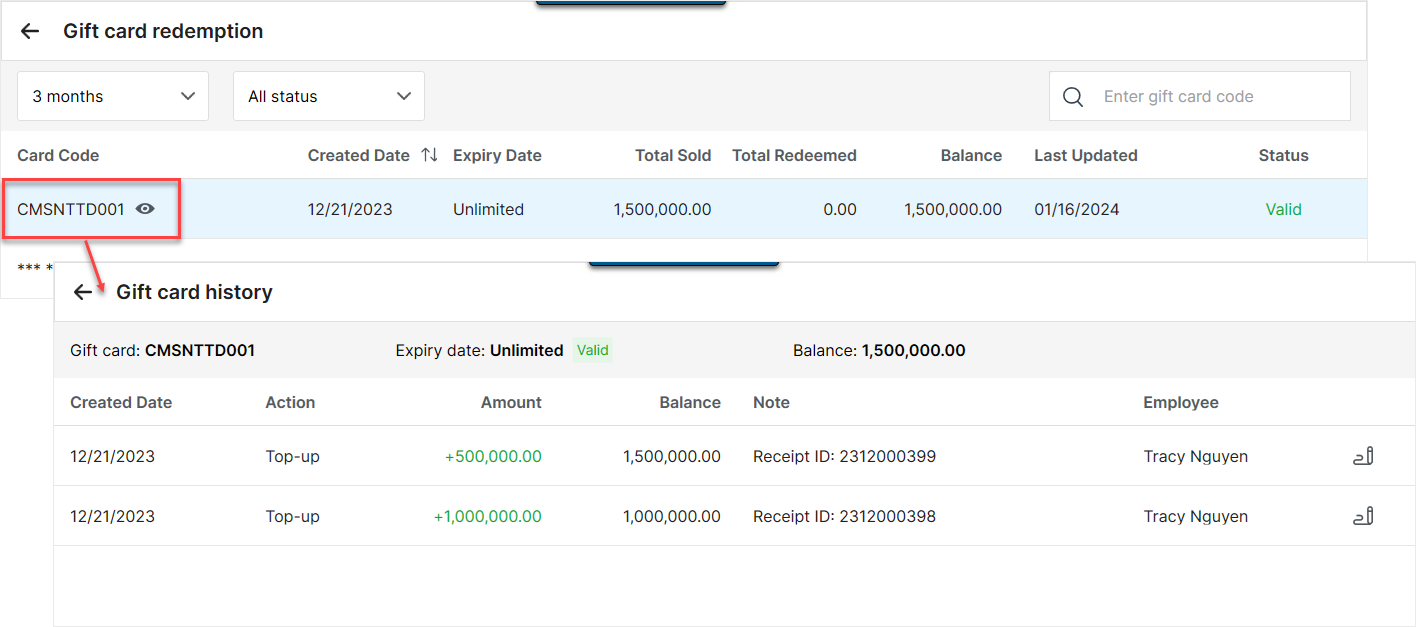
- Detailed View: You can click on any individual transaction to view more granular details and manage the record.
You have successfully processed the payment and accessed the gift card reports!
Have a nice day!


