

I. Purpose
The restaurants can link their CukCuk account with delivery marketplaces such as DoorDash, Grubhub, and Uber Eats—so menus, orders, and status updates sync automatically.
II. Instruction steps
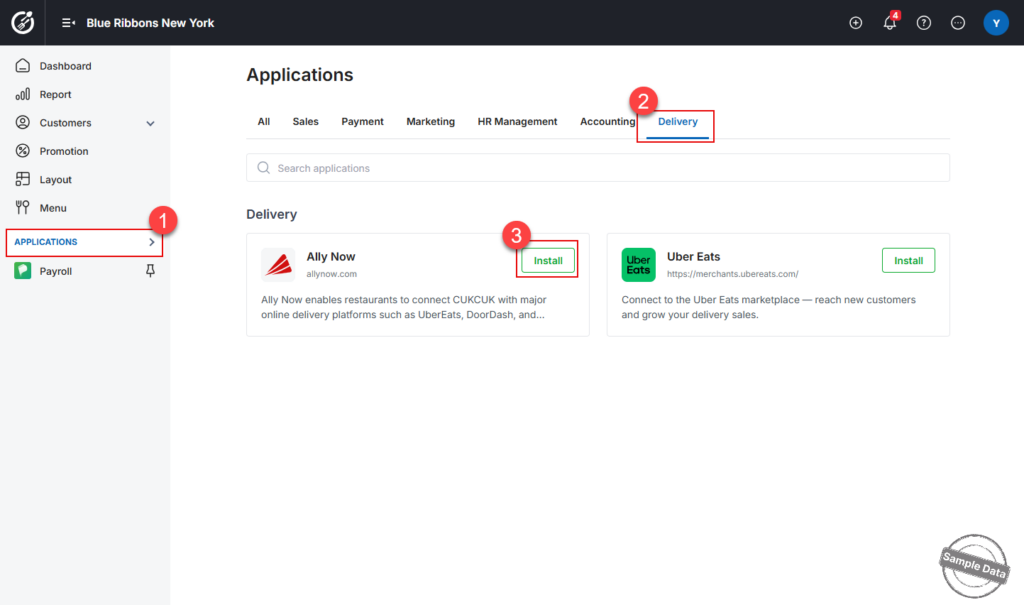
On the dashboard, go to Applications –> Delivery tab –> Ally Now –> Click Install.
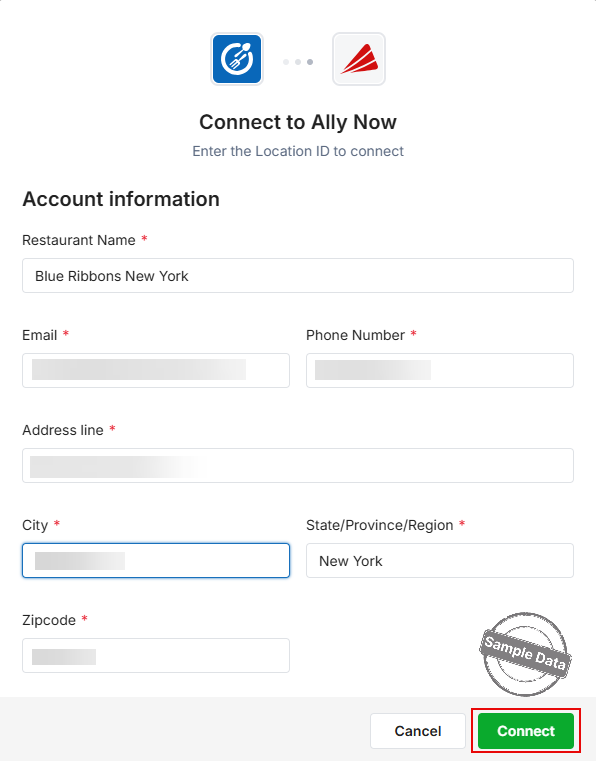
A form appears—enter the restaurant information. Click Connect.
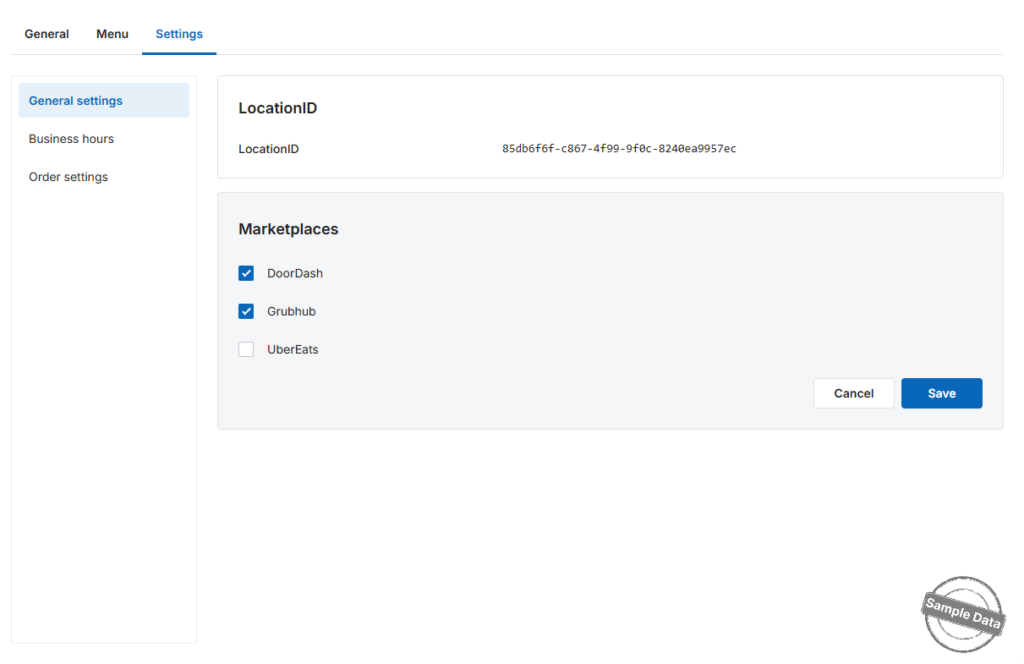
On the Settings tab, click Edit in the Marketplace section, then tick the checkboxes for each platform your restaurant is currently linked to.
Each marketplace requires an Admin / Manager user that Ally Now can use to push menus and pull orders.
Add an user to UberEats.
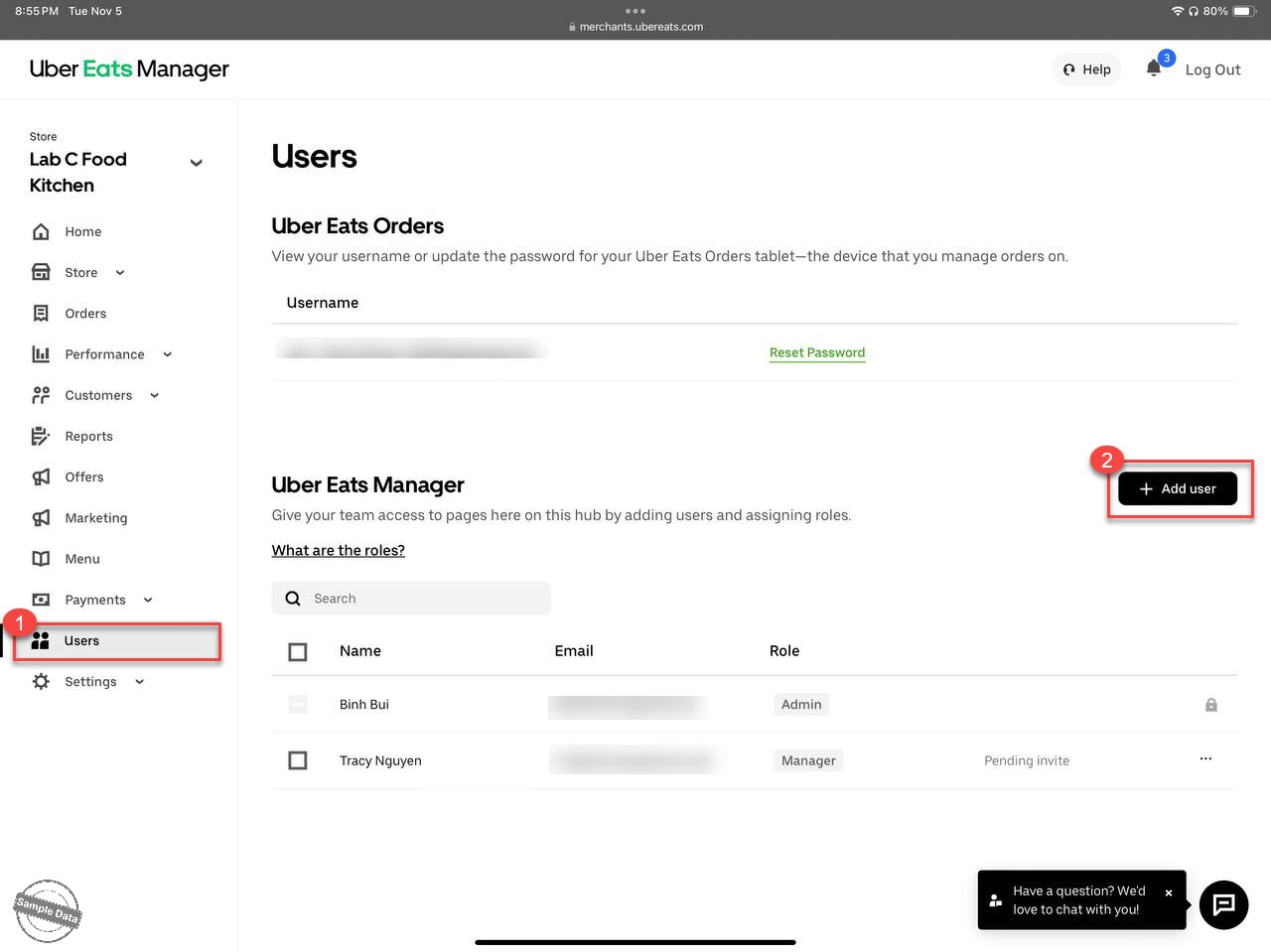
- Log in to your Uber Eats Restaurant Dashboard.
- Go to Users → Add user.
- Enter the user’s name and email provided by CukCuk: [email protected].
- Assign the role Admin or Manager to this account.
See the instruction on how to add user on DoorDash here.
See the instruction on how to add user on Grubhub here.
See the instruction on how to Set up menu here.
Have a nice day!


