1. Trang chủ
  2. Menu Management
  3. [Australia] Set item prices included tax
  1. Trang chủ
  2. Initial Settings
  3. [Australia] Set item prices included tax

[Australia] Set item prices included tax

I. Purpose

The managers can set up item prices included tax

II. Instruction steps

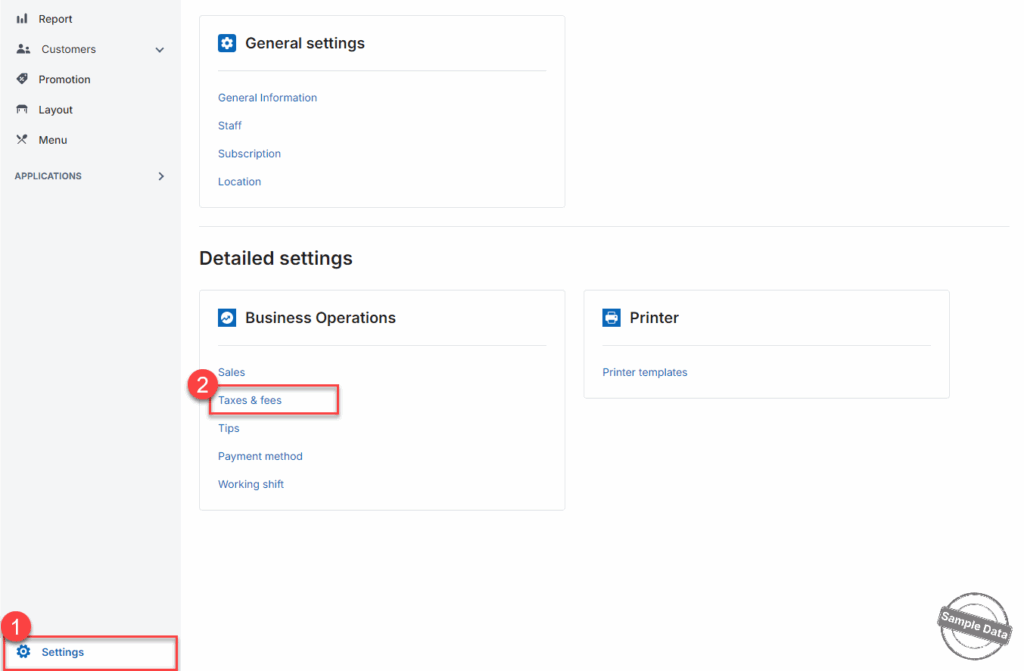
Go to Settings and select Taxes & fees.
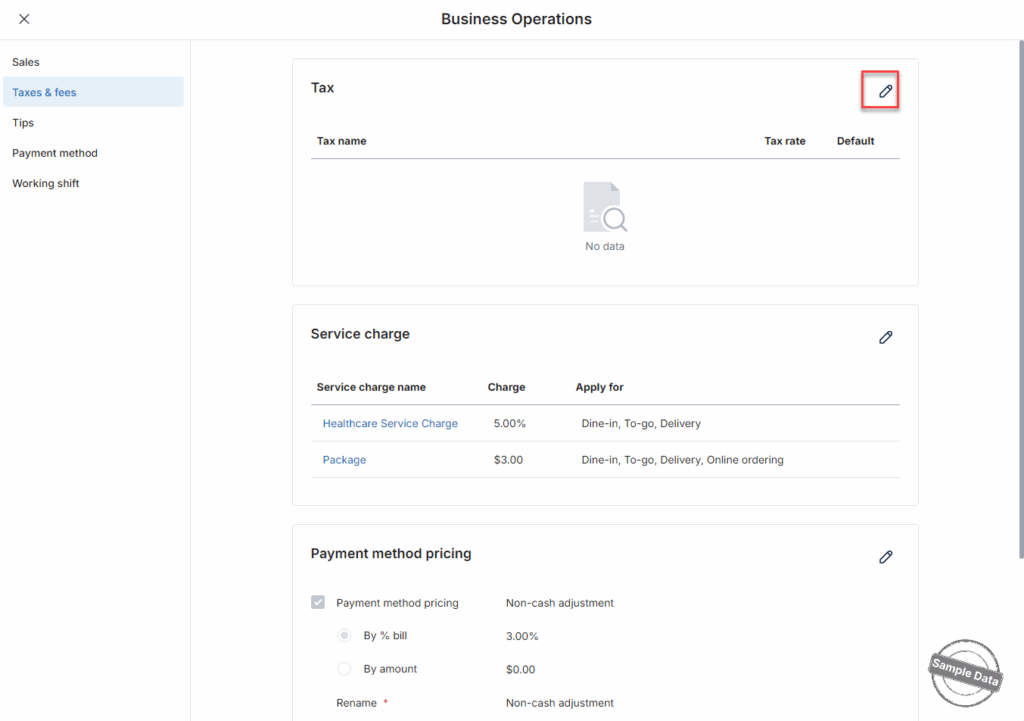
On the Tax section, click this icon

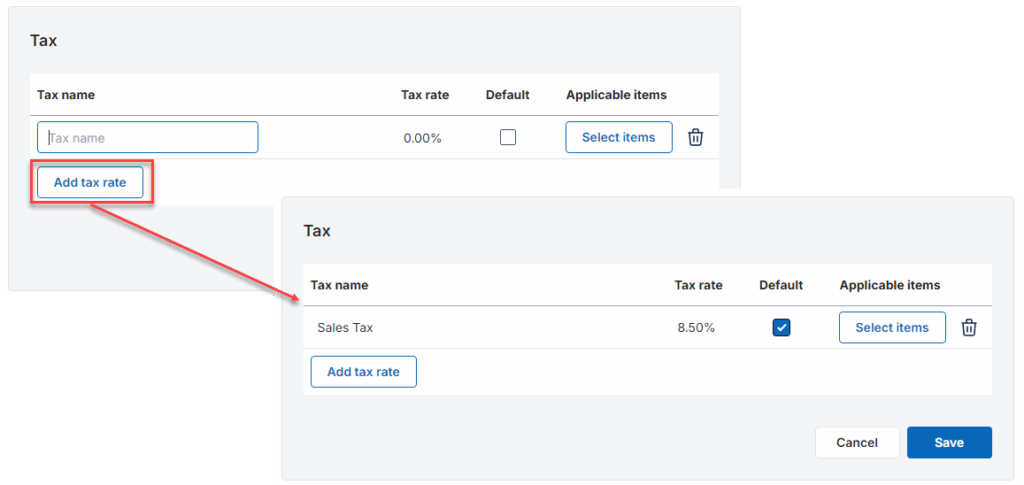
Click Add tax rate to create the tax rate you want to apply. Enter tax name, tax rate and put a check if this tax is default.
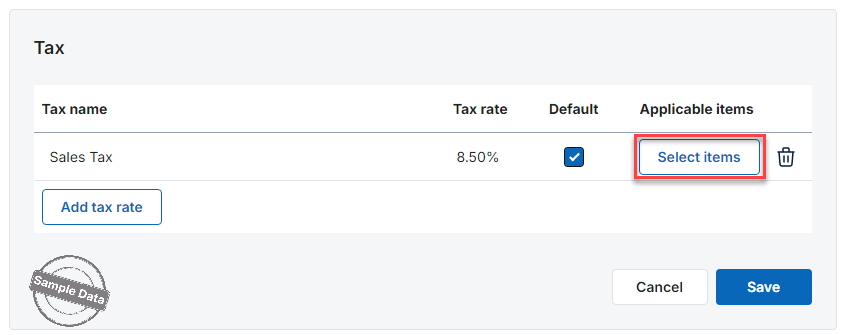
Click Select items to add items subject to this tax.
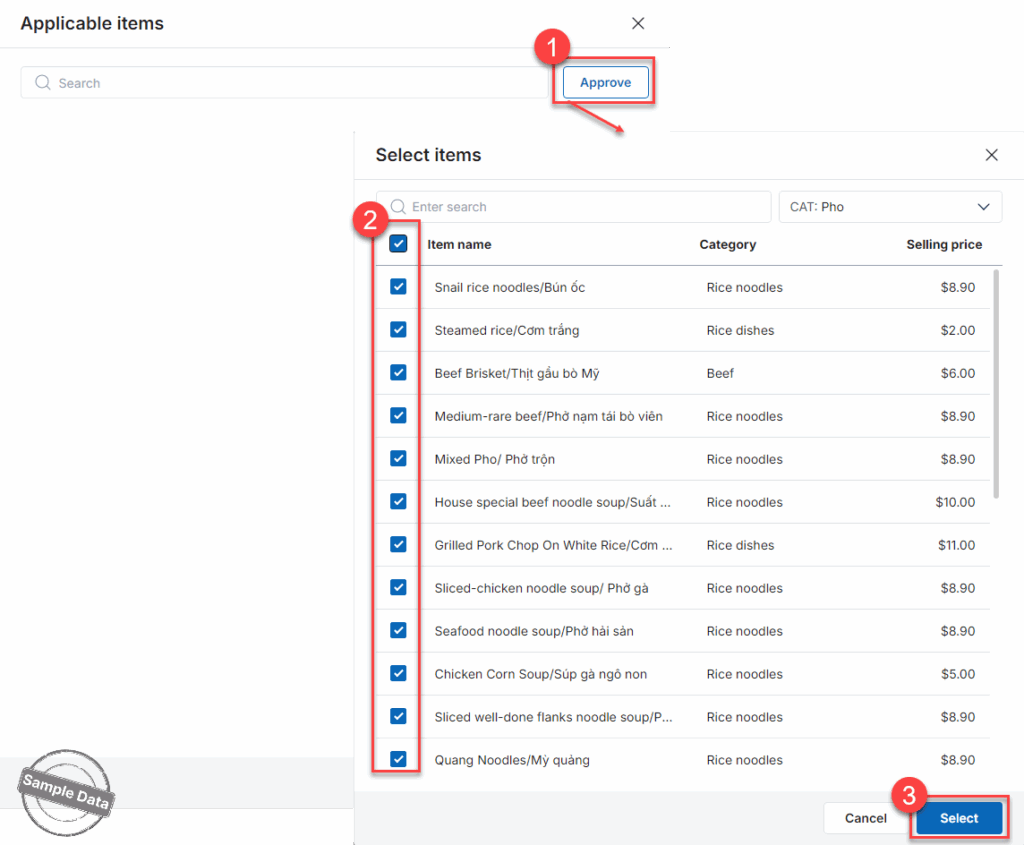
Click Approve. Check the applicable items and press Select.
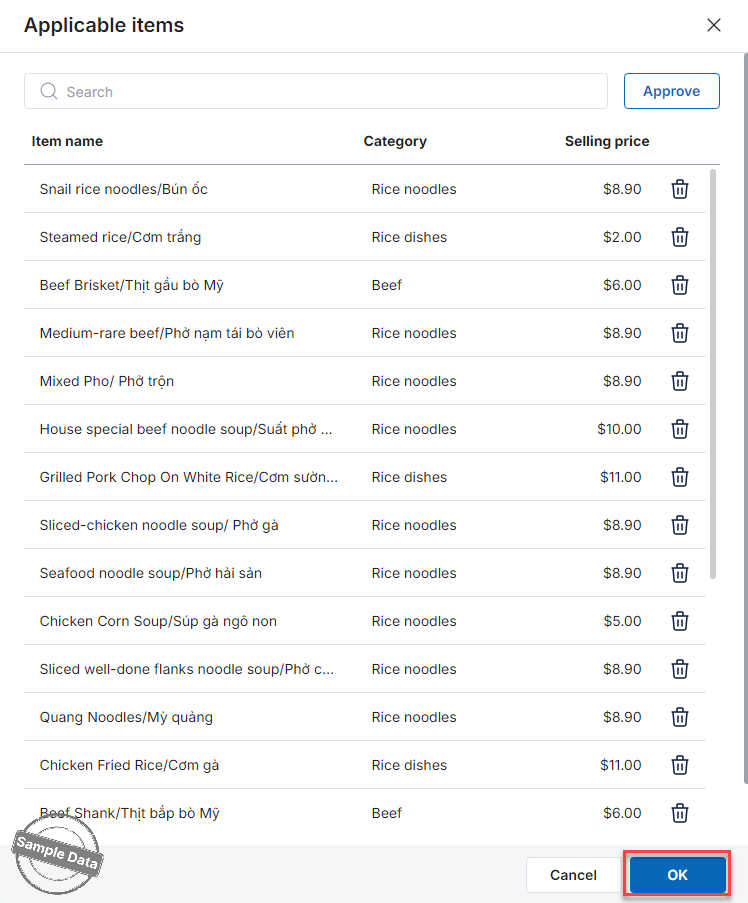
Then click OK.
 

Have a nice day!

Cập nhật 23/04/2026

Hãy giúp chúng tôi hoàn thiện trang trợ giúp phần mềm. Bài viết này có hữu ích với bạn không?

Bài viết liên quan

Import items with variant
Xem thêm more
Create flexible combo
Xem thêm more
Set up a flat price promotion program
Xem thêm more
Set up barcode, print labels, and order items using barcode
Xem thêm more
Set up parent-child menu categories
Xem thêm more
Set up online menu display by schedule
Xem thêm more