

To connect your POS system with a Sunmi terminal, please follow these steps:
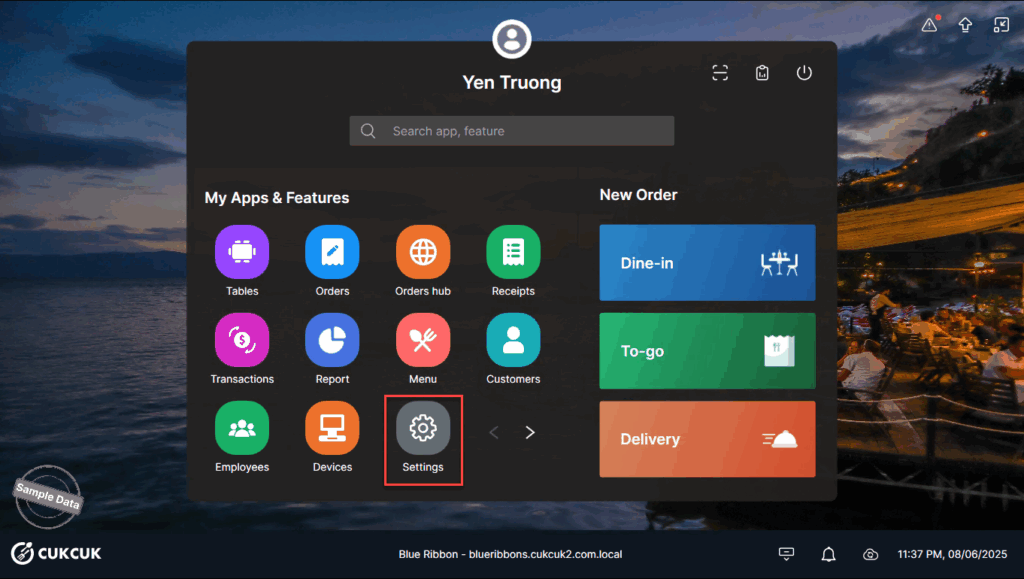
Go to Settings.
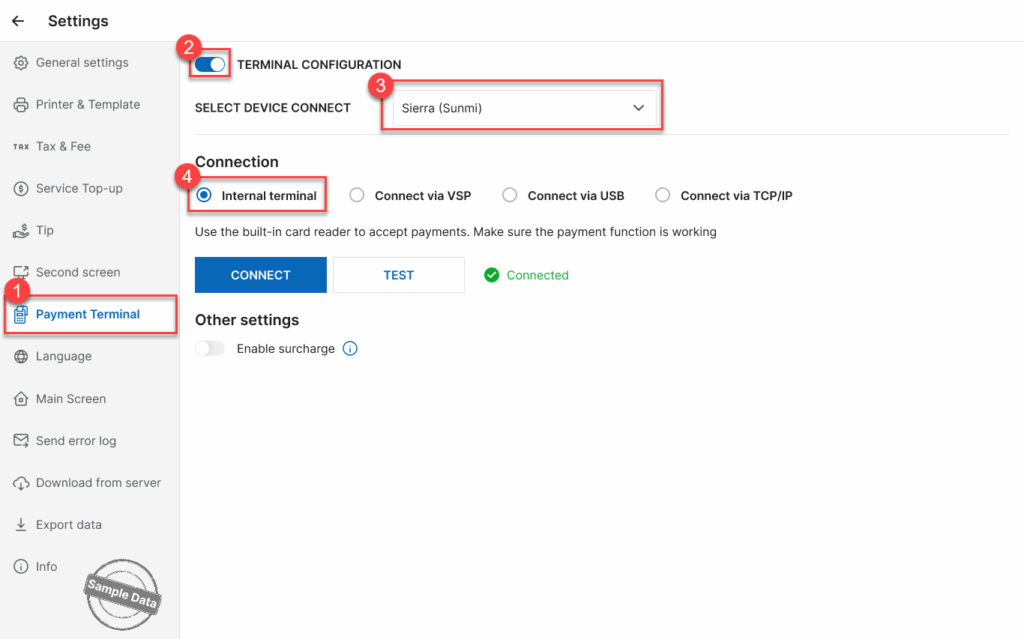
On Payment terminal tab, turn on Terminal configuration and select Sierra (Sunmi). Select a connection type.
If you select Internal Terminal, click Connect.
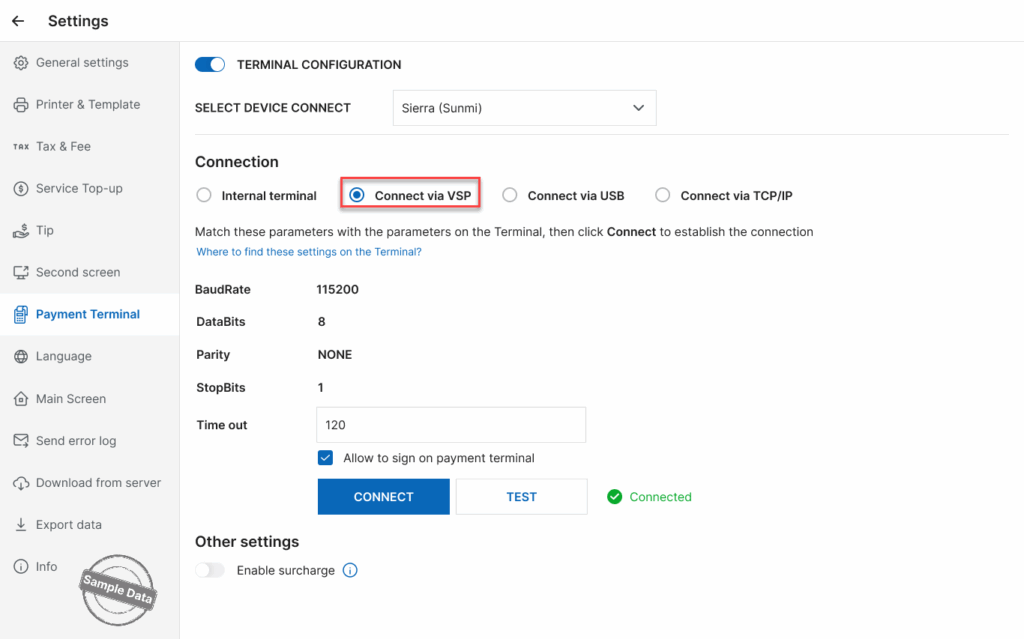
If you choose to connect via VSP, make sure the following settings on the terminal match the POS settings: BaudRate, DataBits, Parity and StopBits.
⚠ Important:
- The parameters on the POS must match the parameters configured on the Sunmi terminal.
- It is recommended to keep the default manufacturer settings for these parameters.
Then, set up Timeout.
Follow the same steps for Connect via USB and Connect via TCP/IP.
Note:
Before attempting to connect:
- Make sure the Sierra software is installed on the POS.
- Download and install it from the Sunmi Store.
Without installing Sierra software, the connection will not work.
Have a nice day!


