

Nội dung có trong bài
Ẩn
I. Purpose
The manager can set up label printer on the management page.
II. Instruction steps
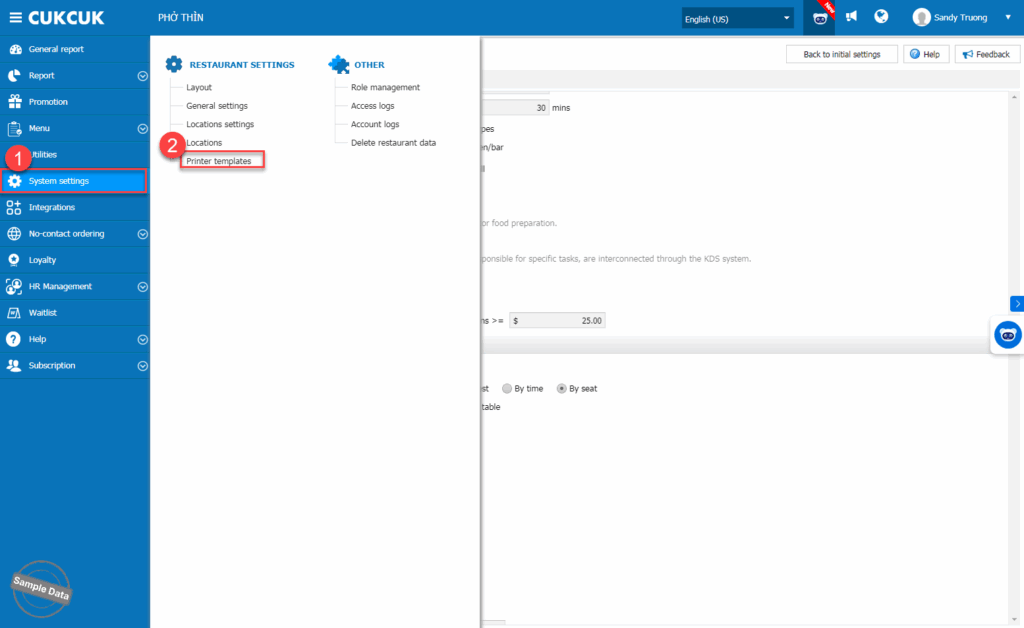
On the management page, go to System settings/Printer templates.
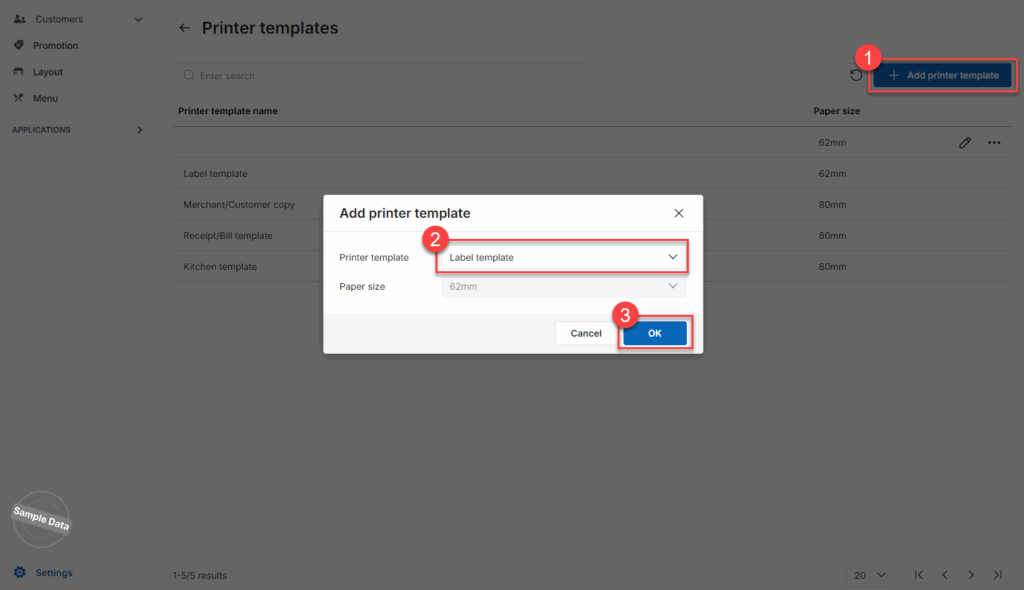
To add a new label template, click Add printer template and select Label printer. Click OK.
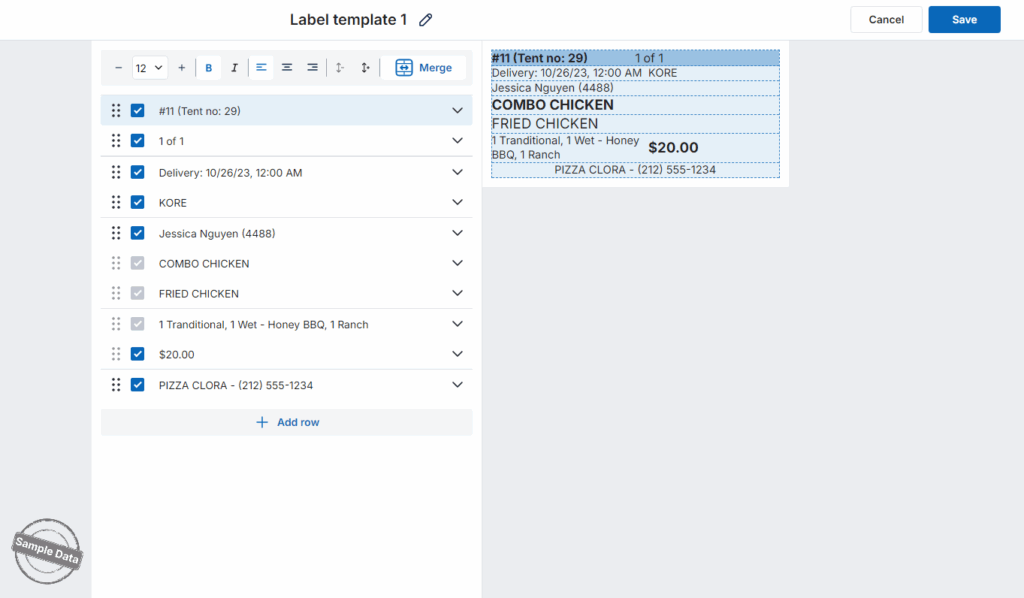
Set up the information to be shown on the label.
If you want to add another information, click Add row. Fill in the title and content.
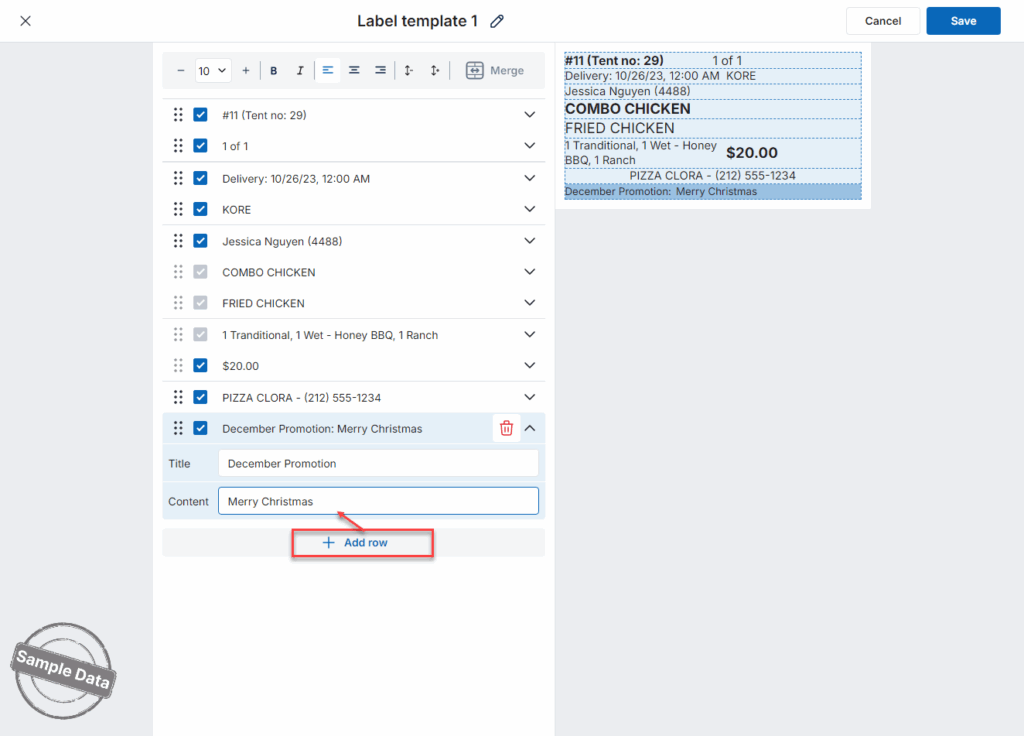
Then, click Save.
Have a nice day!


