

I. Purpose
The manager can set up to take orders by seat.
II. Instruction steps
1. Set up to take order by seat
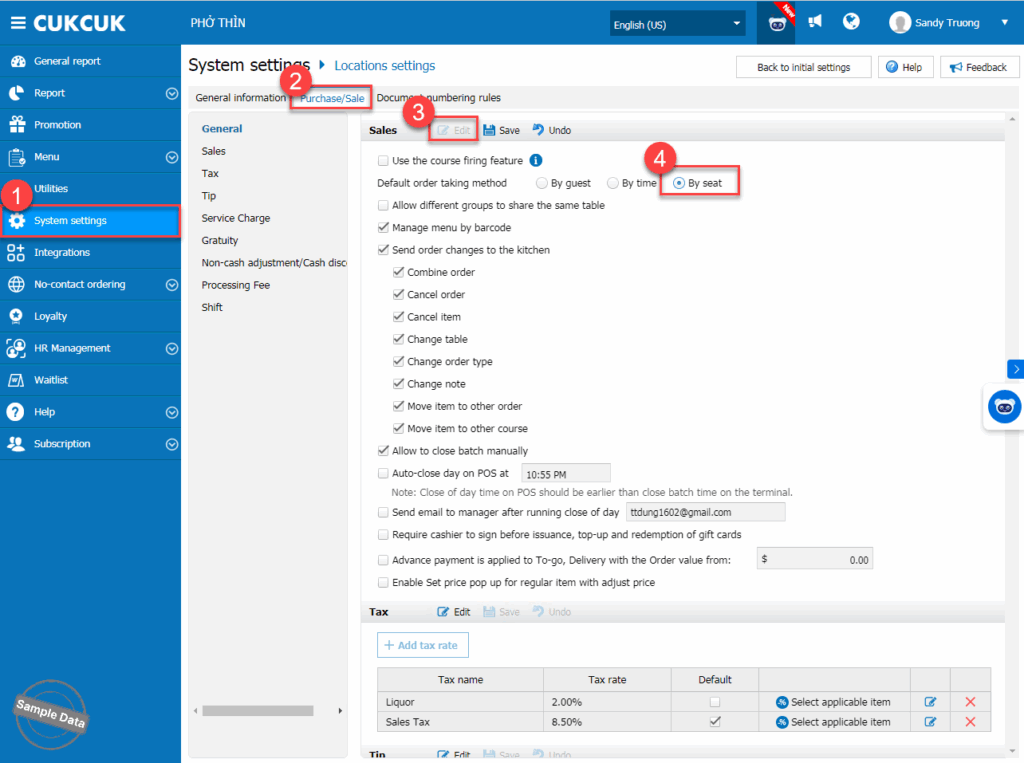
On the management page, go to System settings/Locations settings. On Sales tab, click Edit and check By seat as a default order taking method. Then click Save.
2. Set up seat naming pattern
a. Set up each table
Go to System settings/Layout. Click Edit and select a table.
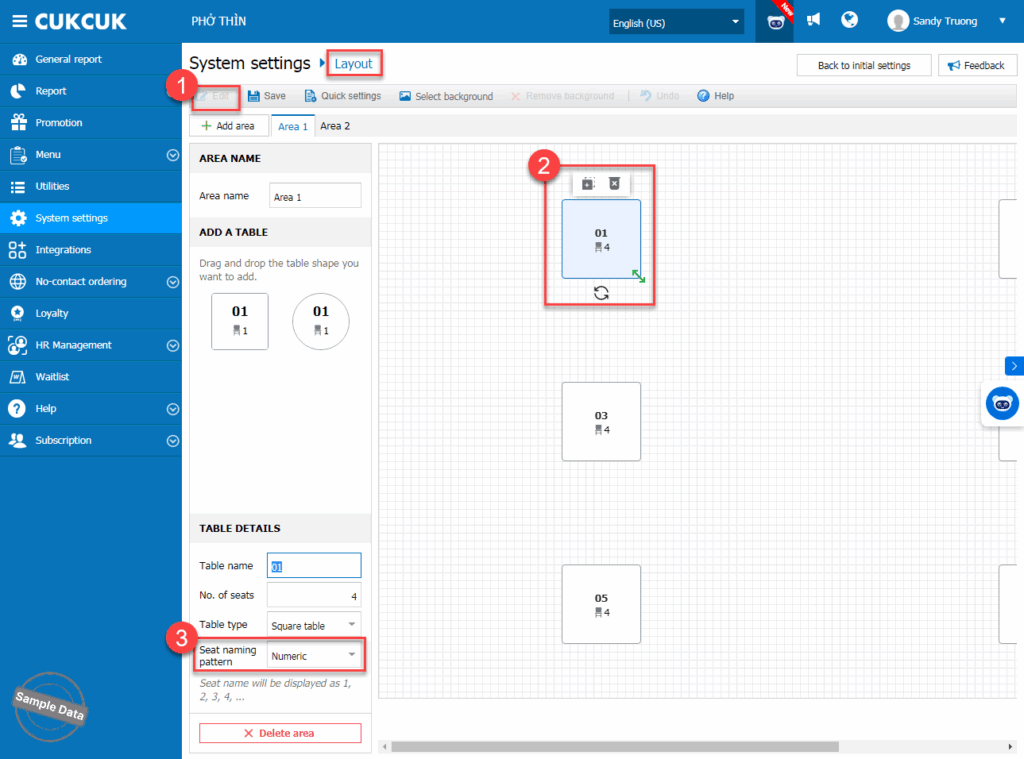
On Seat naming pattern, select Numeric or Alphabet. Then click Save.

Follow the same steps for other tables.
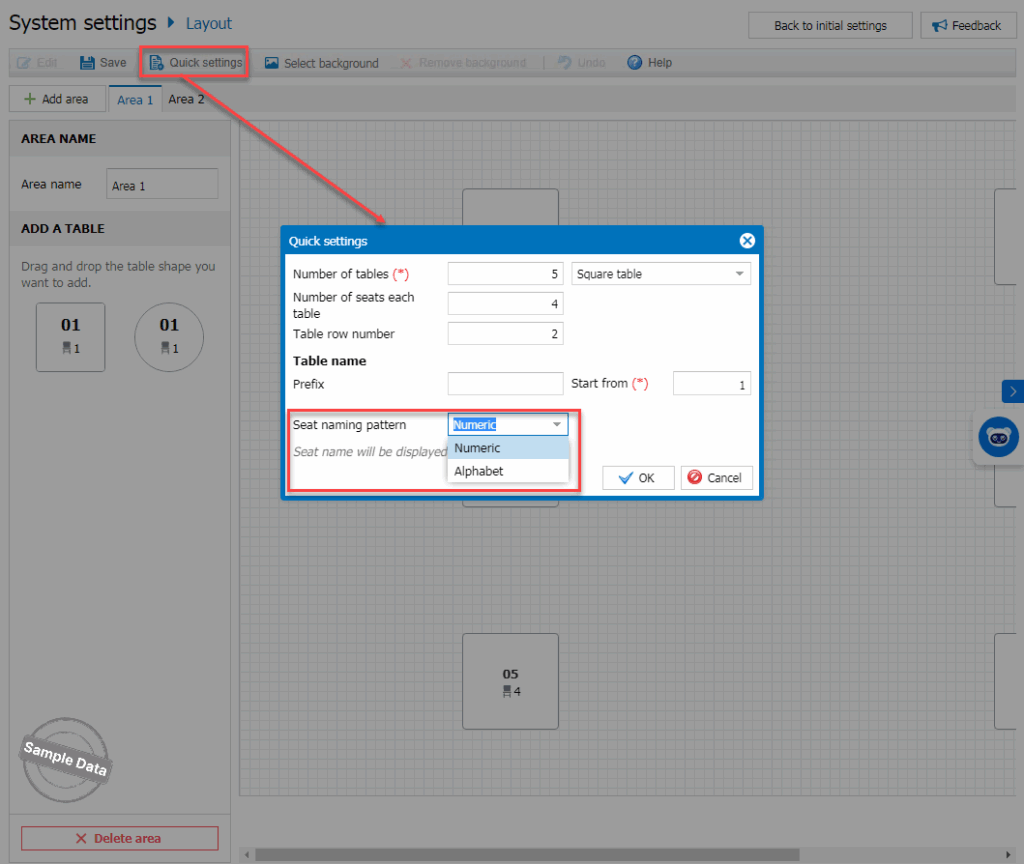
b. Set up all tables with Quick settings
Click Quick settings. Fill in required information and select a seat naming pattern. Then, click OK.
3. Take order by seat
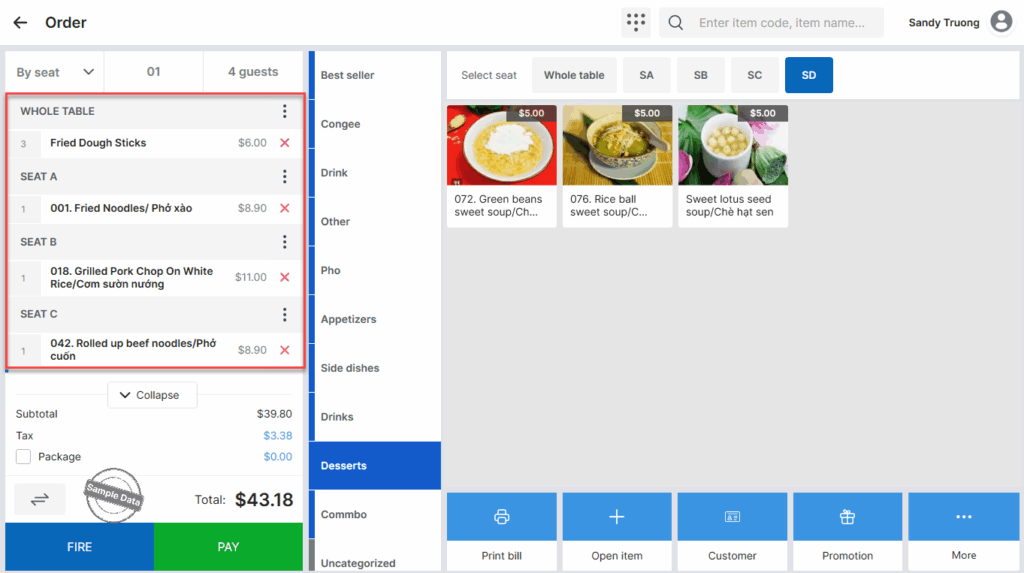
Upon taking order, the staff can take order for the whole table and each seat.
4. Get payment by seat
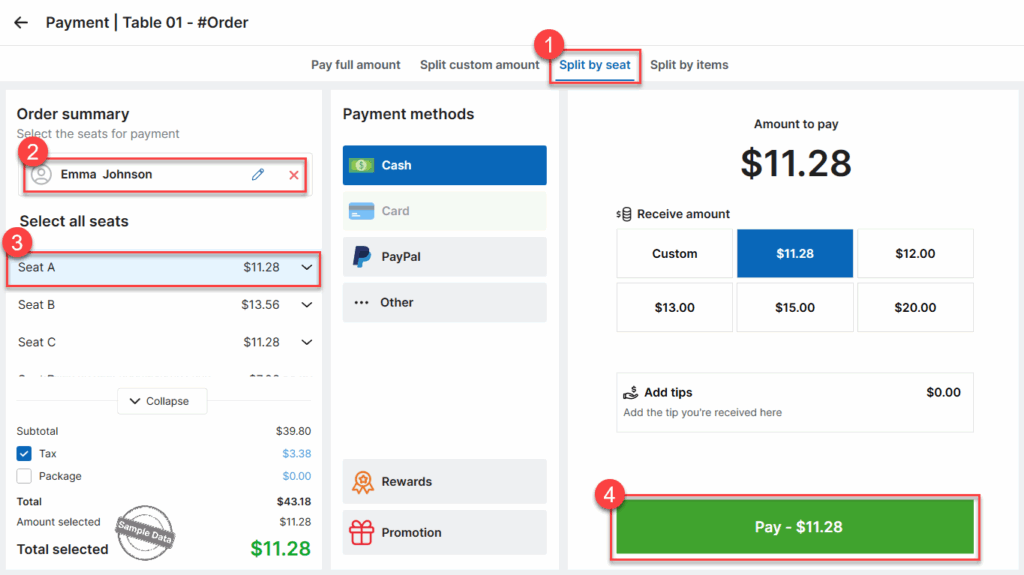
Upon checking out, click Split by seat, select customer and their seat. Click Pay.
Have a nice day!


