
1. Trang chủ
  2. Back-end
  3. Set up online menu display by schedule
  1. Trang chủ
  2. Back-end
  3. Set up online menu display by schedule
  1. Trang chủ
  2. Quản lý thực đơn
  3. Set up online menu display by schedule
  1. Trang chủ
  2. Online Ordering
  3. Set up online menu display by schedule
  1. Trang chủ
  2. Online Ordering
  3. Set up online menu display by schedule
  1. Trang chủ
  2. Menu Management
  3. Set up online menu display by schedule

Set up online menu display by schedule

I. Purpose

The manager can set up to show menu online by schedule.

II. Instruction steps

1. On the management page

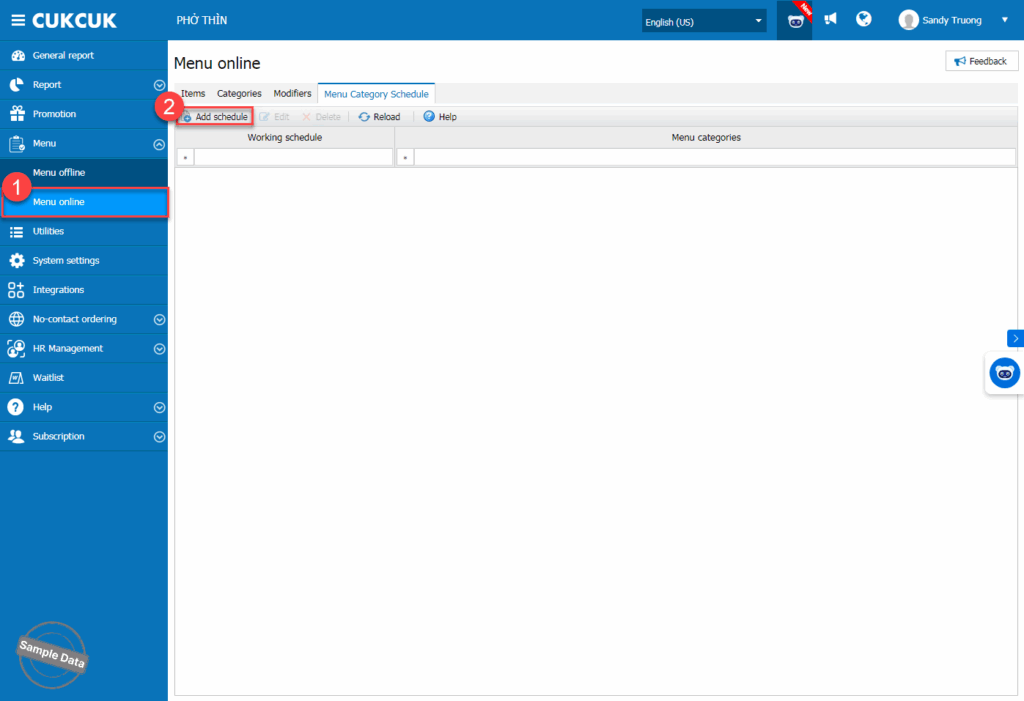
Go to Menu/Menu online, on Menu category schedule tab, click Add schedule.
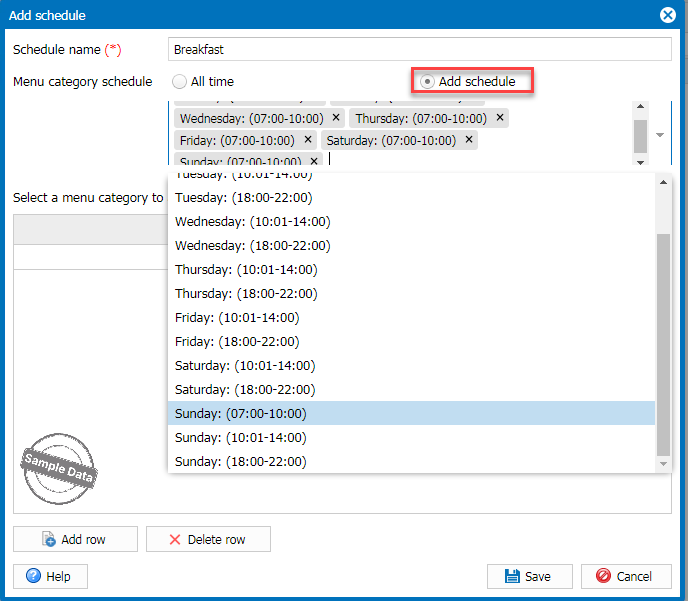
Check Add schedule and select applicable schedules.
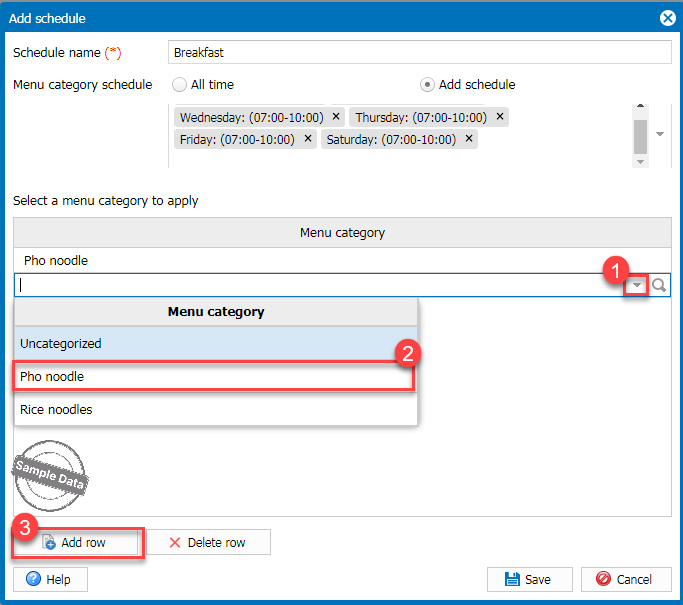
Select a menu category. Click Add row to add more categories. Then, click Save.
2. On online ordering page

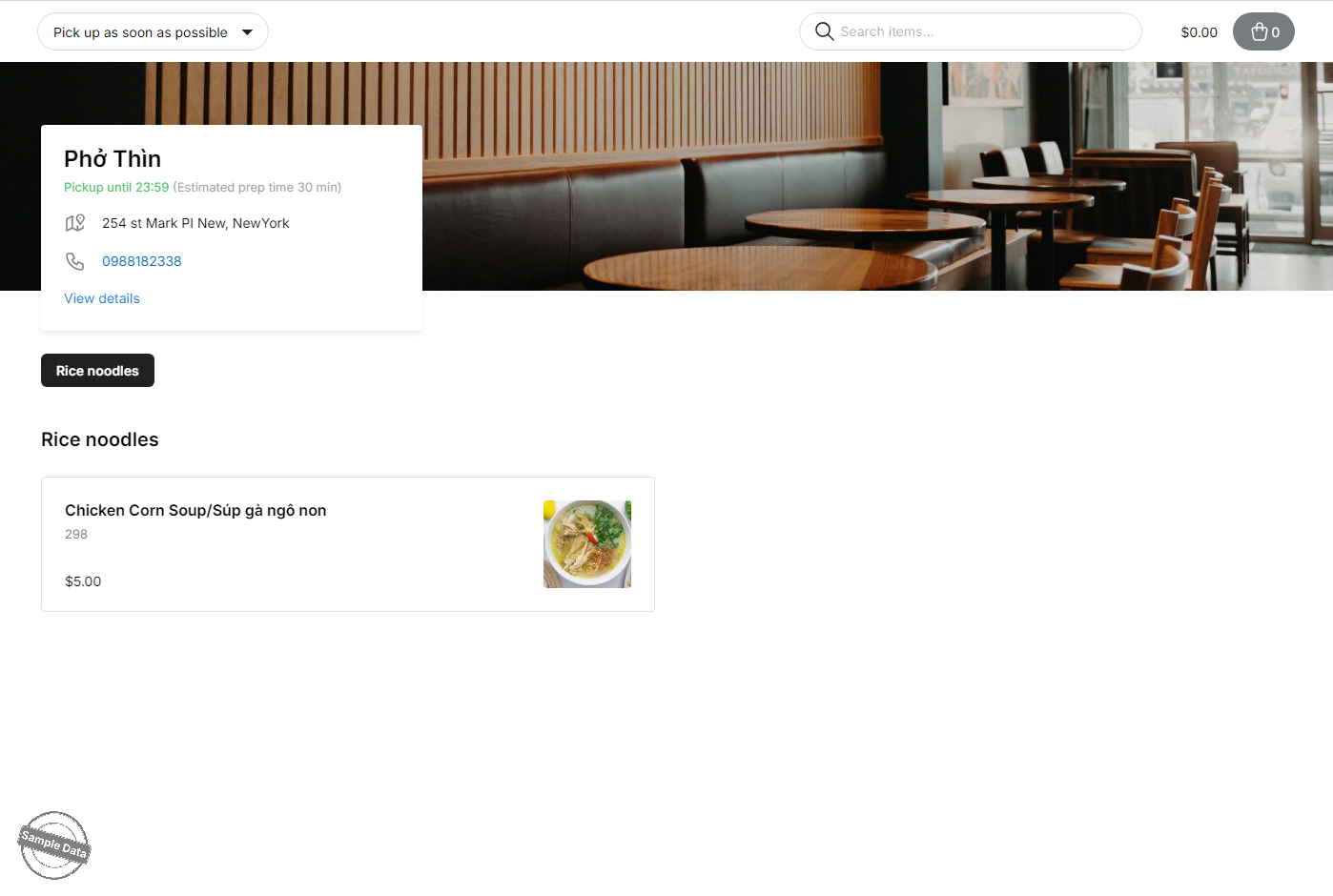
When placing an order during a configured time slot, the system will only display the items that have been set for that time slot.
Have a nice day!

Cập nhật 26/09/2025

Hãy giúp chúng tôi hoàn thiện trang trợ giúp phần mềm. Bài viết này có hữu ích với bạn không?

Bài viết liên quan

Create flexible combo
Xem thêm more
Set up a flat price promotion program
Xem thêm more
Set up barcode, print labels, and order items using barcode
Xem thêm more
Set up parent-child menu categories
Xem thêm more
Add items, categories and modifiers on POS
Xem thêm more
Thiết lập hiển thị menu offline theo khung giờ
Xem thêm more