Add staff

I. PURPOSE

Declare the list of employees working at the restaurant. At the same time, assign permissions for employees to log in and work with the CUKCUK software.

II. WATCH TUTORIAL VIDEO

Watch the video here: https://www.youtube.com/watch?v=6OMDEsWQl1Q&list=PL8vytpnSLC8nOGecyPnYm38QqkLso11Zy&index=4&t=16s

III. INSTRUCTION STEPS

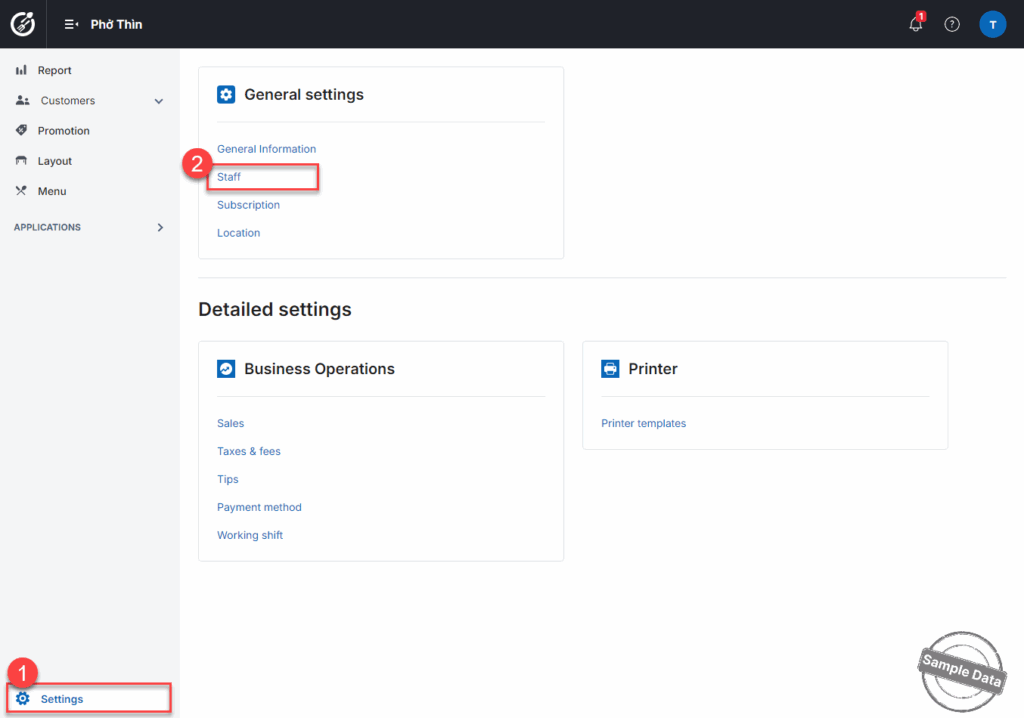
Step 1: At Staff settings on Getting started screen, select Add new staff

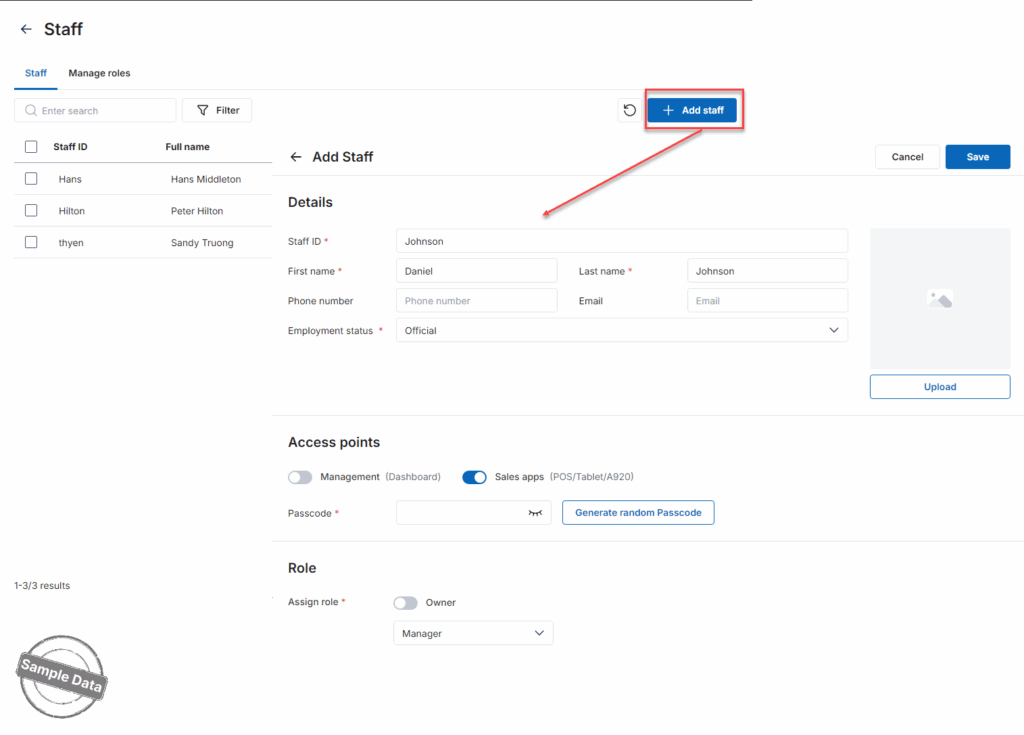
Step 2: Click Add

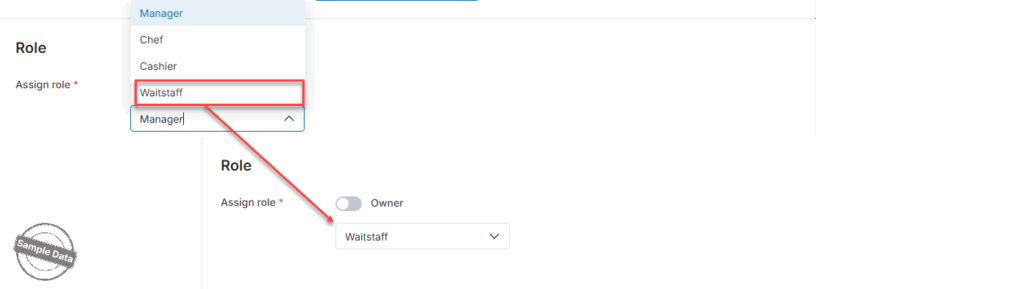
Step 3: Add role

– Click the icon on the right.

– Select the assigned roles

Then, click Select.

Have a nice day!

Cập nhật 10/02/2026

Hãy giúp chúng tôi hoàn thiện trang trợ giúp phần mềm. Bài viết này có hữu ích với bạn không?

Bài viết liên quan

[TT Úc] Thiết lập giá món đã bao gồm thuế
Xem thêm more
Thiết lập Phí, Thuế, Gratuity
Xem thêm more
Định dạng ngày giờ
Xem thêm more
Thiết lập quy tắc đánh số chứng từ
Xem thêm more
Thiết lập đồng tiền sử dụng
Xem thêm more
Thêm ca làm việc
Xem thêm more