

Nội dung có trong bài
Ẩn
I. Purpose
The manager can set up to show menu online by schedule.
II. Instruction steps
1. On the management page
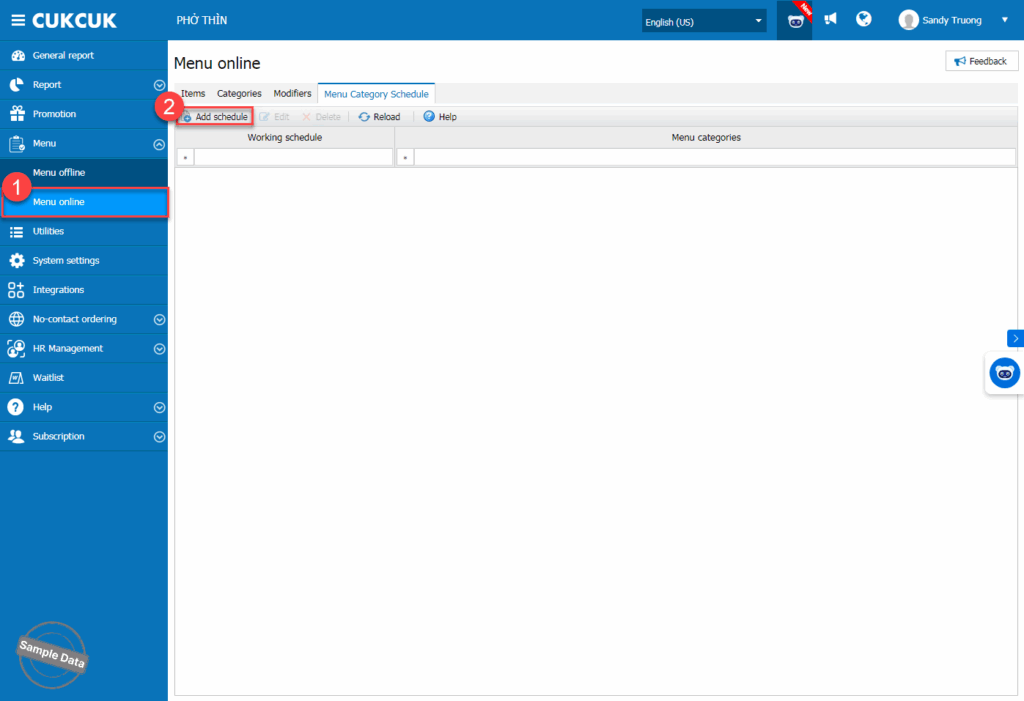
Go to Menu/Menu online, on Menu category schedule tab, click Add schedule.
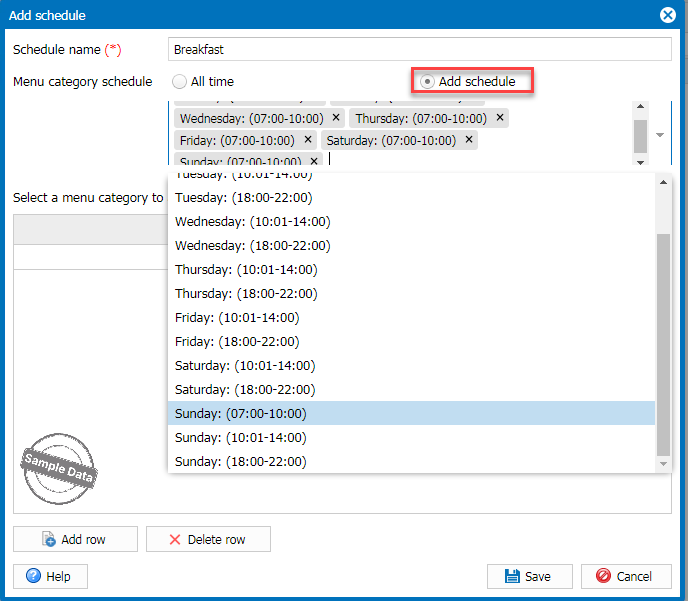
Check Add schedule and select applicable schedules.
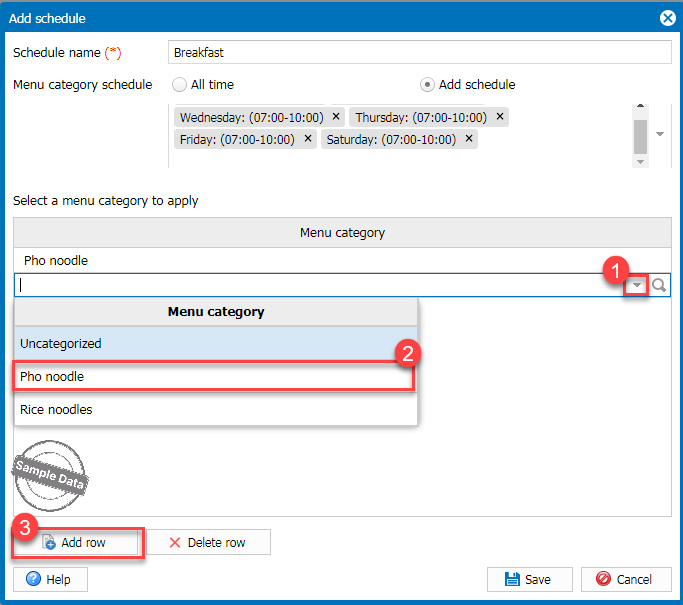
Select a menu category. Click Add row to add more categories. Then, click Save.
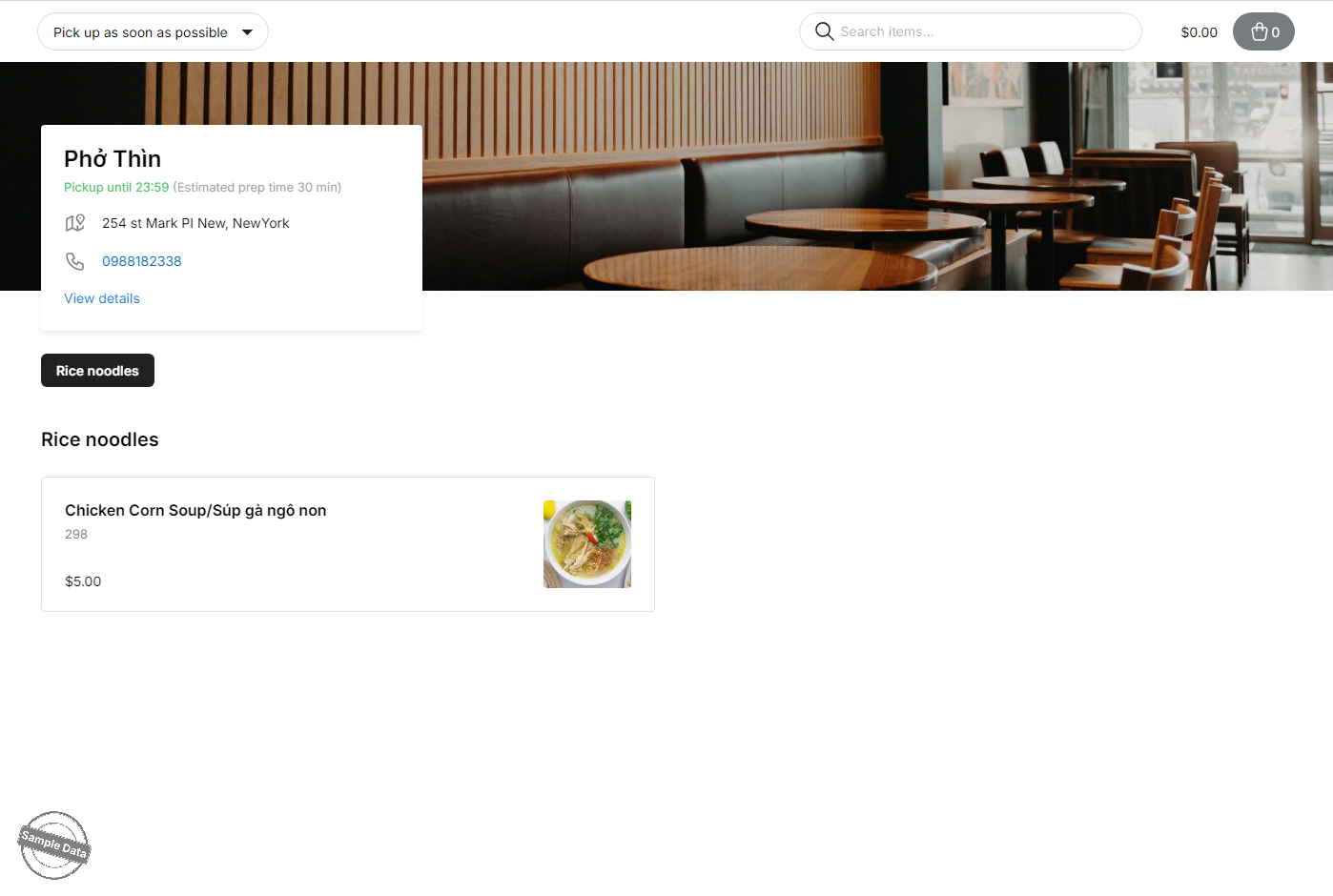
2. On online ordering page
When placing an order during a configured time slot, the system will only display the items that have been set for that time slot.
Have a nice day!


