

I. Purpose
This feature allows restaurant managers to require entry of the manager passcode when an employee tries to access functions they are not authorized for—instead of logging out and logging back in with a manager account.
This feature applies to permissions related to:
- Orders (except for “Edit & Payment orders of other employee”)
- Payment
- Reporting (except for “EOD reports” and “Closeout reports”)
- Orders hub
II. Instruction steps
1. On the dashboard
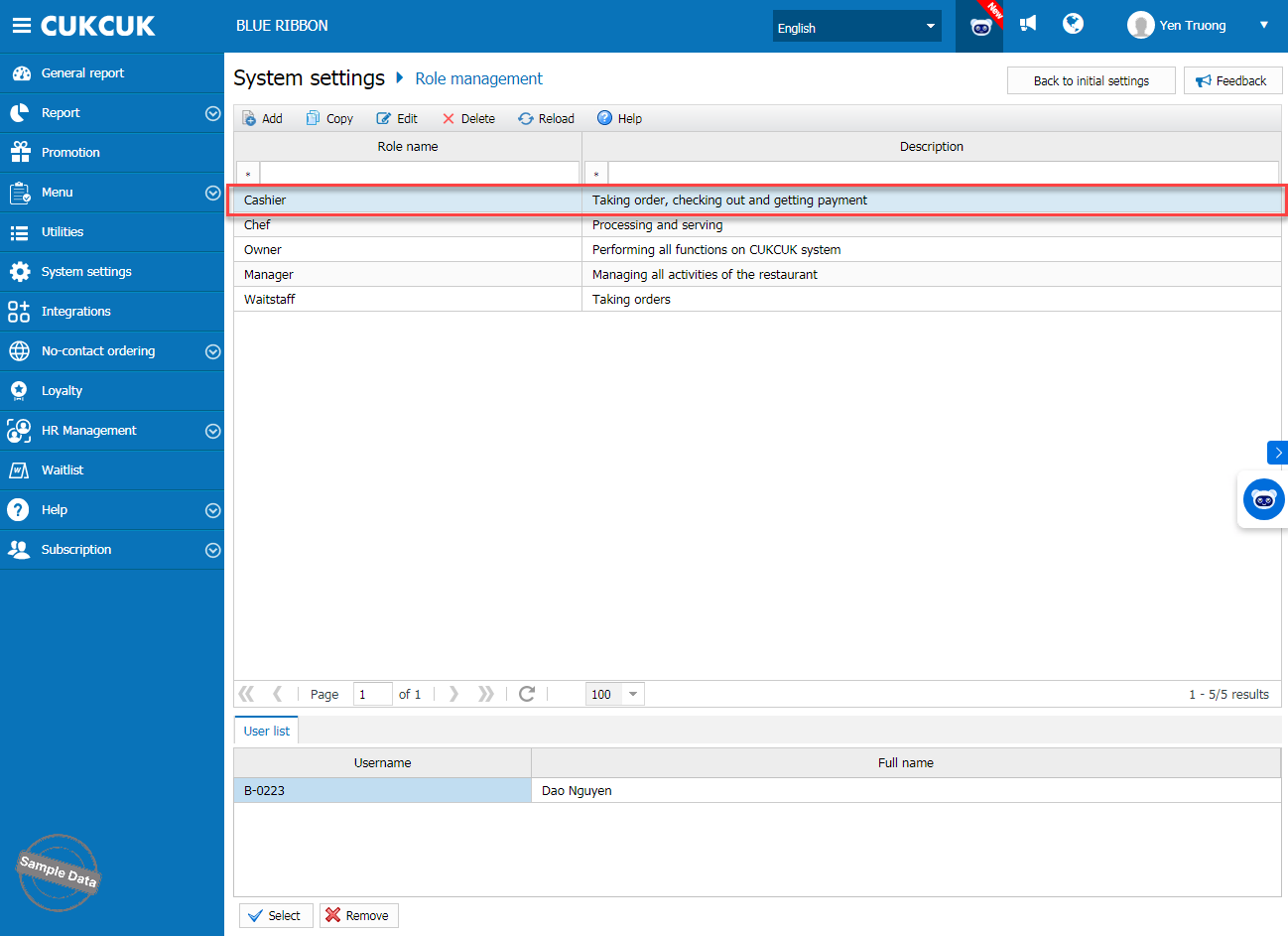
Go to System settings/Role management. Select a role to assign.
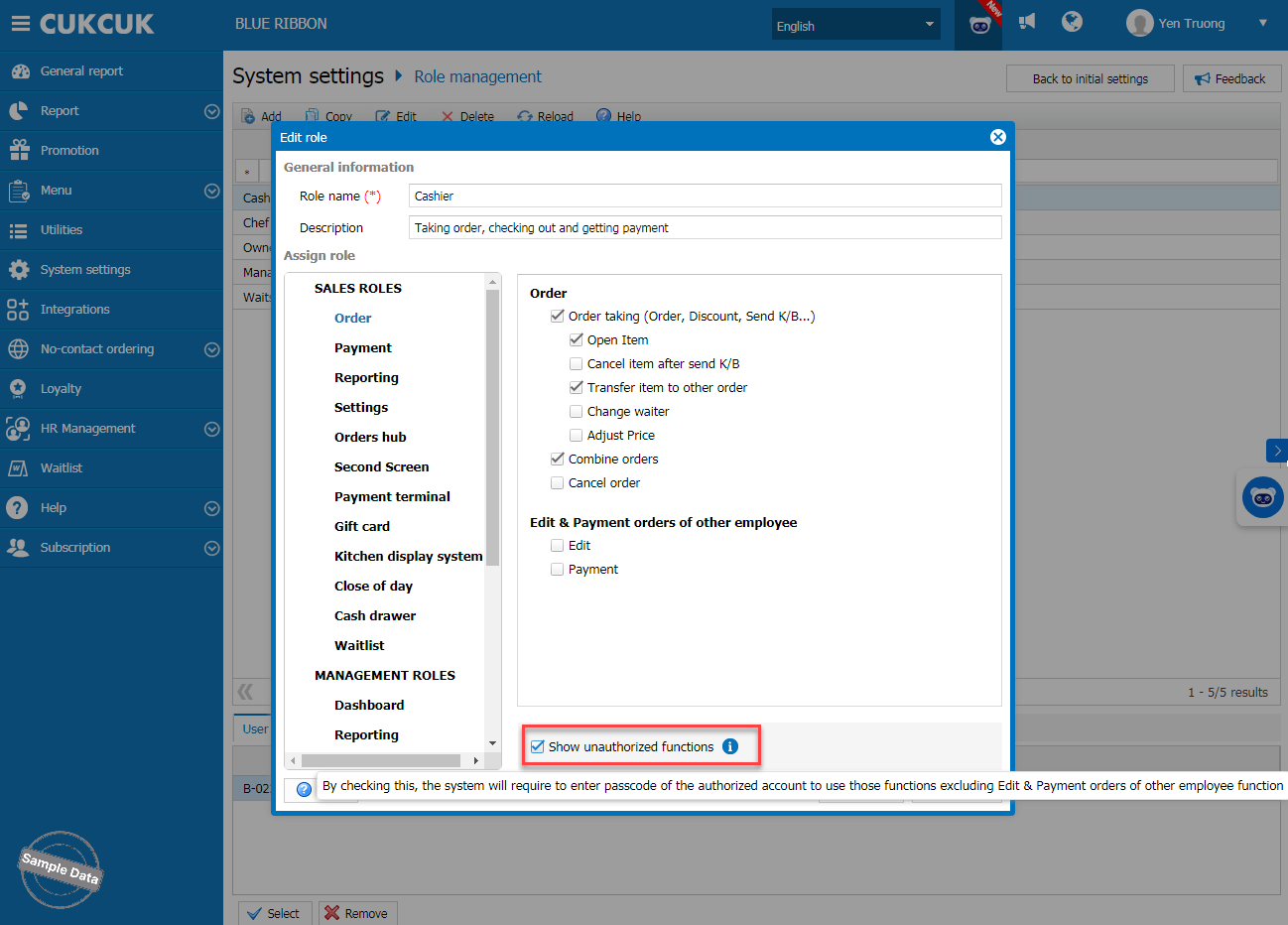
On Order tab, check Show unauthorized functions.
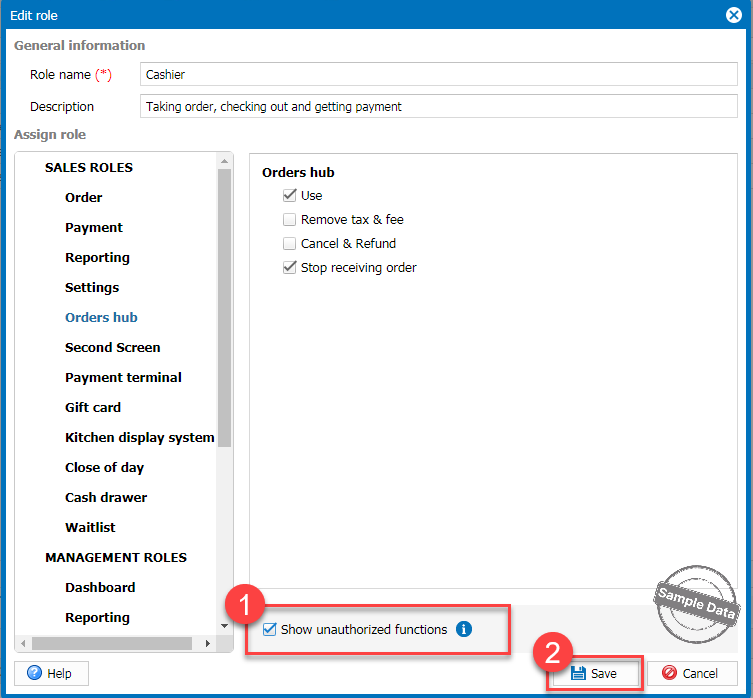
Follow the same steps for Payment, Reporting, and Orders hub tabs if you want to set up these permissions for employees. Click Save to apply the changes.
2. On POS
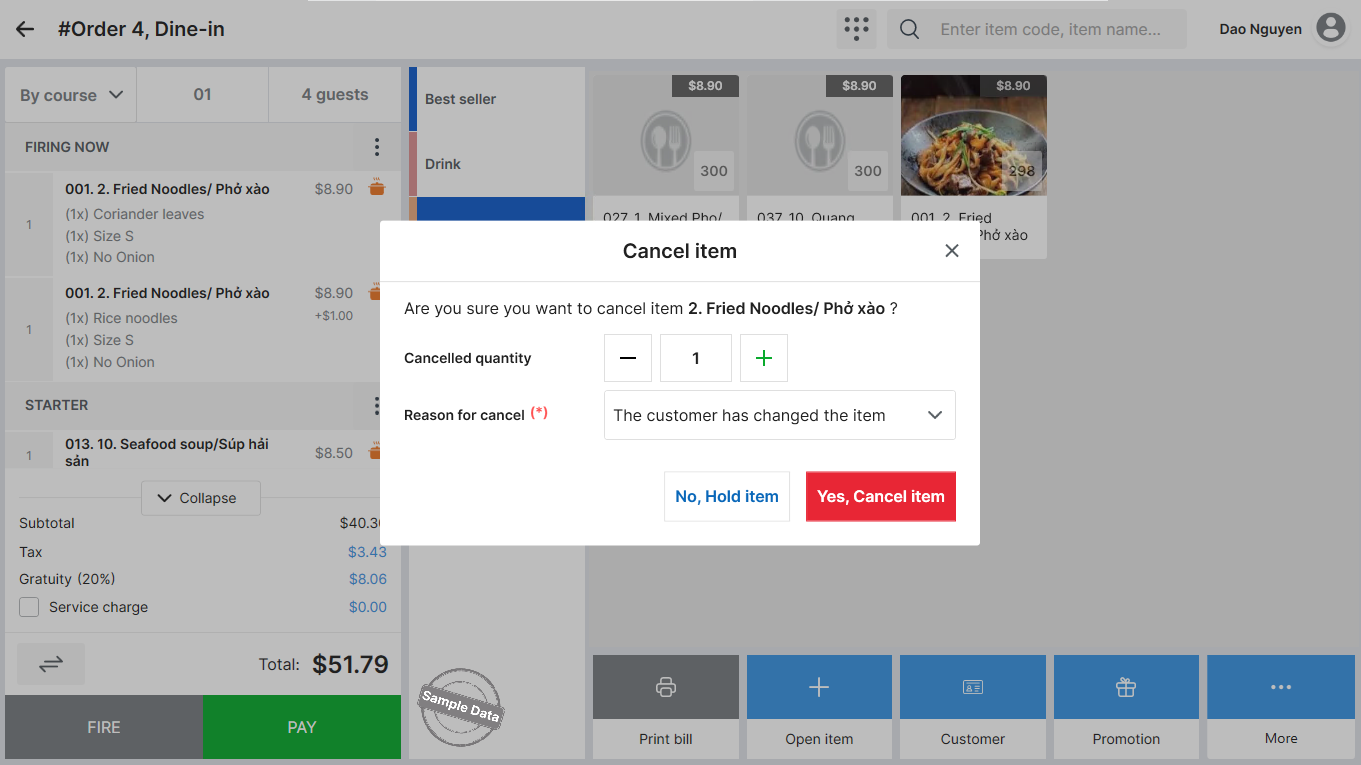
If a cashier tries to cancel an item after the order has been sent to the kitchen, when they click Cancel item, the system will display a screen to enter the manager’s passcode.
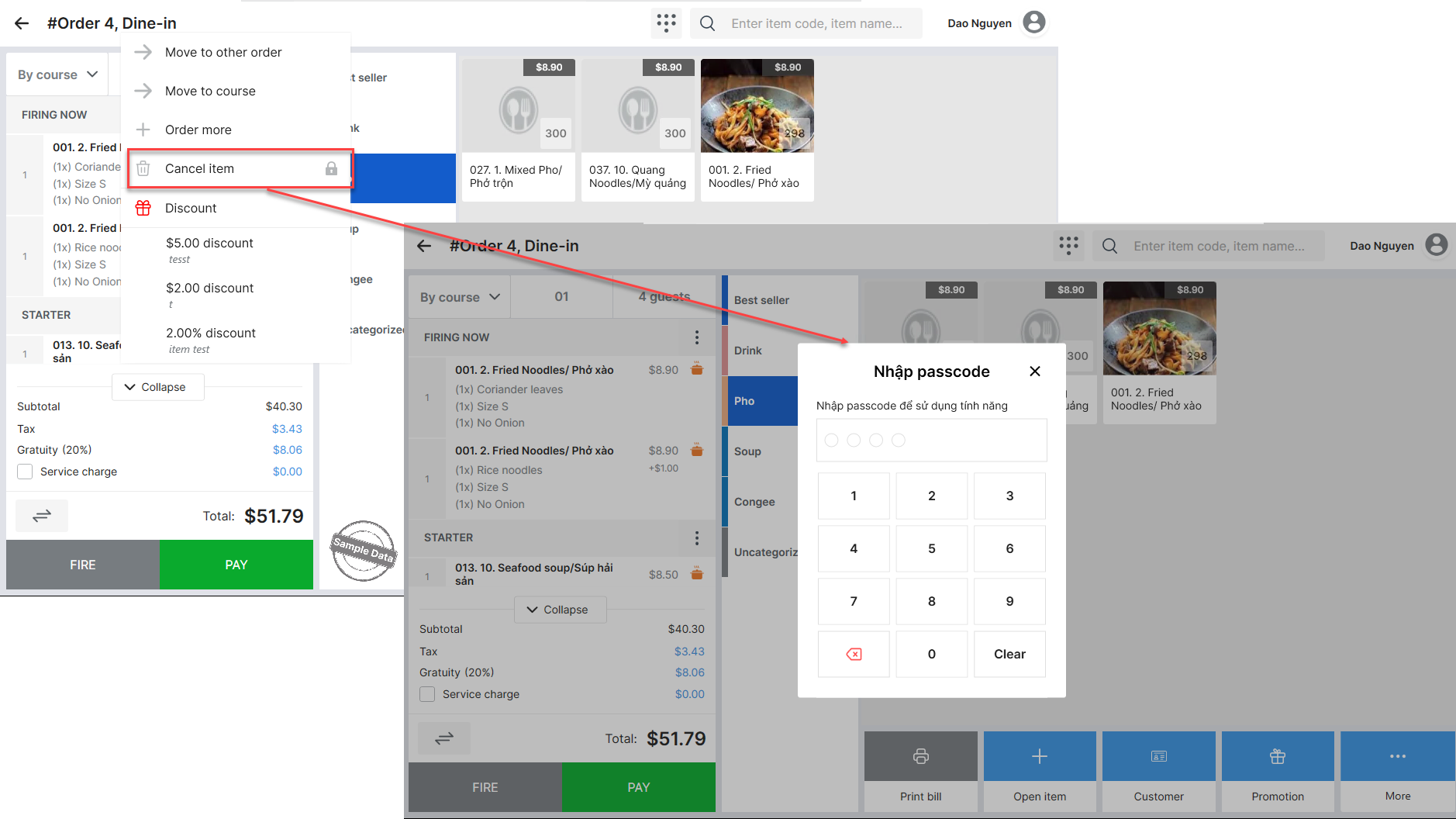
The manager will simply need to enter their passcode and either confirm the cancellation (Yes, Cancel item) or decline (No, Hold item) without needing to log out and log back in.
Have a nice day!


