

I. Purpose
The manager can quickly import items with variant.
II. Instruction steps
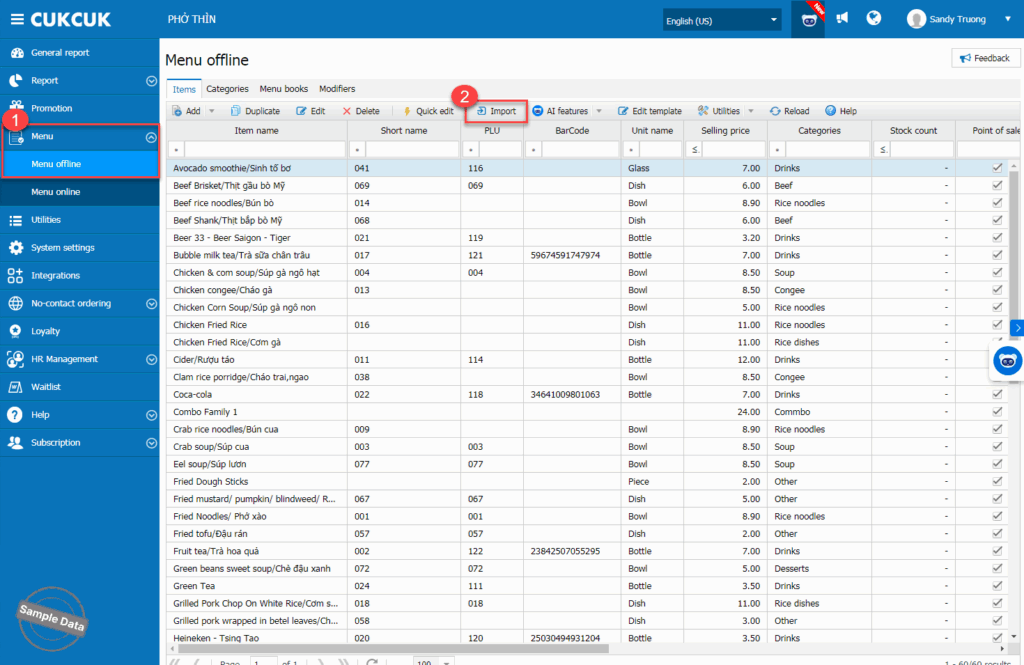
On the management page, go to Menu/Menu offline. Click Import.
Click Here to download the template.

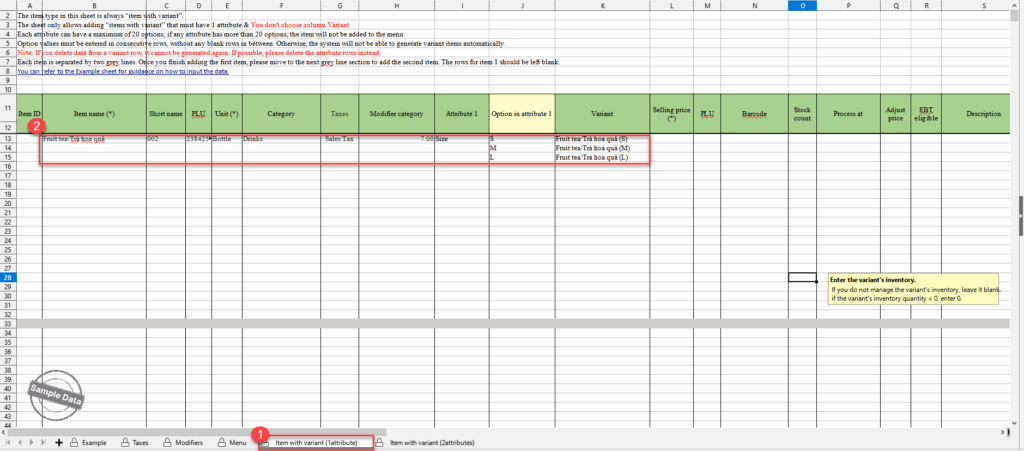
If the item has 1 attribute, select Item with variant (1 attribute) tab. Enter the attribute and its options. The program will automatically generate variants.
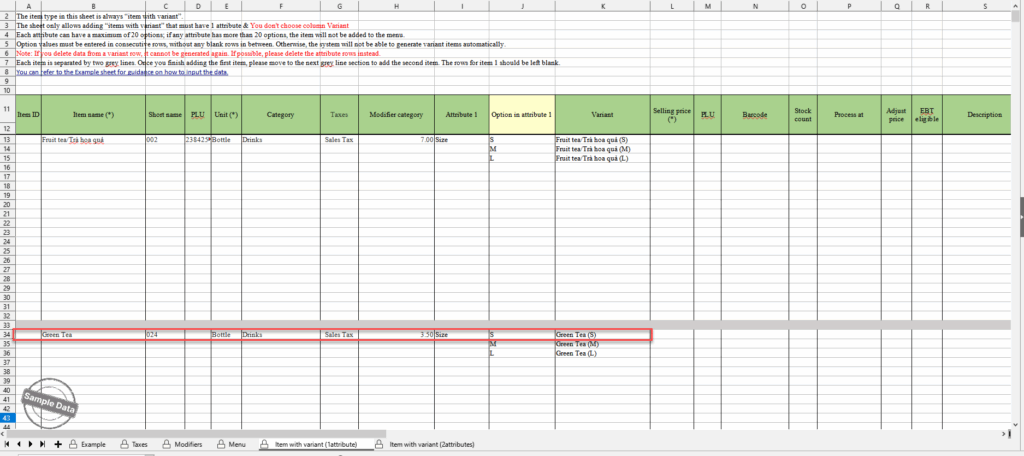
Note: Always enter next item below the grey line.
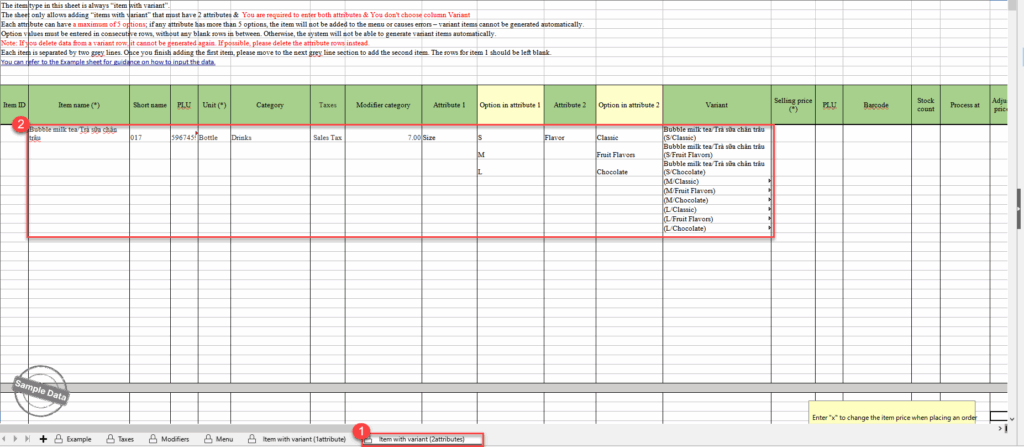
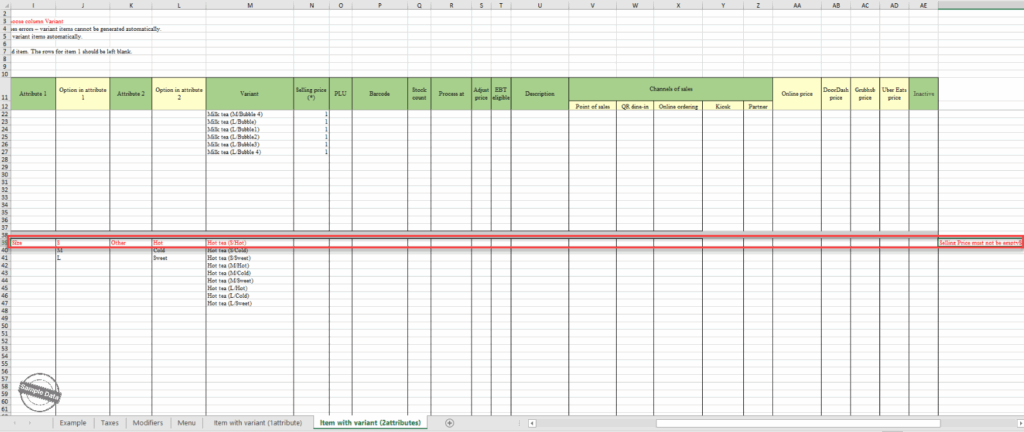
If the item has 2 attributes, select Item with variant (2 attributes) tab. Enter the attribute and its options. The program will automatically generate variants.
Go back to the management page, click Select and browse the recently updated file. Press Proceed to continue.

Here is the import result. If any item fails to import, click here to download the file.

Edit the errors and import the file again.
Here is the final import result.

Have a nice day!


