

I. Purpose
The staff can take multiple separate orders for different groups of guests sitting at the same table.
II. Instruction steps
1. Set up on the management page
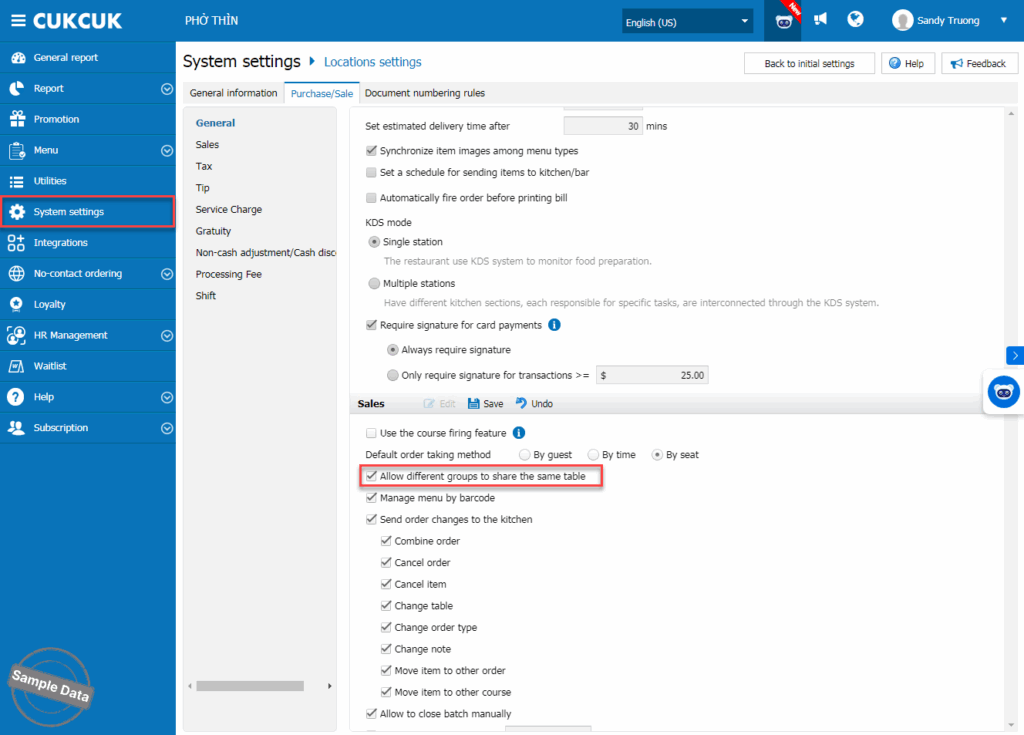
On the management page, go to System settings/Location settings. On Purchase/Sale tab, click Edit on Sale and check Allow different groups to share the same table.
2. Take multiple separate orders
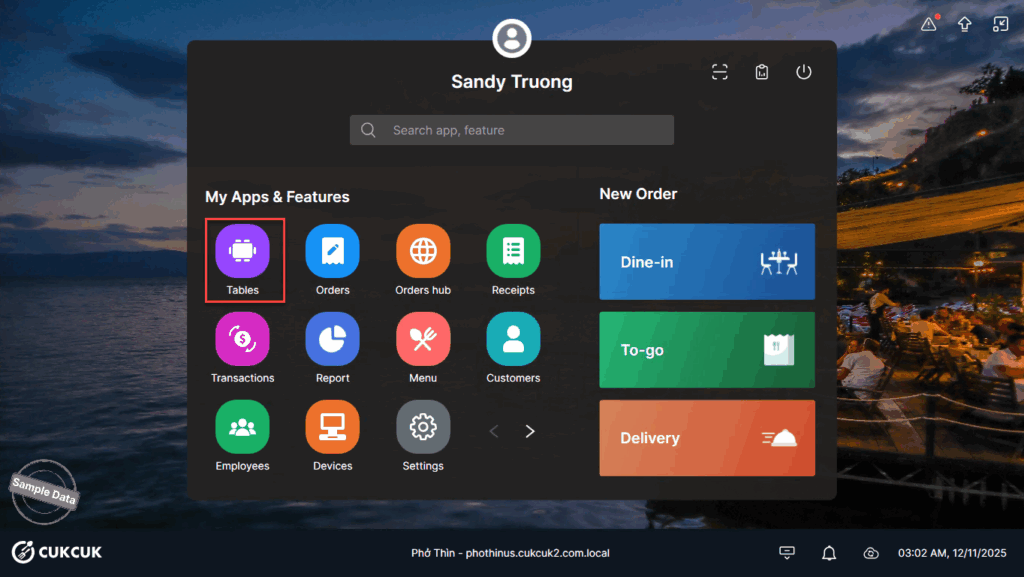
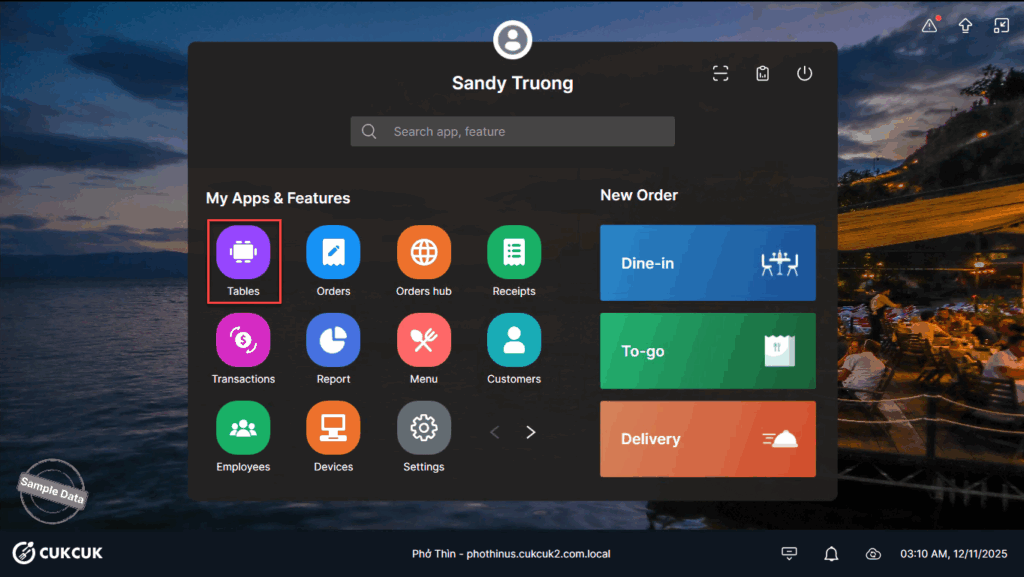
On POS, go to Tables.
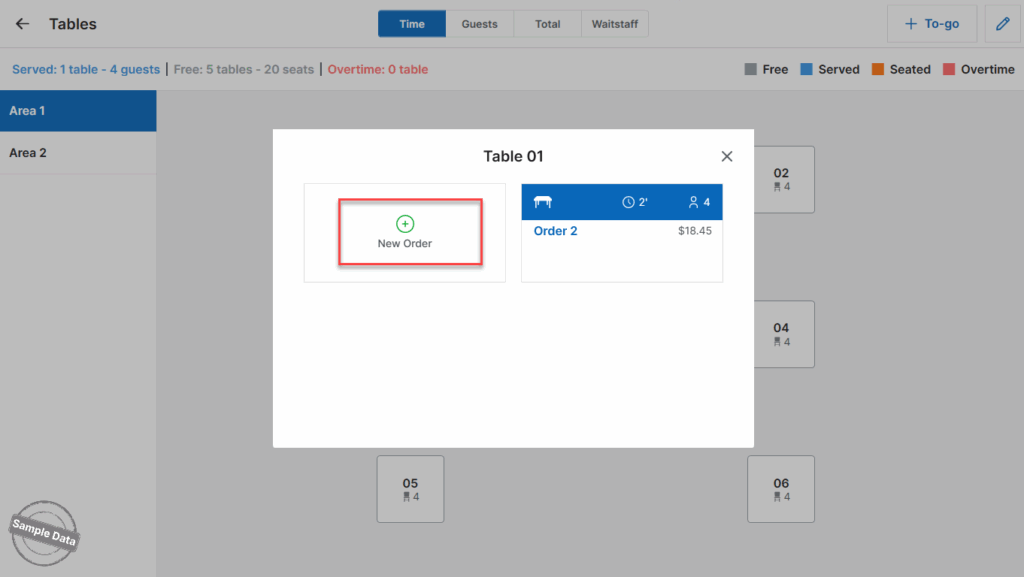
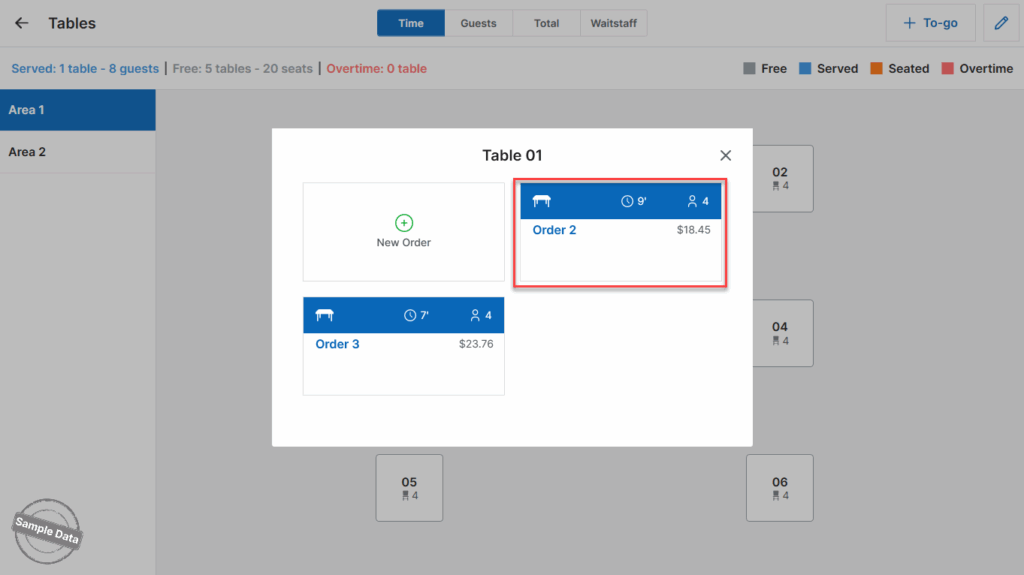
Tap on the seated table and click New order.
Take order for this group of guests. Then, click Fire.
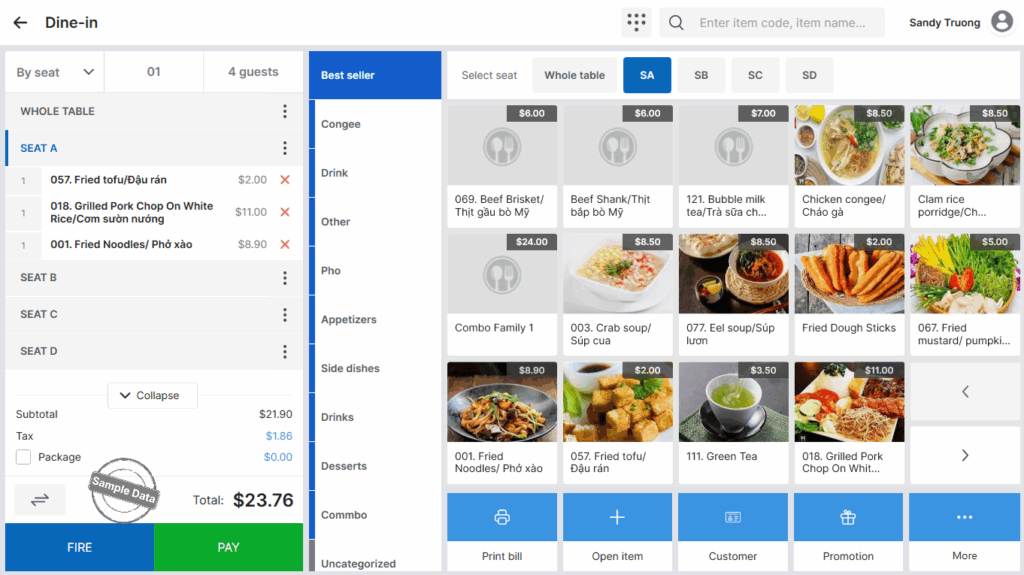
Follow the same steps for another group of guests.
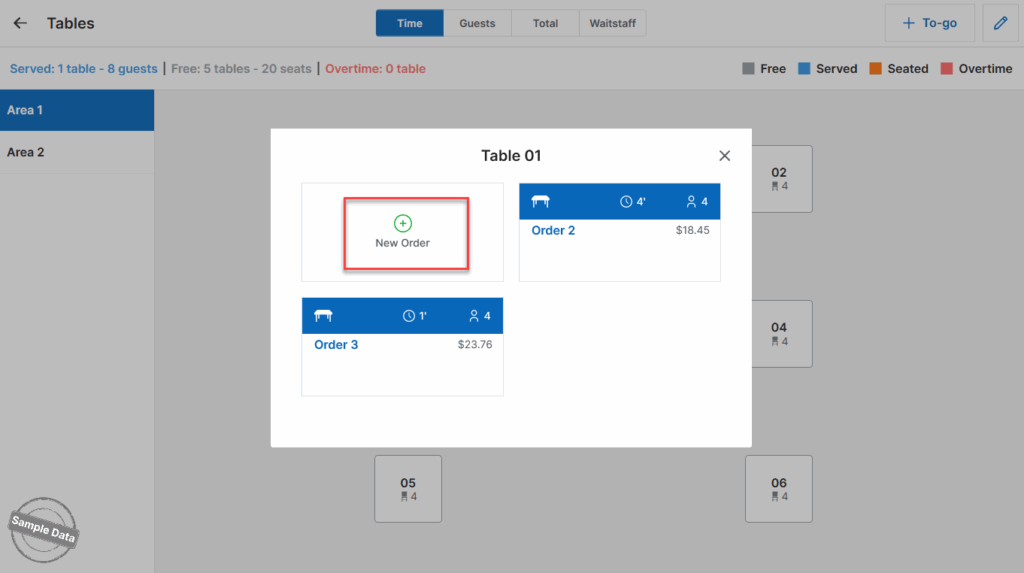
3. Get payment of multiple separate orders on the same table
a. Get payment at Orders
To get payment, go to Orders.
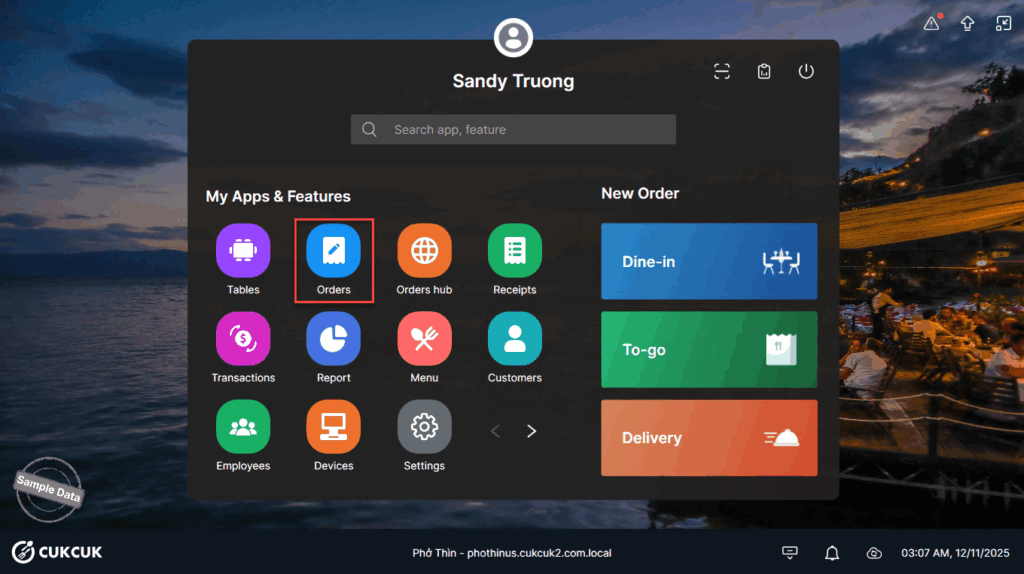
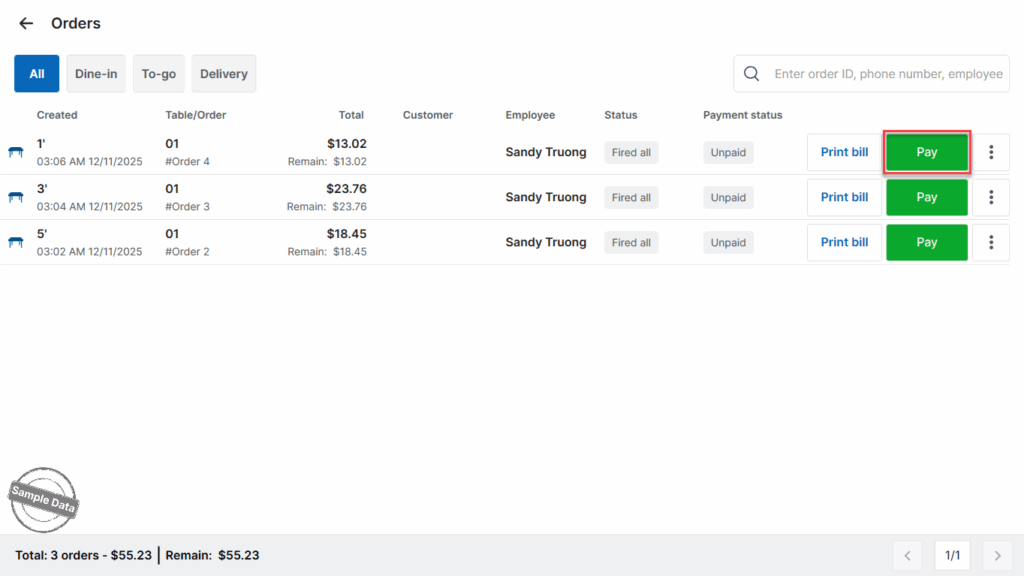
Click Pay on the order you want to get payment.
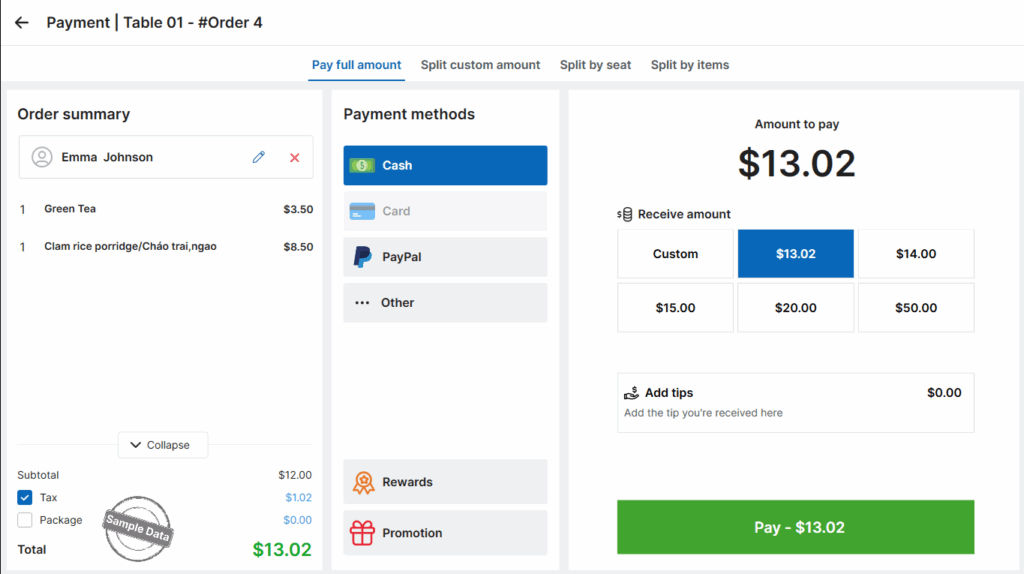
Click Pay to complete this order.
b. Get payment at Tables
To get payment, go to Tables.
Select the table and click the order to be checked out.
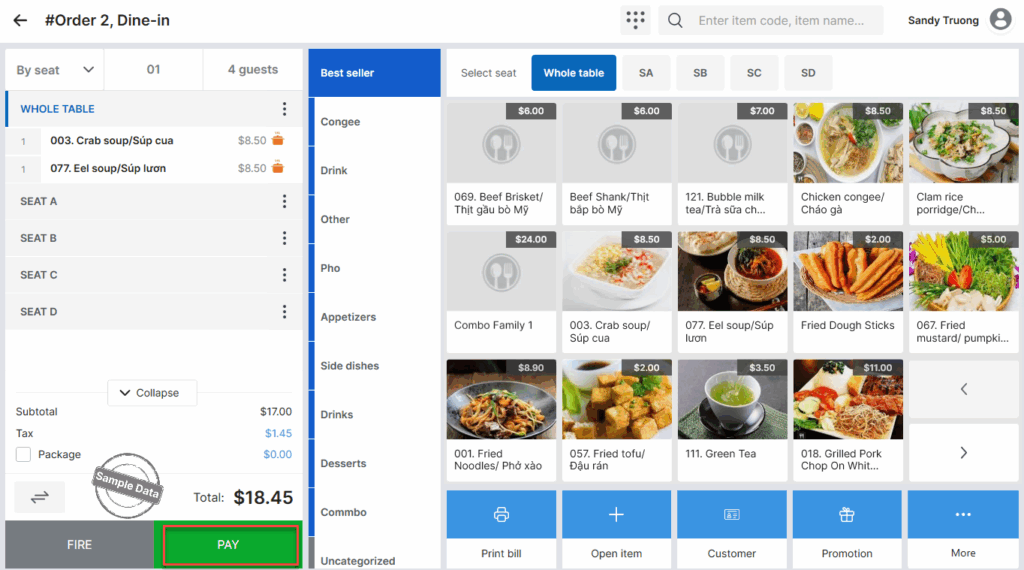
Click Pay.
Have a nice day!


