
1. Trang chủ
  2. Printers
  3. Printer Settings
  4. Connect with the kitchen printer via USB
  1. Trang chủ
  2. Kitchen Display System
  3. Connect with the kitchen printer via USB

Connect with the kitchen printer via USB

To connect with the kitchen printer via USB, please follow these steps:

Go to Settings.
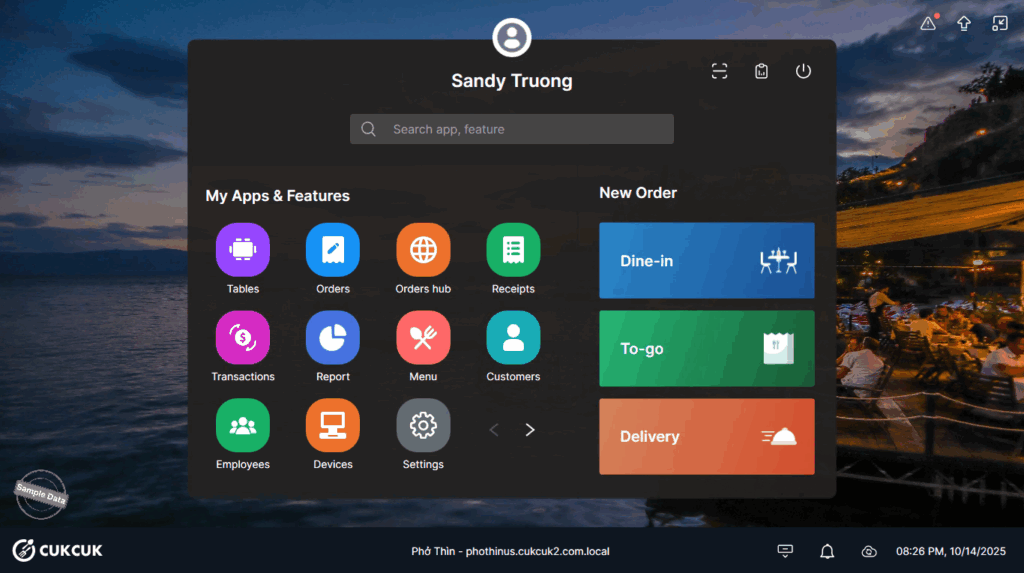
On Printer & Template, scroll down to Printer & Label ticket and click Settings.
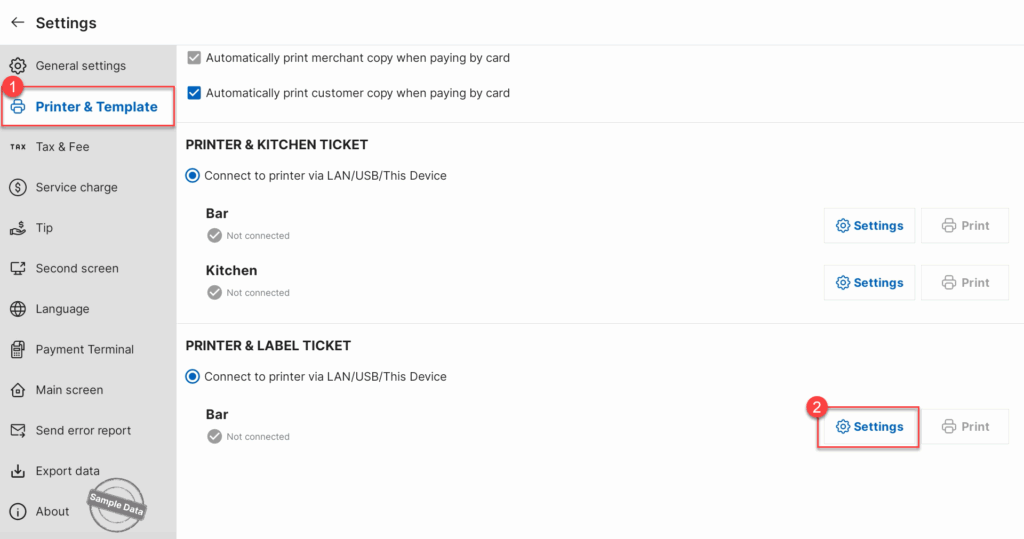
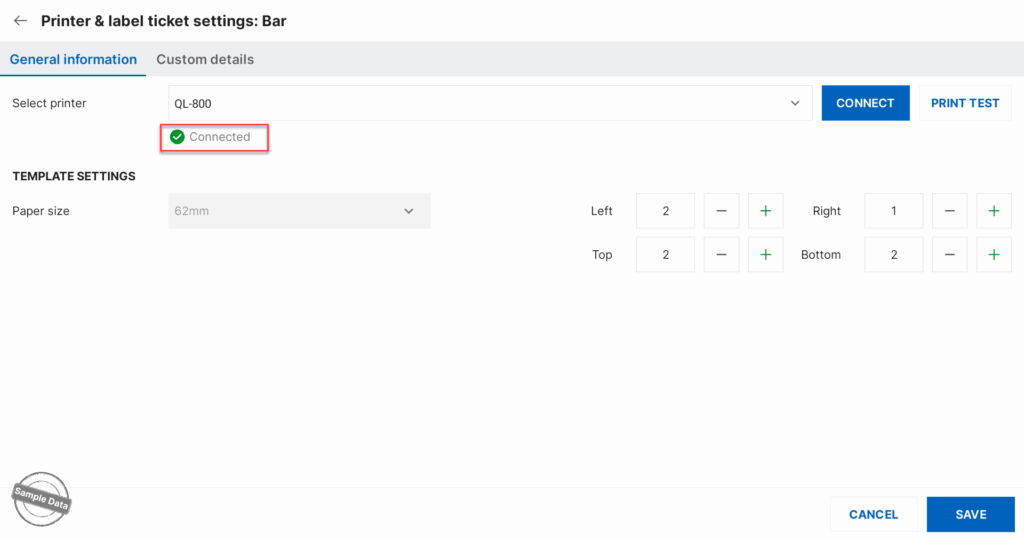
Select a printer to connect via USB and click Save.
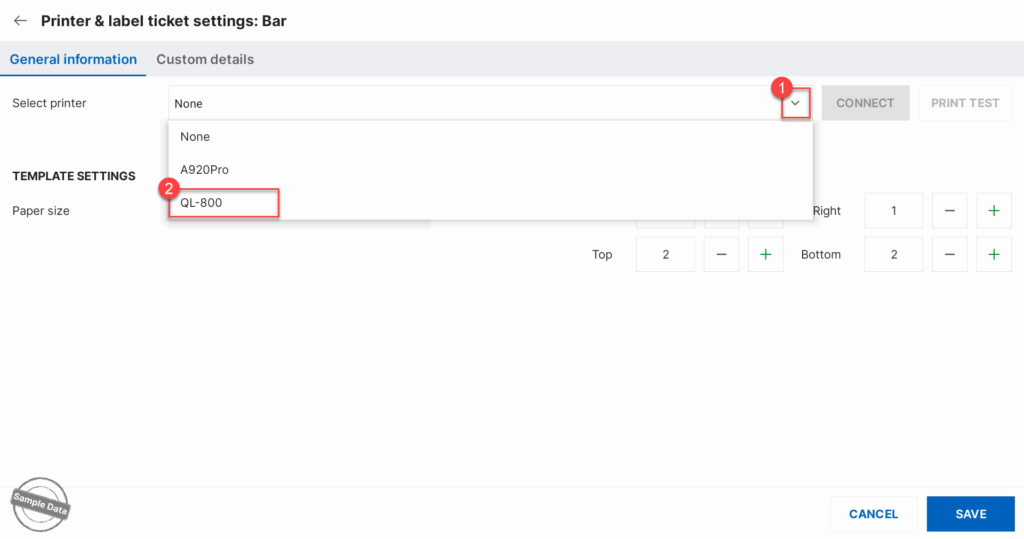
This message will be shown. Click OK to proceed.
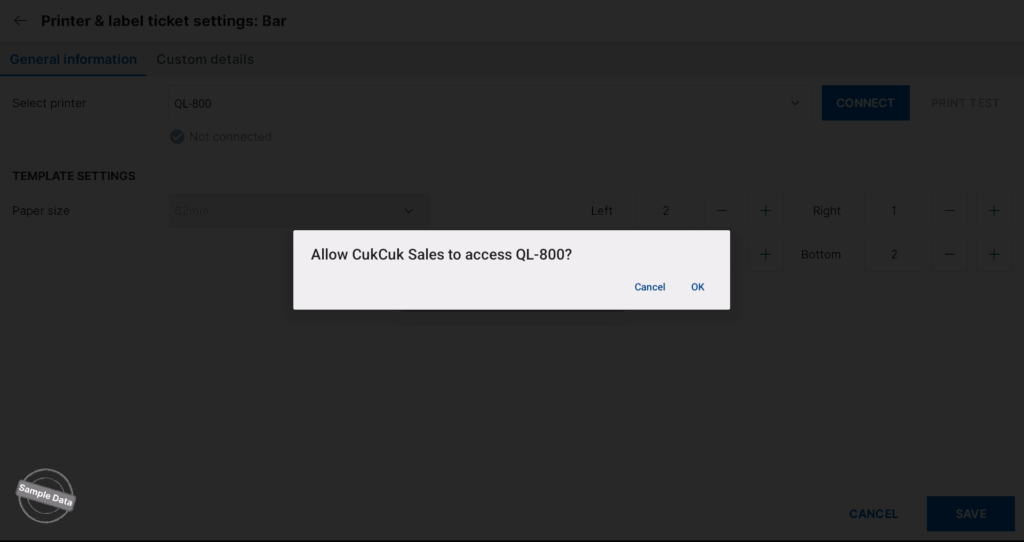
The printer is connected.
Have a nice day!

Cập nhật 15/10/2025

Hãy giúp chúng tôi hoàn thiện trang trợ giúp phần mềm. Bài viết này có hữu ích với bạn không?

Bài viết liên quan

Thiết lập phiếu trả món
Xem thêm more
Khắc phục sự cố khi làm việc với KDS
Xem thêm more
Cách sử dụng Màn hình nhà bếp KDS
Xem thêm more
Hướng dẫn cấu hình hệ thống hiển thị nhà bếp
Xem thêm more
Cập nhật phần mềm trên thiết bị Android
Xem thêm more
Bổ sung mẫu in hủy order có gạch món và mẫu in khi void
Xem thêm more