

I. Purpose
Enable seamless integration between CUKCUK POS and Flute payment services, allowing restaurants to process card payments directly within the POS system.
II. Instruction steps
1. Install Flute Payments on the Dashboard
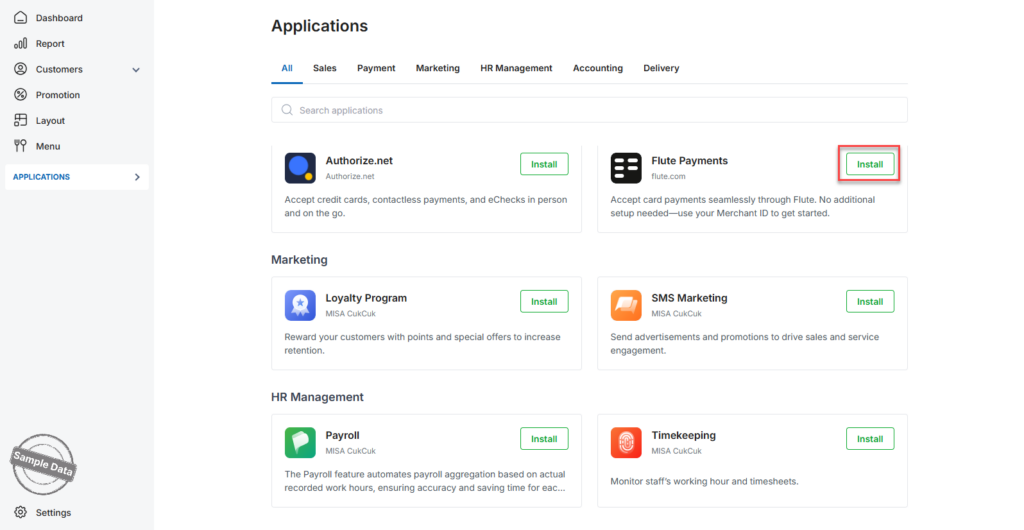
- On the Dashboard, go to Applications.
- Scroll down to Flute Payments.
- Click Install.
- Enter your Merchant ID.
- Click Connect to complete the installation.
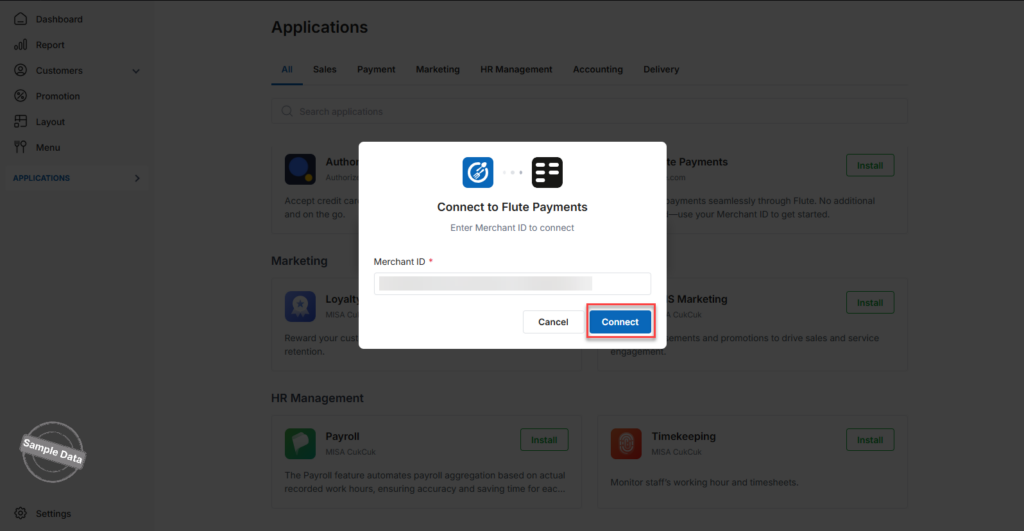
Flute Payments is now successfully connected.
2. Enable Flute Payments for Ordering Channels
2.1 Enable for Online Ordering
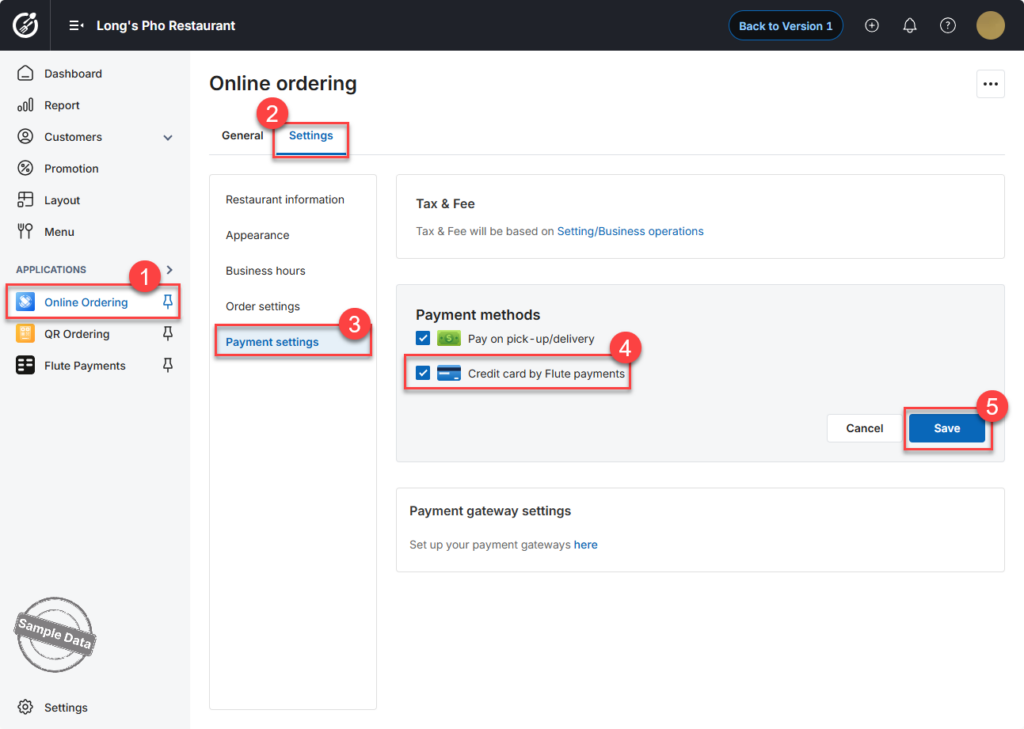
- Go to Online Ordering.
- Open the Settings tab.
- Select Payment Settings.
- Check Credit card by Flute Payments.
- Click Save to apply the changes.
2.2 Enable for QR Ordering
- Go to QR Ordering.
- Open the Settings tab.
- Select Payment Settings.
- Check Credit card by Flute Payments.
- Click Save.
Flute Payments is now enabled for Online and QR Ordering.
3. Connect Flute Payments on the POS
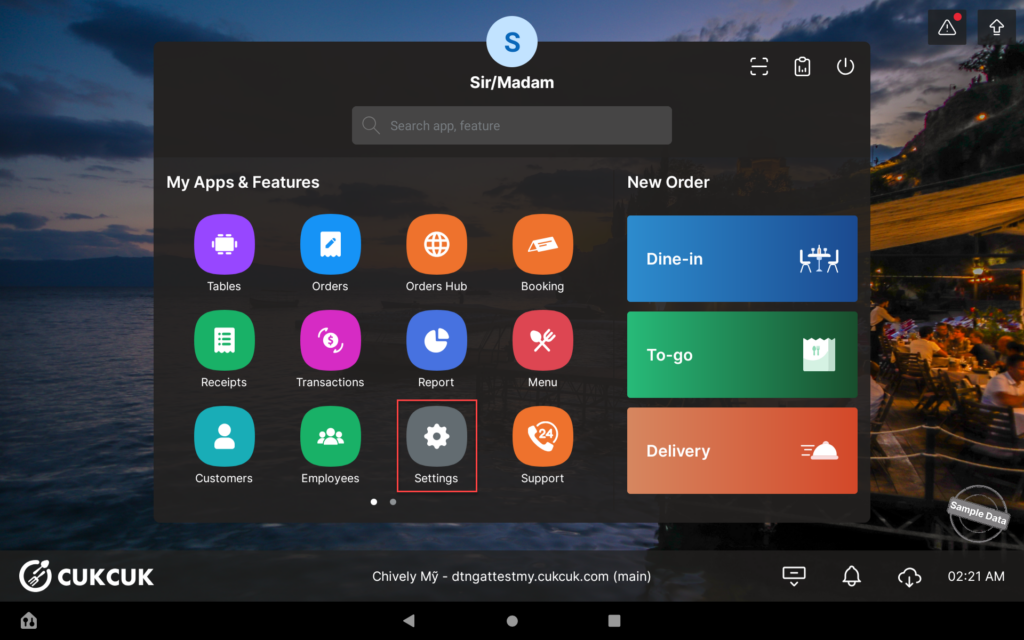
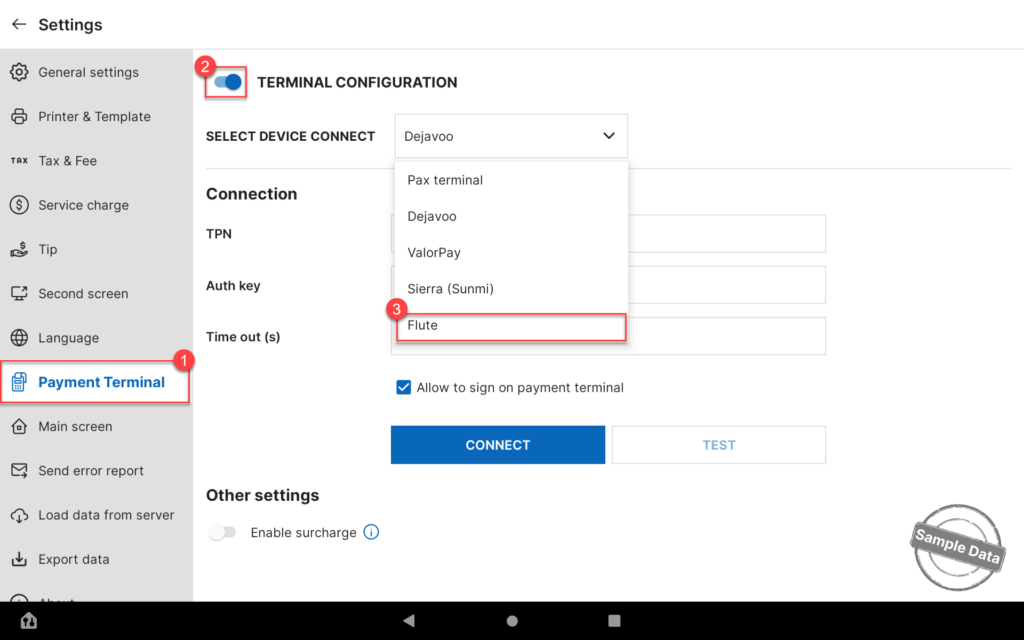
- On the POS, go to Settings.
- Select the Payment Terminal tab.
- Turn on Terminal Configuration.
- Select Flute as the payment provider.
- Click the arrow icon and choose the correct Serial Number of the terminal.
- Click Connect.
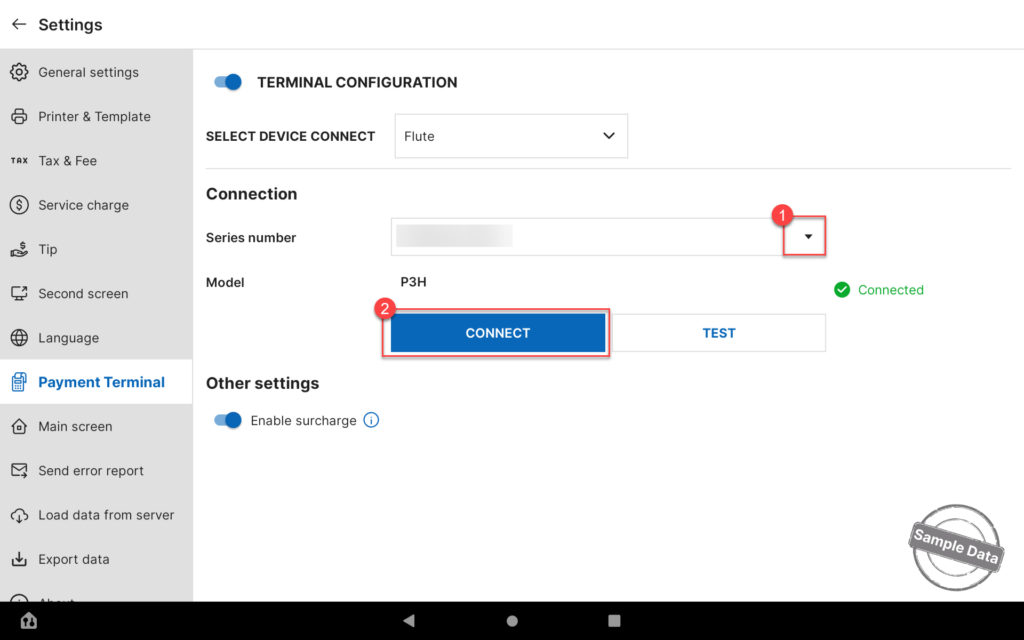
Click Test to verify that the payment terminal is properly connected and ready to process transactions.
Flute Payments is now fully configured for both POS and ordering channels.
Have a nice day!


