

I. Purpose
This feature is designed to allow customers to complete payments directly at their table, instead of going to the counter or relying on staff to process the transaction.
II. Instruction steps
Option 1: Process Payment via Orders
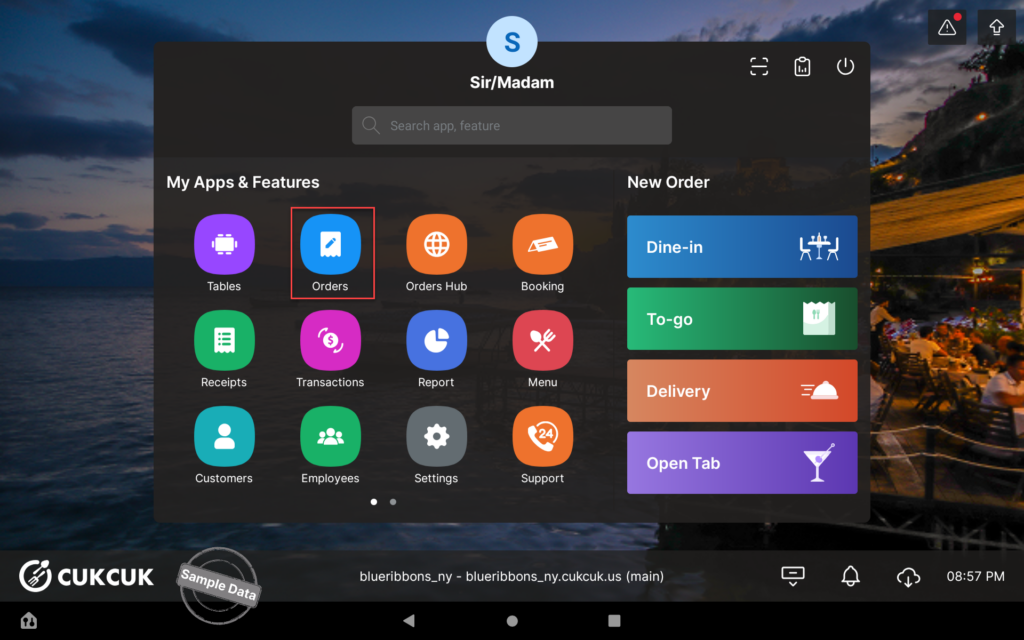
- Go to Orders.
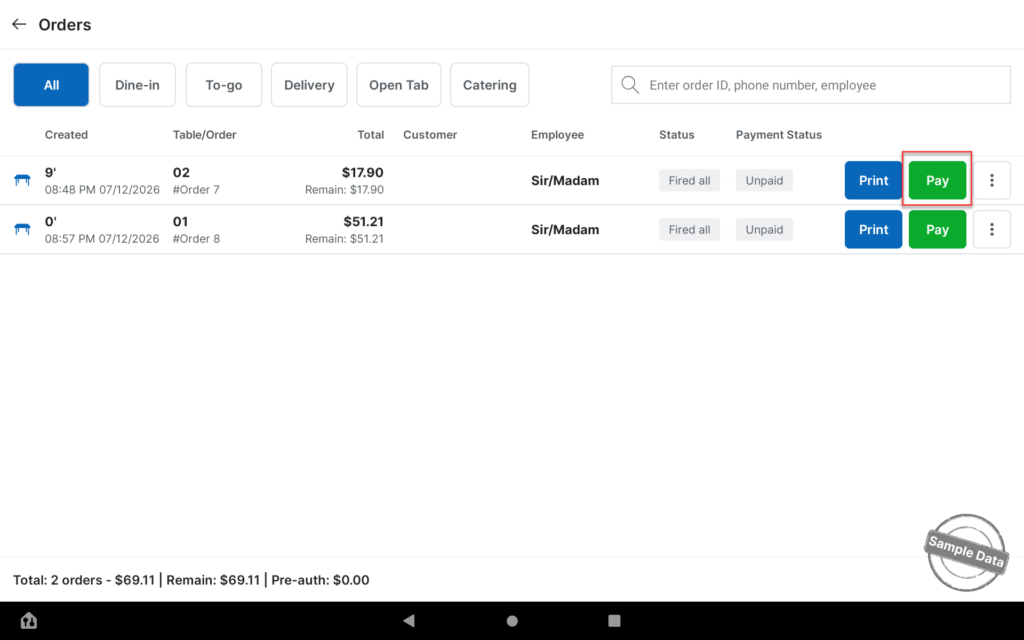
- Select the table that is ready for payment. Click Pay.
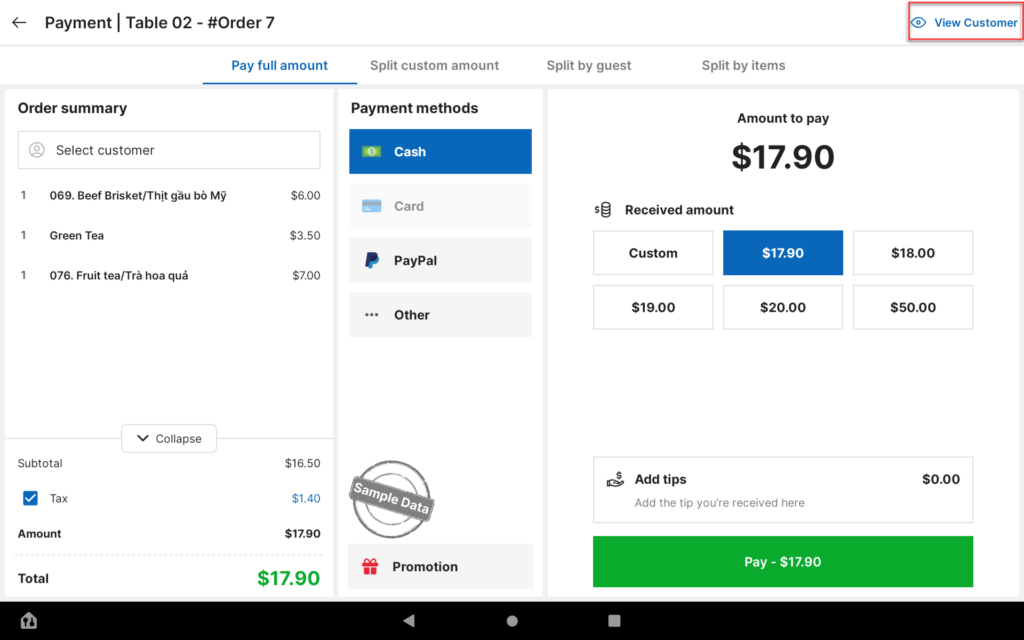
- Select View Customer to display the payment screen to the customer.
- Click Pay to proceed.
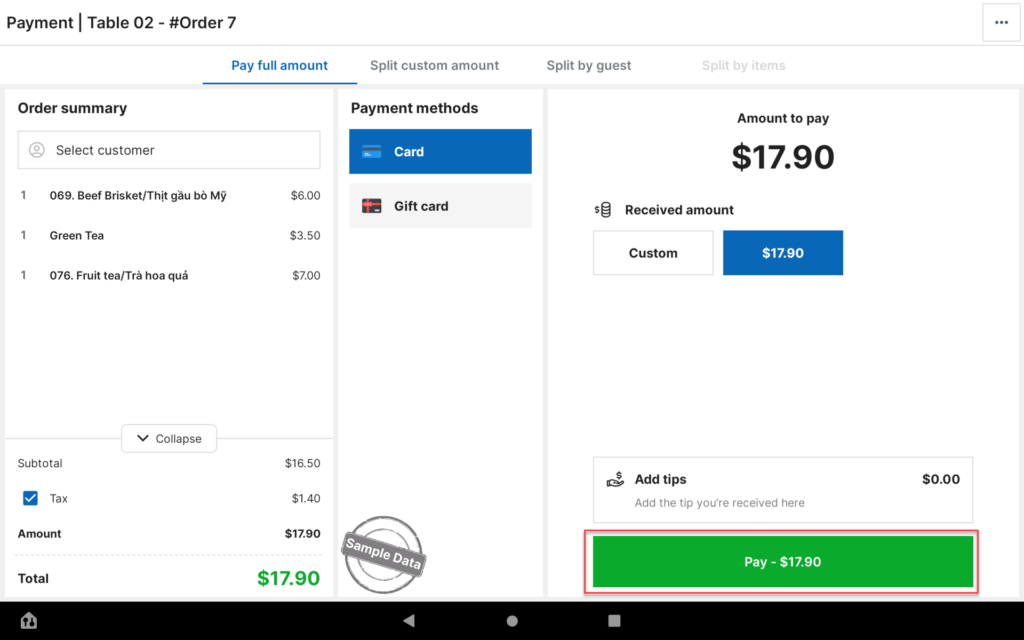
The customer can now complete the payment independently.
Option 2: Process Payment via Dine‑in
- Go to Dine‑in.
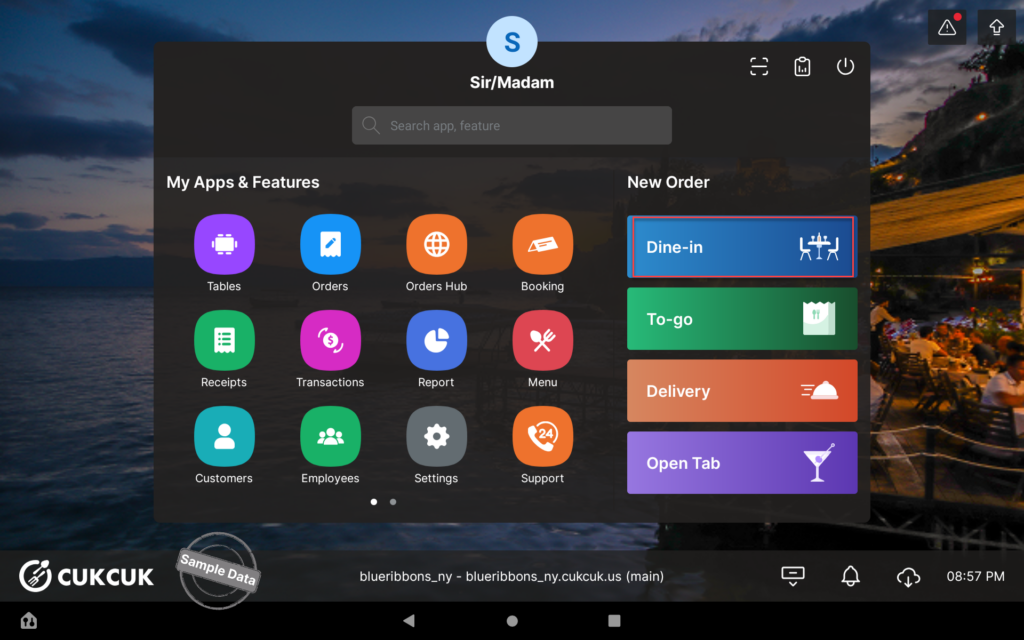
- Select the table that is ready for payment.
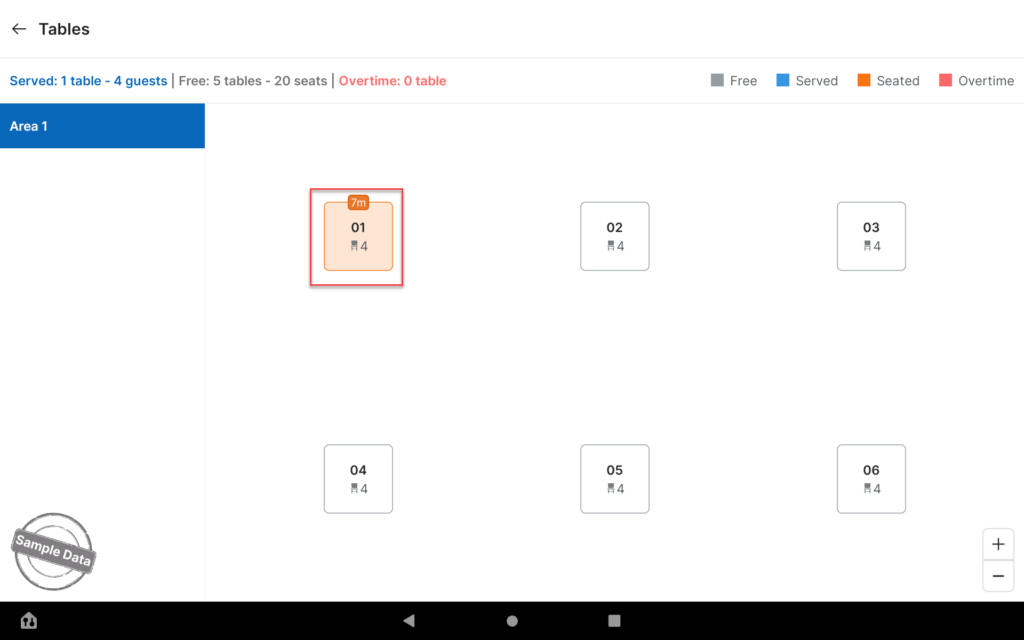
- Click Pay.
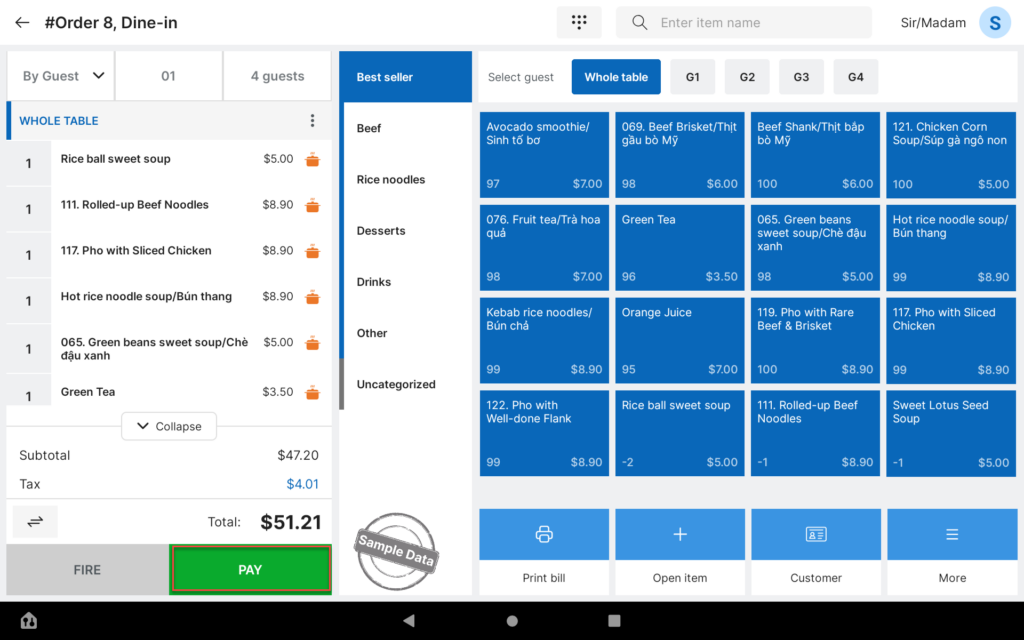
- Select View Customer to enable customer payment mode.
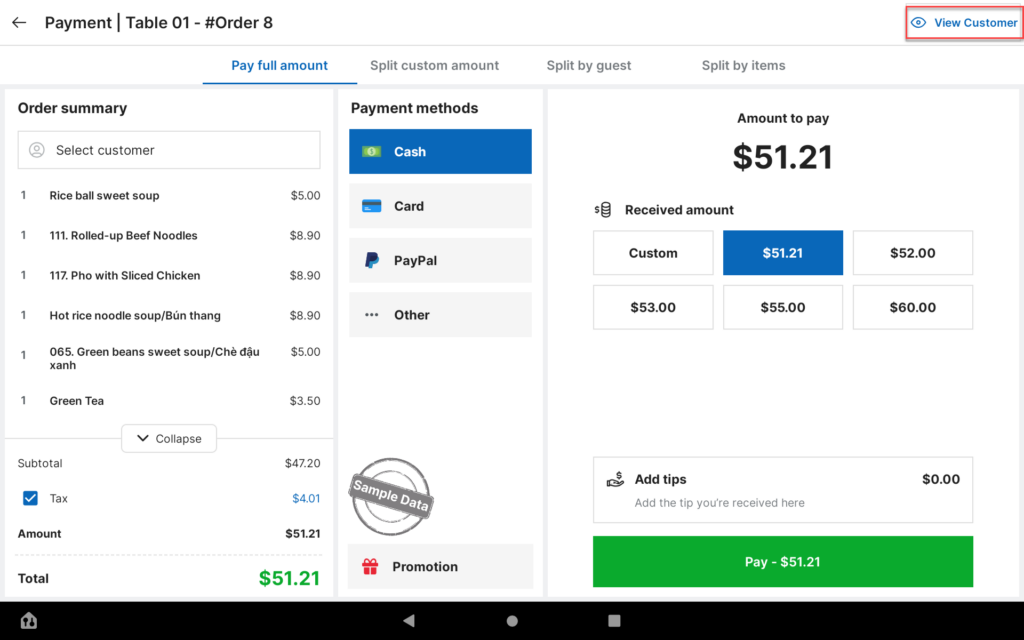
- Click Pay to proceed.
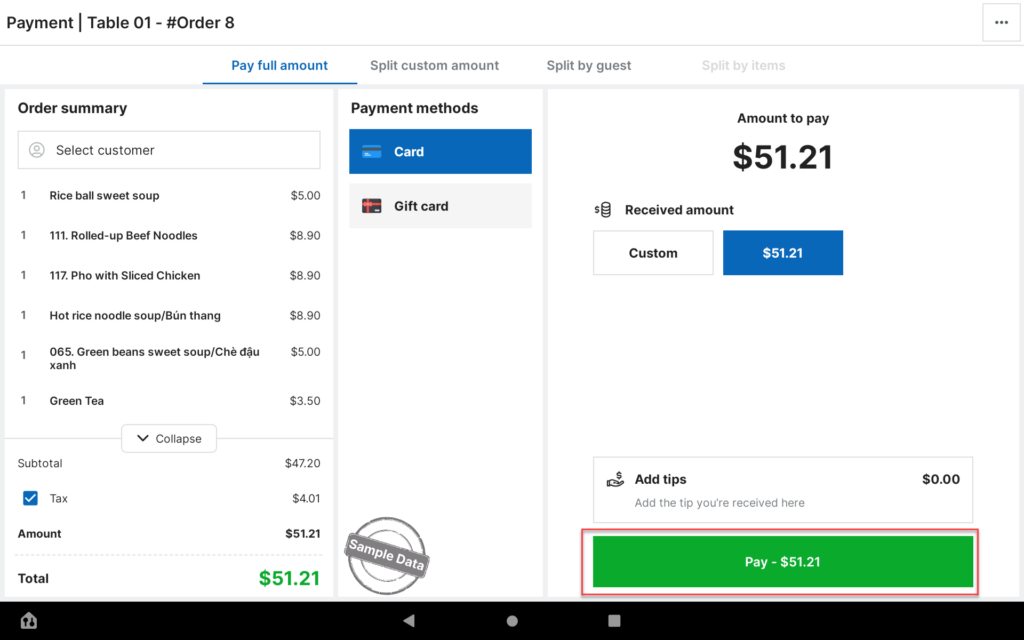
The customer can complete the payment directly at the table without staff intervention.
Have a nice day!


