

Nội dung có trong bài
Ẩn
I. Purpose
This feature is designed to automatically send business performance reports via email to restaurant owners / managers or employees in charge, allowing them to monitor operations without logging into the system.
II. Instruction steps
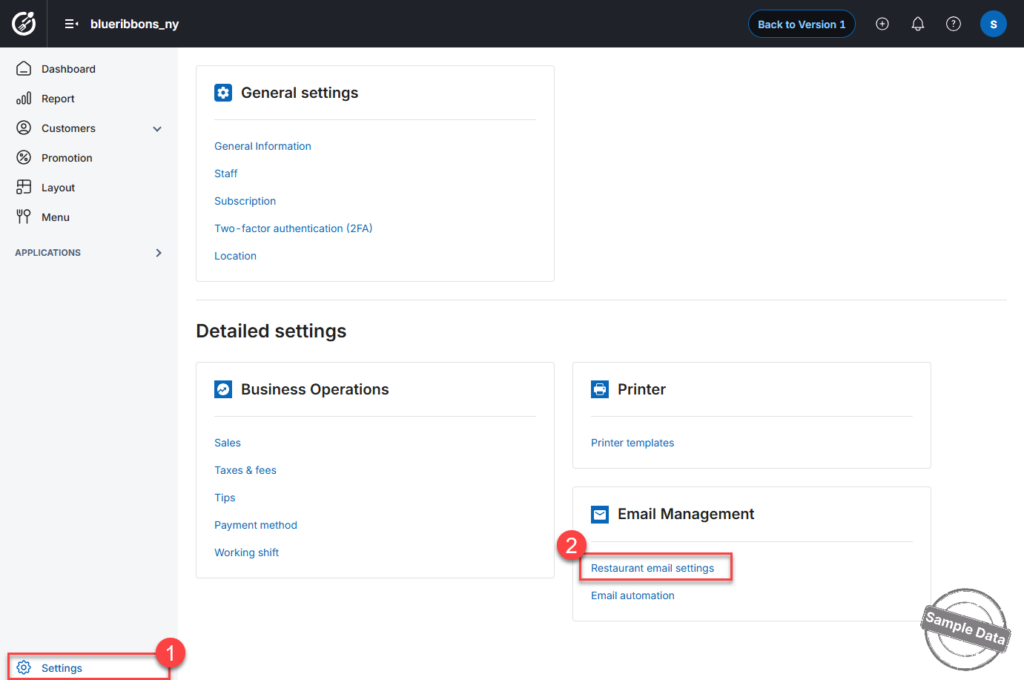
Step 1: Access Email Settings
On the Dashboard, go to Settings and select Restaurant Email Settings.
Step 2: Enter Required Information
Fill in the following fields:
- Email address
Enter the restaurant’s main email address used to send reports. - Email server & Port
If you are using common email domains such as gmail.com, googlemail.com, outlook.com, hotmail.com, live.com, yahoo.com, or icloud.com; the system will automatically populate the correct SMTP server and port settings.
For other domains, please obtain the SMTP details from your email provider. - Displayed name
Enter the name that recipients will see when receiving emails (e.g., Blue Ribbons Restaurant). - Username
- If your restaurant operates in single-location mode, enter the same email address as above.
- If your restaurant operates as a chain, enter the specific branch email address (where applicable).
- App password
Enter the application-specific password generated from your email provider’s security settings (not your regular email login password).
Click this link to get your app password:
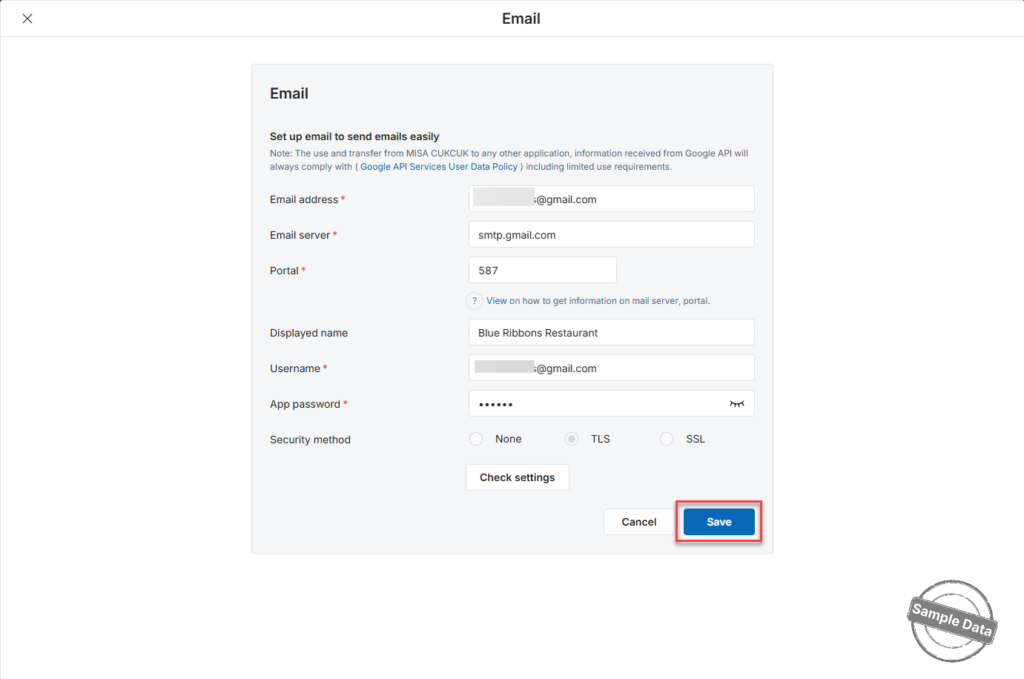
Once all information is completed, click Save to apply the settings.
Have a nice day!


