

Nội dung có trong bài
Ẩn
I. PURPOSE
The manager can declare the list of the restaurant’s kitchens/bars and assign which items each kitchen/bar will prepare. This allows chefs/bartenders to receive the list of items to be prepared when the waitstaff sends the order to the kitchen/bar.
II. INSTRUCTION STEPS
- The software has already created one kitchen by default. If the restaurant/bar has only one kitchen, whenever declaring a new dish/drink/combo/other item, simply select the correct kitchen where the dish will be prepared.
- If the restaurant has multiple kitchens, follow these steps:
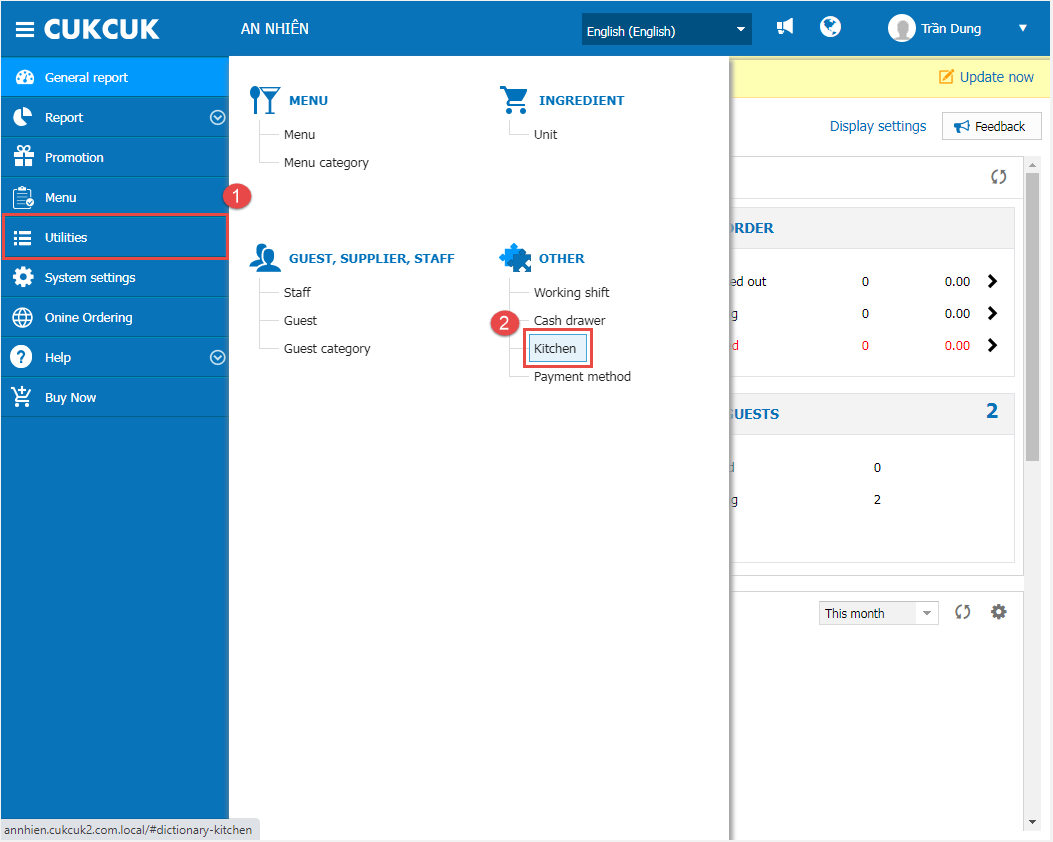
Step 1: Go to Utilities/Kitchen
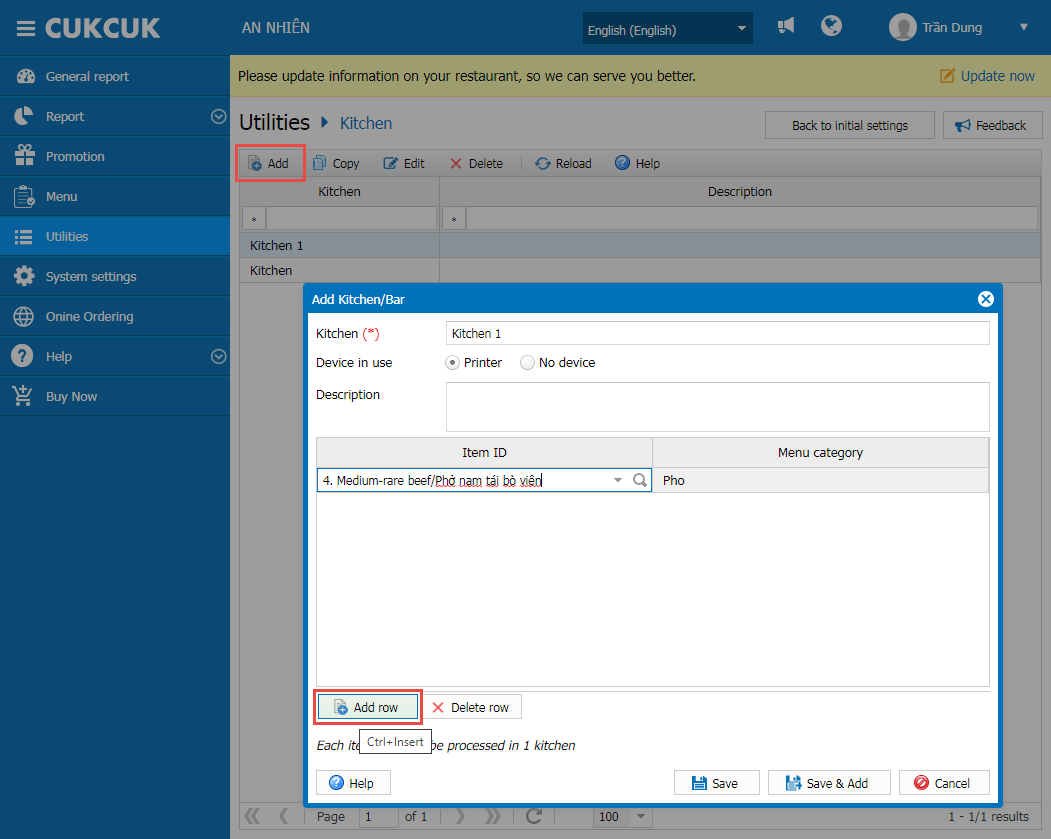
Step 2: Click Add and select Add row to choose the items that will be prepared in this kitchen.
Note:
The items assigned to each kitchen will only be displayed on the corresponding kitchen’s printer when the order is sent to the kitchen.
Have a nice day!


