

Nội dung có trong bài
Ẩn
I. Purpose
This feature allows managers to select which menu items are available for Catering orders.
II. Instruction Steps
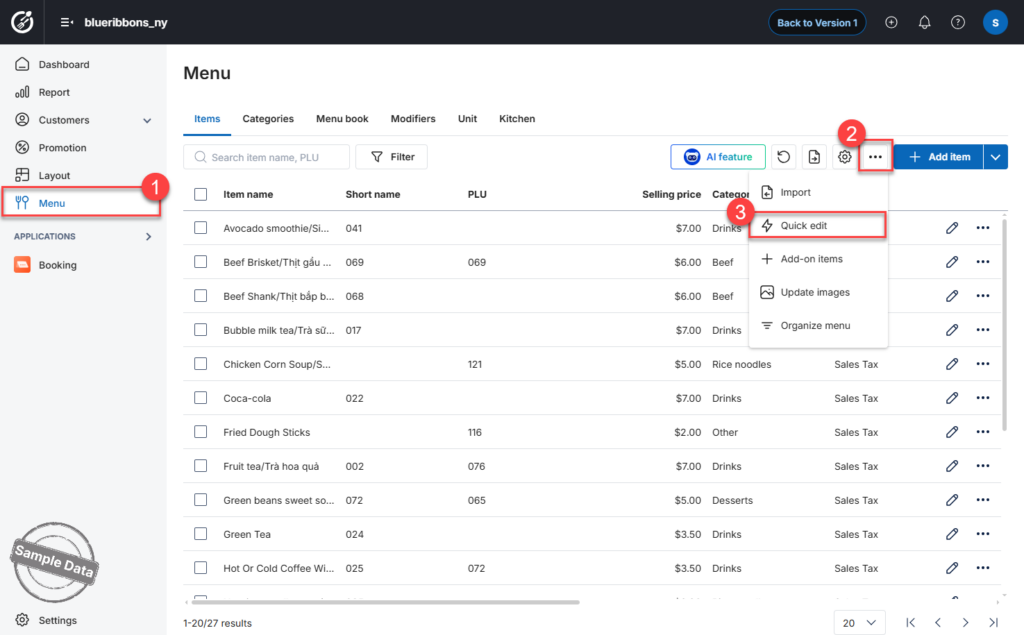
Step 1: Open Quick Edit
- Go to Menu.
- Click the icon
 and select Quick Edit.
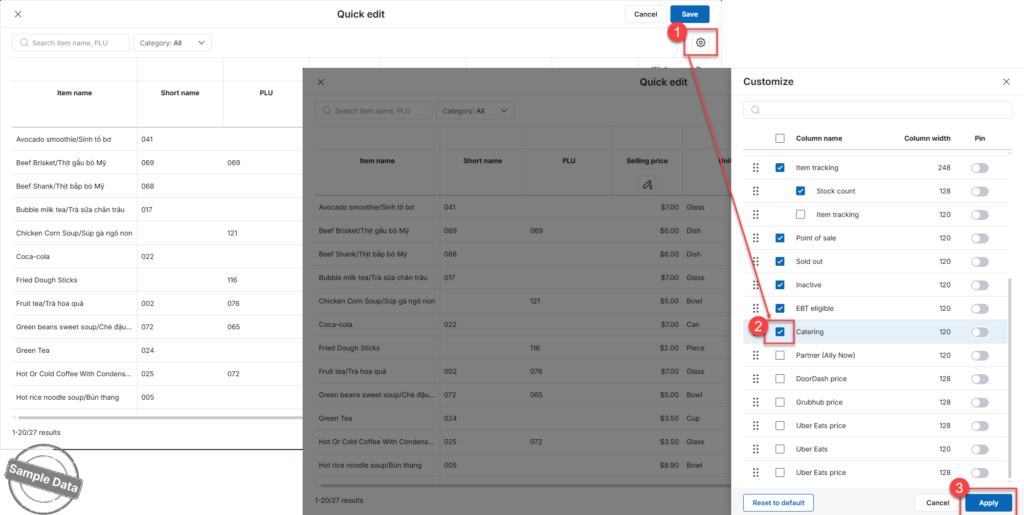
Step 2: Enable Catering Channel
- Click the settings icon

- Scroll down to Catering.
- Check Catering to show it on the table.
- Click Apply.
Step 3: Select Items for Catering
- Scroll to the right to locate the Catering column.
- Check the items that should be available for catering orders.
- Click Save to apply the changes.
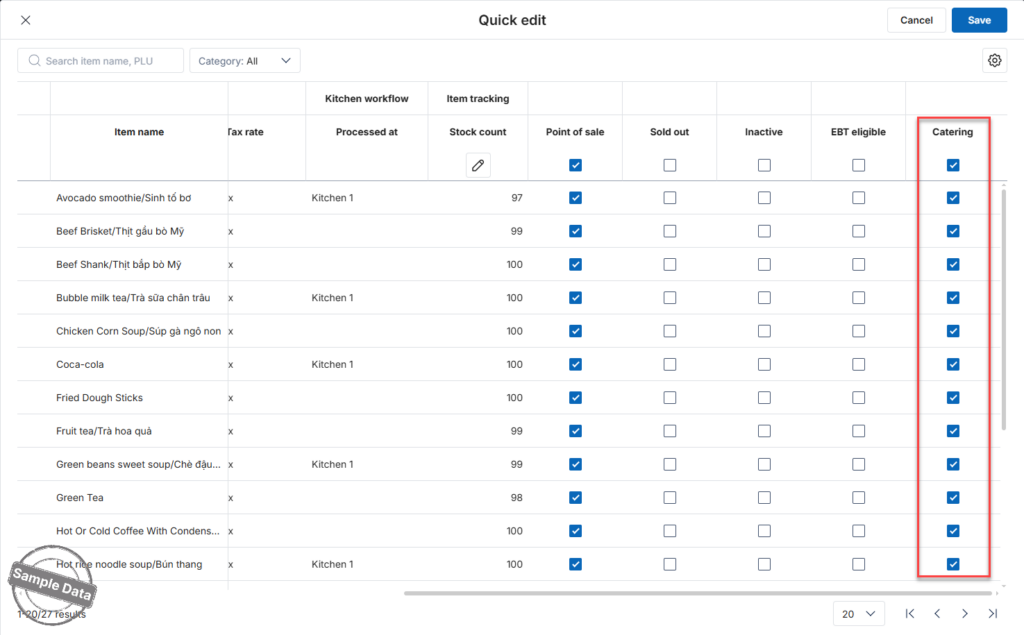
The selected items are now available for Catering orders.
Have a nice day!


