

Nội dung có trong bài
Ẩn
I. Purpose
This configuration allows restaurants to process credit card payments via Flute Payments for QR Ordering.
II. Instruction steps
- Go to QR Ordering.
- Open the Settings tab.
- Select Payment Settings.
- Check Credit card by Flute Payments.
- Click Save.
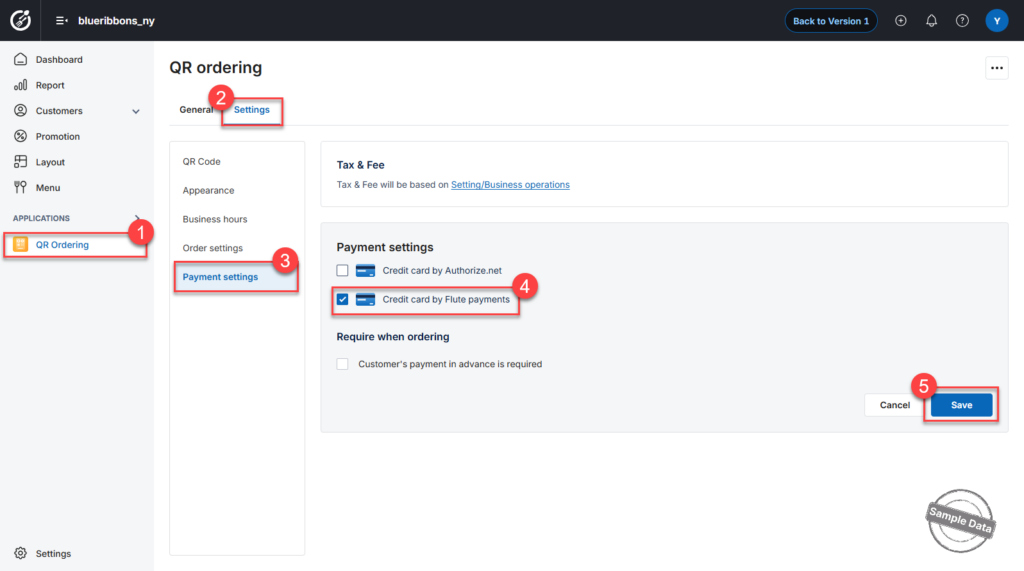
Flute Payments is now enabled for Online and QR Ordering.
Have a nice day!


