

Nội dung có trong bài
Ẩn
I. Purpose
This setup connects the Flute payment terminal to the POS, enabling real‑time card transaction processing directly from the POS device.
II. Instruction steps
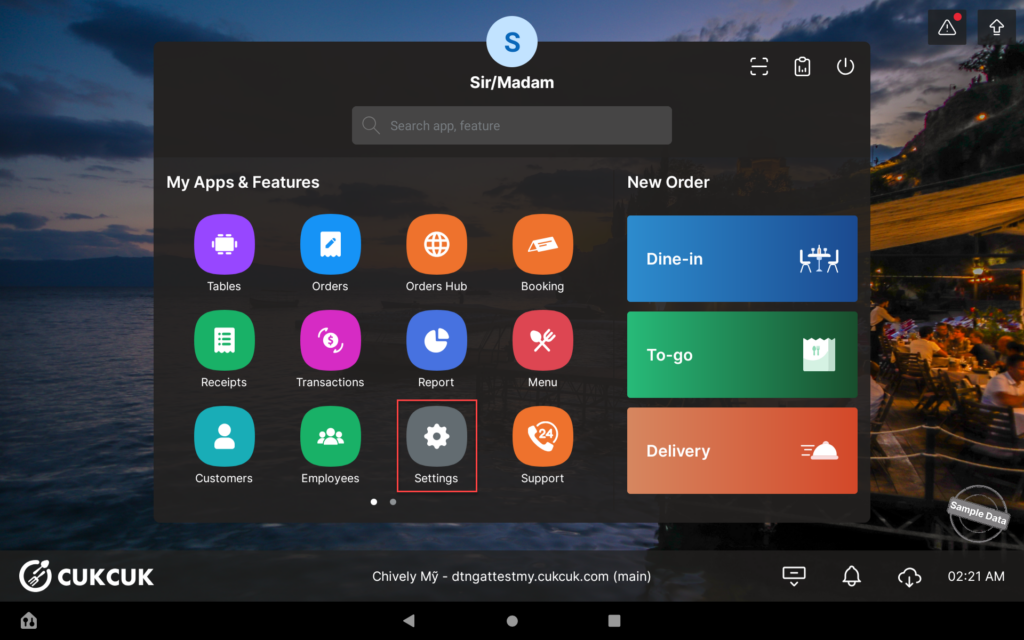
- On the POS, go to Settings.
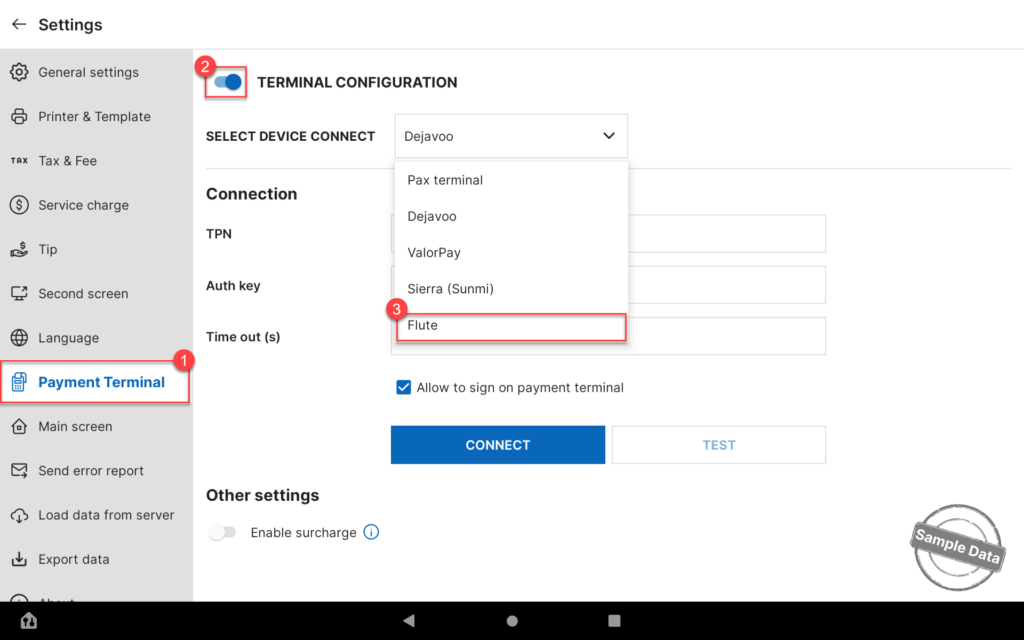
- Select the Payment Terminal tab.
- Turn on Terminal Configuration.
- Select Flute as the payment provider.
- Click the arrow icon and choose the correct Serial Number of the terminal.
- Click Connect.
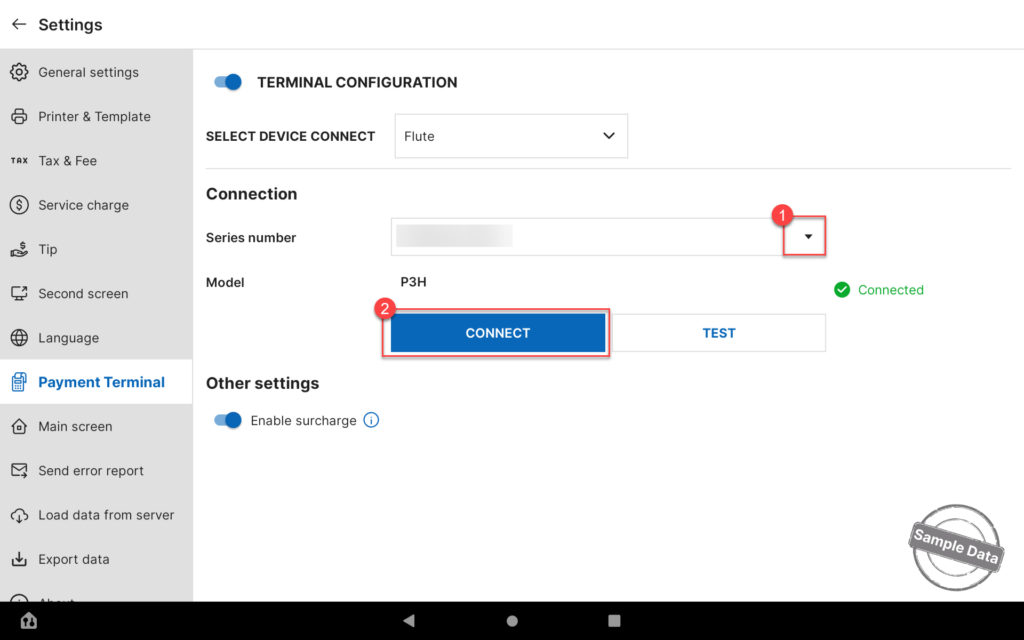
Click Test to verify that the payment terminal is properly connected and ready to process transactions.
Flute Payments is now fully configured for both POS and ordering channels.
Have a nice day!


