

If you forget your password, you can recover your login password via your personal email as follows:
The personal email must be declared in Utilities/Staff.
On the Web:
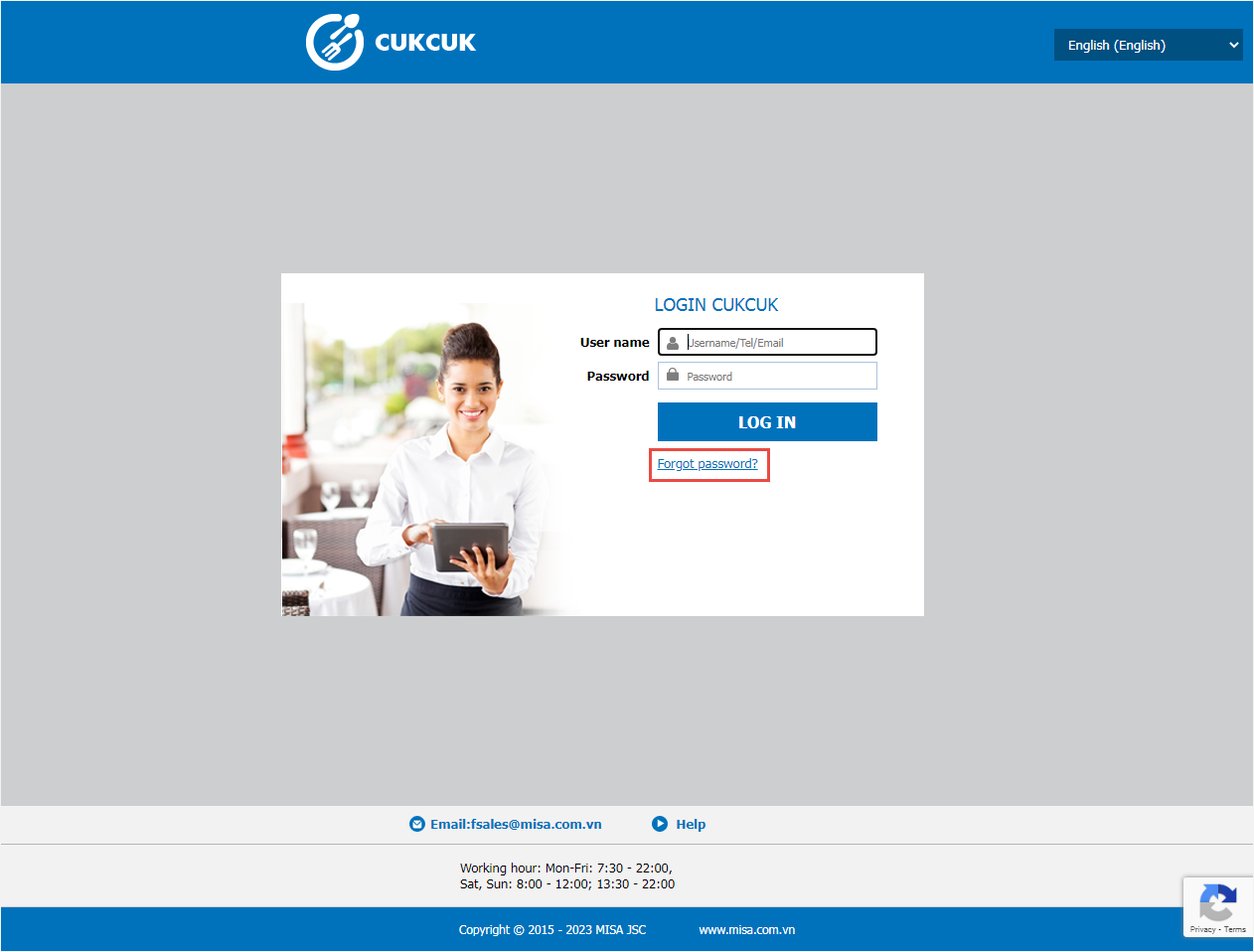
- Access the restaurant management website.
Example: MISAAMERICA.CUKCUK.US - On the login screen, click Forgot password.
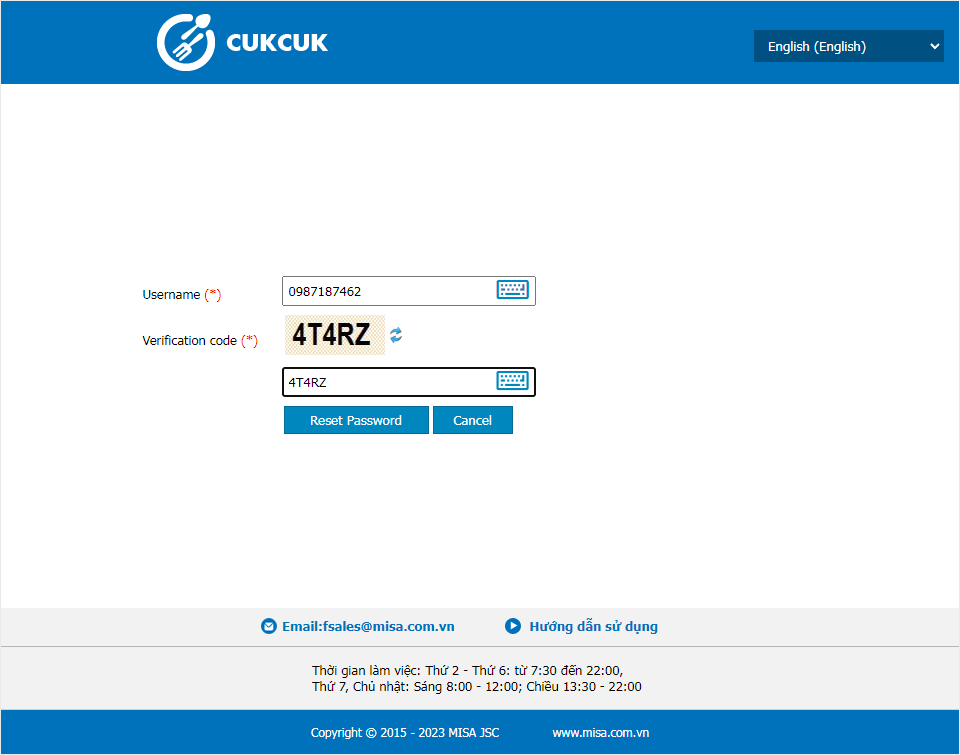
- Enter your Username and Verification code.
- Click Reset password.
- The system will send password reset instructions to the previously registered email address.
- Access your personal email and click the confirmation link to receive a new password.
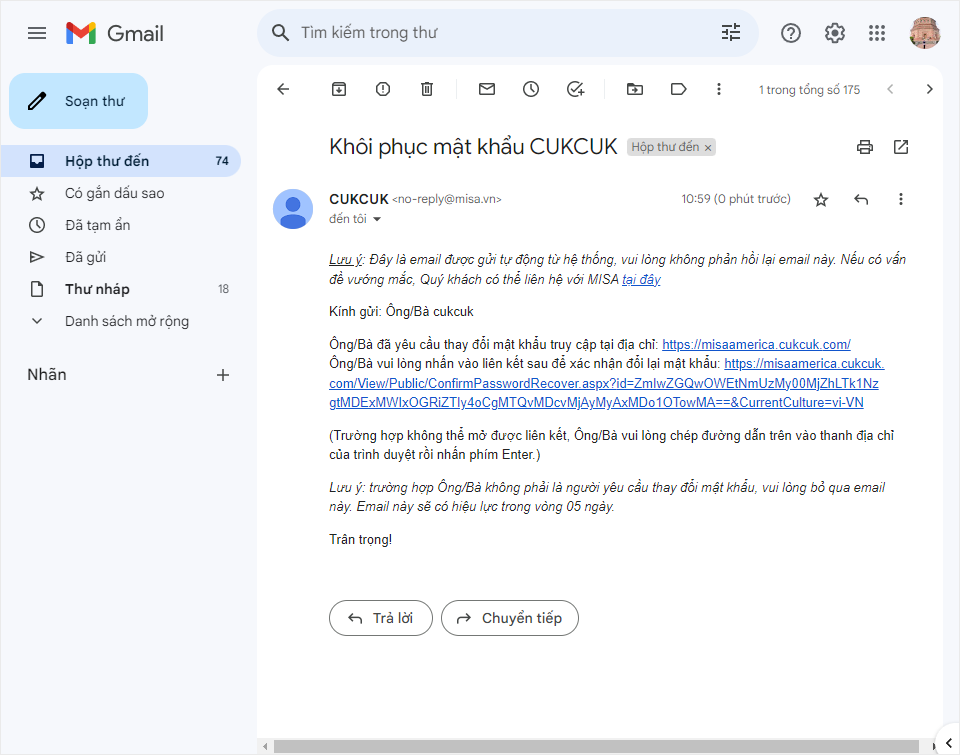
- Click Click here to confirm.
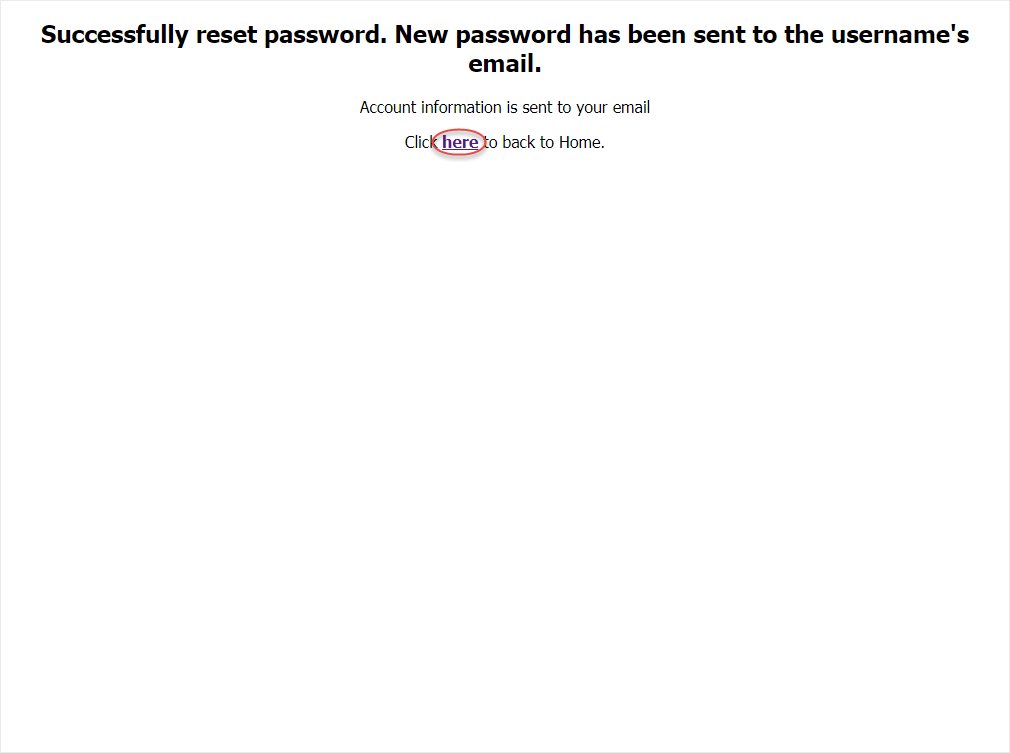
- The system will send a temporary password to your personal email.
- Log in using the new password and change it to your preferred password.
Have a nice day!


