

Nội dung có trong bài
Ẩn
I. PURPOSE
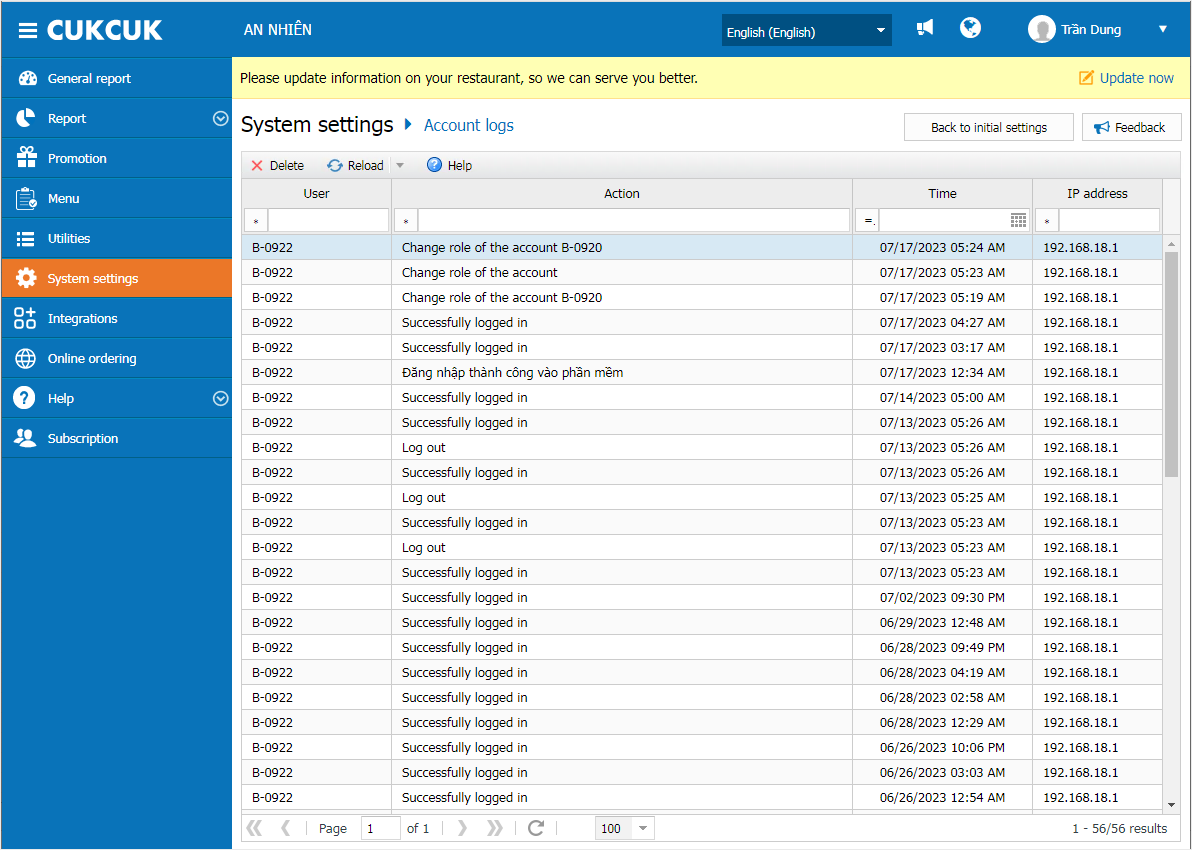
The restaurant managers can track activities performed on user accounts, including account creation, information updates, account deletion, and login/logout history on the system.
II. INSTRUCTION STEPS
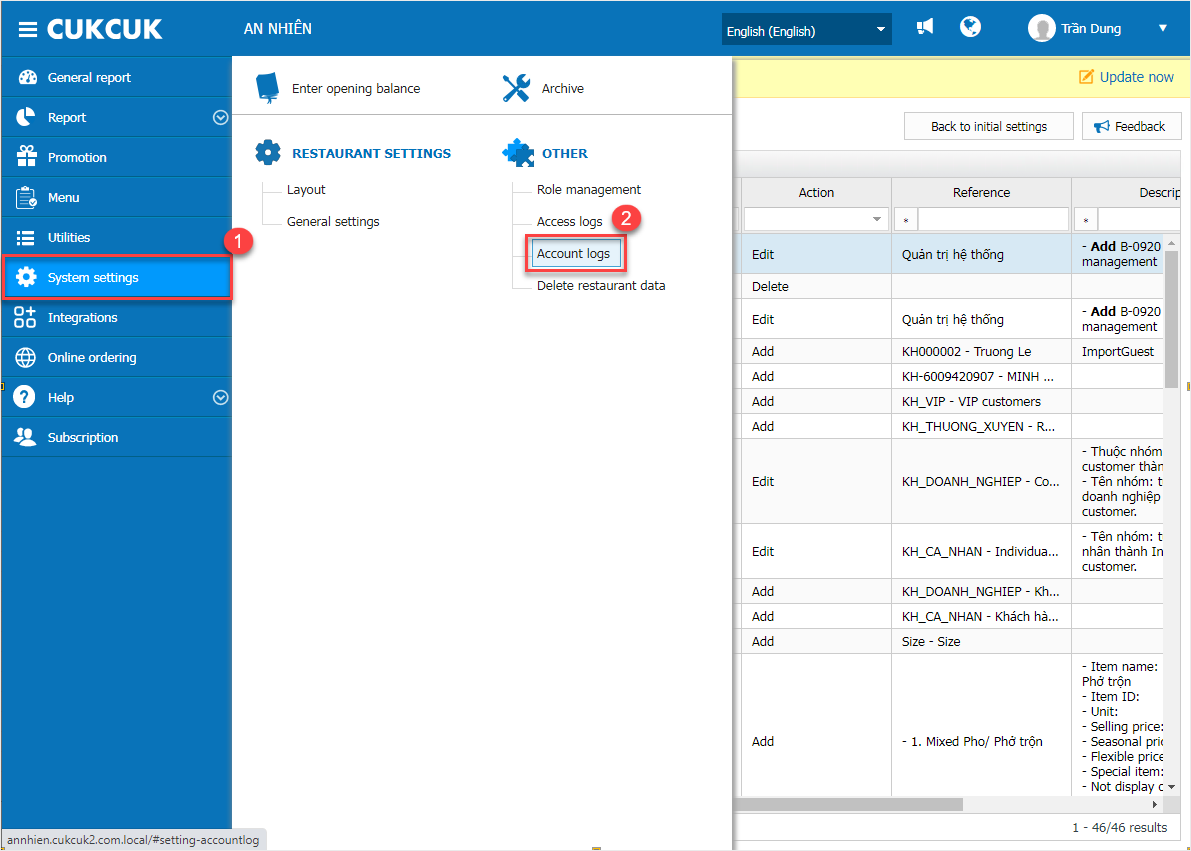
On the dashbooard, select System Settings \ Account Logs
Click Load to retrieve the latest log data
To select a different date for viewing logs, click the arrow next to the Load button
Note: Only accounts with System Administrator privileges are authorized to delete access logs.
Have a nice day!


