

I. Purpose
This feature enables Restaurant Managers to track business performance in detail by time range and payment method within the Sales Summary and EOD (End of Day) reports.
II. Instruction steps
1. View revenue by payment method
Follow these steps to view a detailed breakdown of revenue by payment method:
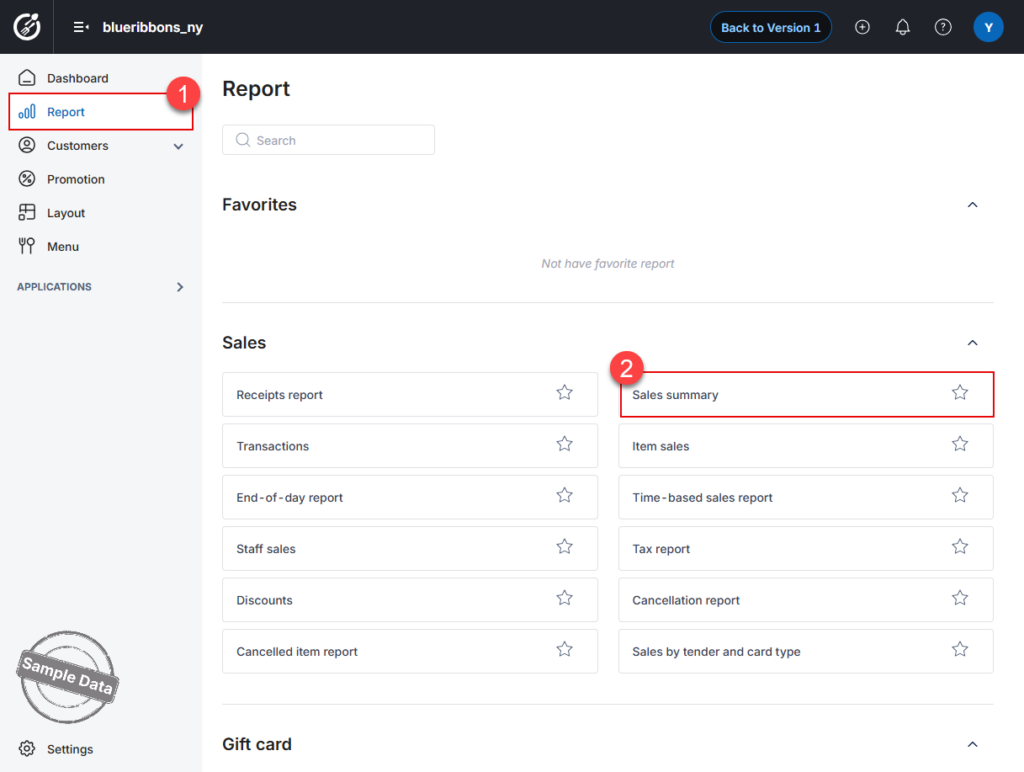
- On the Dashboard, go to Report.
- Select Sales Summary.
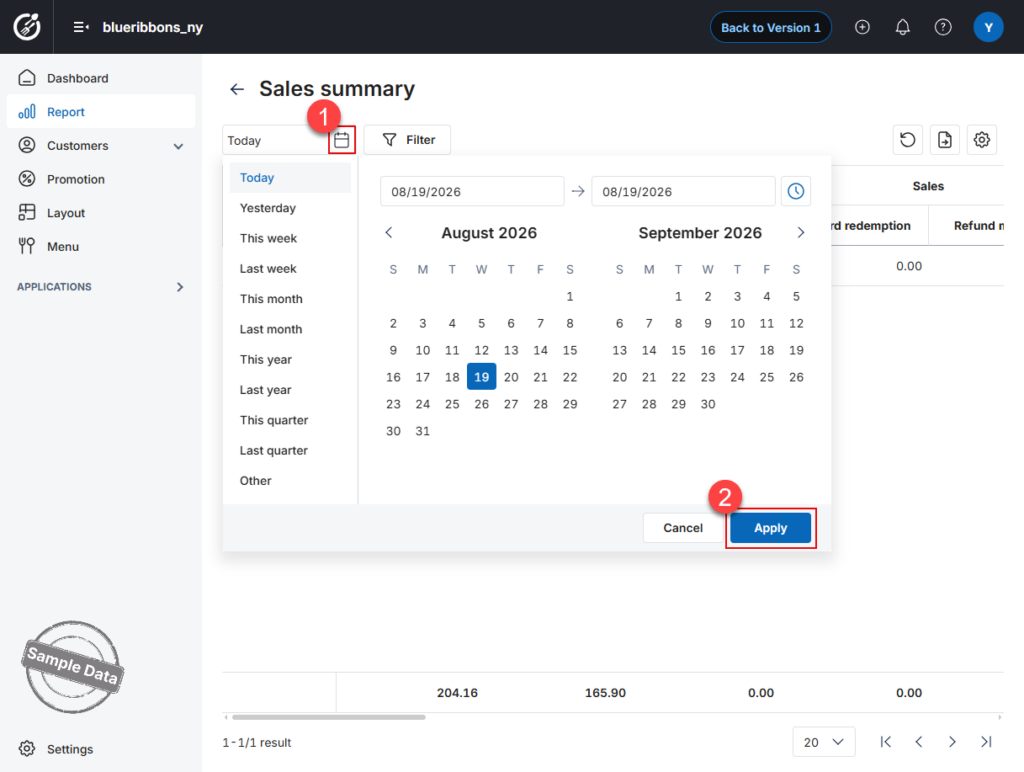
- Click the calendar icon and select the desired date or date range.
- Click Apply to load the report.
- At the bottom of the report, drag the horizontal scrollbar to the right until you see the Payment Method section.
- Review the revenue breakdown for each payment method, such as:
- Cash
- PayPal
- Total card
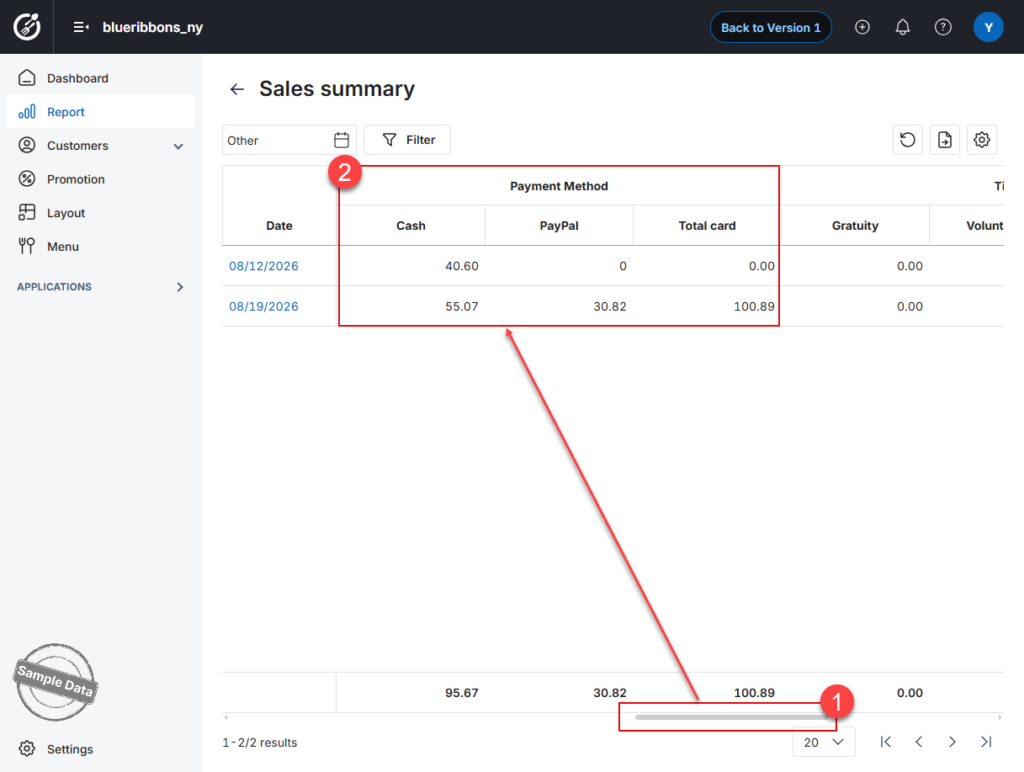 The report displays the amount collected through each payment method for each date, along with the total amount for the selected period.
2. Filter report data by a specific time range
Follow these steps to view report data for a specific time range within a day:
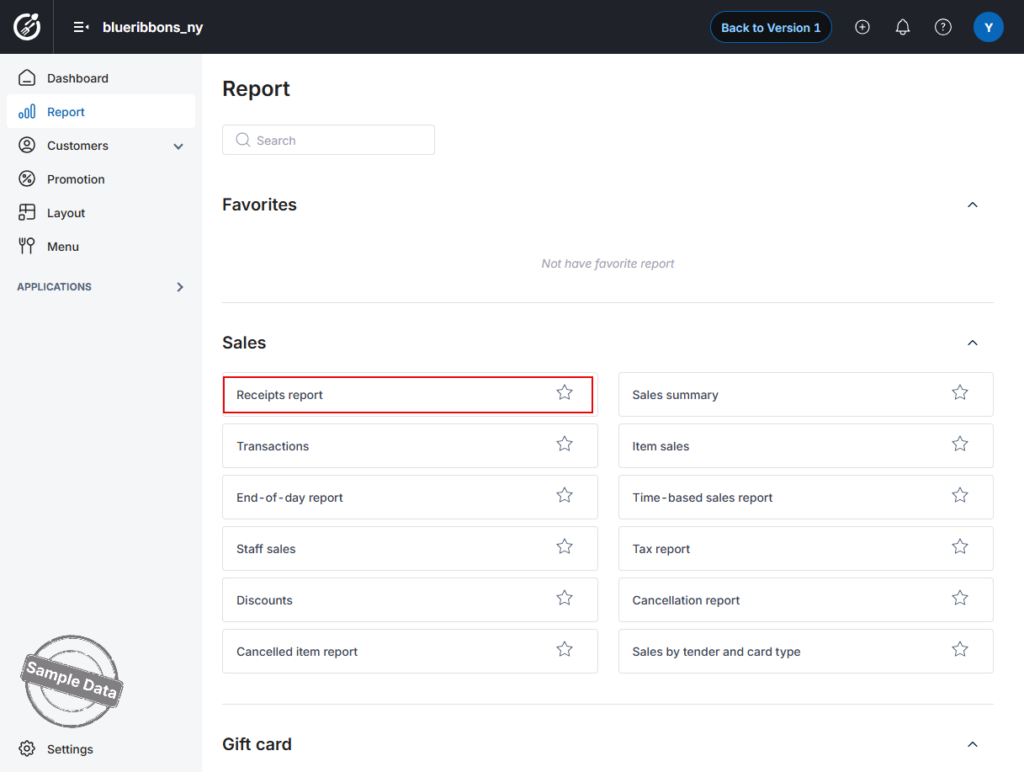
- On the Dashboard, go to Reports.
- Select Receipts Report.
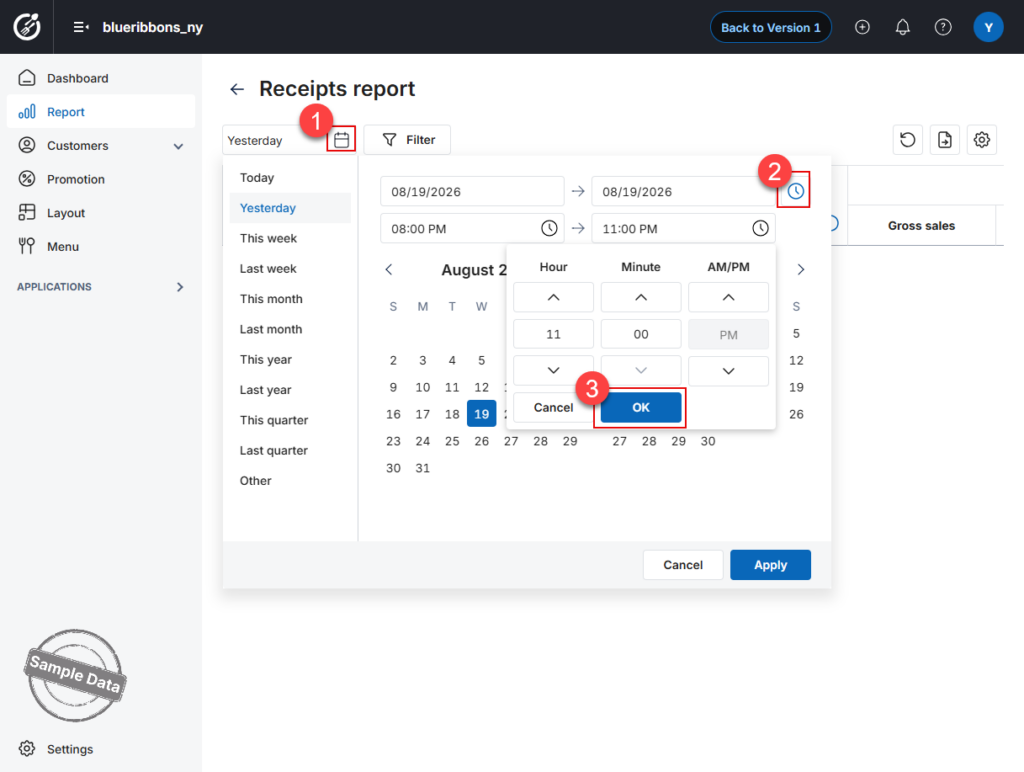
- Click the calendar icon and select the desired date or date range.
- Click the clock icon and specify the Start time and End time.
- Click OK to confirm the time range.
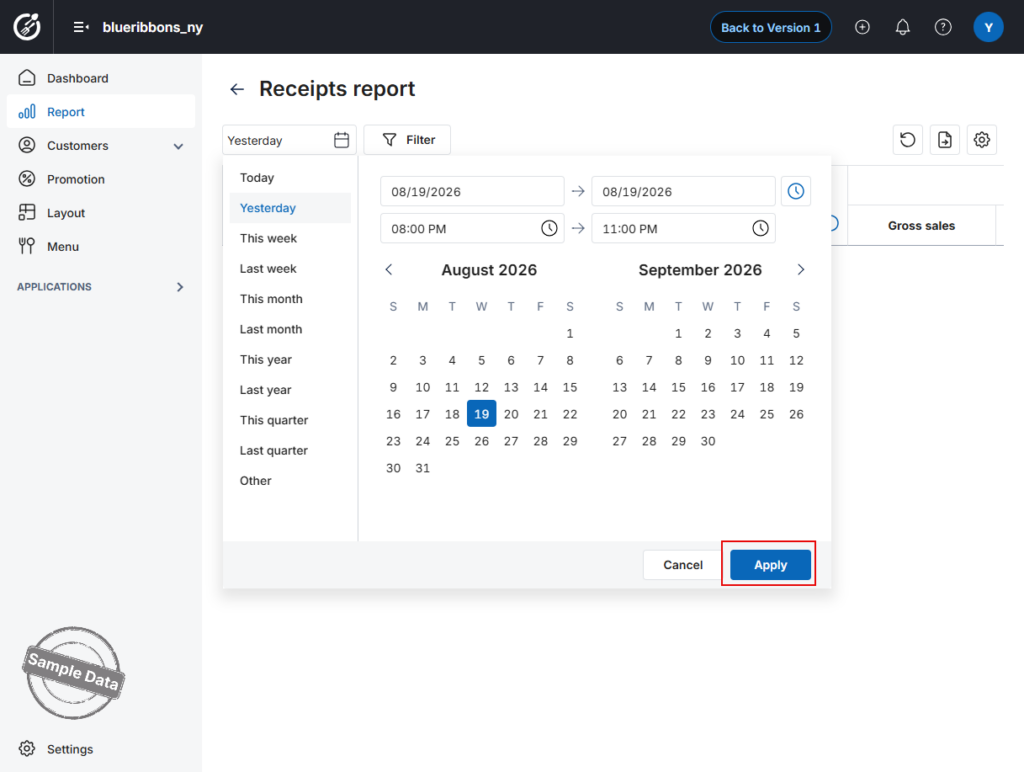
- Click Apply to load the filtered report.
- At the bottom of the report, drag the horizontal scrollbar to the right to view additional report details.
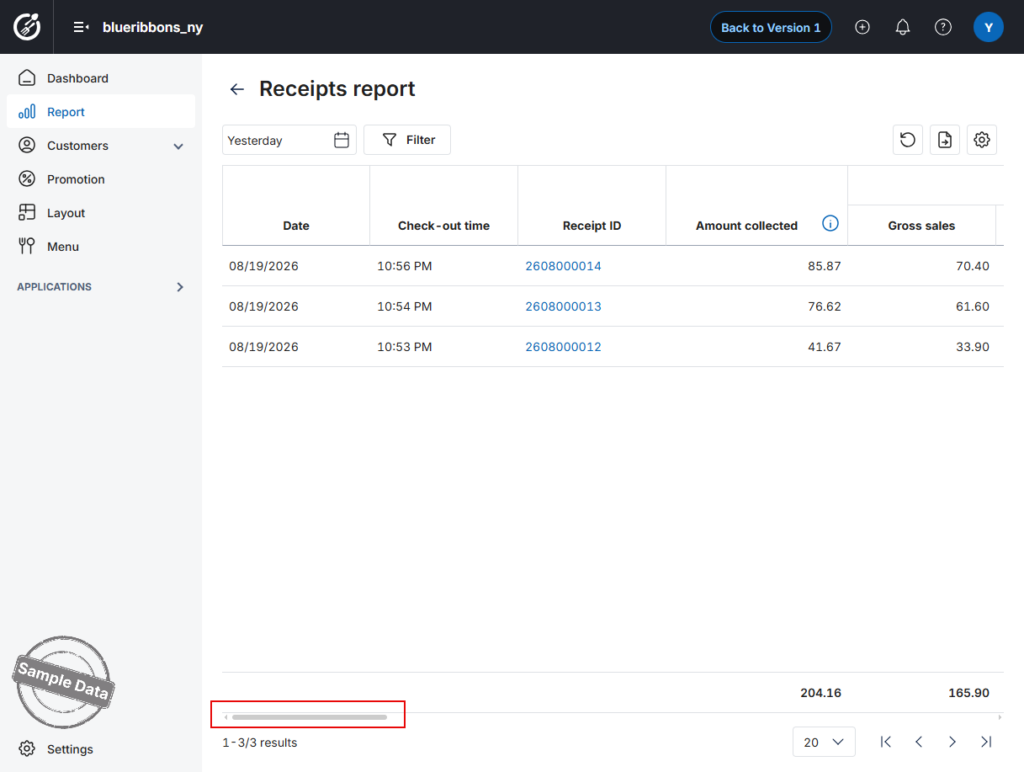
The report will display data for the selected date and time range.
Have a nice day!


