

Nội dung có trong bài
Ẩn
I. Purpose
The AI Modifiers Generator helps restaurant managers quickly create relevant modifier options for menu items, such as sizes, flavors, toppings, and preparation preferences.
II. Instruction steps
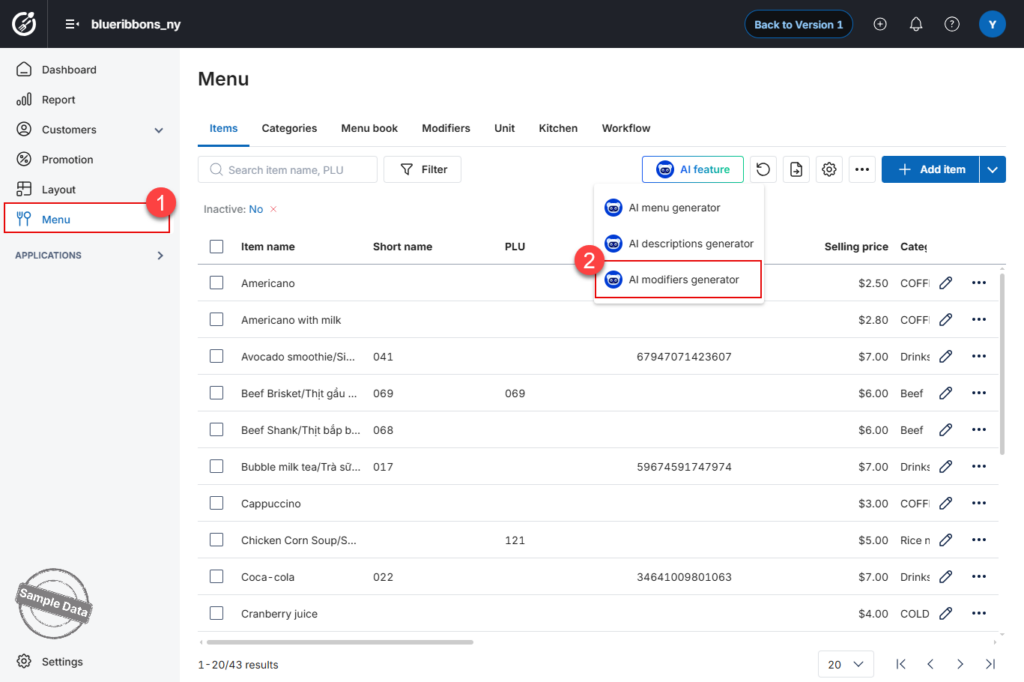
Step 1: Access the AI Modifiers Generator
- On the Dashboard, go to Menu.
- Open the Items tab.
- Click AI Feature and select AI Modifiers Generator.
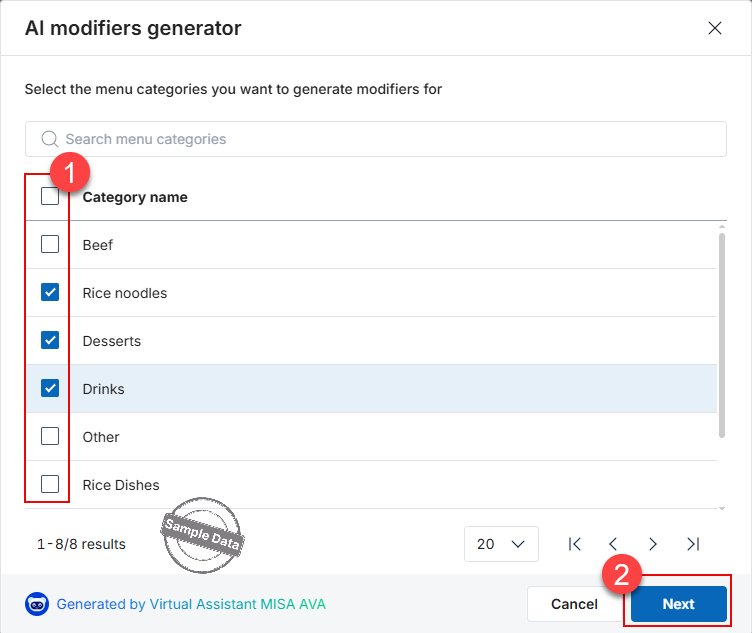
Step 2: Select category
- Select the categories for which you want to generate modifiers.
- Click Next.
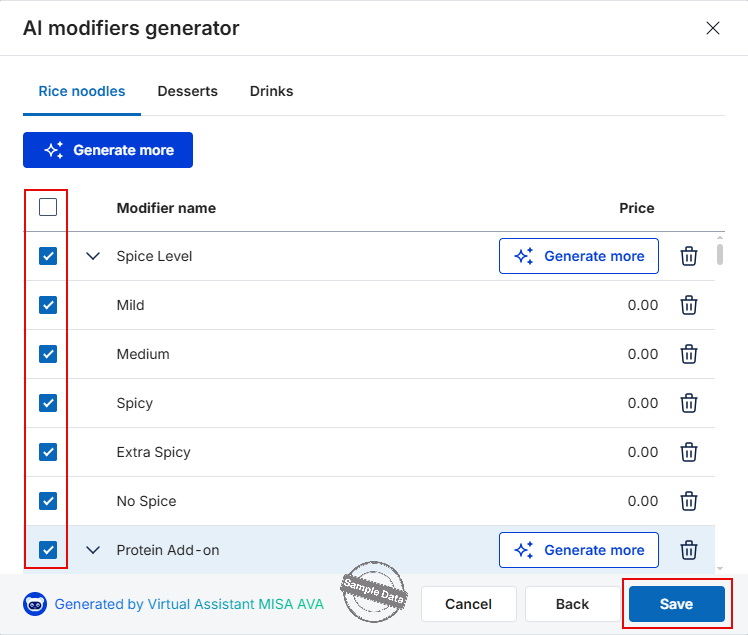
Step 3: Generate Modifiers
- The system will automatically generate modifier suggestions for the selected items.
- If you need more suggestions, click Generate more.
Step 4: Add Modifiers
- Review the generated modifier list.
- Select the modifiers you want to add.
- Click Save to apply the changes.
Note: Review the generated modifiers carefully to ensure that they are relevant to each menu item and match your restaurant’s actual offerings.
Have a nice day!


