

To set up to get payment via EBT Card, please follow these steps:
1. On the management page
a. Activate EBT Eligible
Go to Utilities/Payment method. Select Yes under column Inactive. Select EBT and click Edit. 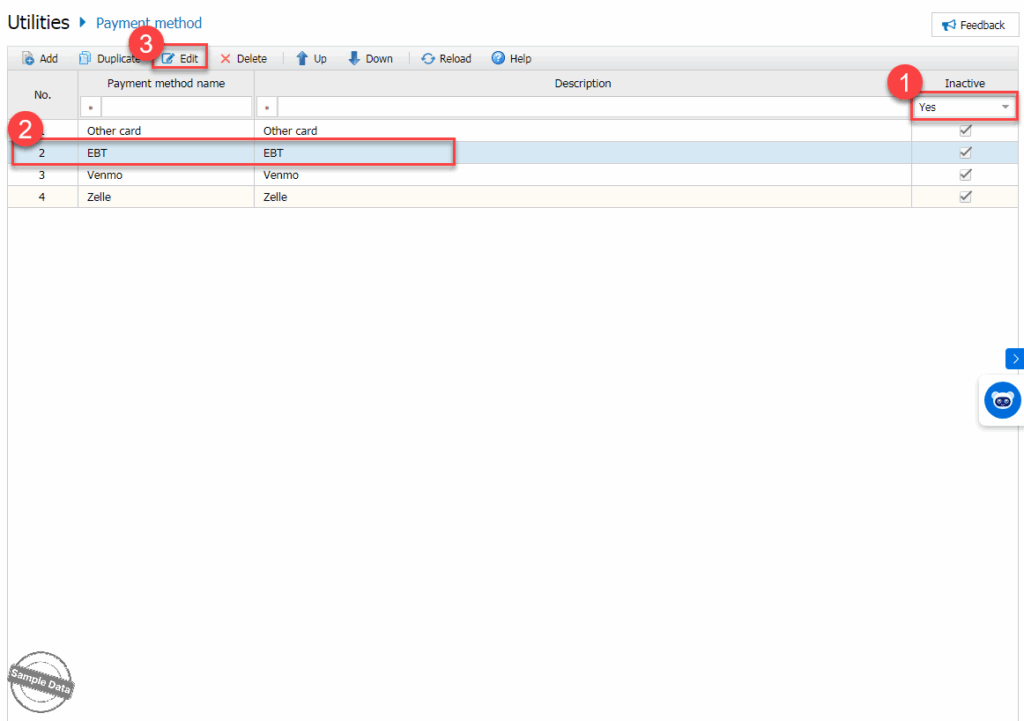
Uncheck Inactive and click Save.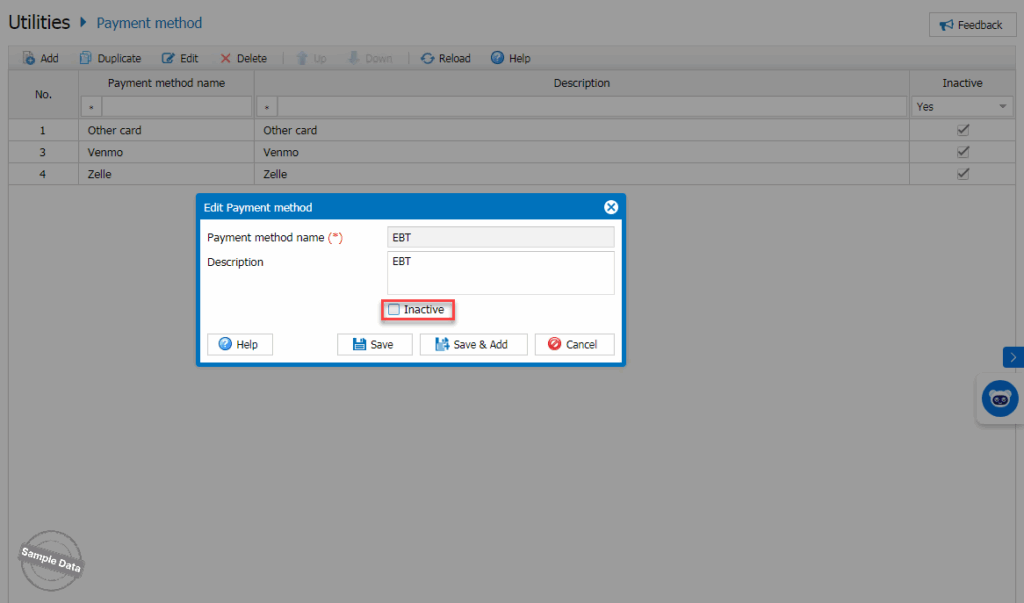
b. Apply to multiple items
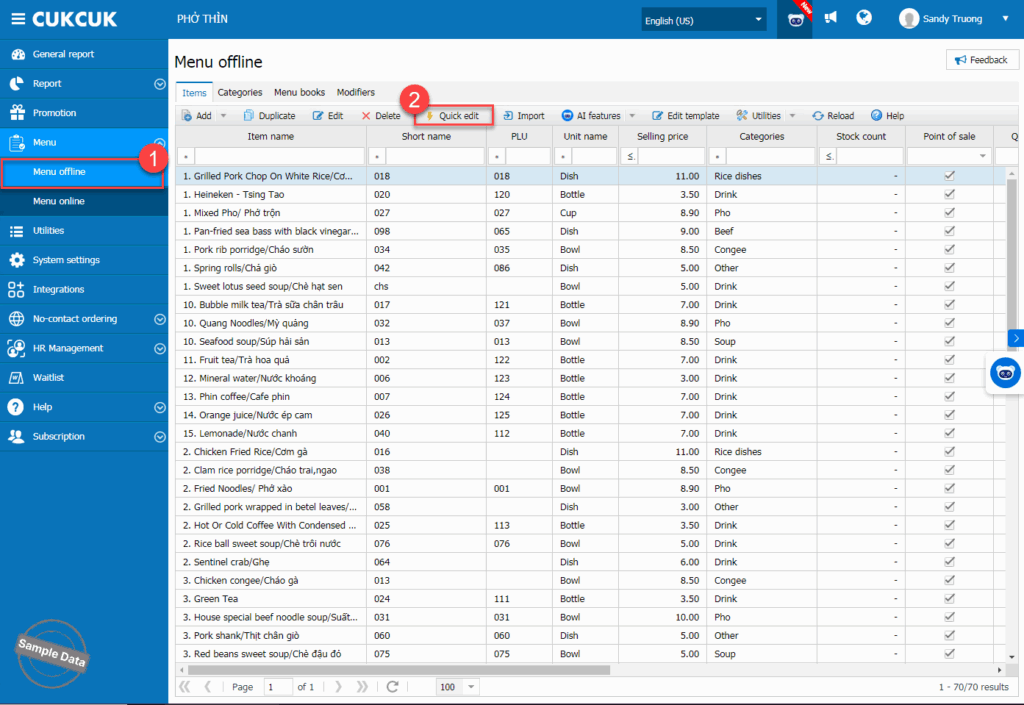
On the management page, go to Menu/Menu offline. Click Quick edit.
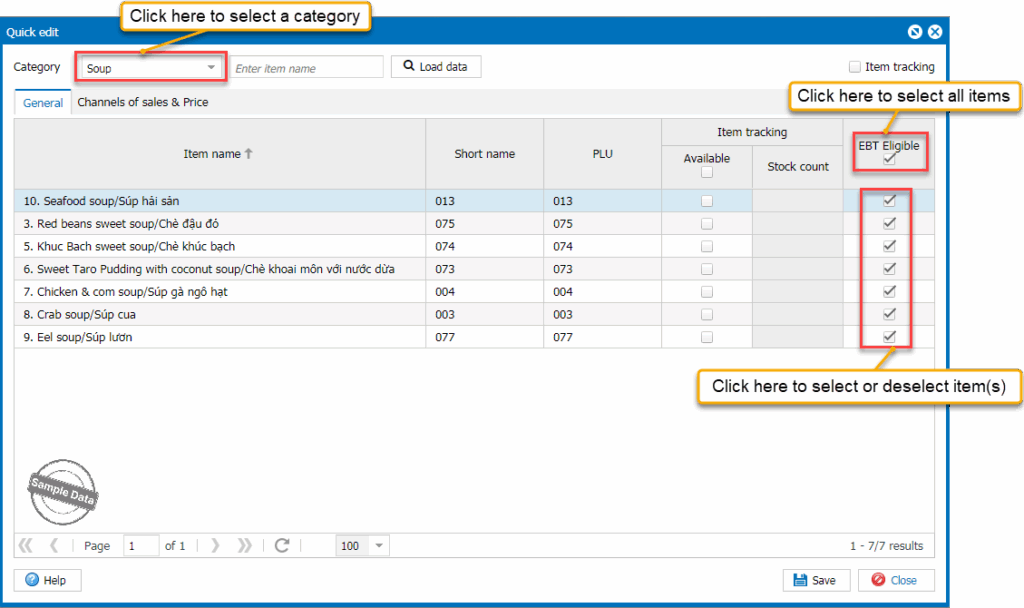
Select the items you want to enable EBT card payment. Then, click Save.
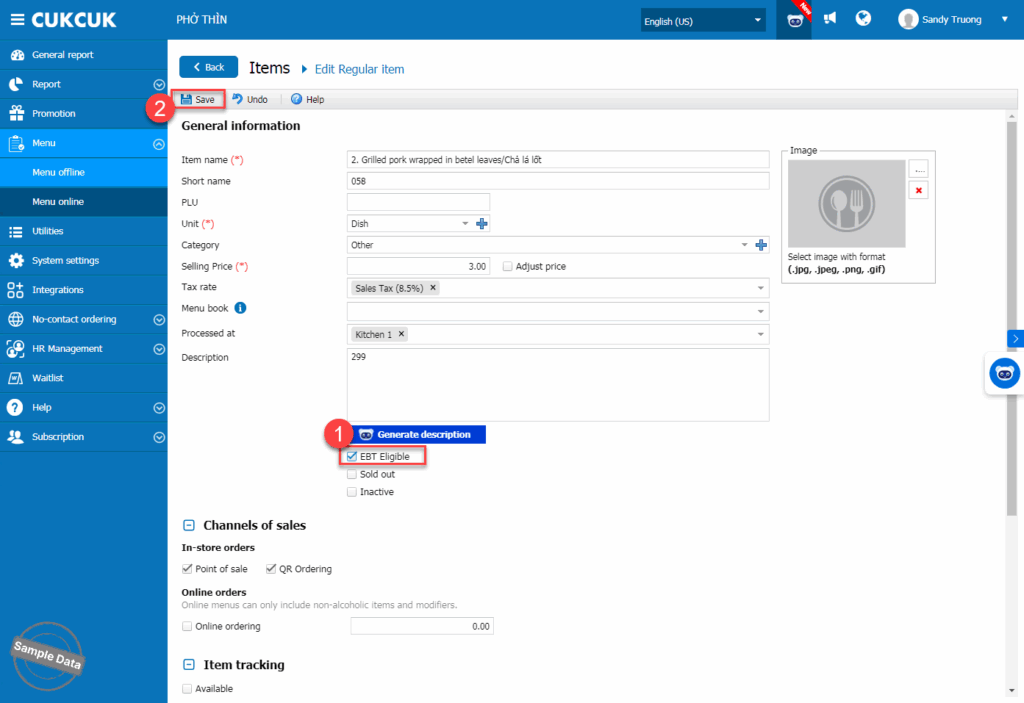
c. Apply to an individual item
Select the item you want to enable EBT card payment. Check EBT Eligible and click Save.
2. On POS
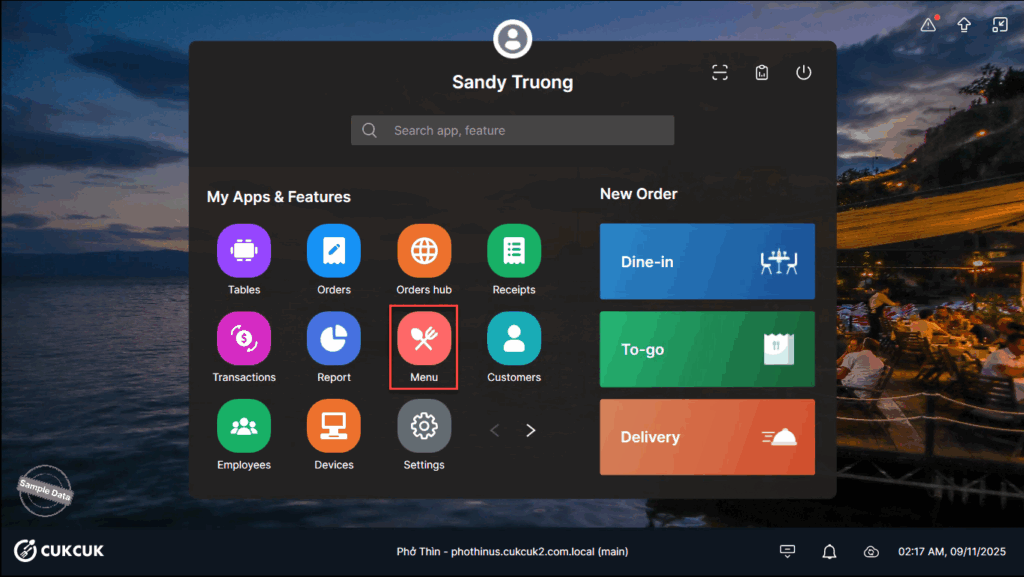
Go to Menu.
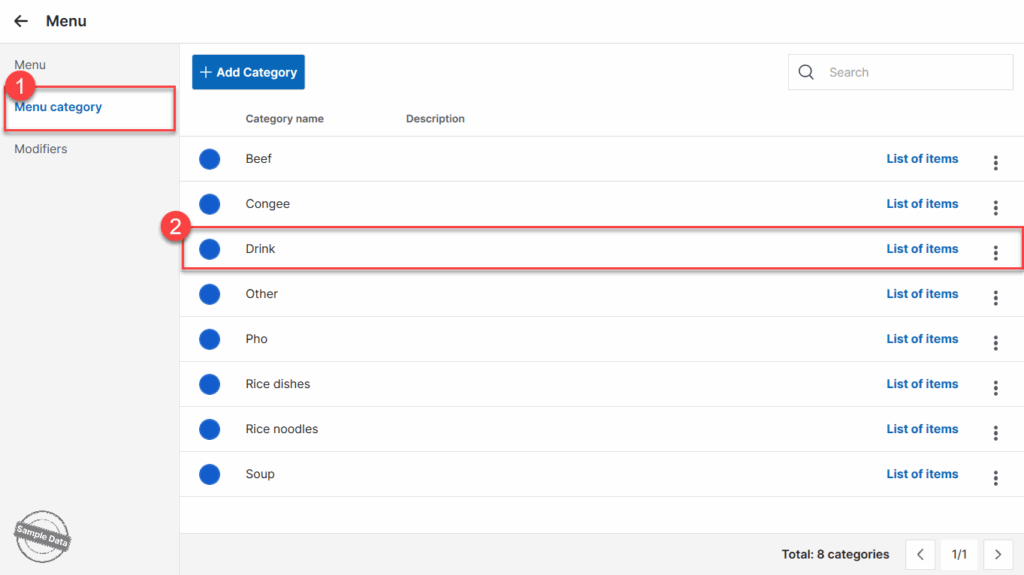
a. Apply to multiple items
Select Menu category. Double click a category.
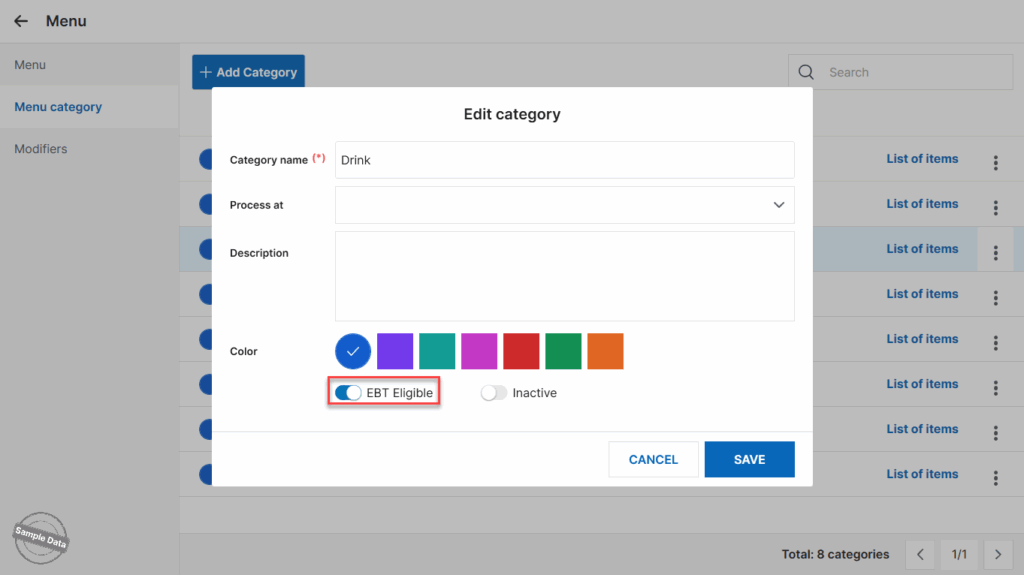
Turn on EBT Eligible and click Save.
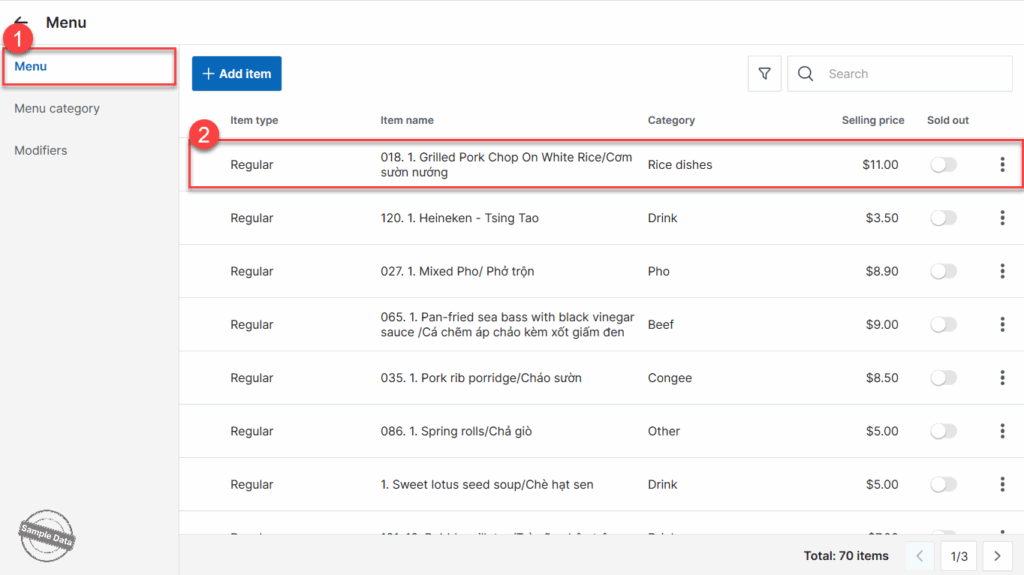
b. Apply to an individual item
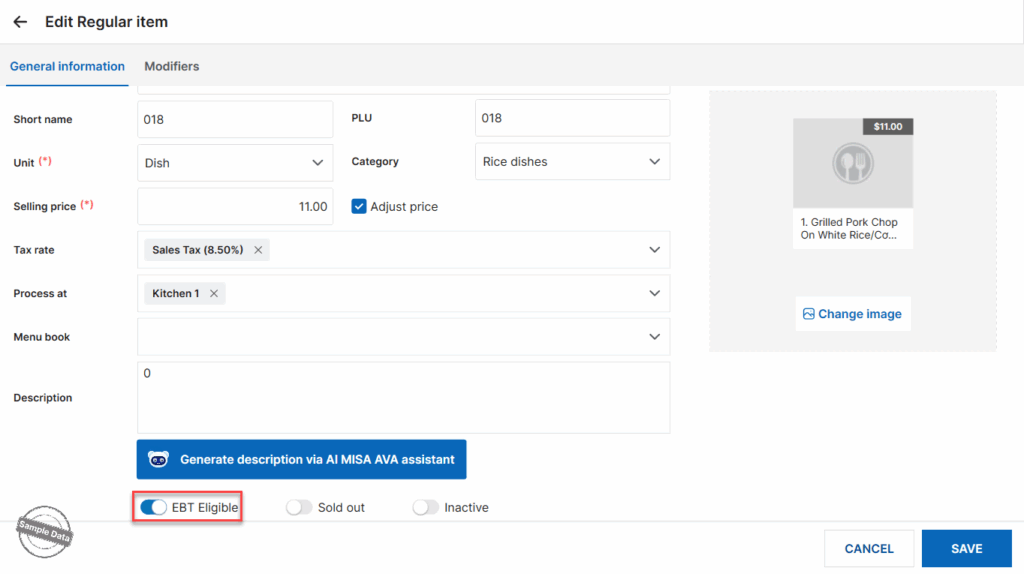
Select Menu. Double click an item.
Turn on EBT Eligible and click Save.
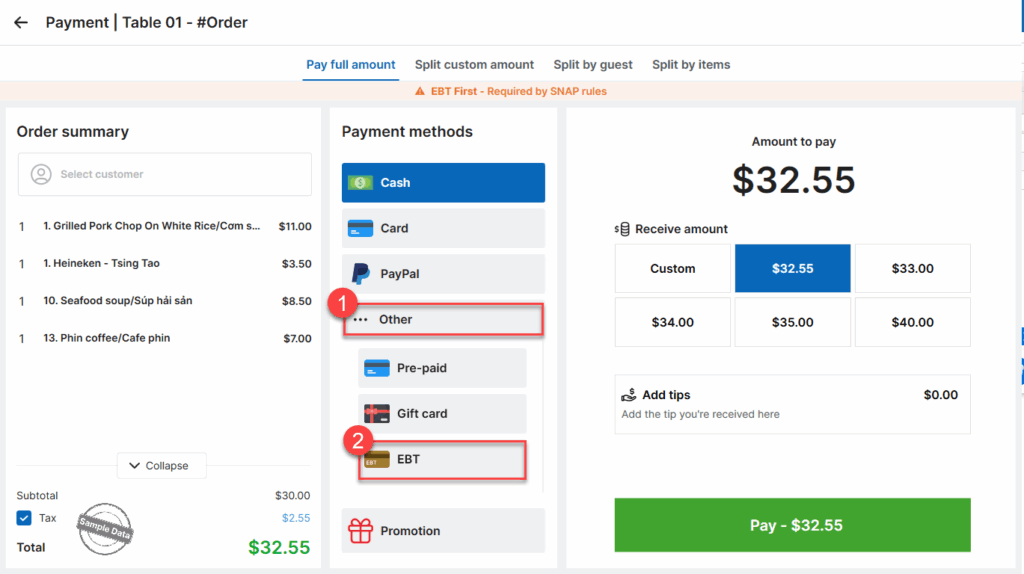
c. Get payment via EBT Card
Upon checking out, click Other and select EBT.
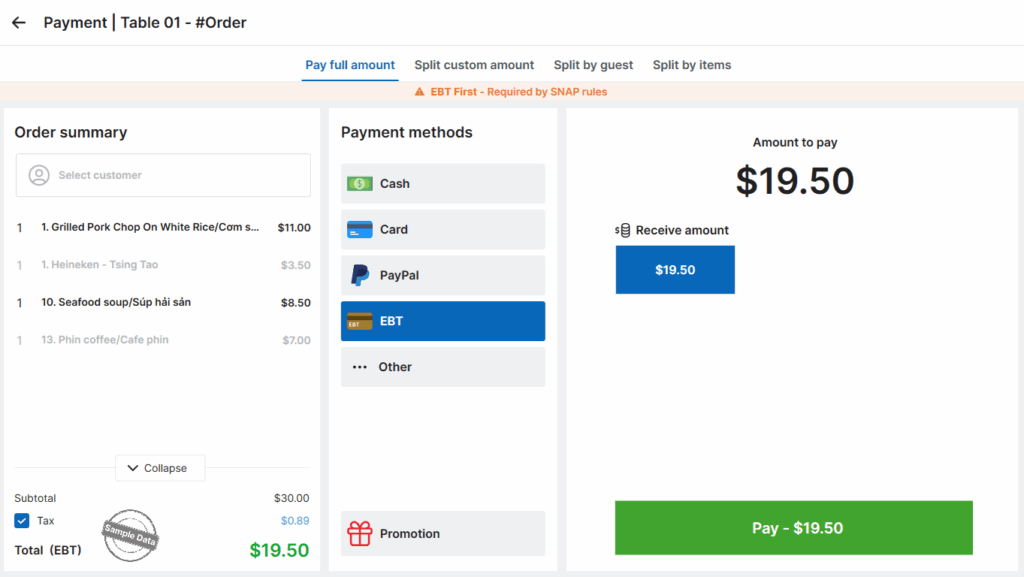
Click Pay to get payment with EBT.
Have a nice day!


