

Nội dung có trong bài
Ẩn
I. Purpose
Restaurant owners and managers can monitor all cancelled items directly from the management site.
II. Instruction steps
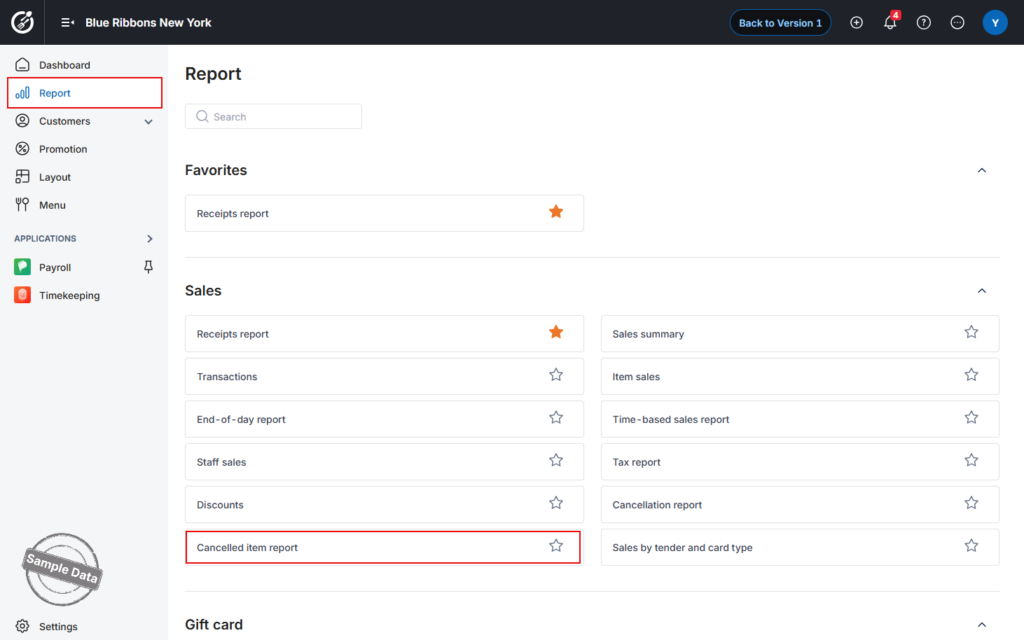
- On the dashboard, go to Report → Cancelled item report.
- Set the Date Range
• Select the period you want to review.
• Choose whether the list should display the newest or oldest cancellations first.
• Click Apply to load the data.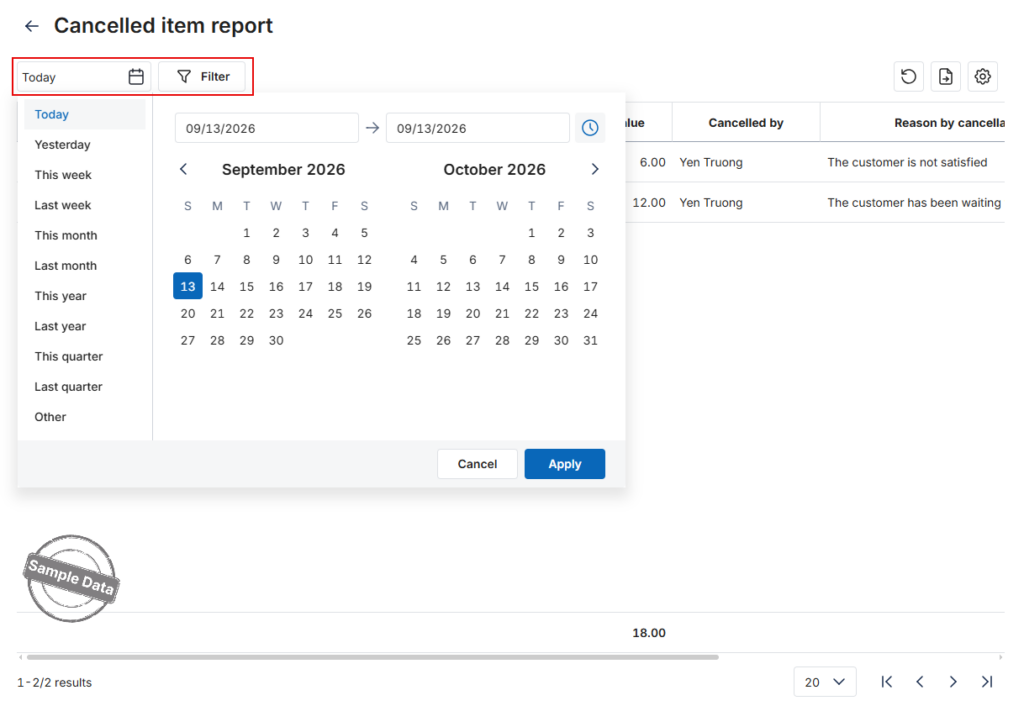
- View Item Details
• Click any cancelled item to see who voided it and the exact date & time of cancellation.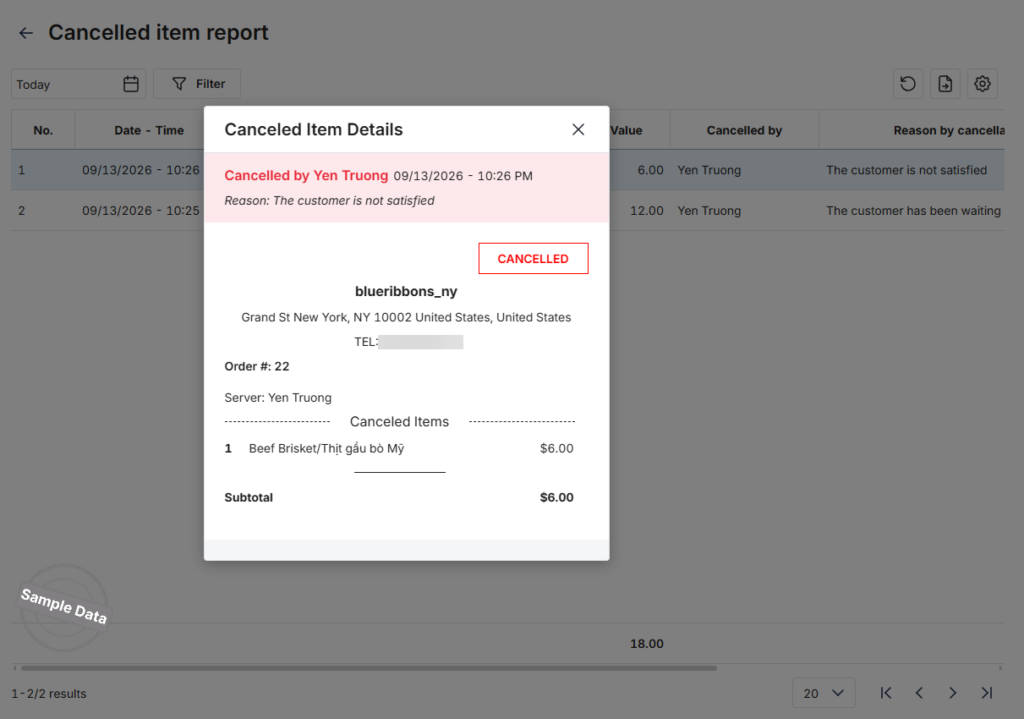
Have a nice day!


