

Nội dung có trong bài
Ẩn
I. Purpose
You can give selected employees the rights to manage the QR Ordering feature, so guests can browse the menu and pay from their own devices.
II. Instruction steps
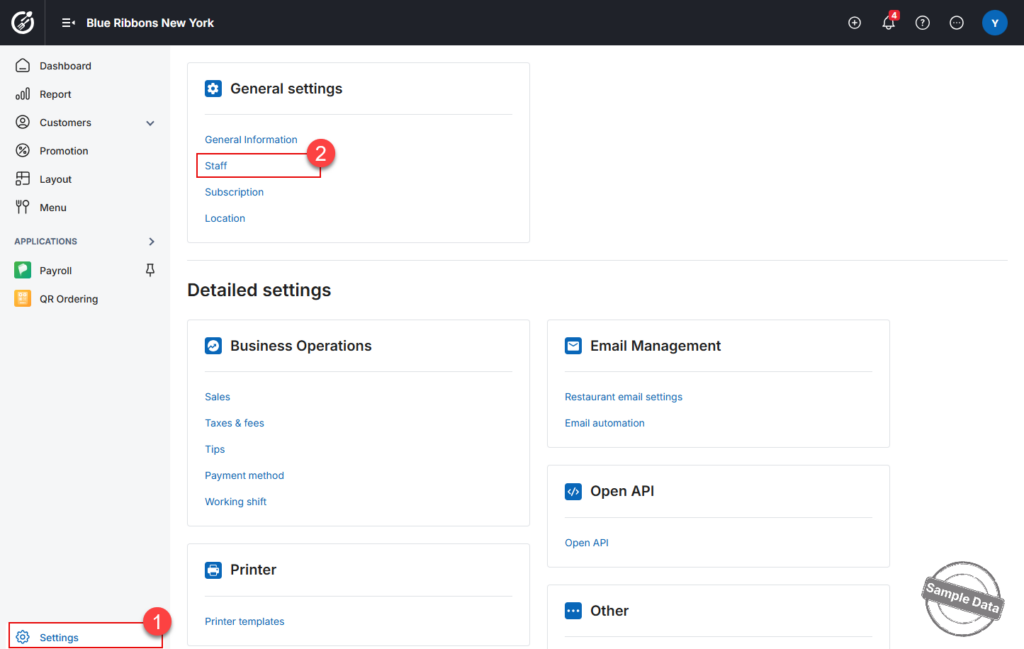
- On the dashboard, go to Settings –> Staff.
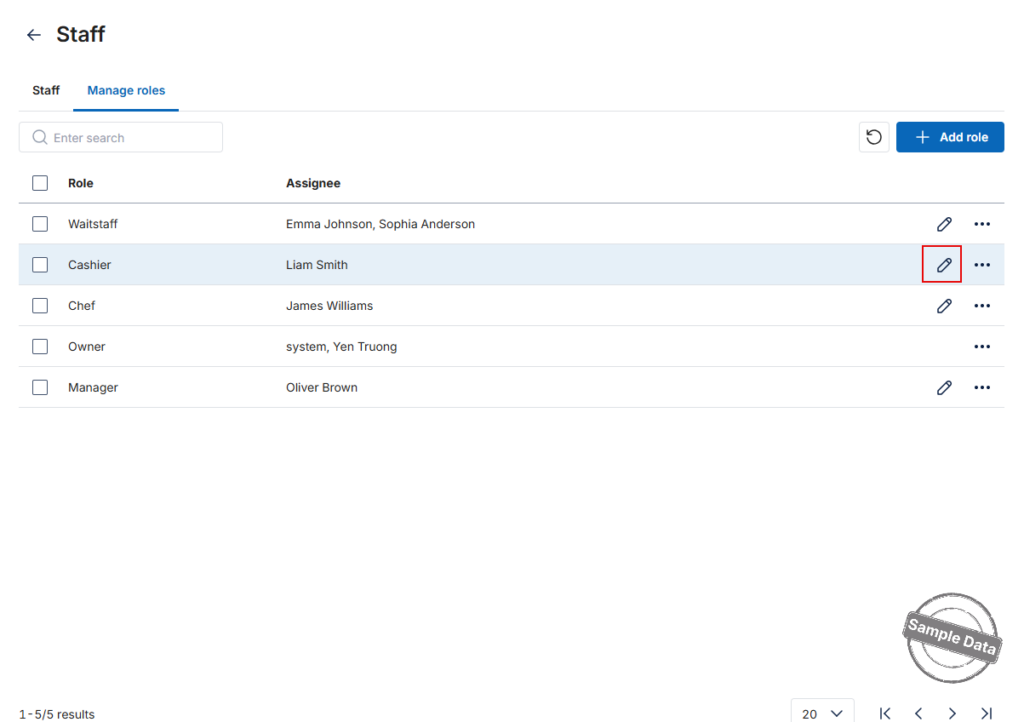
- On Manage roles tab, find the role you want to update (e.g., Cashier). Click the Edit icon for that role.
- Enable the Permission
- Stay on the Roles tab.
- Scroll to Applications → QR Ordering.
- Tick the Use checkbox.
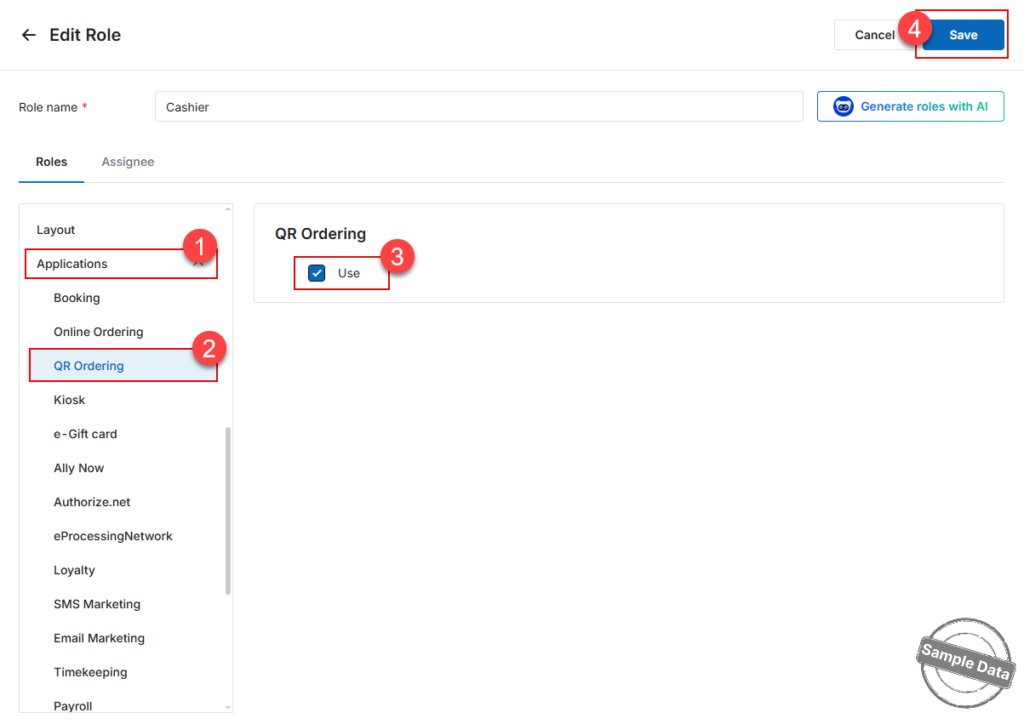
- Click Save to apply the changes.
Have a nice day!


