

I. Purpose
The restaurant managers can record the opening float (cash-in) at the start of a shift, track every cash movement during the shift (cash-in and cash-out), and monitor the real-time cash balance kept in the restaurant’s drawer and export audit reports.
II. Instruction Steps
1. Enable Cash-In / Cash-Out (Role Permission)
- On the dashboard, go to Settings → Staff.
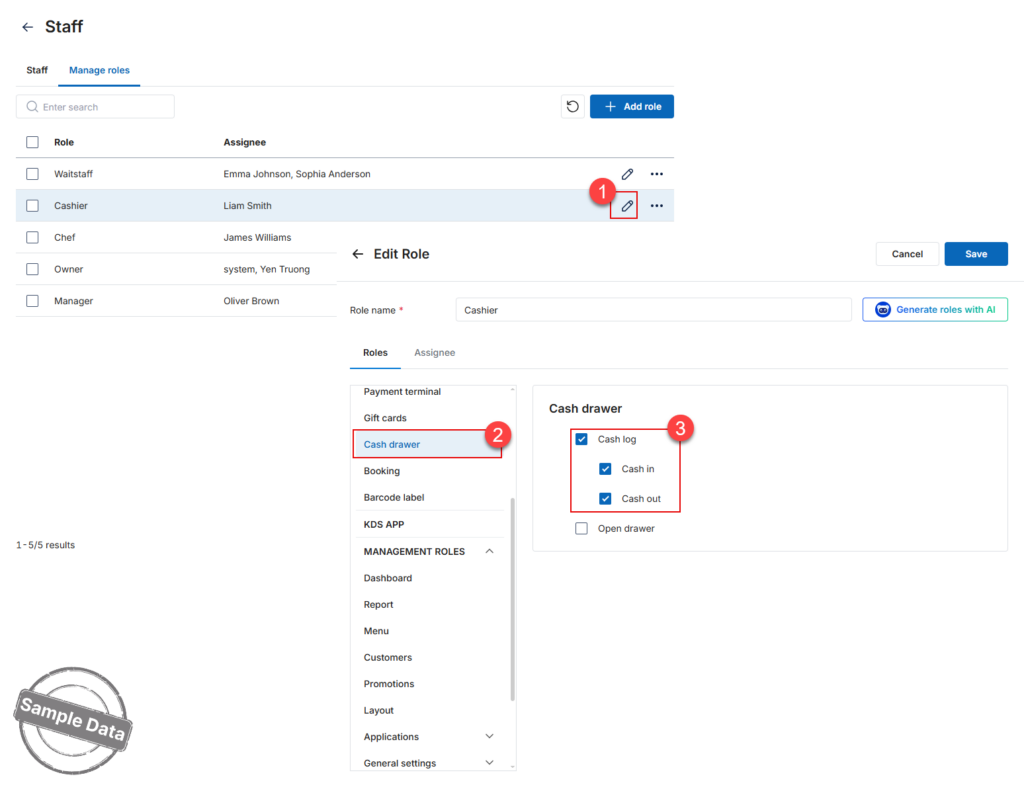
- In Manage roles, click the edit icon for the role you wish to grant access.
- Scroll the Cash drawer tab and tick Cash log → Cash in and/or Cash out.
- Click Save.
Managers can review all entries anytime via Report → Cash log. Select the date range → Click Apply.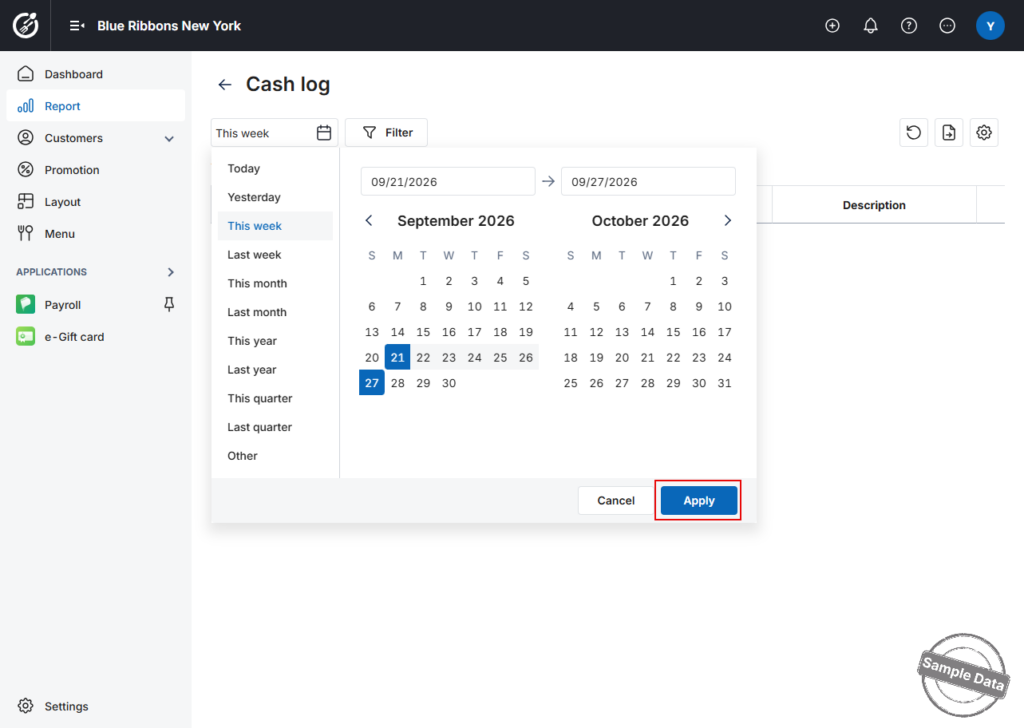
To export, click the this icon 
2. Perform a Cash-In
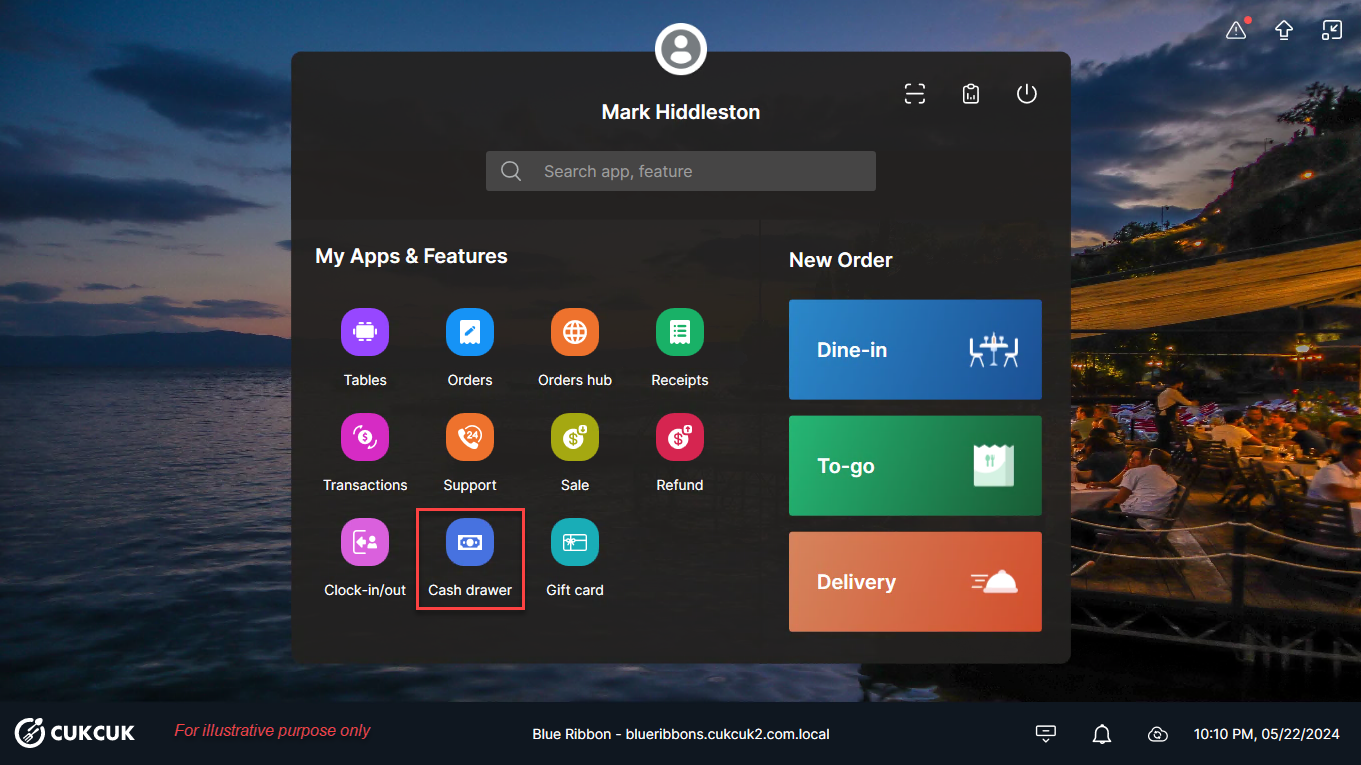
- On the POS/PC, tap Cash drawer.
- Click Add
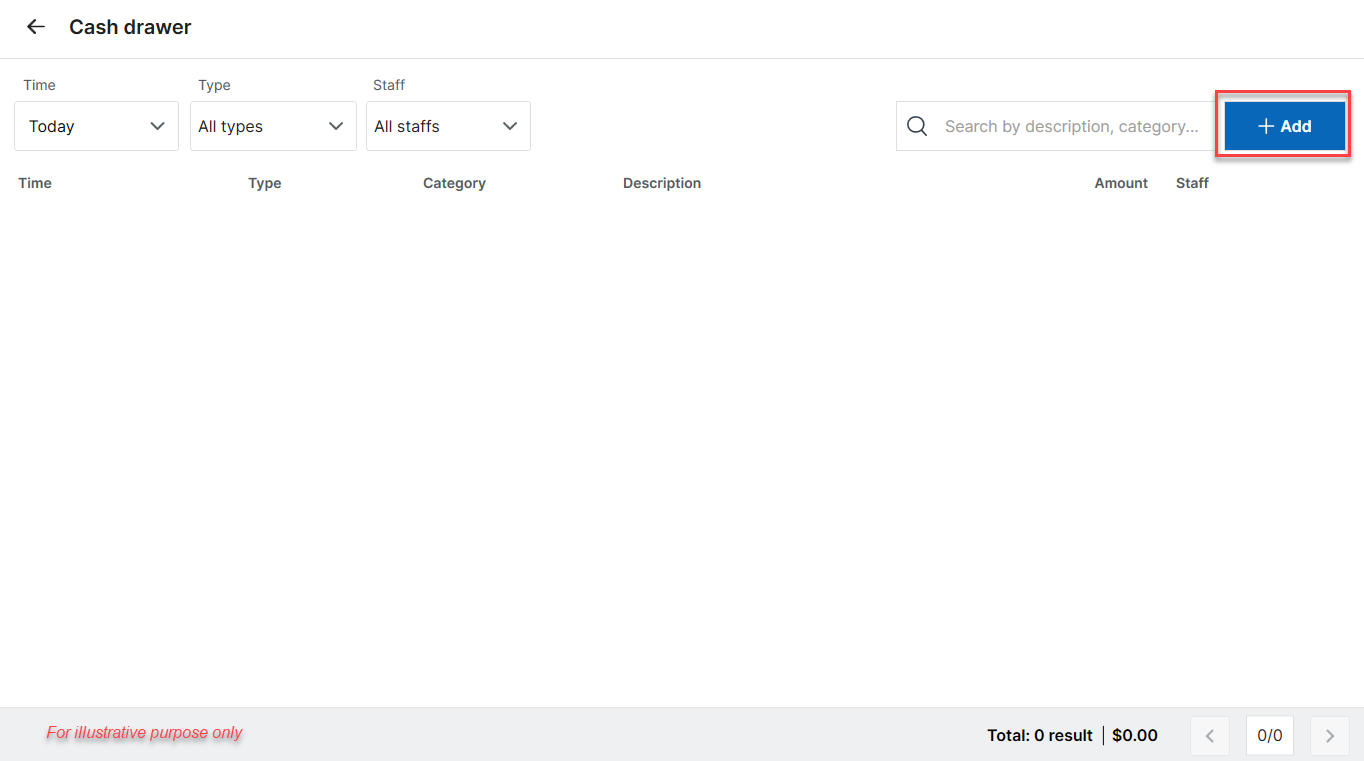
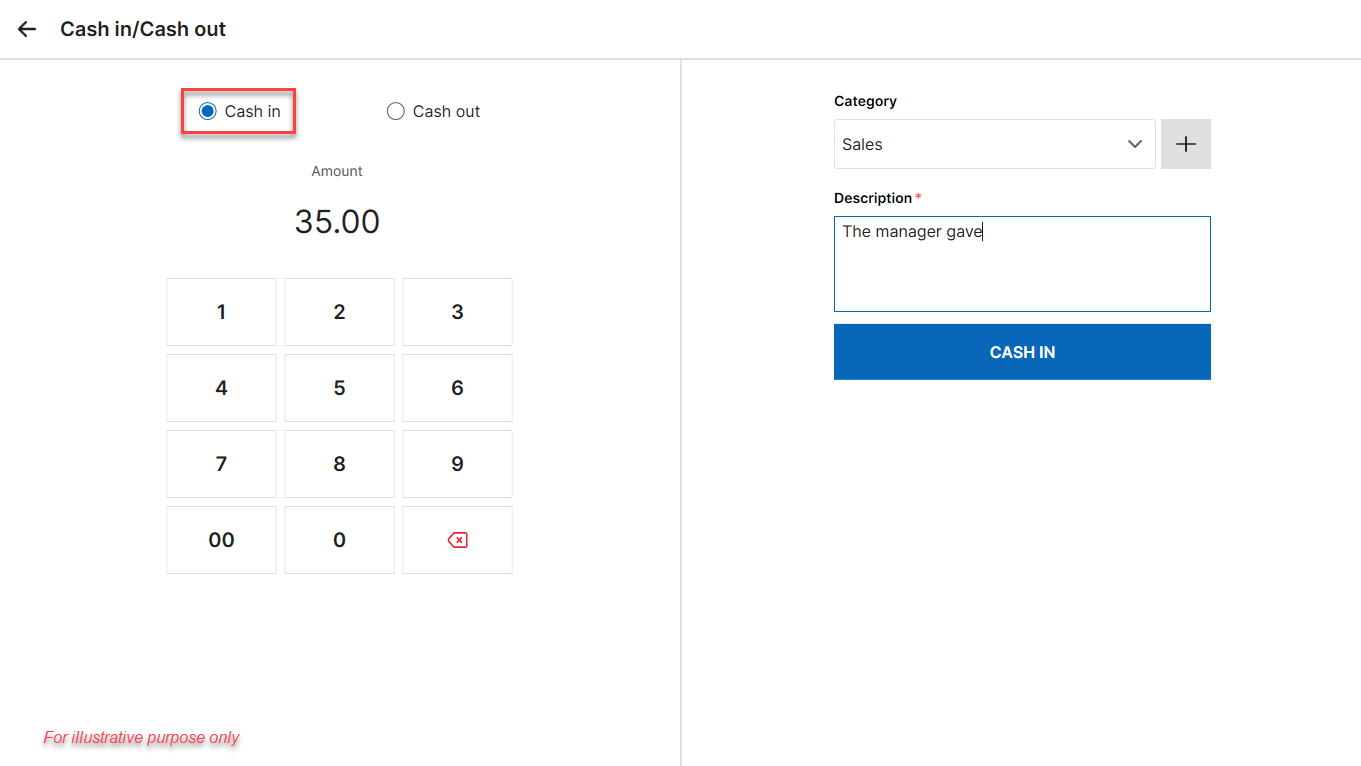
- Select Cash in. Enter amount received, category, and description (optional note)
- Tap Cash in.
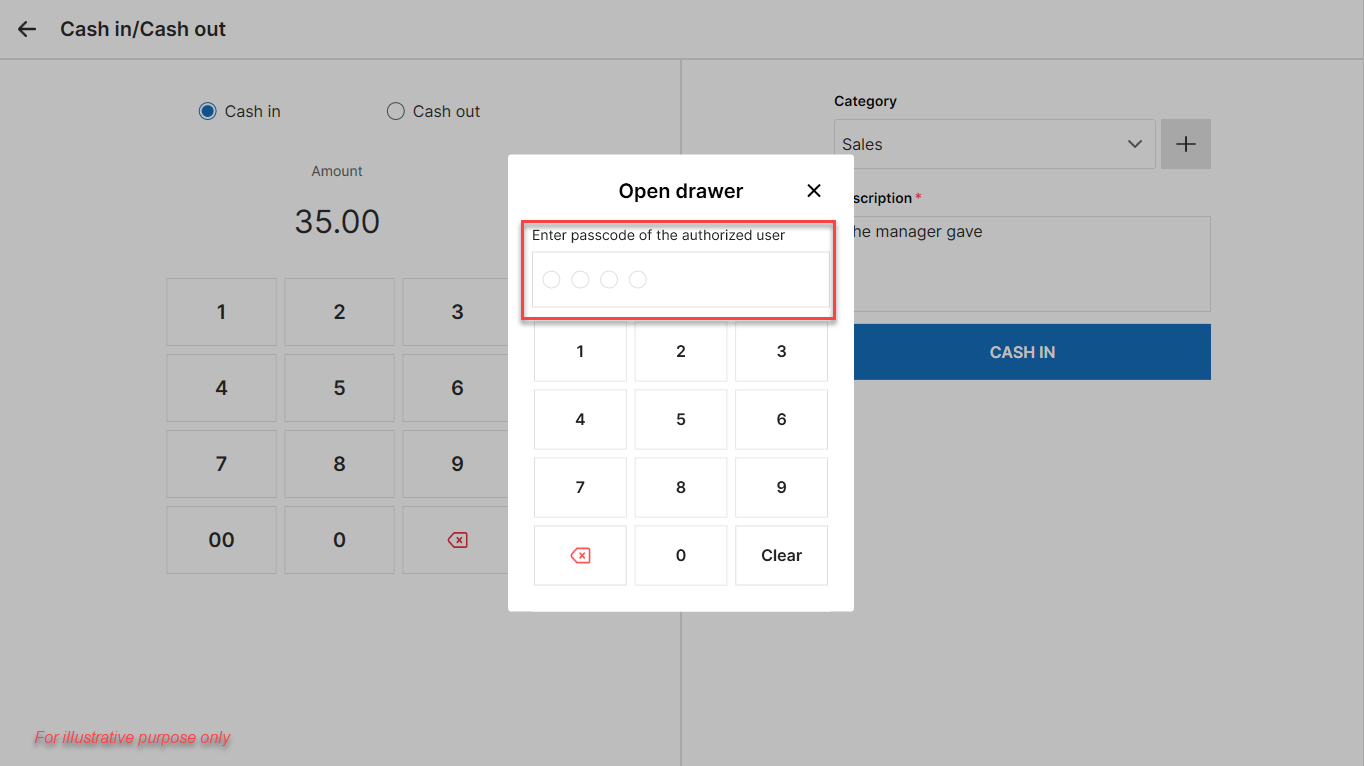
- The system prompts for the authorised employee’s security PIN to open the drawer.
Staff with permission can repeat these steps anytime during the shift to record additional cash received.
3. Perform a Cash-Out
- On the POS, tap Cash drawer → Add.
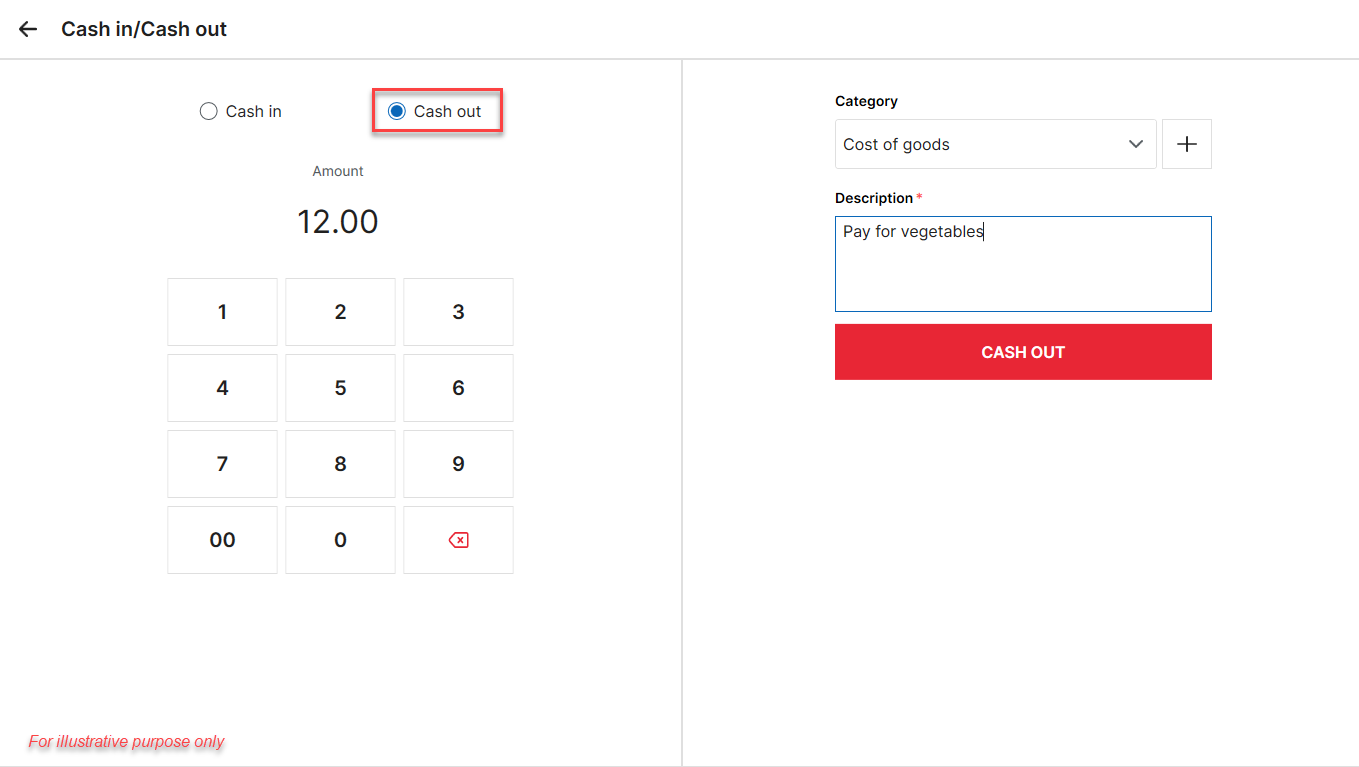
- Select Cash out.
- Enter the Amount paid, choose a category, and add a Description.
- Tap Cash out.
Authorised staff may log cash-out transactions whenever cash leaves the drawer.
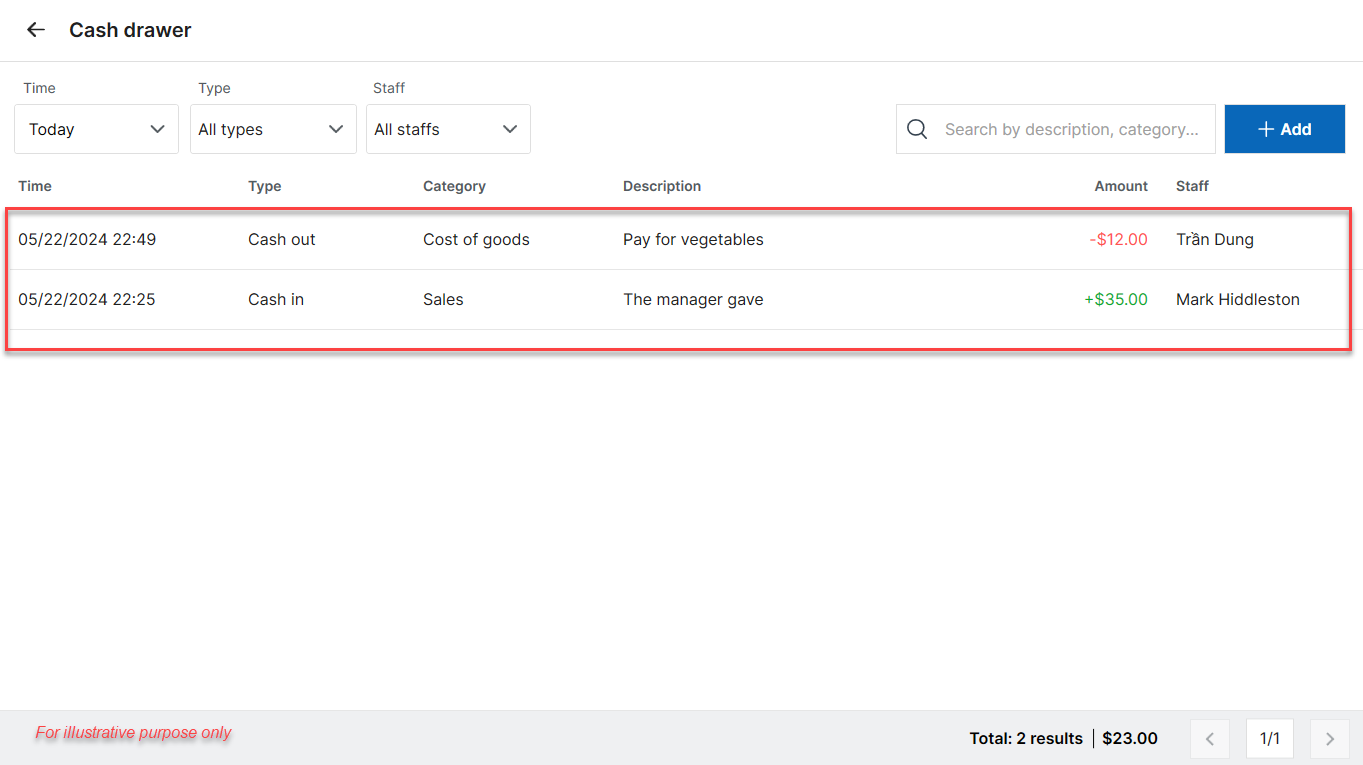
All cash-in and cash-out entries appear instantly in the Cash drawer screen.
Have a nice day!


