

I. Purpose
Allow the restaurant to set a maximum guest count per order, ensuring staff never record more guests than the restaurant can serve at one time.
II. Instruction steps
1. Define the limit on the dashboard
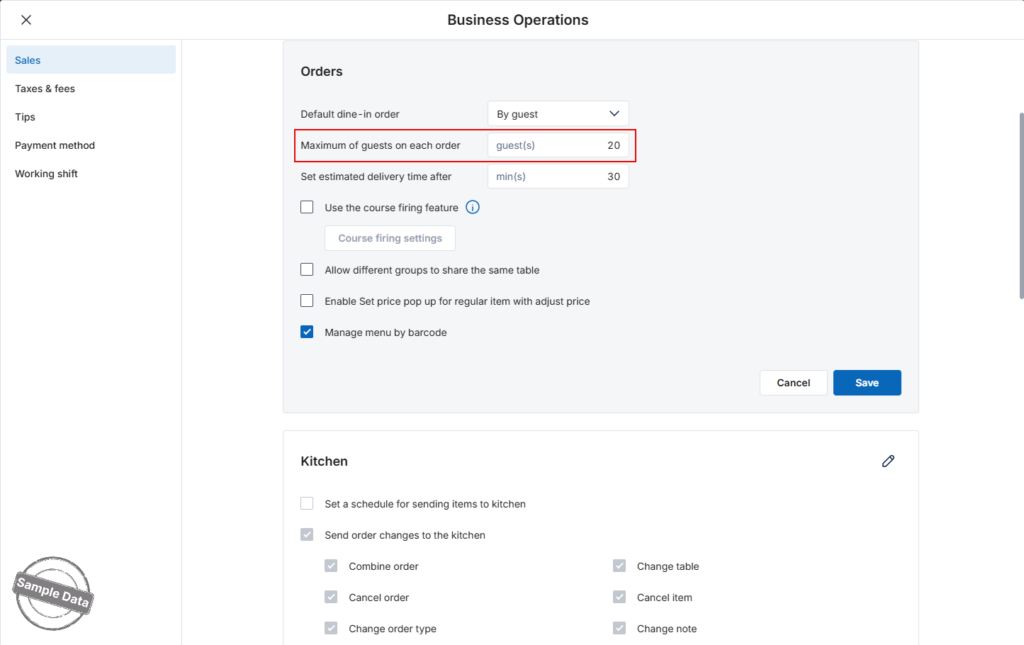
- On the dashboard, go to Settings → Sales.
- In the Sales tab, scroll to Orders → click the Edit icon.
- Enter the desired limit in Maximum of guests on each order.
- Default: 20 guests.
- Maximum allowed: 50 guests.
- If you type a value > 50, the system shows “The number can’t exceed 50. Please check again.”
- Click Save.
2. Enable guest-count entry on the POS
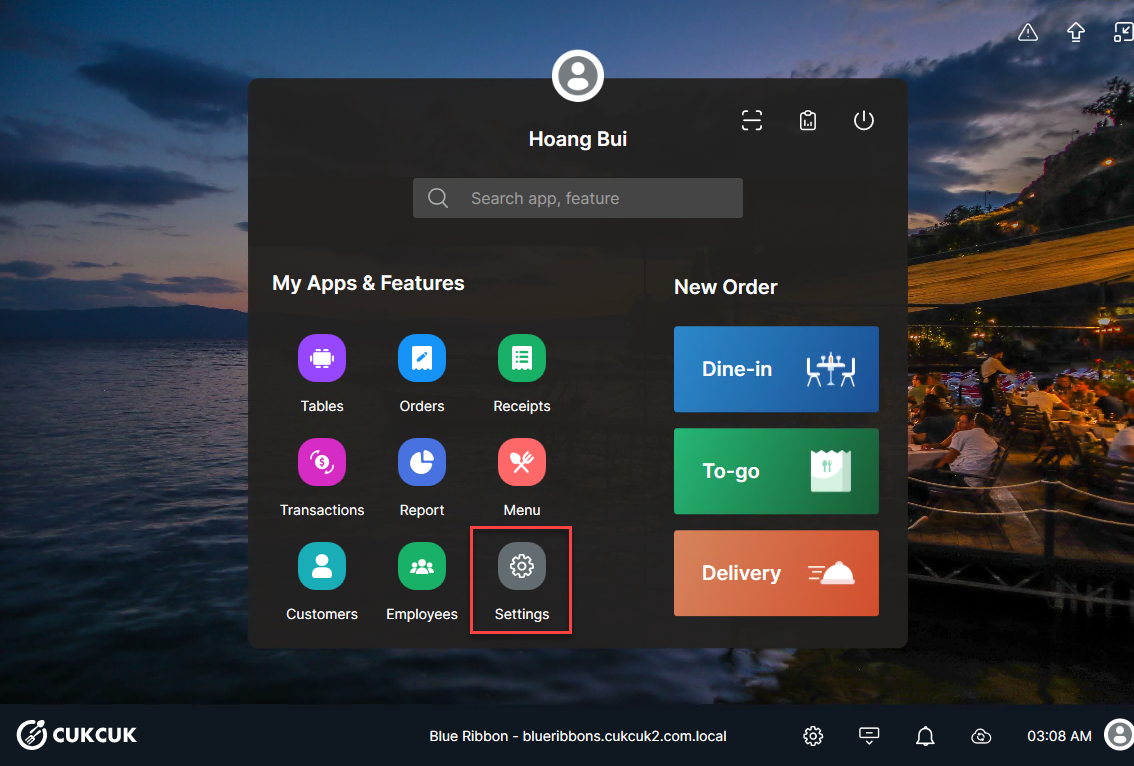
- POS main screen → Settings.
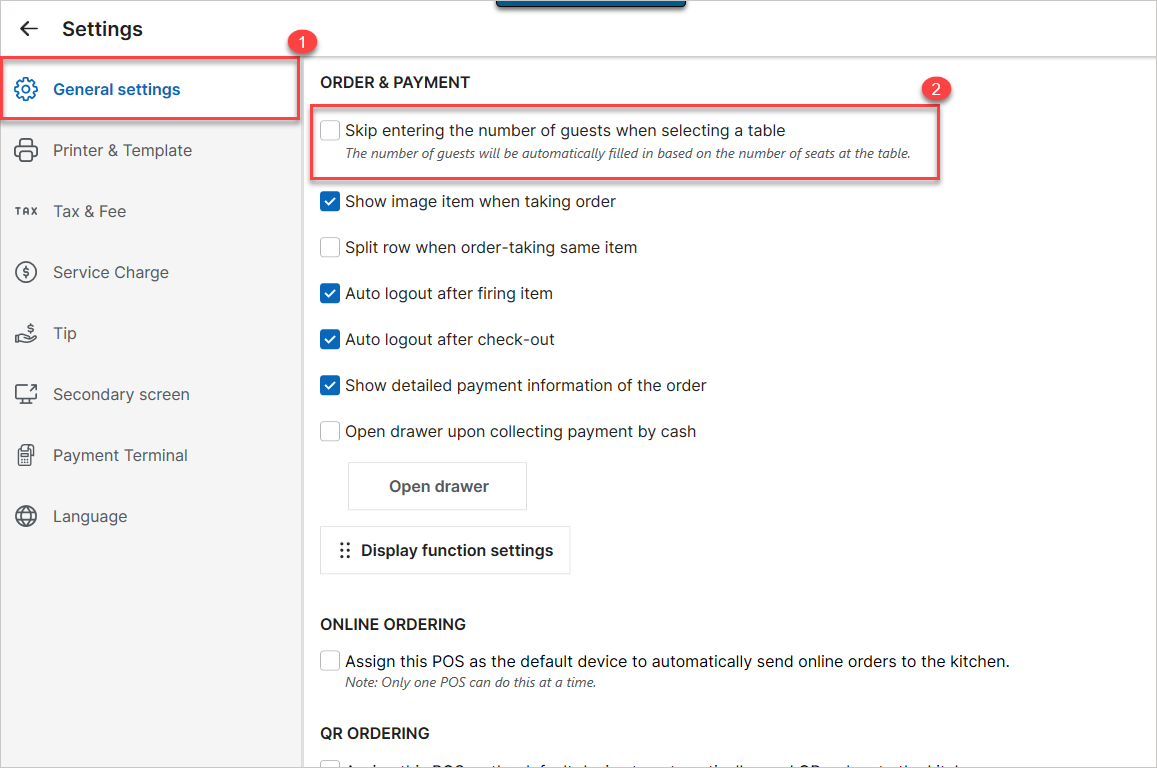
- Select General settings.
- Untick Skip entering the number of guests when selecting a table.
3. How it works at the POS
- When a cashier opens a new order, the Guest count field accepts any value up to the limit set on the dashboard.
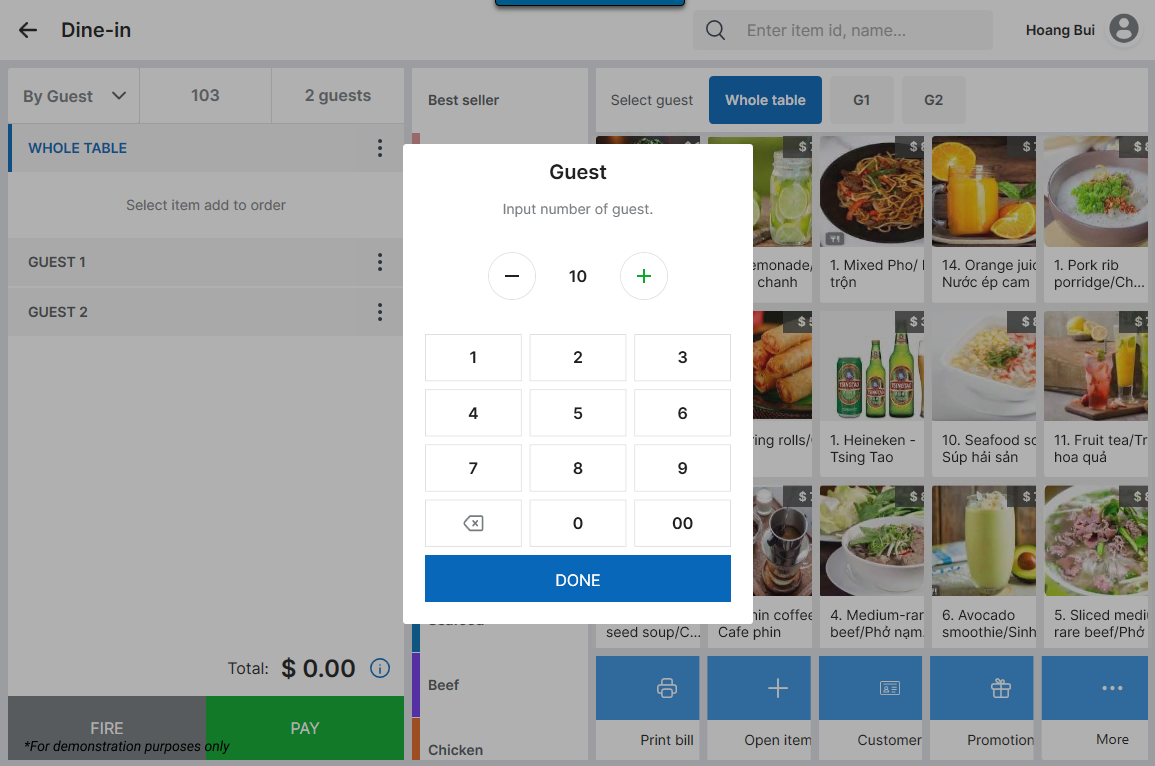
- If the cashier enters a number greater than the defined limit, the POS displays a warning and blocks the entry.
- If a table’s seat count exceeds the limit, the Guest count defaults to the maximum allowed when that table is selected.
Have a nice day!


